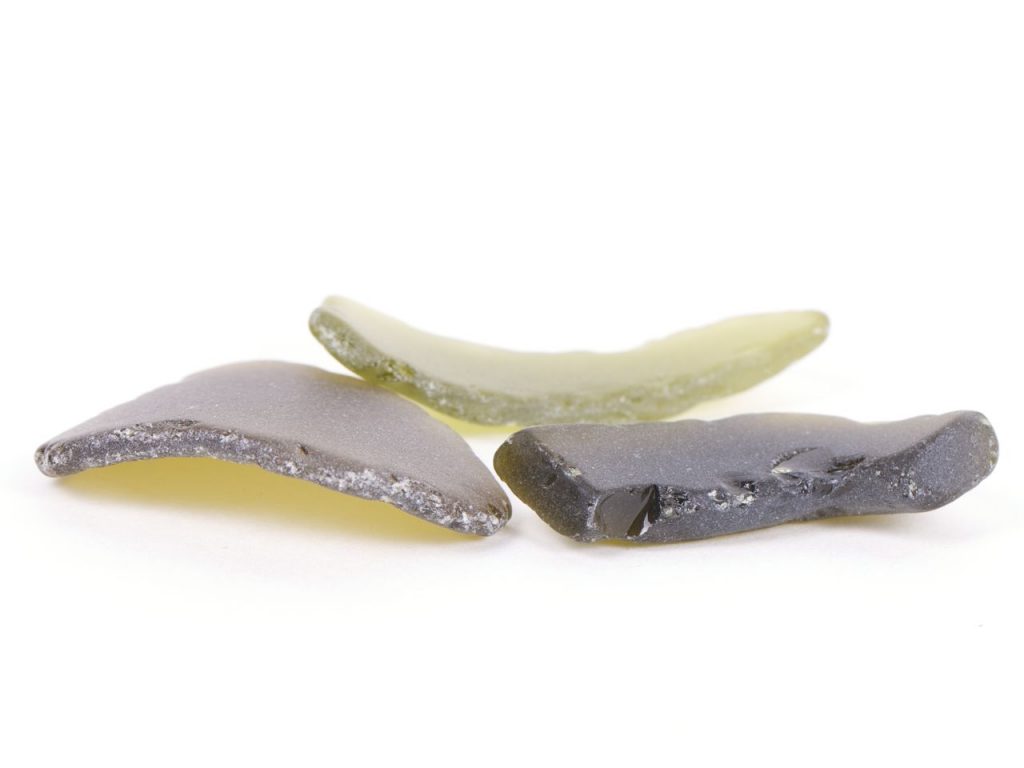
For those who do not know, we call Sea Glass, Seaglass, Beach glass, or mermaid tears to the pieces of glass that we find eroded and polished in the sea, rivers, lakes, etc., because of the currents, waves, rock sand, pebbles and other agents.
In addition to the abrasive agents that we have listed, the saline solution of the ocean also helps the crystal dissolve over the years and gives it that glazed, frosty or sugary hue.
Well, many of you have ever found pieces of glass completely eroded by the sea on the beach. They are called Sea Glass, seaglass, beach glass or Mermaid Tears, and I left you a complete guide about Sea Glass.
In this article I am going to show you how to make a Sea Glass imitation at home. It is called Fake Sea Glass.
There are thousands of collectors of these sea glass and it is increasingly difficult to find them. People use industrial tumblers to produce and sell them.
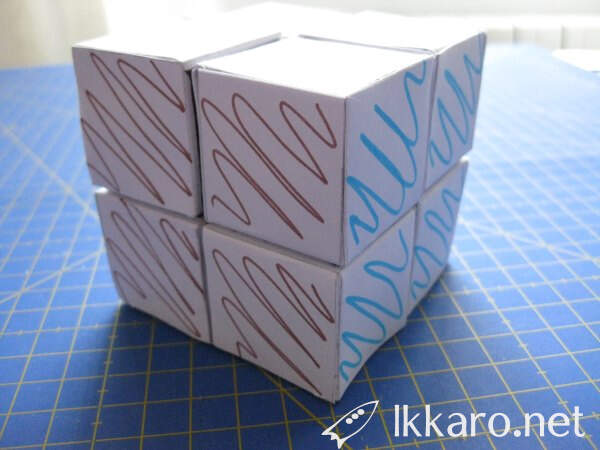
Some years ago, David, an elementary School teacher wrote me asking if I can help them designing a 2×2 Rubik’s cube for children.
They want a mathematical project for kids based on Rubik cube. Fastly I answered with some links to learn to build 2×2 and 3×3 Rubik’s cube with dices and magnets. The are really cool hacks. But David needs something easier and cheaper. They came with simple premises.
Children of 10 years must be able to build it, so we forget about elaborate and dangerous tools and processes
and it has to be cheap, very cheap
although everything must be said they just wanted a minimally manipulable cube.
I am not an expert in Arduino, although I have not used the plate for a long time. And the times I have done it has been as a tool, copying and pasting code already created but without much interest to really learn how it works but simply with the intention of making it work and find it useful. This Christmas I tuned the Nativity scene a bit with some LEDs and an HC-SR04 ultrasonic sensor. And I stopped to observe what had to be done.
I just wanted to do different things with two LEDs from the same signal. Oops I quickly stumbled upon what I think will be one of the first limitations you encounter when you start to mess with Arduino. And it is not necessary to complicate it much. I speak only of some LEDs, you realize that you cannot do what you want correctly.
Let’s make it clear from the beginning in Arduino multitasking does not exist, you cannot process two tasks in parallel. But there are techniques to make calls so fast that they seem to work at the same time.
I tell you the case in more detail. At Christmas I rode a Nativity scene and I wanted certain birth lights to come on when my daughters approached. Nothing complicated I just wanted two branches of LED lights to work differently depending on the values of a proximity sensor.
We are going to see how to digitize books at home with a camera. It is faster and easy. You only need a digital camera or a smartphone.
Digitizing a book is formed by two parts. The first one consists of get images of the text book and in the second part you have to treat it with an OCR (Optical Character Recognition)
Traditionally, books were scanned page by page, this is a very slow process that was complex because of the spines of the books, which curled the pages and then the OCR did not recognize the words well. So much that many people unbundled them in order to facilitate the scanning process.
Surely you have forgotten a password but your browser remembers it. It is a saved password an you can see it an recovery your pass. Even if it is hidden with a few points or asterisks and in the end you end up changing it. Well there are several methods to see this password, I know two, go to our browser preferences to see where you save the password and the second is the method that we will teach very very simple and more powerful because it allows us to see passwords saved in fields , that is, although we have not saved them and of course, it is not in our browser we can see them.
This is very useful if, for example, you work in a team and someone put in a form, such as in WordPress an API, this way you can quickly retrieve it to reuse it in another site.
It is useful too for recover passwords from Facebook, Hotmail, Gmail, and all webs you sign in your browser.
I use Gimp as my photography and images editor. I don’t open Photoshop for more than two years. I begin to use it
My main use nowadays is to edit in bulk the blog articles images. I resize it, add the watermark and reduce the image weight in seconds I handle them all at the same time.
But it is useful for photographers, and all people who work with images and repetitive tasks and routines.
There are different ways to batch processing in GIMP. Here I see two of them using Gimp 2.10.12