
- Restoring a deleted Telegram account is complex but sometimes possible in specific situations.
- Backups and security settings increase your odds of successful account recovery.
- Respond promptly to any suspicious activity and follow all Telegram support guidelines.
Recovering access to a deleted Telegram account can be difficult, especially after extended inactivity or accidental deletion. Many users are caught off guard when they discover that restoring their old account isn’t always as straightforward as it seems, even when they only deleted the app or signed out.
Restoring your Telegram account depends on what happened to it. Whether it disappeared after uninstalling the app, you lost access because of phone number issues, or you clicked the dreaded “Delete My Account” button, this guide explains the steps to follow and what you can realistically expect.
Understanding Telegram’s Account Deletion Policy
Telegram is largely cloud-based and prioritizes privacy. The platform maintains its own official support page, but information about account restoration is not always crystal clear. When you delete your Telegram account manually or it gets deleted due to inactivity, all your messages, media, and groups are permanently wiped from Telegram’s servers. This is a privacy feature rather than a bug or technical limitation.
Why Are Telegram Accounts Deleted?
There are generally two main reasons a Telegram account can be deleted:
- Manual Deletion: You initiate the deletion through the app’s settings, confirming the removal of your account.
- Inactivity: If your account is inactive for a period (default 6 months, customizable up to a year), Telegram considers it abandoned and automatically deletes it.
Telegram permanently removes your data when either of these actions occurs, including conversation history, groups created, contacts, and media. The account can’t be restored afterward with the same chats, although the same number can be used for a new account.
[relacionado url=”https://www.ikkaro.net/how-to-use-telegram-without-a-phone-number/”]
What Happens If You Try to Restore a Deleted Telegram Account?
Many users have reported difficulties recovering lost Telegram accounts, including people posting on Reddit. For instance, one user described deleting the app two years ago and being prompted to register a new account when trying to log in, finding all old messages and media gone.
A genuinely deleted account cannot be recovered, whether the deletion was manual or caused by prolonged inactivity:
- Your messages, group memberships, contacts, and shared media are gone permanently from Telegram’s servers.
- The same phone number can be used for a new registration, but this creates a completely new account with no prior history.
Can You Recover Your Telegram Account Under Any Circumstances?
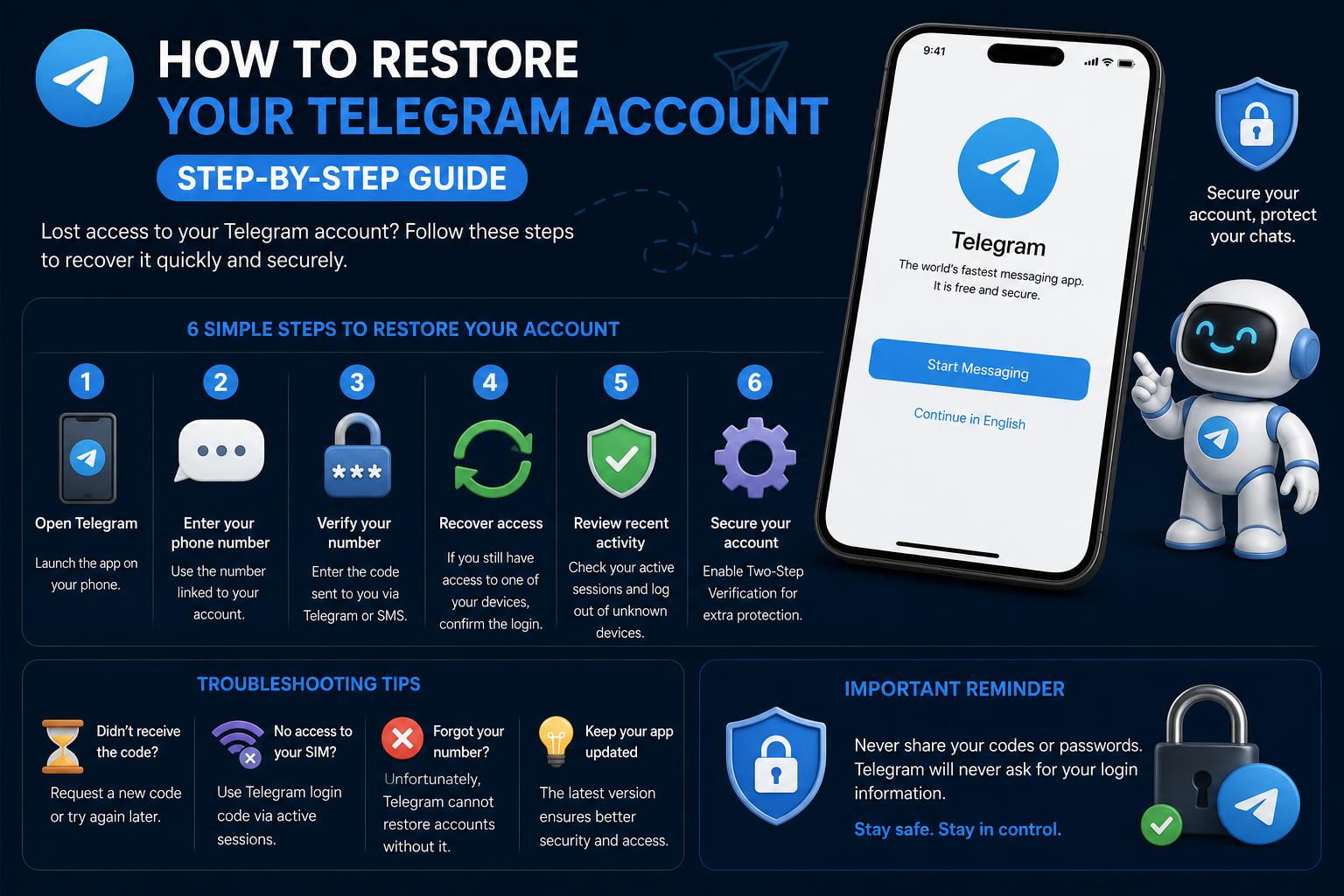
If you only logged out or removed the app, you can simply log in again using your phone number. Telegram will send you a verification code via SMS or the Telegram app if installed on another device.
Phone number recovery is essential for users who lost access because they lost their SIM card or changed their number. Your best option is to regain control of the original phone number through your telecom provider, as Telegram accounts are always tied to the phone number originally used during sign-up.
[relacionado url=”https://www.ikkaro.net/the-same-phone-number-on-two-phones/”]
Hacked or hijacked accounts require immediate action. Contact through their official channels. Sometimes, if the account is still active but under someone else’s control, support can assist in regaining access.
Steps to Attempt to Restore Your Telegram Account
If your account was only logged out, follow these steps:
- Open the Telegram app or web version at web.telegram.org.
- Enter your original phone number.
- Wait for the verification code via SMS or Telegram (whichever is available).
- Enter the code to regain access to your account along with all your chat history and contacts.
A new-account setup screen usually means your original data is gone. This typically occurs when Telegram no longer recognizes an existing account linked to your number.
What If I Accidentally Deleted My Telegram Account?
Accidentally deleting an account is irreversible. As seen in some online query examples, such as Reddit and Quora, users sometimes mistakenly delete their accounts and want to know if there’s a way to get them back. If your Telegram account was deleted manually, all associated data is wiped from their system according to . There is no “grace period”—once removed, the account’s data is not recoverable through the app.
A new account can use the same phone number, but it will be a completely blank slate. You will need to rejoin groups, re-add contacts, and all previous conversations or media will be unavailable.
Common Obstacles When Trying to Restore a Telegram Account
Real-world user feedback highlights several recurring problems:
- The user logs back into Telegram after years, only to find their data gone and being prompted to enter email info and set up a new account.
- All old chats, media files, and group participation disappear, with no option for recovery.
Long-term inactivity is a common cause of Telegram purging account data for security and privacy reasons.
Possible Solutions and Preventive Measures
These preventive measures can help protect your account:
- Never let your account become inactive for more than a few months. Check the account self-destruction setting in Privacy and Security – set it to the maximum (one year) if possible.
- Regularly update your linked phone number and recovery email if Telegram adds this support feature in your region.
- Back up important chats and files manually. Use Telegram’s export tool for selected chats or copy crucial messages, especially for business or sentimental conversations.
- Be cautious when clicking on suspicious links or sharing account details to prevent unauthorized access or account hijacking.
- If changing phone numbers, always add your new number before losing access to the old one, ensuring you can still receive codes.
How to Contact Telegram Support for Account Issues
Telegram Support is the best contact option if you’re convinced something went wrong that wasn’t your fault. They can be reached via their . However, be aware that:
- They cannot recover data from deleted accounts. Their servers are engineered for privacy and data deletion is irreversible.
- If your account was hacked and NOT yet deleted, their support team might be able to help you regain access. Provide as many specific details as possible, including when you lost access, device details, last login locations, and proof of account ownership if requested.
Protecting Your Telegram Account
Account security measures can prevent future losses:
- Enable two-step verification. Set a password for your account in addition to the SMS code to dramatically reduce the odds of unauthorized access.
- Monitor your active sessions. Regularly review which devices are logged into your Telegram account via Settings > Devices and terminate any unfamiliar sessions.
- Keep your phone number active and under your control to avoid losing access to two-factor authentication requests.
What If You’ve Lost Access to Your Phone Number?
Recovering your old SIM through your mobile provider is the first option if you no longer have access to it. If that’s not possible and you haven’t previously added a recovery email or linked another number, access to that specific Telegram account may be lost permanently.
Proof of ownership may be required because Telegram’s support might not be able to assist with number-related issues unless you can prove unequivocal ownership of the number or account.
Frequently Asked Questions About Telegram Account Recovery
- Can I restore my Telegram chats or groups after deletion? No, Telegram’s privacy architecture prevents data recovery once an account has been deleted from their servers.
- Can I contact customer support to retrieve my deleted messages? While you can contact support for help with other issues, deleted account data cannot be recovered.
- How can I avoid losing my Telegram data in the future? Regularly export crucial data and keep your activity frequent within the app.
- Is there any backup or restore functionality in Telegram? Telegram doesn’t currently offer server-side backups for users, but you can manually export chats on the desktop version if needed.
Tips for Safeguarding Your Telegram Memories
- Periodically export vital chats using Telegram’s export tools on the desktop version.
- Set reminders to check your account activity if you take long breaks from messaging.
- Add two-step verification for extra account security.
- Maintain access to your current phone number and update it in Telegram if you change numbers.
Protecting your Telegram data requires regular activity and secure access. While true restoration of a deleted account is impossible due to privacy-focused server architecture, most login issues caused by app removal or a device switch are resolved simply by logging back in with your active phone number. In cases involving uncertain ownership or a hijacked account, acting quickly and contacting official Telegram support offers the best, though limited, chance of regaining access. Keep your account secure, stay active, and regularly back up information you can’t afford to lose.