
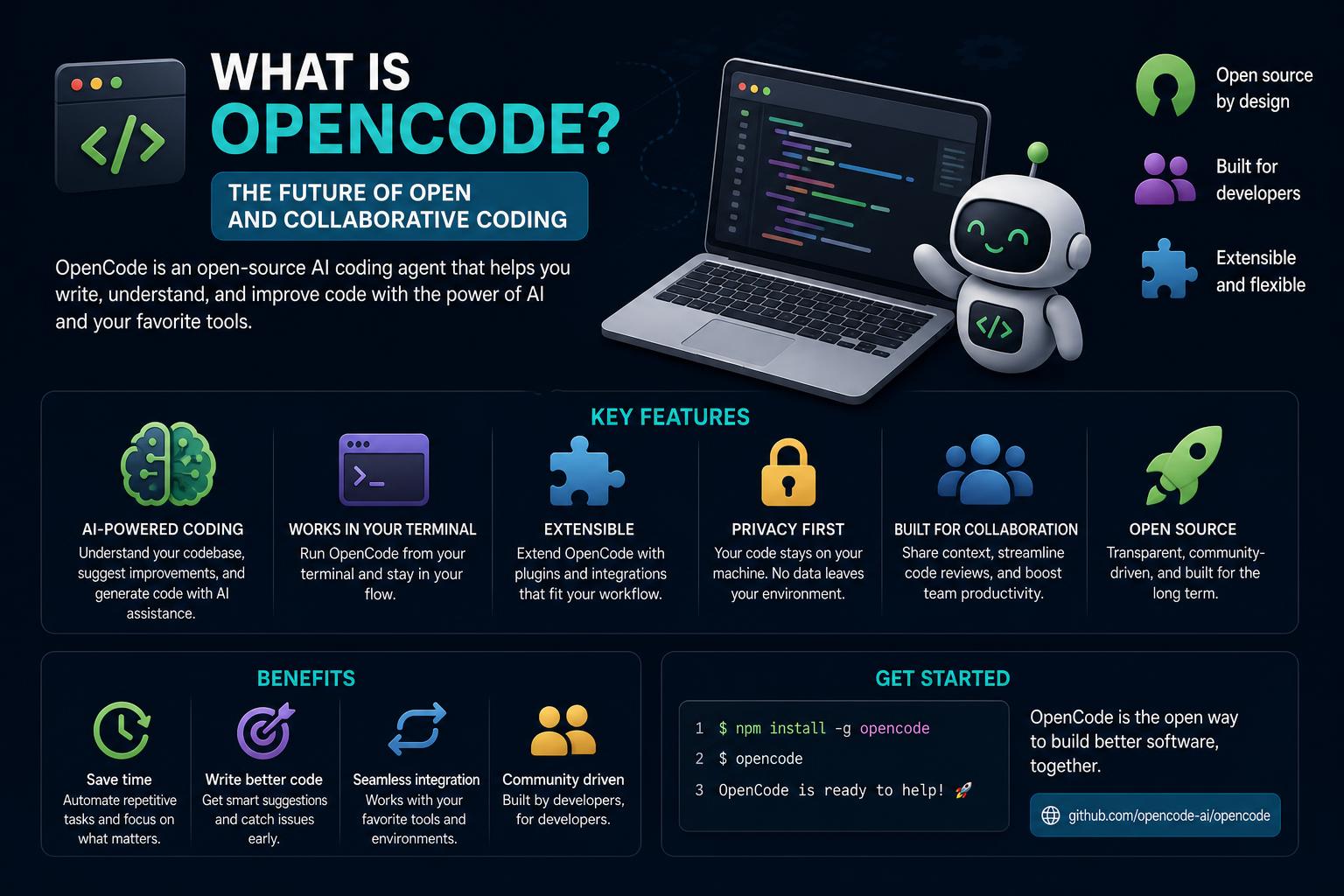
- OpenCode is a flexible, open-source AI coding agent supporting 75+ model providers, running locally for maximum privacy and customization.
- It integrates seamlessly into developers' terminals and workflows, offering a robust toolset, git-based undo/redo, LSP diagnostics, and granular model/configuration control.
- Projects can benefit from local-only execution for compliance and privacy, extensive tool and extension support, and a vibrant open-source community for collaboration and growth.
If you’ve been keeping your ear to the ground on the latest in AI coding platforms, you’ve probably heard (or at least come across mentions) of OpenCode. The buzz for this open-source, ultra-customizable coding agent isn’t just hype; OpenCode has rapidly carved out a niche as the go-to solution for developers looking for control, privacy, and flexibility well beyond what cloud-bound tools or single-provider wrappers offer. But what actually is OpenCode, what can it do, and why has it become one of the hottest projects for AI-powered development workflows? Let’s break it all down in this exhaustive guide.
For anyone aiming to supercharge how they interact with their codebase—whether it’s debugging, code generation, test authoring, or even enforcing architectural consistency—OpenCode steps beyond chatbots and Copilot clones. This agent is at once a terminal-native companion, a configurable automation engine, and a bridge to the ever-expanding universe of AI models, both cloud-hosted and local. Here’s everything you need to know if you’re considering integrating, forking, or extending OpenCode in your projects.
What Exactly is OpenCode?
OpenCode is an open-source, model-agnostic AI coding agent with a terminal-first design. Unlike traditional cloud-based coding assistants, it puts developers in the driver’s seat by running directly on your local machine. You interact with it via a rich Terminal User Interface (TUI), a desktop application, or even through editor/IDE extensions like its VS Code integration.
The agent itself doesn’t lock you into one AI model or even a single vendor. Instead, you can wire up any of over 75 supported providers—including OpenAI (GPT-4/5), Anthropic Claude, Google Gemini, DeepSeek, Groq, and locally hosted models through platforms like Ollama and LM Studio. This means you choose the brain; OpenCode provides the harness to let you drive anything from cutting-edge commercial APIs to fully private, regulatory-compliant on-premises LLMs.
The MIT-licensed project has established itself as a breakout hit in open AI-assisted development, gathering over 150,000 GitHub stars in record time (see the project on GitHub). The core components are a Go-powered TUI, a Bun/JavaScript HTTP server, and robust protocol layering so any HTTP-speaking frontend or extension can plug in.
OpenCode In a Nutshell
- Free, open-source (MIT) AI coding agent that runs on your machine.
- Model-agnostic: integrates with 75+ models from OpenAI, Anthropic, Google, local deployments, and more.
- Drives a rich set of terminal, desktop, and editor workflows; supports non-interactive script execution.
- Git-based undo/redo, code diagnostics via Language Server Protocol (LSP), advanced session management, and custom extensibility.
Architecture: How OpenCode is Built
The real genius in OpenCode lies in its architecture. Instead of a monolithic app, it uses a split client-server design where functionality is distributed between:
- The Go-based TUI: Handles all user interaction inside your terminal, built with the Bubble Tea framework.
- The JavaScript/Bun-powered HTTP server: Orchestrates model calls, tool access, and state/session handling, using the high-performance Hono framework.
- A protocol abstraction: Any device or app that can communicate over HTTP can be an OpenCode client (desktop GUIs, browser extensions, IDE plugins, even custom scripts).
This layered approach means you can run the server on one machine and connect from another. You can also extend functionality without disrupting core stability, making it a favorite for hackers and tinkerers who like to deeply modify their tools.
Main Features and Strengths
Broad Model Support & Model Agnosticism
Unlike tools like Claude Code (Anthropic-only) or Codex (OpenAI-official), OpenCode is not tied to any single provider. If your API key provides “Claude, GPT-4, Gemini, or Ollama” support, you can run those models inside OpenCode with a simple config change. This flexibility is the reason it’s grown a cult developer following. Switch from a cloud-based GPT variant to a 14B parameter local model in seconds—perfect for projects that shift between innovation and compliance requirements.
The full provider and model registry can be explored at Models.dev.
Data Privacy & Local Execution
If your organization or project has sensitive code—or you just want to keep things off cloud servers—OpenCode is an industry leader in local-first AI coding assistance. Tight integration with Ollama and LM Studio means you can run high-power LLMs fully offline. Run inference on your hardware, keep data 100% private, and sidestep regulatory headaches.
While Claude Code and Codex demand cloud sessions, OpenCode leaves that decision to you, giving regulated industries or privacy-focused devs a real edge.
Code Diagnostics with LSP in the Loop
OpenCode uses the Language Server Protocol (LSP) to inject real compiler diagnostic messages straight into the model’s prompt after edits. This empowers the AI agent to “see” compilation errors and auto-correct faulty code in a way most competitors (including Claude and Codex) don’t yet support natively. After every edit, you can bake in error/output feedback, making iteration much more robust and useful.
Git-Based Undo / Redo
Before every significant code change, OpenCode takes a git snapshot (that’s right, your repository gets backed up automatically). If the bot gets heavy-handed or you just want to roll back, the /undo command instantly reverts changes. If you want to re-apply, run /redo. This is more aggressive (and developer-empowering) than most competitors, which often just pre-approve every edit or prompt for confirmation.
Open Source Community and Forking
The project is truly open: MIT-licensed, actively maintained, and community-driven. You can fork, extend, write new TUIs, integrate unique tools, or submit issues just like any modern open-source initiative. The ecosystem is rich with alternate frontends, agents, and plugins—if something is missing, chances are someone in the community is adding it.
Limitations and Considerations
Performance: Speed vs. Thoroughness
Testing at Builder.io found OpenCode about 78% slower than Claude Code during identical task runs with advanced models (like Claude Sonnet 4.5). Don’t panic—part of that slowdown is due to OpenCode’s extra safety layers and its “write more comprehensive code/tests” behavior (for instance, authoring more unit tests than Claude Code would by default). For most solo devs and small teams, this is a worthwhile trade for flexibility. But for ultra-fast MVP cycles or hackathons, this might be something to consider.
Tool-Calling on Smaller Local Models
The local-first approach comes with a caveat: lower-parameter, open-weight models are less reliable at accurate tool usage. Models in the 70B class are functional, but anything below that may hallucinate arguments or skip tool execution. If you need the strictest privacy and want error-free local execution, use stronger LLM families.
Configuration Overhead
Model agnosticism means you have to configure providers and tweak settings for each one. Each API vendor handles authentication and rate limiting differently, so expect to spend some time on initial setup compared to out-of-the-box commercial options like Codex or Claude Code.
Who Should Use OpenCode?
- Developer teams aiming to avoid vendor lock-in and retain freedom to change providers.
- Anyone working on deeply private or compliance-driven codebases where cloud AI is off-limits.
- Engineers who want detailed LSP-driven diagnostics in their agent workflow.
- Anyone wanting to inspect, contribute to, or completely fork the underlying project.
- Teams and individuals with tighter budgets who prefer pay-as-you-go API consumption (or $0 for local models).
OpenCode may not be for everyone, especially if you want the fastest setup (Claude Code), tightest GitHub+ChatGPT integration (Codex), or a commercial tool with strong first-party support.
Core Workflow and Daily Developer Experience
Launching and Using OpenCode
Get started from any repository you care about on your system—OpenCode is meant to start and work exactly where your real code lives, not generic sample folders.
- Start with
curl -fsSL https://opencode.ai/install | bashfor quick install on macOS/Linux. On Windows, use the manual instructions in the docs. - Authenticate with any provider you wish (
opencode auth login), then run justopencodeto summon the main TUI. - Jump into plain-English chats, attach files, launch built-in commands, or explore provider switches per session or repo.
The TUI provides all the essential shortcuts, from switching sessions (Ctrl+A), opening command dialogs (Ctrl+K), to toggling model selection or logging—all from the keyboard. You can even run single prompts or automate scripts via non-interactive command-line flags—again, flexibility is the name of the game.
Configuration and Customization
Configuration is explicit and hierarchical. Set a global model by default, override per repo, or even inherit team configs from a .well-known/opencode endpoint for standardized organization-wide setups. All provider credentials are stored in a secure local directory; logs, settings, and snapshots are also handled locally for maximum transparency.
The main config sources include:
$HOME/.opencode.json$XDG_CONFIG_HOME/opencode/.opencode.json./.opencode.jsonin your local project directory
For cloud model APIs, you provide relevant keys as environment variables (e.g., OPENAI_API_KEY, ANTHROPIC_API_KEY, GEMINI_API_KEY, etc.) or embed them into your config file.
Chat + Tools: AI Coding Power-Ups
OpenCode’s workflow goes beyond Q&A; it functions as a true agent orchestrating a full suite of tools inside your environment. You can:
- Ask questions or describe tasks (refactor this, trace a bug, rewrite with better patterns, etc.).
- Attach files or supply context directly from your codebase.
- Iterate with the agent as it proposes, edits, and tests changes, always keeping you in control of when/what is applied.
- Use built-in commands, like /connect, /models, or custom command files for project-specific tasks.
OpenCode keeps track of your session state, summarizes conversations when context windows are close to max, and leverages a SQLite database for robust storage and quick recovery.
Tool Integration & Extensibility
Under the hood, OpenCode boasts a modular tool system with everything from file searching (glob, grep, ls, view), patching (edit, patch, diagnostics), to bash command execution, web fetching, or even Sourcegraph-powered code search. Developers can create new tools, write custom command files (with named argument support), or organize commands in project/user namespaces for reusability and team-wide standardization.
The Model Context Protocol (MCP) extends this by allowing OpenCode to interoperate with external services using standardized connection types (Stdio, SSE), complete with granular permission control. If your agent needs new capabilities, hook up a new MCP tool and it becomes available in the agent’s context.
LSP Integration and Language Support
Integrating with LSP means you’re not tied to one language; connect to different language servers according to your stack. While only diagnostics are agent-accessible in the current release, the underlying LSP client implementation supports features like completions, hover, and more—future-proofing OpenCode as language server APIs evolve.
Session Management and Project Memory
Every conversation, change, and code edit is tracked for later review, summarized as needed, and manageable via session switching. For teams and power users, you can export, reload, or merge session memories—keeping your agent smart on long-running projects or when onboarding new contributors.
If you have a large project knowledge base (ADRs, architectural notes, incident reports), vector database integration (via Milvus or similar) allows for smart context retrieval, letting OpenCode supply the right snippets or records straight into the workflow without reaching context window limits.