
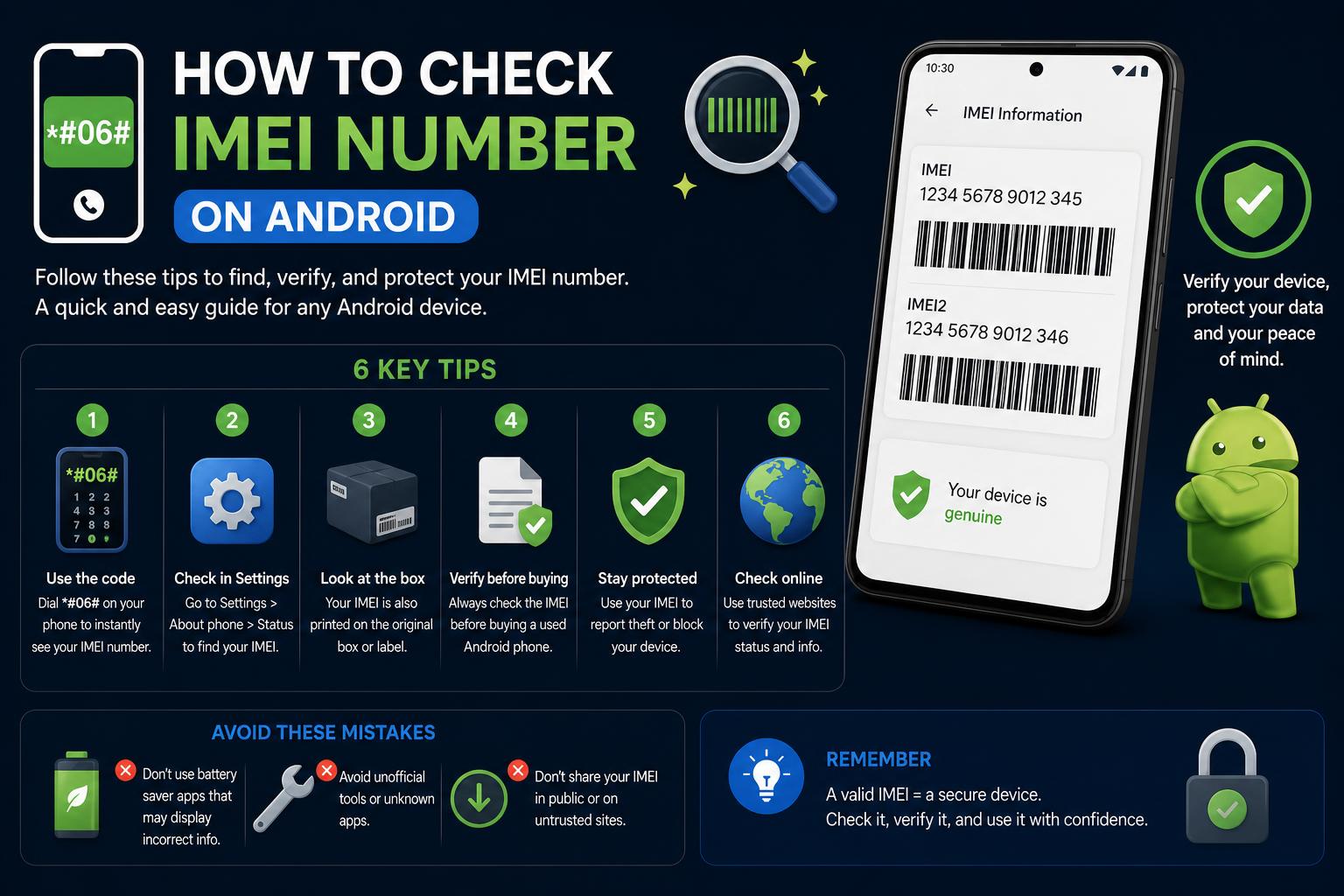
- IMEI checks reveal critical details like blacklist, carrier lock, and warranty status to prevent mobile scams.
- Sharing your IMEI safely and using trusted checker tools helps protect privacy and device value.
- IMEI reports supplement, but do not replace, physical inspections and proof of purchase when buying or selling smartphones.
Wondering what an IMEI number is and why it’s so crucial for mobile devices? If you’ve ever tried to buy or sell a used phone, unlock your device to switch carriers, or check a phone’s status before making a purchase, the topic of IMEI checks has likely come up. Your device’s IMEI isn’t just another number — it’s a powerful identity tool that impacts mobile security, reselling, and global device tracking.
The demand for trustworthy IMEI checking tools and information has surged as users seek to protect themselves from scams, blacklisted phones, or purchases that might lead to headaches down the road. This definitive guide brings together everything you need to know about IMEI check services, how to interpret IMEI reports, the limitations of these checks, and valuable safety tips regardless of whether you’re buying, selling, or just concerned about your device’s security.
What Is an IMEI and Why Does It Matter?
IMEI stands for International Mobile Equipment Identity. It’s a unique number – usually 15 digits – assigned to every mobile device with network connectivity. This number acts as a digital fingerprint for your phone, helping manufacturers, network operators, and users verify device authenticity, block stolen phones, and manage mobile security.
- The first 8 digits of an IMEI make the TAC (Type Allocation Code). This part identifies the device family and manufacturer.
- The remaining 7 digits further specify the unit and distinction features, ending with a check digit for validation.
Apple, Samsung, Huawei, Xiaomi, Motorola, Oppo, LG, and virtually every manufacturer embeds an IMEI in each device. Some dual-SIM or eSIM-enabled phones may even have two IMEI numbers. Checking all assigned IMEIs is essential, especially if a device supports more than one SIM profile.
How to Locate Your IMEI Number
Want to check your IMEI? The process is simple and device-agnostic.
- On most phones, dial *#06#; your IMEI(s) will display instantly on the screen.
- On iPhone: Go to Settings > General > About.
- On Android: Navigate to Settings > About phone.
It’s always wise to compare the IMEI displayed in the phone’s software, the number printed on the box, and the number on your purchase invoice. If they don’t match, it’s a major red flag when buying used devices.
IMEI Check: What Can It Reveal?
When you input your IMEI into an IMEI checker tool like , IMEI.info, or IMEICheckPro.com, the platform uses a combination of databases from manufacturers and carriers to retrieve information such as:
- Device make, model, and exact variant
- Manufacturer details, country, and date of production
- Warranty activation and status
- AppleCare eligibility (for Apple devices)
- Blacklist status (if reported lost, stolen, or blocked by a carrier)
- SIM-lock and carrier restrictions
- Possible MDM (Mobile Device Management) activation
- Find My iPhone or Activation Lock status (for Apple devices)
However, IMEI checks only reveal as much as the underlying databases provide. Some fields may be incomplete depending on brand, country of origin, and the limitations of each database.
Understanding Blacklist and Carrier Lock Status
It’s a common misconception that blacklist status and carrier lock are identical. They’re completely different — failing to distinguish them can cause major headaches for buyers and sellers alike.
- Blacklist: A phone appears on the blacklist if it’s reported as lost, stolen, involved in fraud, or sometimes due to unpaid balances. Blacklisted devices are usually blocked from connecting to most carrier networks, particularly in regions sharing the same database (such as North America or Europe).
- Carrier Lock: This is simply a software or hardware restriction applied by the operator to limit the device’s activation to their own network. A phone can be unlocked but still blacklisted, and vice versa.
Always make sure to verify both the blacklist status and carrier lock!
The ultimate guide to fixing the Mobile Network Not Available Error
MDM, iCloud, Find My, and Security Restrictions
Major platforms like have begun highlighting security-related information beyond just carrier or blacklist status. Mobile Device Management (MDM) often impacts phones used in enterprise or educational settings — if MDM is active, certain settings and accounts are controlled remotely, complicating resale or re-use.
On Apple devices, features like Find My iPhone can enable Activation Lock. If a device is still linked to the previous owner’s iCloud account and they haven’t removed it, restoring or activating the phone will require their credentials. For Android devices, understanding the Android Device Manager can also help when reviewing lost-device and security features. Always ensure these security locks are removed before purchase!
How Secure Are Online IMEI Checks?
Security is a top concern for anyone considering entering their IMEI into an online tool. Never share your full IMEI on public forums or with untrustworthy services — you expose yourself to privacy risks and potential scams.
- Use only reputable websites like , , or .
- Select services that let you hide the last 3 or 6 digits of your IMEI when generating public reports for selling on sites like eBay or Craigslist. This ensures your phone identity is protected from misuse.
- Do not post your IMEI on social media, forums, or general classified ads where scammers may scrape this information.
Even though no one can unlock your personal data directly with an IMEI, published numbers can sometimes be used in phishing attacks or fraudulent warranty/service applications. Always be cautious about where and how you share your IMEI online.
IMEI Validation vs. Full Report: What’s the Difference?
Validating your IMEI simply checks if it’s structured correctly and passes the standard check digit test. While this is a good initial step to rule out fake or altered numbers, it doesn’t reveal if the device is in good standing or flagged for issues.
A full IMEI report delivers much more: insights from official or unofficial databases about the phone’s blacklist status, warranty, carrier lock, MDM, Find My/iCloud status, purchase date, and other key fields. Comprehensive reports are a vital part of due diligence for any pre-owned device transaction.
Why Can Some Details Be Missing?
Not every IMEI check will return the same amount of detail, even for the same device. The variability is due to several factors:
- Brand and manufacturer: Some brands expose more data (like Apple, Samsung, Huawei), while others share only the basics.
- Source database: The accuracy and scope of the report depend heavily on what’s available in regional or manufacturer databases.
- Privacy and user-corrected records: Information can be incomplete if devices move between markets, get refurbished, or if the reporting system is lax.
If a report is missing information like model name, country, warranty dates, or blacklist status, treat those fields as unknown — never assume that a blank field means ‘clear.’
Practical Uses and Limitations of IMEI Reports
IMEI checks are powerful, but they are not a replacement for physical inspection, verified receipts, or checking against carrier policies. They form one step in transaction safety, not an all-encompassing guarantee.
- Before Sale: Sharing a masked IMEI report (that hides the last few digits) can help you attract serious buyers and speed up negotiations by proving device status.
- Before Purchase: Reviewing a report before payment can prevent surprise carrier locks, blacklist problems, or iCloud/MDM issues. Never rely solely on screenshots — always verify in real time using the IMEI yourself.
Always supplement IMEI-based research with visual device inspection, internal and external label checks, and validation with the original invoice or proof of purchase if possible.
How to Generate an IMEI Check Report
Platforms like IMEIPro.info allow users to generate permanent links to IMEI check reports. For sellers, this means you can add a secure, verifiable report to auction listings on platforms like eBay or Craigslist. Key options may include:
- Hide last 6 digits of IMEI
- Hide last 3 digits of IMEI
- Show all digits (not recommended for public listings)
Simply click “Generate”, then copy and add the unique link to your product listing. When masking the IMEI in these reports, you ensure privacy while providing credible device status to potential buyers.
Do IMEI Checkers Unlock or Remove Security Restrictions?
IMEI checkers do not remove iCloud, MDM, carrier locks, or blacklist statuses. These tools solely provide information drawn from available databases; removal or modification of security features must be done directly through your carrier, Apple, or the device’s administrative owner. Any service promising to “clean” a blacklist or bypass iCloud/MDM with just an IMEI is likely a scam or operating illegally.
Recent Additions: IMEI Generators and Sample Data
Some platforms, such as , have begun offering free IMEI number generators. While most users won’t need this feature, it can be useful for developers, trainers, or those who need sample IMEI numbers from a range of manufacturers (Apple, Samsung, Huawei, etc.) for demonstration or classroom purposes. Never use generated IMEIs for fraudulent or real-world device registration.
How OTP (One-Time Password) Verification Is Used in Official IMEI Checks
Official government and carrier sites sometimes include OTP (One-Time Password) verification for IMEI checks, ensuring the process is secure by requiring a code sent to your mobile device. After a successful OTP authentication, you gain access to the IMEI status. This is a common practice in jurisdictions seeking to restrict fraudulent access to IMEI data.
Best Practices: Sharing and Protecting Your IMEI
- Only share the entire IMEI with trusted, reputable services or your network carrier. For public posts and product listings, always mask the last few digits.
- Avoid publishing IMEI numbers on social media, public forums, or unverified online marketplaces.
- When providing proof of device status, use a that masks sensitive parts of your IMEI. This strikes a balance between transparency and personal security.
Remember, valid IMEI checks are just one step in ensuring a safe, confident device transaction — they don’t guarantee ownership or fully protect against fraud without supporting evidence and careful procedural diligence.
Anyone looking to buy, sell, unlock, or simply verify the status of a mobile device can navigate the process with much greater security and knowledge. By using trusted IMEI checking resources and understanding what’s possible (and what isn’t), the risk of falling victim to scams, purchasing a blacklisted phone, or running into restrictive carrier locks can be dramatically reduced. Always stay informed and make IMEI checking an essential part of your mobile device routine.
Mastering Android Device Manager: Complete Guide to Finding, Locking & Securing Your Devices