
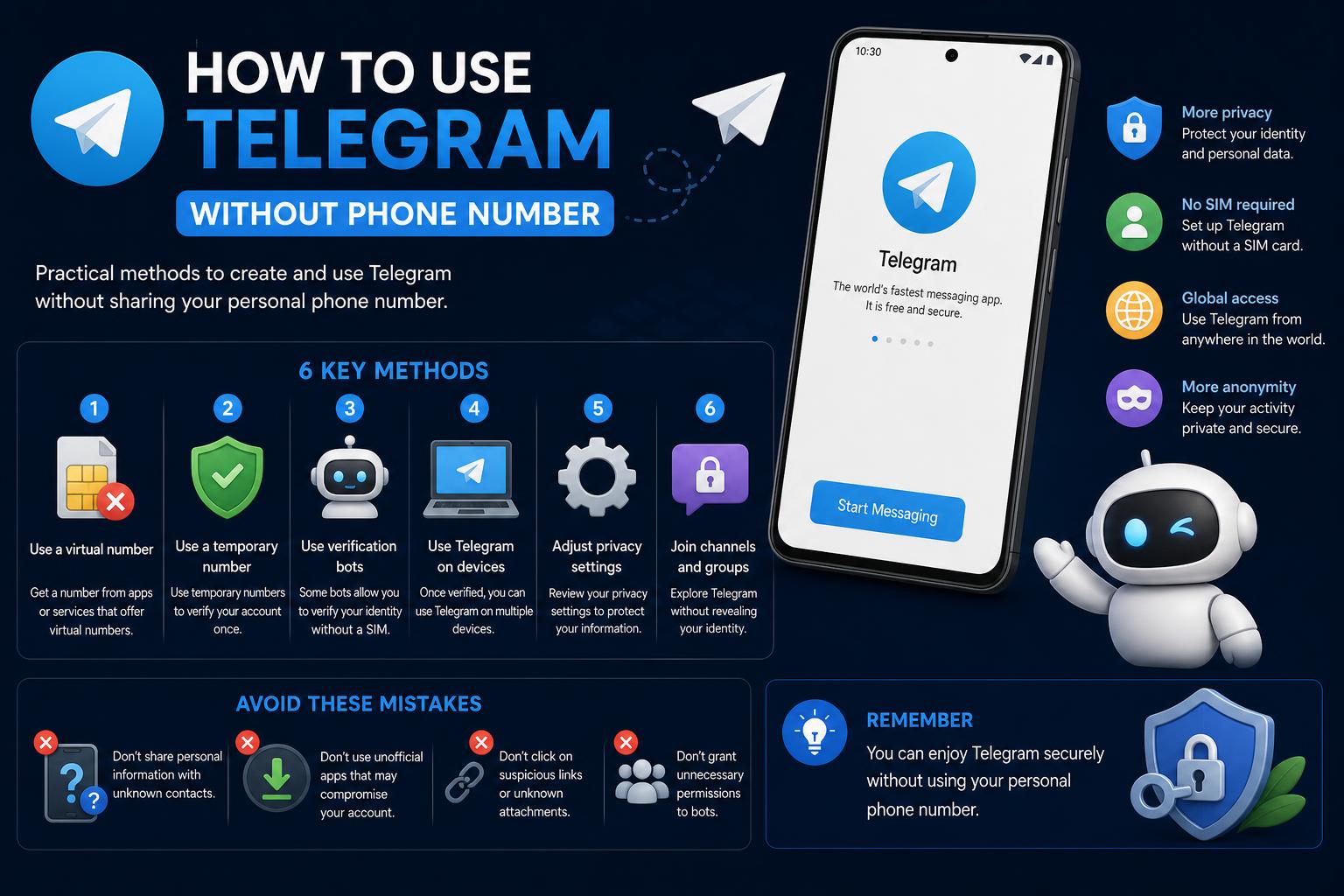
- A phone number is required to create a Telegram account, but it doesn't have to be your personal number thanks to anonymous or virtual number services.
- Virtual phone numbers and blockchain-powered anonymous numbers provide reliable alternatives while increasing your privacy.
- With proper settings, you can hide your number and use only a username or invite links to connect, keeping your identity protected.
Telegram has cemented its place as one of the world’s most popular messaging apps, offering robust privacy features and impressive flexibility—and it’s become particularly famous among users who value confidentiality and control over their digital footprint. But what if you don’t want to provide your actual phone number to create a Telegram account—or you wish to maximize your privacy while using the platform? You’re not alone; millions of users are seeking ways to join Telegram without risking spam, identity exposure, or unwanted connections tied to their real mobile number.
This comprehensive guide digs deep into everything you need to know about using Telegram without a personal phone number in 2024, compiling knowledge from top guides, official Telegram updates, privacy-focused blogs, and expert walkthroughs. We’ll reveal legitimate workarounds using virtual numbers, eSIMs, and even the latest blockchain-based anonymous numbers so that you can enjoy secure communications, manage multiple accounts, protect your contacts, and communicate freely—anywhere in the world.
Why Do People Want to Use Telegram Without a Phone Number?
Privacy is the number one concern for many modern messaging app users. Registering any chat app with your real phone number can lead to your contacts getting see-notifications, potential spam, and sometimes unwanted exposure of your contact details. For professionals, activists, digital nomads, or anyone changing numbers frequently, linking every device or account to a permanent phone number is a hassle—one that can compromise both convenience and security.
Moreover, travelers, freelancers, and those with multiple SIM cards often need an easier way to stay connected on Telegram without constantly updating their number or risking account loss if their old number becomes inactive. In regions with stricter privacy laws or heavy surveillance, anonymous messaging means more than just personal preference—it can be crucial for safety and freedom of expression.
Does Telegram Require a Phone Number? Understanding the Basics
By design, Telegram asks every new user to provide a phone number at registration, without exception. This step isn’t only about user management—it’s crucial for verifying you’re a real human (not a bot), reducing spam, and providing a safety net for account recovery. Telegram immediately sends a security code via SMS or voice call to the entered number to complete the signup process. If you can’t access this code, registration halts.
This might seem restrictive, but there are practical and privacy-conscious alternatives that allow you both to register and use Telegram effectively—without ever exposing your primary or personal number. Let’s examine these options in detail below.
How to Use Telegram Without a Personal Phone Number
Although the official app requires some phone number, you aren’t forced to use a personal, trackable, or permanent number tied to your real identity. In fact, several services and recent Telegram updates now make it possible to sign up with virtual, disposable, or anonymous numbers.
1. Virtual Phone Numbers: Secure, Flexible, and Private
Virtual numbers are the most popular alternative. These numbers are not attached to physical SIM cards or your device; instead, they rely on internet-based phone services. They can receive SMS codes—including Telegram verification messages—almost instantly. Many providers let you choose your own area code or country, giving you regional flexibility and helping you avoid suspicion or spam filtering that some VoIP numbers attract.
Some of the most recommended virtual phone number services for Telegram include:
- Twilio – Offers programmable SMS-capable numbers for various regions worldwide.
- Google Voice – Provides a free US-based number with robust features; useful for those with existing Google accounts.
- Hushed and TextFree – Popular for quick, anonymous numbers with simple setup and SMS reception and
- Burner – Widely trusted for privacy, Burner lets you create new disposable numbers instantly and manage multiple lines from a single app.
Here’s a typical process when signing up for Telegram using a virtual number:
- Choose and register with a reputable virtual number provider. Make sure the service supports SMS so you can receive the verification code.
- Select your preferred number (you can often choose a region or area code) and note your new virtual phone number.
- Open Telegram, start the registration process, and enter this new number instead of your real one.
- Monitor your provider’s app or dashboard for the incoming verification SMS, retrieve the code, and enter it in Telegram to complete sign-up.
That’s all it takes to get a Telegram account unlinked from your main personal contact—letting you keep work, travel, or anonymous chat activities completely isolated.
2. Anonymous Blockchain-Powered Numbers (Fragment Platform)
In a December 2022 update, Telegram broke new privacy ground by introducing blockchain-based anonymous numbers, available via the Fragment platform. This innovation allows you to create a Telegram account without any SIM or standard phone number.
These anonymous numbers are not tied to your identity, region, or a physical device and are powered by secure blockchain technology. When you buy an anonymous number on Fragment, you’ll get a unique pseudonymous identifier usable within Telegram for verification and ongoing account management.
This new feature lets users:
- Total privacy—your number can’t be traced back to you.
- Register and manage Telegram completely anonymously, even in regions where regular virtual numbers are difficult to obtain or blocklisted.
- Gain enhanced control over who can see your account, since the number cannot be searched or matched against public phone directories.
3. eSIMs for Added Privacy and Global Flexibility
An eSIM is a digital SIM embedded directly on your supported device—allowing data plan activation without needing a card or physical swap. While most eSIM offerings provide only data (not a phone/SMS number), you can combine an eSIM for secure, untraceable internet connectivity with a virtual phone number for registration. This method is ideal for travelers and digital nomads concerned about location tracking or SIM swaps.
To use Telegram privately while abroad:
- Ensure you have an eSIM-compatible device (like recent iPhone, Samsung, or Pixel models).
- Buy a travel eSIM from providers like Holafly for data to stay online without revealing your carrier or physical SIM location.
- Pair this eSIM connection with a virtual number (from Twilio, Google Voice, Burner, etc.) for Telegram signup and enjoy full privacy.
Telegram Privacy Features: Controlling Your Identity After Signup
Registering with an alternate or anonymous number is just the starting point—Telegram offers powerful customization so you can control what others see (or don’t see) about your identity.
Setting a Unique Telegram Username
In Telegram, your username—not your phone number—serves as your public identity. With a custom username, you can easily be found by friends and colleagues without revealing your number. Setting up a username is simple:
- Open Telegram and access Settings.
- Tap Username.
- Enter your preferred, unique username (minimum five characters).
- Save your changes—this username now appears on your profile.
Others can add you using just your username, maintaining your number hidden at all times.
Hiding Your Number with Privacy Settings
Telegram allows granular control over who can see your registered phone number. Even if someone adds you by contact list, you can prevent them from viewing your number:
- Head to Settings > Privacy & Security.
- Select Phone Number.
- Set visibility to No one for full anonymity, or My contacts so only those you’ve added can see it.
These privacy controls further shield your number, regardless of what number was used to sign up—personal or otherwise.
Invitation Links for Groups and Chats
If you want to invite others to a Telegram group or chat without exposing any phone number details, use dynamically generated invite links. Simply create the chat or group, copy the generated link, and share it directly. This bypasses the need for exchanging numbers or usernames entirely.
Security Considerations When Using Virtual or Anonymous Numbers
While virtual and anonymous numbers boost your privacy, add a strong password to your Telegram account and enable two-factor authentication (2FA) for extra security. If your account is solely linked to a temporary or disposable virtual number, you may encounter challenges with recovery in case of lost access—so always store your backup credentials safely.
Telegram retains the right to block or filter registrations from numbers detected as frequently abused or publicly listed (such as some free SMS services). To avoid issues, pick reputable, paid providers for your numbers rather than relying exclusively on ‘public’ numbers.
Telegram’s Ongoing Privacy Innovations
Telegram has continuously prioritized user privacy and security, rolling out features like self-destructing messages, global auto-delete timers for new chats, and robust group management tools. The move toward anonymous blockchain registration is a major leap, signifying Telegram’s commitment to privacy protection at the technical and organizational levels. Users can now combine these features—anonymous sign-up, username-based identity, and advanced privacy options—to craft a truly confidential digital identity.
Recent updates also introduced powerful group topics, aggressive anti-spam features, and the availability of temporary QR codes for connecting with others without revealing your number or username.