
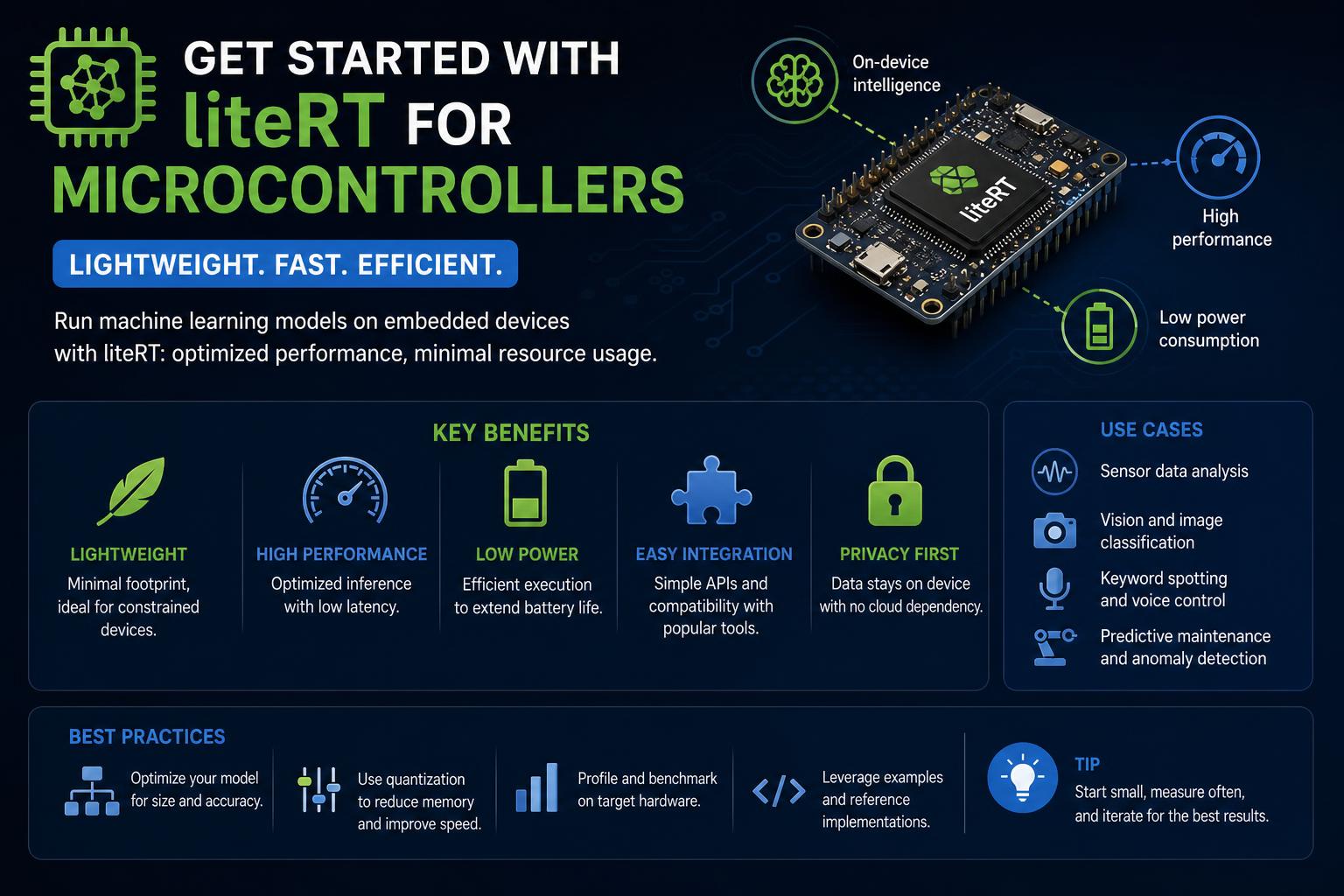
- LiteRT enables machine learning on ultra-low-power microcontrollers, opening new possibilities for edge AI.
- The framework streamlines the deployment of TensorFlow models without standard OS dependencies, making it ideal for resource-limited devices.
- Supported platforms span from Arduino to advanced Arm Cortex-M boards—with real-world applications in speech, vision, and signal processing.
AI at the edge is no longer a futuristic concept—tiny microcontrollers are now doing the heavy lifting. In the past, running machine learning models required hefty computing resources or high-bandwidth connections, keeping powerful AI out of reach for simple electronic gadgets. Today, thanks to LiteRT (formerly TensorFlow Lite Micro), developers can infuse intelligence into everyday objects—from toys to industrial sensors—by deploying compact neural networks directly onto tiny chips with as little as 16KB of memory.
So, how does LiteRT for Microcontrollers work, what’s truly possible with TinyML, and what does it take to bring your own AI solutions to life on the world’s smallest computers? In this guide, we’ll break down everything—drawing on the web’s most authoritative sources, practical documentation, and deep technical insight. Whether you’re an embedded engineer, a developer passionate about IoT, or just curious about the future of on-device ML, you’ll find a comprehensive, up-to-date view on LiteRT and its capacity to transform microcontroller applications.
What is LiteRT for Microcontrollers?
LiteRT is Google’s slimmed-down AI inference engine, purpose-built for deployment on resource-restricted microcontrollers and deeply embedded systems. The architecture takes inspiration from TensorFlow Lite but strips out dependencies on any operating system, dynamic memory allocation, or even standard C/C++ libraries. This means LiteRT’s core can run on entry-level hardware, where even a few kilobytes of RAM is considered luxurious. As referenced in the Google AI Edge documentation, the basic runtime fits in just 16KB on an Arm Cortex-M3.
Why focus on microcontrollers? Microcontrollers are everywhere—appliances, wearables, automotive sensors, and the rapidly expanding Internet of Things (IoT) ecosystem. Adding machine learning directly onto these chips can dramatically boost device utility—think smart home devices that adapt to patterns, or toys that recognize voices, all without a constant internet connection or data sent to the cloud. This brings not only efficiency and lower cost, but also privacy benefits since all inference happens on-device.
Key Benefits and Features of LiteRT for Microcontrollers
- Microscopic Footprint: The core runtime is ultra-compact, demanding as little as 16KB memory, enabling ML on the smallest chips.
- No OS or Dynamic Memory needed: Runs bare-metal; doesn’t require an operating system or dynamic allocation, minimizing attack surface and overhead.
- Written in Modern C++ (C++17): Ensures type safety and leverages modern language features while offering broad hardware support.
- Developer Friendly: Available as an Arduino library, integrates with development environments such as Mbed, and is fully open-source for easy adaptation.
Perhaps the most practical takeaway? If you have basic C++ knowledge and have built microcontroller projects before, you can start experimenting with LiteRT today.
Device and Platform Support
Despite being ‘lite,’ LiteRT doesn’t skimp on platform compatibility. It specifically targets 32-bit microcontrollers and has been tested on many Arm Cortex-M series processors, as well as popular architectures like Espressif’s ESP32. Supported boards include Arduino variants, Sparkfun Edge, Renesas boards, Silicon Labs kits, and others. Google provides a straightforward workflow to connect Arduino and TensorFlow via LiteRT, making edge AI accessible even to hobbyists.
The framework can export projects for widely used development environments: Whether you use Arduino IDE or Mbed OS (for platforms like STM32 or NXP), you’ll find official or community ports. The project is open source and available on GitHub, so you’re not locked into proprietary ecosystems.
Some boards, such as the Adafruit PyBadge (powered by an ATSAMD51 chip), even include out-of-the-box LiteRT support in dedicated kits, letting you get started with tasks like speech recognition or simple vision right away. These kits often feature ideal hardware capabilities for TinyML applications—microphones for keyword spotting, accelerometers for gesture recognition, and color displays for visual feedback. Check out the Adafruit ML Starter Kit for a real-world example of a microcontroller ML platform.
Typical LiteRT Workflow: From Python Training to Hardware Inference
Deploying a model on a microcontroller may seem challenging, but the workflow is straightforward for those familiar with TensorFlow. Here is the general overview:
- Model Training (Python): Start by creating and training a compact, efficient model in TensorFlow with the necessary inputs and outputs. For microcontrollers, it is best to keep architectures simple—preferably a few layers with limited node sizes, designed for low memory.
- Model Conversion: Use the LiteRT converter tool (usually a Python function) to transform the TensorFlow model into a format optimized for LiteRT. This may include int8 weight quantization to maximize space savings.
- Byte Array Packaging: Convert the converted model into a C/C++ byte array, which can then be written directly to hardware memory. This step uses standard data conversion tools.
- Firmware Integration: Build the firmware with the LiteRT C++ library, integrate the model data as a static array, and compile for your target board. You will write a bit of ‘bridge’ code to handle inference calls and process results.
- Deployment and Execution: Flash the binary onto your device and watch your microcontroller perform local inferences with real-time sensor data.
A full practical example is the famous ‘Hello World’ model, where the chip learns to predict the sine function, controlling LEDs or animations based on the predictions. This cycle—train, convert, flash, execute—is at the heart of every TinyML project.
Dissecting the LiteRT Hello World Example
To understand it, let’s review the steps to run a LiteRT model on a microcontroller, taken from the official Google documentation:
- Train a compact model in Python (for example, a sine wave predictor). Save and optimize it for inference.
- Convert the model for LiteRT: Use tools like Bazel to build and export the .tflite model.
- Export as a C array: Run conversion tools to generate the model.h and model.cc files.
- Include LiteRT headers: Add the necessary includes such as
micro_interpreter.hto your project. - Integrate the model array: Reference your static model array in the firmware.
- Configure the error handler: Add error reporting to identify failures—useful since debugging and logging vary by device.
- Check schema and compatibility: Ensure the model and runtime versions are compatible.
- Register used operators: Declare only the required ops (for example, basic operations like fully connected).
- Pre-allocate tensor arena memory: Create a static buffer for model memory, the size of which depends on the architecture.
- Build the interpreter: Pass the model, resolver, arena, and reporter to the interpreter.
- Allocate tensors and validate input: Inspect shapes, data types, and model expectations.
- Run inference: Provide test input, invoke, review outputs, and repeat with new data as needed.
This flow is the same for tasks like MNIST digit recognition, keyword spotting, or robot control. The key takeaway: you can skip the training phase and use existing example models to get started, making LiteRT accessible even to beginners.
Practical Examples: Audio, Vision, and More
LiteRT includes several sample projects. Some highlights:
- Hello World: Initial example predicting simple mathematical functions (sine waves). Demonstrates the minimum required configuration.
- Micro Speech: Speech recognition and audio capture. The device can detect words like “yes” and “no” using low memory.
- Person Detection: Small computer vision models to detect the presence or absence of people, given processor and sensor constraints.
For hardware enthusiasts, the Adafruit PyBadge kit integrates LiteRT demos for voice commands and visual recognition, including a microphone. With just a little soldering, you can bring your AI projects to life on microcontrollers, without requiring advanced ML or electronics knowledge.
Understanding Operators, Kernels & Hardware Acceleration
But how does LiteRT manage to run neural networks on such constrained hardware? Here is the technical breakdown: the ‘.tflite’ file contains weights and the computation graph—like a recipe describing which mathematical operations (ops) to execute and in what order.
Operators and kernels: Each operator, such as matrix addition or multiplication, is implemented as a ‘kernel’—a block of C or assembly code optimized (when possible) for the target hardware. Microcontroller runtimes like LiteRT do not support the full variety of TensorFlow ops, only a critical subset.
Hardware acceleration: Many microcontrollers, such as Arm Cortex-M chips with DSP and vector extensions (like MVE/Helium), allow certain operations to run much faster. If the model and compilation are properly tuned, LiteRT can automatically replace some kernels with optimized versions, such as those from Arm’s CMSIS-NN library, achieving significant speedups—especially in parallelizable tasks like convolutions or vector calculations.
Advanced chips: On more sophisticated devices with Neural Processing Units (NPUs) like Arm’s Ethos-U, a model can be compiled with tools like Vela, replacing graph ops with direct NPU calls. These setups enable true hardware AI acceleration, though on more limited hardware the fall-back will be CPU execution.
Key takeaway: You don’t always need to modify your high-level model if hardware support exists; the runtime will take advantage of these optimizations automatically if compiled correctly and supported by the hardware.
Limitations and Considerations
- Limited operator support: Only a subset of TensorFlow ops is supported in LiteRT for microcontrollers. It is recommended to use simple, low-memory operations.
- Not suited for all devices: Purpose-built for microcontrollers. On more powerful hardware like a Raspberry Pi running Linux, it is better to use full LiteRT or standard TensorFlow Lite for better compatibility and ease of use.
- No on-device training: LiteRT is for inference only. Training must be performed elsewhere before porting the model over.
- Manual memory management: You will need to manage buffers and low-level C++ APIs, making some programming knowledge essential.
Community, Ecosystem & Next Steps
The growth of TinyML has drawn both hobbyists and professionals to the LiteRT community. Official support, open development, and a wide array of tutorials, guides, and forums make it easy to get started and troubleshoot issues. For updates, you can check the TensorFlow Lite Micro repository, or join the SIG Micro mailing group and attend monthly meetings as outlined in the project documentation.
Active work is underway to further integrate TensorFlow Lite Micro into the LiteRT repository and improve the developer experience. Community feedback on GitHub points toward future enhancements, but backward compatibility remains a priority for embedded deployments.
[related url=”https://www.ikkaro.net/what-is-retrieval-augmented-generation-rag-in-ai/”]
Want to experiment? Start by building a ‘Hello World’ project on Arduino, ESP32, or Adafruit PyBadge. Use the instructions from the Google AI Edge docs to set up the platform, and test simple tasks like keyword spotting or sensor inference. Over time, you’ll be able to apply the technique to smart devices, DIY gadgets, or home automation.
Now, bringing AI to the edge has become accessible to any developer with basic C++ skills and a low-cost board. LiteRT’s ability to deploy models onto microcontrollers opens up a range of applications—from speech and vision recognition to sensor fusion—that only a few years ago seemed like science fiction. Whether for personal projects or driving the next IoT revolution, learning LiteRT is your gateway to the forefront of embedded AI.