
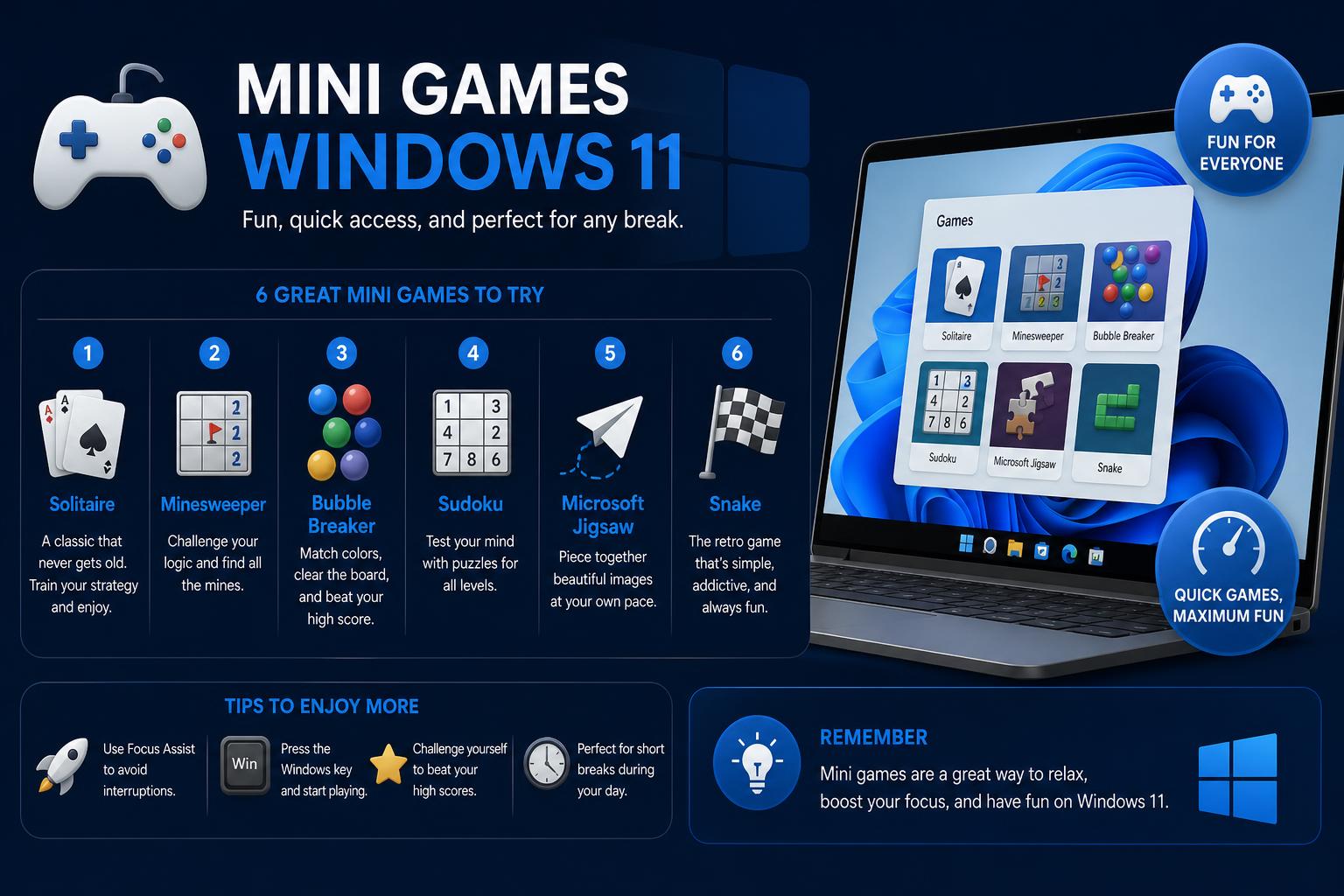
- Discover mini games for Windows 11 across top platforms and collections
- Enjoy quick, accessible offline or online play in a wide variety of genres
- Classics and modern favorites are optimized for lightweight, casual enjoyment
Windows 11 has quickly become a popular system for PC users across the world, and gamers are no exception. While many associate PC gaming with blockbuster titles or massive open-world adventures, mini games stand out as a fun, casual way to relax or challenge your brain, all without needing a high-end setup. Whether you want to fill five minutes between meetings or sink hours into puzzle-solving, there’s a treasure trove of mini games available for Windows 11.
Let’s take a deep dive into the best mini games you can enjoy on Windows 11 – covering everything from online quick plays, classic titles with a twist, puzzle and brain-training apps, and even tiny-sized downloads that pack a punch. This guide brings together information from the most popular sources to help you find the best options, all in one place.
What Are Mini Games, and Why Choose Them on Windows 11?
Mini games are short, self-contained games that are easy to pick up and play. They range from classic board games, puzzles, and arcade-style challenges, to modern takes on speed and reflex tests. On Windows 11, these games shine because:
- They’re lightweight – meaning fast downloads and minimal impact on your resources.
- Quick sessions – play them whenever you have a free moment; there’s no big time commitment required.
- Diverse genres – from logic puzzles, card games, and word challenges to fast-paced sports and endless runners.
If you haven’t explored this world before, you’re truly missing out on a versatile source of spontaneous entertainment and brain exercise!
The Best Websites to Play Mini Games on Windows 11
When it comes to discovering and playing mini games, online platforms play a crucial role in delivering variety and accessibility. Here’s a rundown of standout sites where you can play directly from your browser or download curated collections:
- CrazyGames: This platform is a powerhouse for online minigames of all genres. You’ll find sports challenges, endless casual games, and even group play collections like 12 MiniBattles packed with dozens of rapid-fire experiences. The beauty of CrazyGames is the ability to jump into any game instantly, with no download required — making it ideal for both short, dopamine-filled sessions or longer marathons as new games catch your eye.
- Microsoft Store: While mostly known as the main store for large games and apps, the Microsoft Store’s free games section includes a generous selection of free-to-install mini games suitable for all ages. Here, you’ll find classics like Solitaire, as well as new arrivals that often sit under the radar and are tailored for light PC fun.
- Mini Games Collection: Puzzles: This collection stands out for grouping 20+ mini games into a single, easy-to-manage app. Puzzles, logic games, classic board favorites, and memory tests — all are bundled with smooth controls and an offline mode for playing anywhere.
Diverse Genres and Examples of Windows 11 Mini Games
Mini games are far from boring — the genre diversity ensures there’s something for everyone, whatever your mood or skill set. Based on the top-ranking resources, these are the most popular and evergreen types found on Windows 11:
Arcade and Endless Runner Mini Games
If fast reflexes are your thing, arcade mini games and endless runners offer a constant challenge. On CrazyGames, titles like Tap-Tap Shots (test your timing in basketball) or Drift Boss (see how long you can keep your car drifting) epitomize the classic one-more-try loop. Layers Roll is another attention-grabber, where you dodge obstacles and see how far you can roll before the game beats you.
Casual Puzzles and Brain Training Games
For players who want to engage the mind, logic puzzles and classic brain trainers are evergreen picks. Collections like Mini Games Collection: Puzzles assemble some of the best, including Sudoku, block puzzles, 2048, word searches, and Minesweeper-style challenges. Many of these games also work offline — perfect for travel or commutes.
Traditional Board and Card Games, Digitized
The digital world breathes new life into beloved board and card games. Classic games like tic-tac-toe, chess, dominoes, solitaire, and even Spanish favorites such as Escoba and Brisca are now at your fingertips thanks to bundles like the Mini Games Collection and Microsoft Store’s offerings. These games are ideal for players seeking familiar formats with slick, modern interfaces on Windows 11.
Sports-Themed Mini Games
Love competition but not looking for a full simulation? Sports mini games deliver bite-sized action that you can pick back up anytime. On CrazyGames, notably, you’ll find basketball with Tap-Tap Shots, but also other sports titles perfect for quick competitions and leaderboard climbing.
Group and Party Mini Games
Mini games don’t just need to be played solo! Multi-mode collections like 12 MiniBattles let you compete with friends using easy controls and tons of mini challenges. These group play experiences make them ideal for gatherings or casual play sessions with family or friends at home on your Windows 11 device.
Mini Game Collections vs. Individual Titles
Many players debate whether it’s better to download a single game or opt for all-in-one mini game apps. Collections like the Mini Games Collection: Puzzles provide unmatched convenience:
- Single download, multiple games: Save storage space versus installing 10-20 separate apps.
- Consistent quality and controls: Enjoy all your favorites with a unified design and easy-to-learn mechanics.
- Regular updates: New mini games and puzzles are frequently added to these packs, so variety never runs dry.
- No internet required: Many collections provide full offline functionality, a bonus for any Windows 11 laptop or tablet user on the move.
Offline Play: Perfect for Any Situation
An underappreciated aspect of Windows 11 mini games is the ability to play offline anytime, anywhere. The Mini Games Collection, for example, is specifically designed for this — users can enjoy puzzles, word games, and logic challenges without ever connecting to WiFi or mobile data. Whether relaxing at home, on a train, or taking a break at work, you’ll always have entertainment ready at your fingertips.
Famous Mini Game Classics: Small in Size, Big on Fun
Looking for tiny downloads with major fun? The Reddit community has shared recommendations for some classic mini games, emphasizing their size and accessibility on Windows:
| Title | Size (MB) |
|---|---|
| Wolfenstein 3D | 20 |
| Limbo | 100 |
| Doom 64 | 100 |
| Solitaire | 124 |
| Carrion | 200 |
| SteamWorld Dig | 200 |
| Donut County | 300 |
| Brotato | 400 |
| Spirittea | 450 |
| Wargroove 2 | 500 |
| Slay the Spire | 500 |
| Chants of Sennaar | 600 |
| Stardew Valley | 700 |
| Among Us | 800 |
| Monster Sanctuary | 800 |
| Wildfrost | 800 |
| Teenage Mutant Ninja Turtles: Shredders Revenge | 900 |
| Merge and Blade | 900 |
| Unpacking | 945 |
| Starbound | 950 |
| Magical Delicacy | 950 |
Titles like Solitaire, Stardew Valley, and Among Us are classics for a reason – they’re quick to install and run flawlessly on almost any hardware. The small size ensures they’re perfect for older or lower-end Windows 11 devices as well.
Game Highlights from the Mini Games Collection
For an even deeper dive, here are some of the standout mini games you’ll encounter in bundled packs and collections. Each game offers its own flavor of challenge and fun:
- Dots & Boxes: Connect dots to finish boxes before your opponent does.
- Hangman: Guess the secret word letter by letter in this word sleuth classic.
- Snake: Steer your snake to collect points while avoiding collisions.
- 2048: Slide and combine numbers to reach the elusive 2048 tile.
- Sudoku: Complete every row, column, and region in this iconic logic puzzle.
- Mine Search (Minesweeper-like): Reveal all safe tiles—just watch out for hidden mines!
- Tic-Tac-Toe: Challenge friends or AI in the perennial Xs vs. Os showdown.
- Chess: Outthink your rival in the ultimate strategy board game.
- Bingo: Mark your numbers and hope for the first row, column, or diagonal win.
- Brisca & Escoba: Enjoy traditional Spanish card games for unique gameplay variety.
These highlights, taken from comprehensive packs like Mini Games Collection: Puzzles, make it easy to switch up your gameplay style without ever leaving the app.
Why Play Mini Games on Windows 11?
So what makes Windows 11 a perfect platform for these experiences? The system is optimized for smooth, hassle-free performance with both modern and classic mini games. Touchscreen and tablet mode compatibility mean you’re not just limited to desktop play — casual gaming on-the-go is a breeze!
Plus, Windows 11 supports legacy compatibility features, so many mini games from previous generations (even decades-old favorites like Solitaire and Minesweeper) run just as smoothly as brand new hits. PCWorld even highlights how Windows 11 maintains compatibility with nostalgic classics for lifelong fans.
Tips for Getting the Best Mini Game Experience on Windows 11
- Explore free sections in stores like Microsoft and Epic for hidden gems and regular updates.
- Bookmark online mini game portals like CrazyGames to always have a quick game at your fingertips.
- Go for mini game compilations if you crave variety and want all favorites in one neat package.
- Check memory and system requirements — many mini games work on older hardware, making them accessible to nearly everyone.
Whether you prefer classic puzzle solving, frantic reflex tests, or casual board games with friends, the world of mini games on Windows 11 combines nostalgic fun with modern polish and endless replayability. Taking advantage of the official game stores, community favorite recommendations, and curated all-in-one apps, you’ll never run out of quick challenges or relaxing breaks for your busy day.