
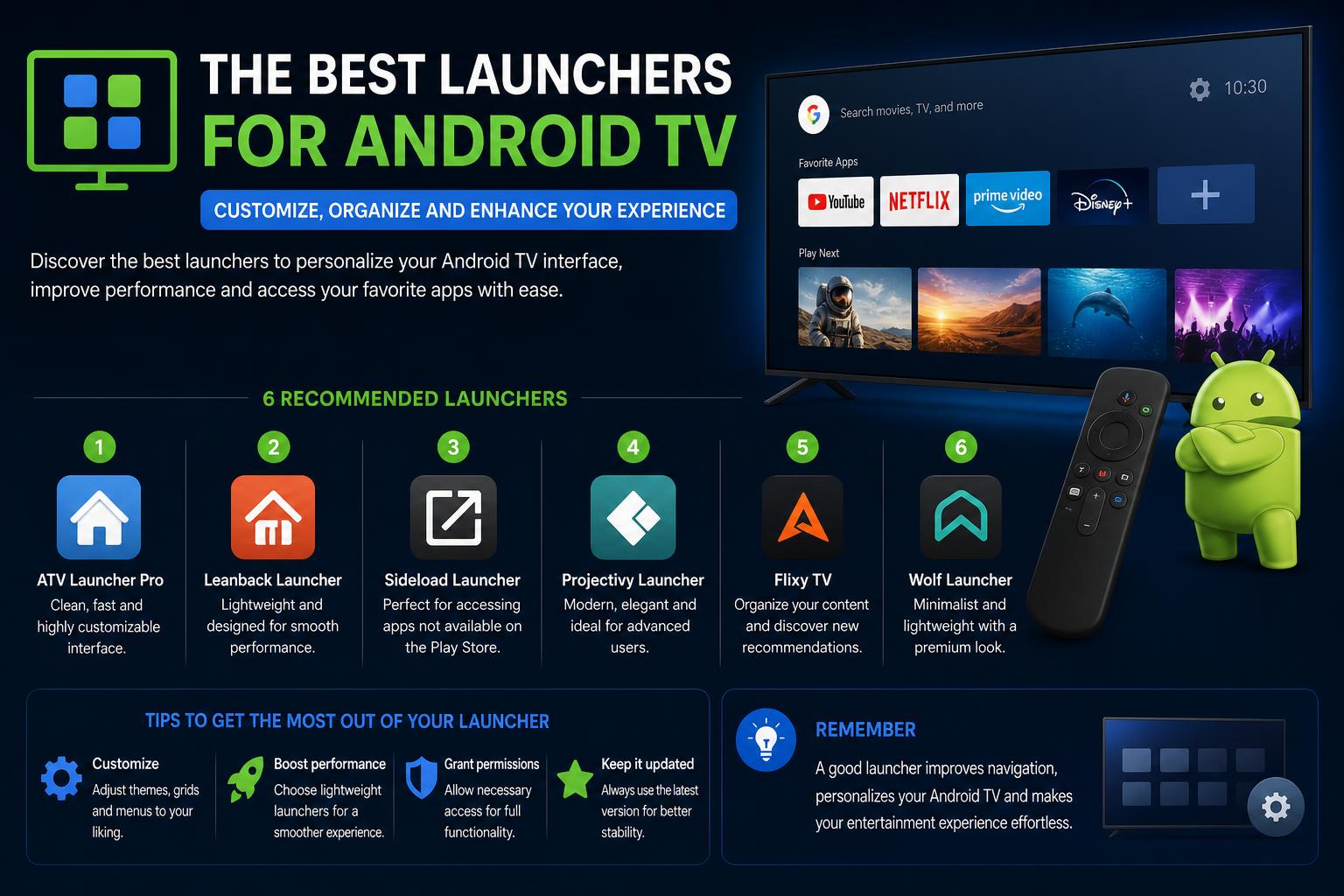
- Arc Launcher offers Apple TV-like simplicity, speed, and customization.
- Projectivy Launcher excels in organization, advanced customization, and accessibility features.
- Open-source options like FLauncher are privacy-friendly, lightweight, and actively updated.
- Community-driven launchers continue to improve accessibility, stability, and user experience.
Android TV launchers have come a long way from the clunky, ad-filled, or sluggish interfaces of old. As smart TVs and streaming devices become more powerful and feature-rich, users expect not only seamless streaming but also a tailored user experience. That’s where alternative launchers step in, offering better performance, customization, and even accessibility features that easily leave the default Google TV interface in the past.
If you’ve ever felt your Android TV experience is lacking—bogged down by ads, slow navigation, or unwanted recommendations—you’re not alone. Over the years, a vibrant community has stepped up, creating powerful third-party launchers to deliver exactly the features traditional TV interfaces lack. Whether you want something slick and minimal, crave customization options, or need improved accessibility, there’s now a launcher for you.
Why Switch from the Default Google TV Launcher?
Many users find Google TV’s built-in launcher too cluttered and slow. While Google TV conveniently integrates numerous streaming services and offers continuous recommendations, it also brings a barrage of tabs like Discover and Shop that most users simply don’t care about. To make things worse, ads are now a persistent part of the interface, disrupting the premium feel people expect from modern smart TVs.
Performance is another sticking point. Even on capable devices like the Chromecast with Google TV, users report laggy interactions, delayed app launches, and input overshoots when navigating the interface. For older or less powerful TVs and boxes, these issues only intensify.
The biggest frustration? Android TV devices typically don’t let users set a custom launcher as the system default. Even after sideloading or installing a launcher, pressing ‘Home’ often brings up the original Google TV home screen. Fortunately, creative workarounds and remapping apps exist to put users back in control.
The Rise of Custom Android TV Launchers
With official options failing to impress, developers and enthusiasts have introduced a rich set of third-party launchers—many of which are open source and constantly evolving. These alternatives address a range of needs, from minimalism and speed, to deep customization, to essential accessibility for vision-impaired users. Let’s dive into the most relevant launches reshaping the Android TV experience in 2024 and beyond.
Arc Launcher: Apple TV-Inspired Simplicity
Arc Launcher has rapidly gained popularity among those craving a clean and distraction-free experience. Designed as a direct answer to the bloated interface of Google TV, Arc Launcher prioritizes speed and simplicity above all else, taking heavy inspiration from Apple TV’s beloved interface.
- No ads, no recommendations: The home screen is dedicated purely to your apps, with no unwanted suggestions or ads breaking your flow.
- App dock and categorization: Favorite apps are just a click away in a dock at the bottom, while everything else can be neatly organized beneath it. Users can create custom categories (e.g., Music, Sports, Streaming) or hide and rearrange apps as they see fit.
- Customizable look and feel: The launcher offers built-in gradient wallpapers, supports user-supplied photos and videos, and even supports changing wallpapers based on time of day. A subtle blur effect gives it a premium finish.
- Quick settings access: Essential controls like Wi-Fi and system settings are accessible from the main screen for instant adjustment.
Unlike the official launcher, Arc performs exceptionally well even on older TVs. Users consistently report smoother navigation and faster app launches compared to Google TV. The only caveat: Arc is not available on the Play Store. You’ll need to download the APK from the official GitHub repository and sideload it onto your device. Remapping your Home button is possible with apps like Button Mapper, so jumping straight to Arc becomes effortless.
Projectivy Launcher: Advanced Customization and Performance
Projectivy Launcher is a powerhouse for those who want to truly make their Android TV their own. Starting with a clean, ad-free layout, it offers extensive ways to categorize and present your apps, including creating rows, folders, and custom categories—much like Google TV but without algorithmic recommendations cluttering your main screen.
- Dynamic and animated backgrounds: Use built-in or custom GIFs and videos for wallpapers, complete with dynamic color adaptation. Advanced users can tweak brightness, hue, contrast, and even extend wallpaper sources via plugins.
- Icon and shortcut customization: Swap app icons for your own images, tap into popular icon packs, rename apps, and add direct shortcuts for quick access.
- Performance optimization: The launcher is highly optimized, providing fast startup and navigation—even on low-end hardware—with regular updates to ensure continued stability and polish.
- Power user tools: Access hidden engineering menus, create automatic backups, calibrate your display with test patterns, and directly launch favorite apps or input sources at boot.
- Parental controls and accessibility: Projectivy features robust parental controls and a range of accessibility options, including an optional service to improve remote control navigation—a key consideration for users with visual impairments.
Most features are available for free, though ultra-advanced icon and background customizations require a premium upgrade.
Perhaps most importantly, Projectivy is available directly from the Play Store, making installation much simpler, especially for less technical users who want to avoid sideloading APKs. For more support, the Projectivy subreddit and the XDA developer page are valuable communities.
Real User Experiences: Reddit Insights and Accessibility Needs
The strength of the Android TV launcher ecosystem is reflected in large, active online communities—especially on Reddit, where users constantly share feedback, troubleshoot issues, and suggest improvements.
Minimalism vs. feature bloat: Some launchers, like EMOTN, Projectivy, and Dispatch, are praised for their extensive feature sets. However, several users argue that these options can be overwhelming, especially on less powerful devices, and prefer lightweight launchers that focus only on speed and basic functionality.
Accessibility: For blind or visually impaired users, launcher compatibility with screen readers (like TalkBack) is critical. One user observed that popular launchers—even Projectivy and Wolf Launcher—were difficult to use due to unlabeled buttons and poor TalkBack support. This highlights an ongoing gap: while customization and aesthetics improve, accessibility features often lag behind.
Open-source and privacy: Tech-savvy users prize open-source launchers that avoid ads, require few permissions, and receive regular updates. FLauncher—for example—was cited as a standout project (find it on its official website), valued for being open source, lightweight, and supporting both native TV and sideloaded apps.
What to Look for in a Great Android TV Launcher?
Based on years of user reviews and curated lists from communities like GitHub and Reddit, the ideal TV launcher should offer the following features:
- Easy app organization: Support for folders, tags, or categories to keep apps sorted logically for fast access.
- Flexible layouts: Ability to display more than three apps per row, adjustable sizing, and vertical arrangement of categories for efficient browsing.
- Compatibility: Full support for both TV-optimized and sideloaded Android apps, ensuring nothing is left out of your experience.
- Instant app info and settings: Access detailed app information and force-close options from within the launcher, streamlining troubleshooting.
- Live date and time display: Always visible for convenience. Bonus points for configurable placement and style.
- Zero ads, minimal permissions: Prioritize privacy, performance, and a premium feel by steering clear of intrusive advertising and overreaching data collection.
- Accessibility and parental controls: Make sure your launcher is usable by every family member, regardless of age or disability.
- Open-source availability: Many users prefer to use launchers published on F-Droid or direct from GitHub, where development is transparent and extra plugins are supported.
While few launchers tick every box, several come respectably close, with regular updates constantly inching towards the “perfect” solution.
Noteworthy Launchers & Tools from the Community
The wider Android TV enthusiast community maintains evolving lists of alternative launchers, ensuring nearly every need is met. Some highlights include:
- FLauncher (Official Website): Open-source, lightweight, and actively updated. Offers strong support for different layouts, app organization, and zero bloat.
- DXIdev’s Sideload Channel Launcher: Advanced users who prefer deep customization can look to DXIdev’s suite of launchers. These tools often include multiple versions for different needs (e.g., “Sideload Channel Launcher 3” and “4”).
- Kodi (Official site): More than a simple launcher, Kodi is a full-featured media center. Some use it as their home screen due to its extendable plugin ecosystem and advanced features.
- Primal TV Launcher, Leap Launcher, aLauncher, LightningLauncher, Monet Launcher: Newcomers and forks of established projects. Each brings unique layouts, theming options, or efficiency tweaks, now regularly added to open-source repositories and ranking feature wishlists on Reddit and GitHub.
Installation and Setup Tips
Installing custom launchers isn’t as straightforward as on mobile Android devices, but the process is accessible with a little patience:
- Download the launcher APK: For Arc Launcher or another non-Play Store app, get the latest release from their official GitHub. For Projectivy or FLauncher, use the Play Store or F-Droid for one-click installs.
- Enable developer options and “Install unknown apps”: Settings differ by TV, but you’ll need to allow app sideloading. This may be found under Security or Device Preferences.
- Sideload using USB, LocalSend, or a web browser: Transfer the APK to your device, open it using a file manager, and install.
- Remap remote buttons (optional): Apps like Button Mapper are available on the Play Store and allow you to map the Home button or another remote button to launch your new launcher directly, even if Android TV blocks you from setting it as the system default.
Remember: Changing launchers doesn’t completely disable Google TV. Profile selection screens and some overlays may still appear if Android TV requires them, but with remapping, in daily use, you’ll barely notice the difference.
Challenges: Accessibility and Feature Gaps
Although these tools are developing rapidly, the ecosystem still faces real challenges. Accessibility remains a work in progress: Users who rely on TalkBack or similar screen readers often struggle with unlabeled buttons and inconsistent navigation in otherwise excellent launchers. Developers are increasingly aware of these needs, but not all projects have achieved full accessibility yet. If this aspect is crucial, check the latest updates and consult GitHub or community forums for progress.
Stability and compared features: Not all launchers work the same on all devices. It is advisable to backup settings and check specific recommendations for your model. Most now support automatic backups, helping to avoid configuration loss.
Community Support and Project Longevity
An active community supports the continuous improvement of these launchers. Users share bug reports, feature requests, and their own customized versions or plugins on Reddit, XDA Forums, and GitHub. It is advisable to choose a launcher with a vibrant community presence and frequent updates, ensuring its compatibility and growth alongside Android TV and hardware novelties.
The open-source nature of many of the best launchers means their development doesn’t stop if an individual developer ceases to contribute: new forks and improvements emerge quickly, filling gaps or fixing bugs.
Choosing the right launcher can completely transform your streaming experience, shifting the focus away from ads and slow loading times toward a fast, personalized, and enjoyable interface. From a minimalist Apple TV-inspired design, to the deep customization of Projectivy, to the open-source power of FLauncher, today’s alternatives make it a great time to ditch the default launcher for good.