
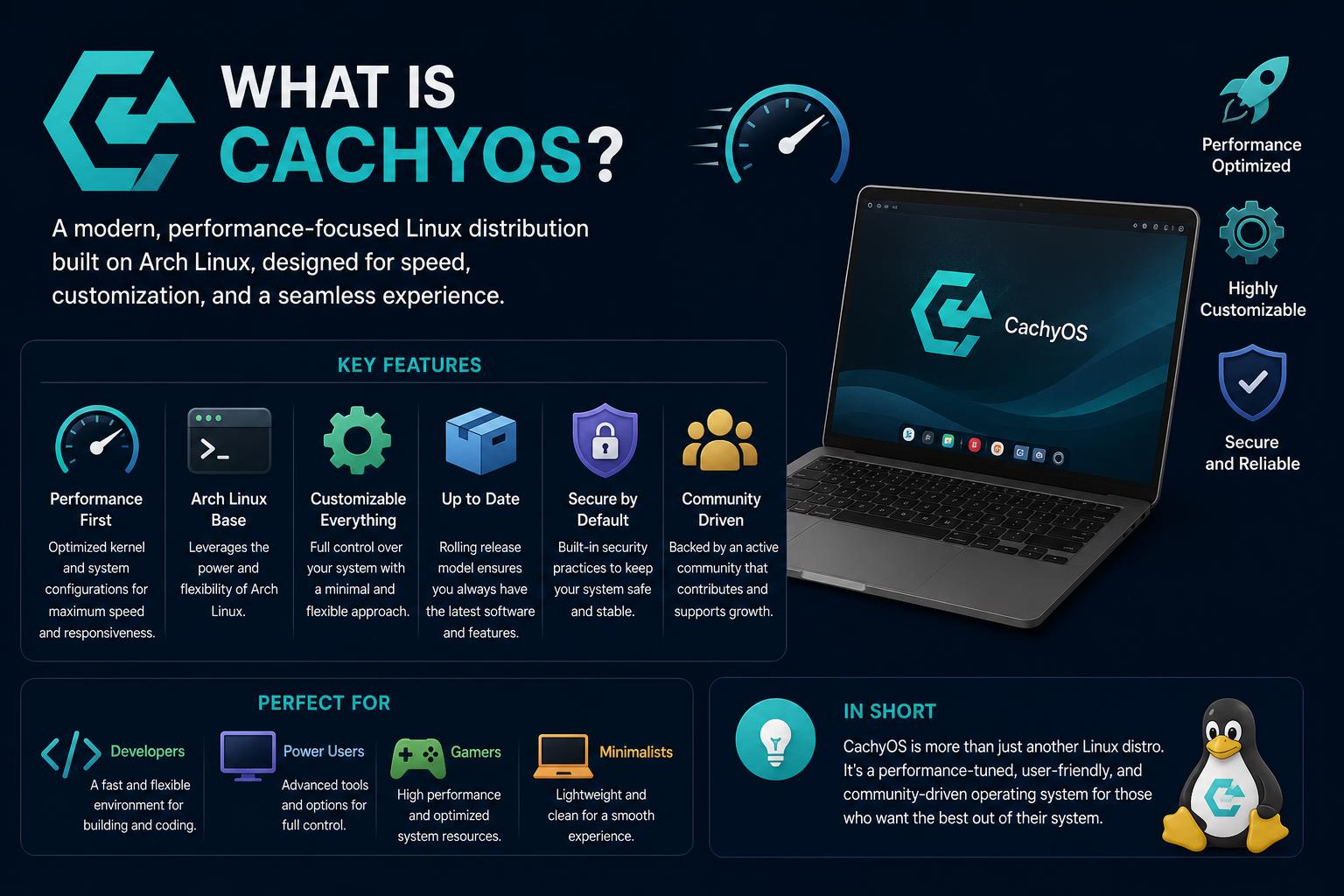
- CachyOS boosts performance with CPU-specific package compilation and advanced kernel optimization.
- Wide installer and desktop environment choices make it beginner-friendly and highly customizable.
- Custom tool suite and active community provide strong support for both new and experienced users.
- Kernel patch sets, schedulers, and hardware detection ensure optimal desktop responsiveness.
CachyOS is making waves in the Linux world as an Arch-based distribution focused intensely on performance, optimization, and ease of use. Whether you’re a newcomer curious about its sudden popularity or an experienced Linux enthusiast wondering if it can truly deliver a faster, more responsive experience, you’re in the right place. In this article, we’ll unravel everything about CachyOS—how it distinguishes itself from standard Arch Linux, what makes it unique, and whether it could be the perfect daily driver for your setup.
Recently, CachyOS has captured the attention of the Linux community and is often recommended as a high-performance solution with modern optimizations out of the box. But what exactly is it that draws in users, and is it just another face in the crowd of Arch-based distributions? We’ll explore the features, community-driven development, tailored tools, and the benefits that truly set CachyOS apart—including its approach to hardware support, package optimization, and kernel enhancements. This comprehensive guide aims to answer all your questions about CachyOS.
What Is CachyOS?
CachyOS is a Linux distribution built on Arch with a clear mission: to maximize system performance and user experience, utilizing the latest technologies and optimizations for modern hardware. This means you get all the benefits of Arch—rolling-release updates, flexibility, vast repositories—but also gain from custom toolchains, advanced kernel patches, and an extensive suite of built-in tools aimed at both beginners and power users.
Unlike vanilla Arch, CachyOS focuses on making your system run as fast and efficiently as possible. This is accomplished by compiling core packages for newer CPU architectures (including x86-64-v3, x86-64-v4, and Zen4) and adding advanced compiler techniques like LTO (Link Time Optimization) and PGO (Profile Guided Optimization). The result? Most users report a noticeably more responsive desktop and lower latency, especially on modern hardware.
Performance Optimizations: Under the Hood
Performance is at the heart of CachyOS, and this starts at the package level. All key packages are specifically built for modern CPUs, letting users squeeze every bit of power from their hardware. CachyOS uses LTO and, for core packages, takes it up a notch by layering on PGO and BOLT optimization. These optimizations mean binaries are fine-tuned for the way you use your apps, giving you both speed and efficiency without the need for complex manual intervention or rebuilds.
Advanced Kernel Builds
The ‘linux-cachyos’ kernel that ships with CachyOS is another major selling point. It comes with a scheduler meticulously tuned for interactive desktops, supporting options like BORE, sched-ext, BMQ, and RT to let you pick the best fit for your workflow. CPU-specific optimizations (including for newer AMD and Intel chips) carry over into the kernel as well, ensuring top-tier responsiveness and smooth multitasking even under heavy load.
Optimized Repositories
Unlike standard repositories that target older or generic CPU instruction sets, CachyOS provides repositories with binaries compiled for x86-64-v3, x86-64-v4, and Zen4+. Your system will leverage its full hardware capabilities automatically, resulting in faster application launches and improved overall system performance. For users interested in how these repositories work or want to deep dive into their specifics, the CachyOS wiki offers detailed guides and documentation.
Flexible Installation Process
With CachyOS, the process of installation is tailored to both beginners and advanced users. You get to choose between a graphical Calamares-based installer, which provides an intuitive guided setup, or a CLI installer, perfect for those who want granular control over every aspect of their system install. Whichever you pick, the process allows extensive customization: users are able to select the desktop environment, packages, filesystem, boot manager, kernel variant, and more to best fit their needs.
The installer also includes hardware detection and automatic driver setup, eliminating the need for manual driver hunting. This is a big advantage, particularly for new users or those unfamiliar with hardware compatibility quirks under Linux.
Wide Range of Desktop Environments
CachyOS goes above and beyond to support user preferences by allowing you to select from a broad variety of desktop environments. During installation, users can pick from KDE Plasma, GNOME, COSMIC, Hyprland, Sway, Niri, i3, XFCE, and many more—over 17 options in total. Every environment is fully supported, and you can expect a polished experience regardless of your choice. This flexibility lets you tailor the system to your workflow, whether you’re looking for an eye-candy desktop or a lightweight tiling setup.
CachyOS Custom Toolset
CachyOS isn’t just about performance—it also aims to simplify everyday Linux use through a suite of homegrown applications. Here’s a quick rundown of some of the key tools developed and maintained by the CachyOS team:
- CachyOS Hello: A welcoming application that helps you tweak, apply fixes, and install packages effortlessly from the get-go.
- CachyOS Package Installer: This GUI makes finding and installing applications a breeze—even for users new to Linux.
- CachyOS Kernel Manager: Easily manage installed kernels, install new ones from the repositories, or configure advanced kernel scheduling frameworks like Sched-ext from a single interface.
- cachyos-rate-mirrors: Automatically ranks your download mirrors to ensure optimal speed when updating or installing packages through pacman—no more waiting for slow servers.
- systemd-boot-manager: Manages systemd-boot entries, automatically generating new entries for every kernel you install. Configuration is easily handled, so multi-booting or kernel switching is painless.
Kernel Innovations and Scheduling
On the kernel side, CachyOS is continually pushing for desktop responsiveness and stability. In addition to maintaining its own kernel patch sets, which tune CPU scheduling and performance parameters, CachyOS selectively adds non-mainlined patches after rigorous internal testing to ensure users remain protected from bugs and instability. Among its key kernel features:
- EEVDF (Earliest Eligible Virtual Deadline First), the modern default Linux scheduler, is further tuned by the CachyOS team to deliver snappier desktop performance.
- BORE (Burst-Oriented Response Enhancer): An alternative scheduler option, which focuses on fluid responsiveness during intense workloads and is available as a variant kernel (
linux-cachyos-bore). - Support for alternative schedulers like BMQ and RT, designed to target specific performance or real-time needs.
The kernel documentation on the official CachyOS website breaks down these options for tinkerers who want to optimize further.
Community and Support
One of CachyOS’s greatest strengths is its active, rapidly growing community. links out to active Discord and Forum channels where users share tips, help each other troubleshoot, and collaborate to make the project better. This community-driven philosophy not only accelerates improvements but also makes it easier for newcomers to find their footing. Even those not deeply technical can participate, provide feedback, and contribute to documentation or user testing.
[relacionado url=”https://www.ikkaro.net/guide-to-compound-gears/”]
Meet the Core Team
The ongoing innovation of CachyOS wouldn’t be possible without its devoted and highly skilled team, which consists of kernel maintainers, developers, package builders, documenters, and testers. Some notable members include:
- Piotr Gorski (sir_lucjan): Kernel maintainer and university lecturer, central to maintaining performance patches.
- Vasiliy Stelmachenok (ventureoo): Developer and maintainer of key configuration tools and applications.
- Eric Naim (naim): Package and kernel maintainer.
- Harsh Peshwani (SoulHarsh007): Maintainer of various build tools and the website.
- Others contributing across handheld editions, gaming support (like Wine and Proton), wiki maintenance, documentation, and more.
This collaborative spirit helps CachyOS stay adaptive and quick to support emerging technologies and user needs.
Real User Impressions
CachyOS’s performance focus garners a lot of online attention, with users often surprised at its desktop speed improvements over other Arch variants. There’s healthy curiosity—and some skepticism—on whether the real-world gains justify switching, particularly for those accustomed to popular alternatives like EndeavourOS or vanilla Arch augmented with an installer. Still, the streamlined setup, active development, and plenty of out-of-the-box enhancements create a compelling case for trying CachyOS, especially for tinkerers and gamers seeking maximum performance.
Is CachyOS Right for You?
Deciding if CachyOS fits into your workflow depends on your goals and hardware. If you care about being on the cutting edge, have a relatively modern machine (so you can actually benefit from the targeted optimizations), and want the simplicity of well-integrated tools developed by a dedicated community, CachyOS is an excellent choice.
On the other hand, if you’re happy with more ‘set-and-forget’ distributions, or if you have legacy hardware that won’t benefit from the modern toolchain, the advantages may be less dramatic. Still, the availability of multiple installers and desktop environments makes CachyOS versatile enough to appeal to a wide audience.
If you value performance, community support, and customization, CachyOS stands out as a high-quality and highly recommended Arch-based Linux option. The combination of advanced optimizations, dedicated tools, and a helpful community sets it apart from other Linux distributions seeking to maximize desktop responsiveness. You can explore further or download CachyOS directly from its official download page.
What is Zephyr? Meaning, History, Technology, Culture, and More