
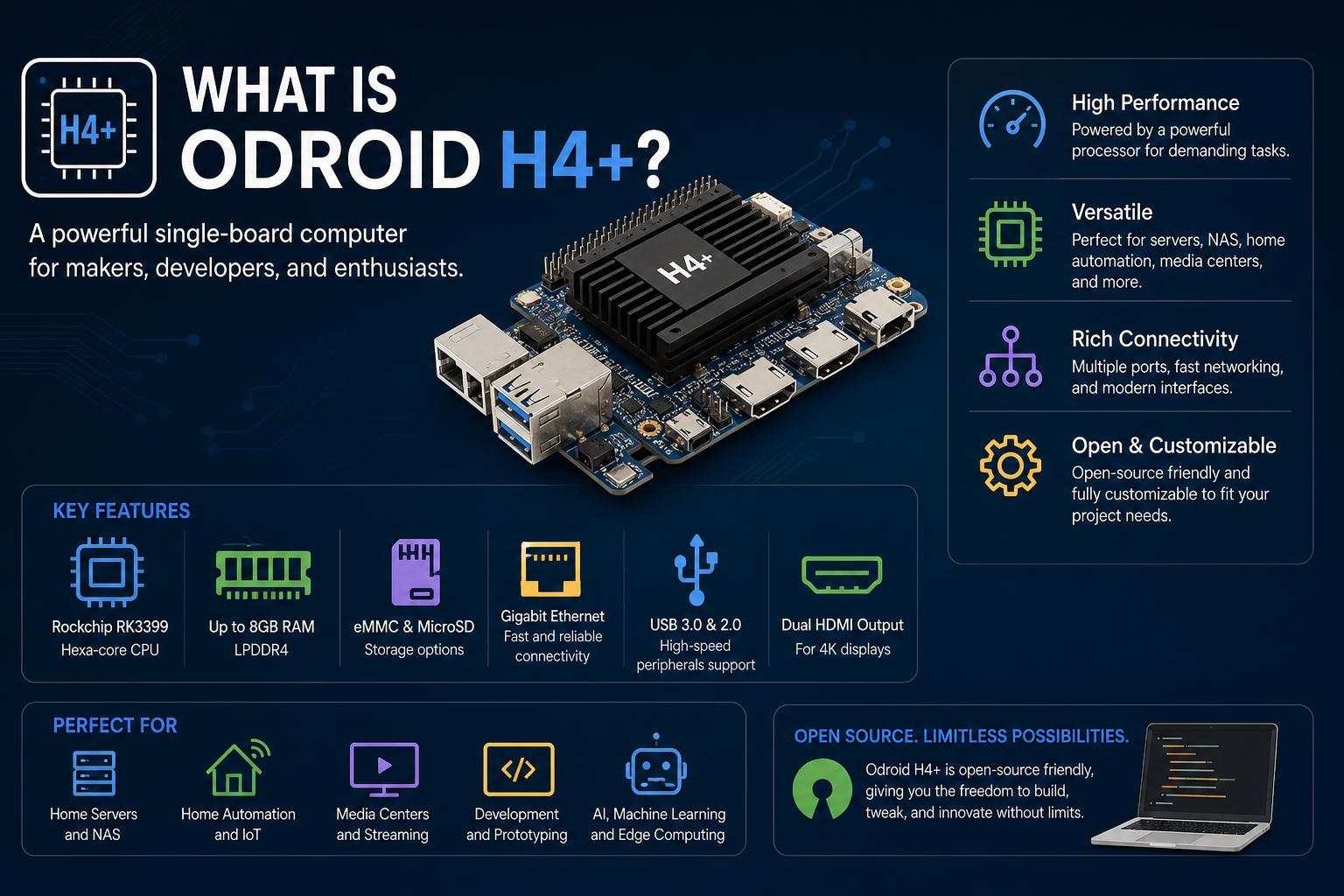
- The ODROID-H4+ offers exceptional flexibility with x86 compatibility, open schematics, and rich I/O, making it ideal for NAS and developer use.
- It excels at energy-efficient 24/7 operation, providing advanced recovery and automation features suitable for both beginners and advanced tinkerers.
- The vibrant community support, strong open-source firmware activity, and practical install/user experiences make it a unique and future-proof choice.
The world of single-board computers keeps evolving at a fast pace. Among all the choices out there, few have sparked as much excitement in the maker and NAS communities as the ODROID-H4+. Whether you’re sizing it up for a DIY server, looking for an open-source firmware playground, or just wanting to build a quiet, power-efficient PC or NAS, this little powerhouse has caught the eye of technology tinkerers everywhere. But what actually makes the ODROID-H4+ stand out, and how does it compare to its peers? This article is your in-depth guide to everything you should know about the ODROID-H4+, seamlessly piecing together information from real-world usage, community discussions, and technical overviews.
Let’s take a stroll through the features, hardware specifics, configuration tips, and unique aspects of the ODROID-H4+—and how it fits into modern computing and storage needs. No matter if you’re a seasoned builder or a curious newcomer, this comprehensive breakdown explores every angle, sharing practical advice, common pitfalls, and opportunities for getting the most out of this board.
What Is the ODROID-H4+? A Fresh Perspective on the Modern SBC
If you’ve been around the world of single-board computers (SBCs), you’ll know that most options focus either on affordability or sheer horsepower. The ODROID-H4+ flips the script by attempting to do both—and, more importantly, to grant power users features that are often left out of other platforms. Crafted by Hardkernel, the H4+ targets users who want a compact, x86-compatible, low-power board with plenty of expansion possibilities.
At its core, the ODROID-H4+ features an Intel Alder Lake-N N97 processor that can handle most everyday computing tasks and is especially suited for energy-efficient 24/7 operation. But it isn’t just another cookie-cutter SBC: public schematics are available—which is extremely rare in the hardware world—making it a dream come true for developers, hackers, and anyone who likes to peek under the hood, especially for open-source firmware and custom firmware projects.
Key Specs and Features
The ODROID-H4+ sits in the middle of Hardkernel’s x86 lineup, right between the standard H4 and the beefier H4 Ultra. Here’s a detailed look at what gives the H4+ its unique edge:
- Processor: Intel Alder Lake-N N97 (quad-core, up to 3.6GHz)
- RAM: Single-channel DDR5, supporting up to 48GB @ 4800MHz
- Storage: eMMC module support, M.2 slot, 4x SATA III with onboard power
- Networking: 2 x 2.5Gb Ethernet ports
- Graphics: Integrated Intel graphics, practical for light GUI and hardware-accelerated workloads like Plex/Jellyfin transcoding
- Power: 12V DC input, efficient for 24/7 operation
- Additional Hardware: BIOS backup battery, dual BIOS flash (for easy recovery), serial UART, and expansion headers
Many find these specs impressive for a board this small; with its power, connectivity, and storage expandability, it competes not just with other SBCs, but even some entry-level desktop mini-PCs and enterprise thin clients.
Why Does the ODROID-H4+ Stand Out?
The H4+ has earned a passionate following for several reasons:
- Open Hardware Approach: Public schematics grant users, developers, and firmware enthusiasts a view into the workings of the board, enabling true open-source hardware projects.
- Robust Storage Option: With four SATA ports and native power support, it’s ideal for DIY NAS (Network Attached Storage) builds, supporting both SSDs and large spinning disks efficiently.
- Modern Features: Dual BIOS for brick-resistance, ultra-fast networking, support for massive amounts of RAM, and expansion options covering everything from GPIO to high-speed storage.
- Efficient Power Profile: Low TDP and solid DC input design let you run it 24/7 without worrying about heat or high energy bills.
- Rich Community Support: Strong engagement across forums, open firmware communities, and rapid hardware iterations compared to competing platforms.
Unboxing and Hardware Layout
The ODROID-H4+ arrives neatly packed, typically with a modular power supply (including international plug options), an eMMC module for OS storage, and backup coin-cell batteries for BIOS. The board itself is compact—so small, in fact, that it can comfortably rest in the palm of your hand. Hardware elements are clearly labeled, giving experienced users quick navigation while making it accessible for newcomers.
On closer inspection, you’ll find the following onboard elements:
- BIOS Backup Battery: Essential for retaining BIOS settings, with two included by default.
- RAM Slot: Single DDR5 slot that is easy to access and upgrade.
- SATA and Power Headers: Connect up to four drives directly, without complicated adapters.
- USB, eMMC, and M.2: Mixed options for OS and application storage, maximized for flexibility and speed.
- GPIO and Serial Headers: For expansion, automation, diagnostics, and power management projects.
When it comes to physical build, quality and convenience take center stage: All connectors are accessible, onboard status LEDs show power cycles, and the modular approach to plugs and expansion assures global usability.
First Use and Initial Setup
Like any good enthusiast board, the ODROID-H4+ is user-serviceable and straightforward to set up. Still, you’ll want to follow some best practices:
- Check for Damage after shipping, plug in one of the included coin-cell BIOS backup batteries, and connect your preferred storage modules (eMMC, M.2, SATA, or USB) before first boot.
- For first-time users, the boot may take a few minutes and may include multiple resets with visible LED flashes. This is normal—be patient as it initializes the hardware.
- If no bootable drive is detected, you’ll land directly in BIOS setup. This is a great chance to familiarize yourself with the hardy backup and recovery features, such as the dual BIOS configuration and jumper-based mode switching.
- Connect Ethernet and peripherals (monitor, keyboard, mouse, or serial console) as needed for OS installation and diagnostics.
The dual BIOS system is a true highlight: if a firmware update goes awry, you can switch BIOS chips via a simple jumper near the DC jack — a true safeguard against bricks, especially valuable for firmware tinkerers and open-source adopters.
Disassembling the Ikea Lottorp or Klockis watch
Open-Source Development and Firmware Experimentation
The ODROID-H4+ isn’t just a board for running Ubuntu or a basic NAS. Thanks to its extensive documentation and open schematics, it’s become a testing ground for open-source firmware like coreboot and projects such as . Firmware and software developers will appreciate:
- Easy SPI Flash Backup: Using tools like flashrom directly on the device or by using an external programmer and the widely accessible SOIC8 packages for BIOS chips.
- Safe experimentation: Always make full dump images of your BIOS chips before flashing alternate firmware. The dual BIOS enables safe testing, as you can revert to the factory image or use in emergencies.
- Detailed hardware logs and system reports: Extracted via utility suites (like Dasharo Tools Suite) that collect SMBIOS, ACPI, GPIO, board, and firmware data for diagnostics and tuning.
In community-driven documentation and training initiatives, the ODROID-H4+ is often cited as a fantastic resource for learning about hardware initialization, recovery, and open firmware porting. For enthusiasts and students wanting to get hands-on with board bring-up and troubleshooting, the H4+ is a strong candidate thanks to its accessible test points and clearly documented signaling.
Hardware Expansion, Diagnostics, and Automation
A standout benefit of the H4+ is the range of expansion headers and control options for developers and automation pros:
- Full set of UART/Serial lines (on labeled expansion headers, such as EXT_HEAD1)
- Customizable GPIO exposed via dedicated headers for automation or home lab projects
- Accessible power and reset button signals for remote management (either by relay modules or microcontroller GPIO interfacing)
Users seeking to integrate the board within test rigs or fully-automated labs (via platforms like Remote Testing Environments or custom setups) will appreciate:
- Power supply barrel connectors for hands-off control
- Clearly marked buttons and pins for power cycling and resets
- Onboard serial port tied to the super I/O chip for BIOS diagnostics
These hardware features, while perhaps niche, underline the fact that the ODROID-H4+ is far more than just another single-board computer — it’s a full-featured development and automation platform.
Operating System Compatibility
One of the great misconceptions about ODROID boards—often inherited from their ARM-based siblings—is that they are constrained to a single operating system or image. Thankfully, This is not the case with the H4+:
- x86 Architecture: It’s based on an Intel processor, not ARM—which means nearly any modern x86-compatible OS can run without oddities or pain points seen on ARM SBCs.
- Linux Support: While Hardkernel offers official Ubuntu 22.04 images with drivers and updates, the reality is that Debian, Ubuntu, DietPi, and even Armbian (which traditionally targets ARM) are all known to work well. The choice between these comes down to personal preference and target application.
- Users have successfully deployed various distributions for NAS (OpenMediaVault, TrueNAS Scale), desktop (standard Linux GUIs), and headless server usage (Docker, Kubernetes, etc.).
Community experience overwhelmingly confirms that, on the H4+, Linux compatibility is robust, and proprietary drivers are rarely required outside of specific hardware-accelerated video or audio use cases.
The H4+ as a NAS: Power, Storage, and Networking
Perhaps the strongest use case for the ODROID-H4+ is building your own NAS (Network Attached Storage) appliance. Several features make it especially suitable:
- Four native SATA ports with onboard power (no need for dirty hacks or add-on boards), allowing you to connect SSDs or traditional hard drives for both speed and high capacity.
- Fast 2.5Gb Ethernet (twice as speedy as typical gigabit options), ensuring that storage traffic isn’t hampered by slow networking—crucial for home labs and small businesses migrating to multi-gig setups.
- Ample RAM options (up to 48GB of DDR5!) let you run demanding file systems like ZFS (as used by TrueNAS or OpenMediaVault), enable deduplication, frequent snapshots, and high-performance caching.
- Low-noise operation: With silent passive cooling possible (no fan required), plus extremely low power consumption for 24/7 uptime.
Users on forums and in blog reviews highlight scenarios such as:
- Combining multiple drives in ZFS mirrors or RAID configurations
- Running Docker containers for media servers, backup solutions, and home automation
- Leveraging hardware transcoding for media applications like Jellyfin or Plex (though heavy-duty transcoding may be better on the Ultra version with QuickSync, the H4+ can handle light/medium streams)
Networking setup questions frequently arise: With two 2.5GbE ports, users wonder about link aggregation or redundancy. If your hub or switch only supports 1Gb, using both ports won’t necessarily double your throughput unless supported on the network side. However, in environments with multiple high-speed devices, dual ports enable advanced configurations for performance or failover.
Comparing the H4, H4+, and H4 Ultra
Hardkernel offers several boards in the H4 family, with the H4+ sitting squarely in the middle. Here’s a quick comparison to contextualize your decision:
| Feature | H4 | H4+ | H4 Ultra |
|---|---|---|---|
| CPU | Intel N100 | Intel N97 (slightly higher performance) | Intel N305 (more cores/threads, higher performance/TDP) |
| RAM | Up to 32GB DDR5 | Up to 48GB DDR5 | Up to 64GB DDR5 |
| Power Draw | Ultra-low | Very low (12W TDP) | Moderate (higher than H4+) |
| Best For | Budget builds, basic server functionality | NAS, media servers, light VM/containers | Heavy multitasking, dense containers, more demanding media tasks |
Ultimately, the H4+ strikes a great balance: more feature-packed and performant than the entry-level H4, yet more approachable and power-efficient (and much cheaper) than the flagship Ultra variant.
Practical Storage and Installation Choices
ODROID-H4+ users typically face questions about where to install their operating system and how to optimize storage for speed, reliability, and longevity.
- For systems like OpenMediaVault (OMV) or other headless NAS platforms, you have options: eMMC module, USB drive, M.2 NVMe, or a spare SATA SSD. Many prefer eMMC for OMV itself and M.2 for Docker or frequently accessed containers, leaving the main SATA SSDs or HDDs for storage only.
- eMMC is appreciated for its durability and lower power draw, but if blazing speed or heavy-duty workloads are required, M.2 NVMe flash is a viable solution—just make sure your case has adequate cooling for sustained high-speed writes.
- For Docker containers or VMs, isolating their filesystems onto the M.2 drive can boost performance while protecting the OS partition from fragmentation or wear.
In short: Mix and match storage according to intended use. The flexibility of the H4+ means you’re not tied to a single type of drive or configuration.
User Experience and Community Feedback
Real-world reports from the ODROID community and across open forums reveal:
- Stability is impressive out of the box, thanks to the use of mature Intel hardware and robust BIOS/UEFI implementation.
- Users running TrueNAS, OMV, or similar software report ample performance for home or SOHO data storage, media sharing, and backup tasks.
- Expandability, particularly the presence of SATA and dual 2.5GbE, is often cited as the standout selling point—widely seen as superior to Raspberry Pi or other ARM-based boards at a similar price.
- Contrary to some myths, software support is not limited to Ubuntu. Many users have successfully installed Debian, DietPi, and other mainstream distros with no issues. The only caveat is that official images and driver support are more extensive for Ubuntu (which is typically recommended for newcomers).
- Firmware and hardware enthusiasts deeply appreciate the public schematics—something virtually unheard of in mainstream computing—making the H4+ an ideal platform for learning coreboot or contributing to projects like .
The occasional community complaint revolves mostly around the slightly higher entry price (compared to repurposed thin clients or upcoming boards), but most agree the set of features, expandability, and risk-free open experimentation justifies the investment for DIYers and homelabbers.
Advanced Setup: Automation, Testing, and Remote Development
For those looking to push their H4+ setup even further—or to integrate it into a larger remote development/automation environment—here are some advanced techniques:
- Hook power, reset, and control pins to automation platforms like the Remote Testing Environment and manage your H4+ board entirely hands-off.
- UART/Serial console access is invaluable for kernel and firmware debugging, especially when experimenting with open-source BIOS or low-level tweaks.
- The dual BIOS chip layout grants freedom to safely test new firmware without bricking, setting it apart as a teaching platform for firmware engineers.
- Keep thorough flash dumps, logs, and board reports for every modification—vital for disaster recovery or retracing steps after major upgrades.
For educational or research environments, the H4+’s open documentation and variety of access points create a perfect sandbox for learning and discovery.
Build Tips, Pitfalls, and Community Recommendations
Drawing from practical feedback and detailed forum analyses, here are some additional insights to help optimize your H4+ experience:
- Use only high-quality power supplies—cheaping out may cause stability issues or even permanent damage. The included adapter is typically robust, but when extending, ensure it matches the requirements.
- Label and document your cabling layout (especially for multiple SATA drives)—it can get tricky if you’re working inside a compact enclosure with four drives and several expansion cards.
- If installing in a tight, passively cooled case, keep a close eye on component temperatures during heavy writes (M.2 NVMe and RAM can run warm under prolonged loads).
- For newcomers to open firmware, always backup your BIOS before experimenting with projects like coreboot or Dasharo. Hardkernel does provide stock binaries, but your own backup is always safer.
- Onboard LEDs provide instant feedback about boot, reset, and error states—keep an eye on them, and reference the manual or schematics for troubleshooting.
Final Thoughts on the ODROID-H4+
The ODROID-H4+ bridges the gap between mainstream x86 single-board computers and specialized DIY NAS appliances. Its unique blend of open hardware, rich storage and networking capabilities, and robust expandability makes it a favorite among home server enthusiasts, open-source firmware developers, and anyone eager to take a more active role in hardware experimentation. Its versatility and comprehensive features make it an excellent choice for a wide range of projects, from home labs to industrial prototypes. This board embodies the spirit of open hardware, offering users the opportunity to learn, customize, and optimize at every level.
How to fix AVRDUDE: ser_open(): can’t open device en Arduino