
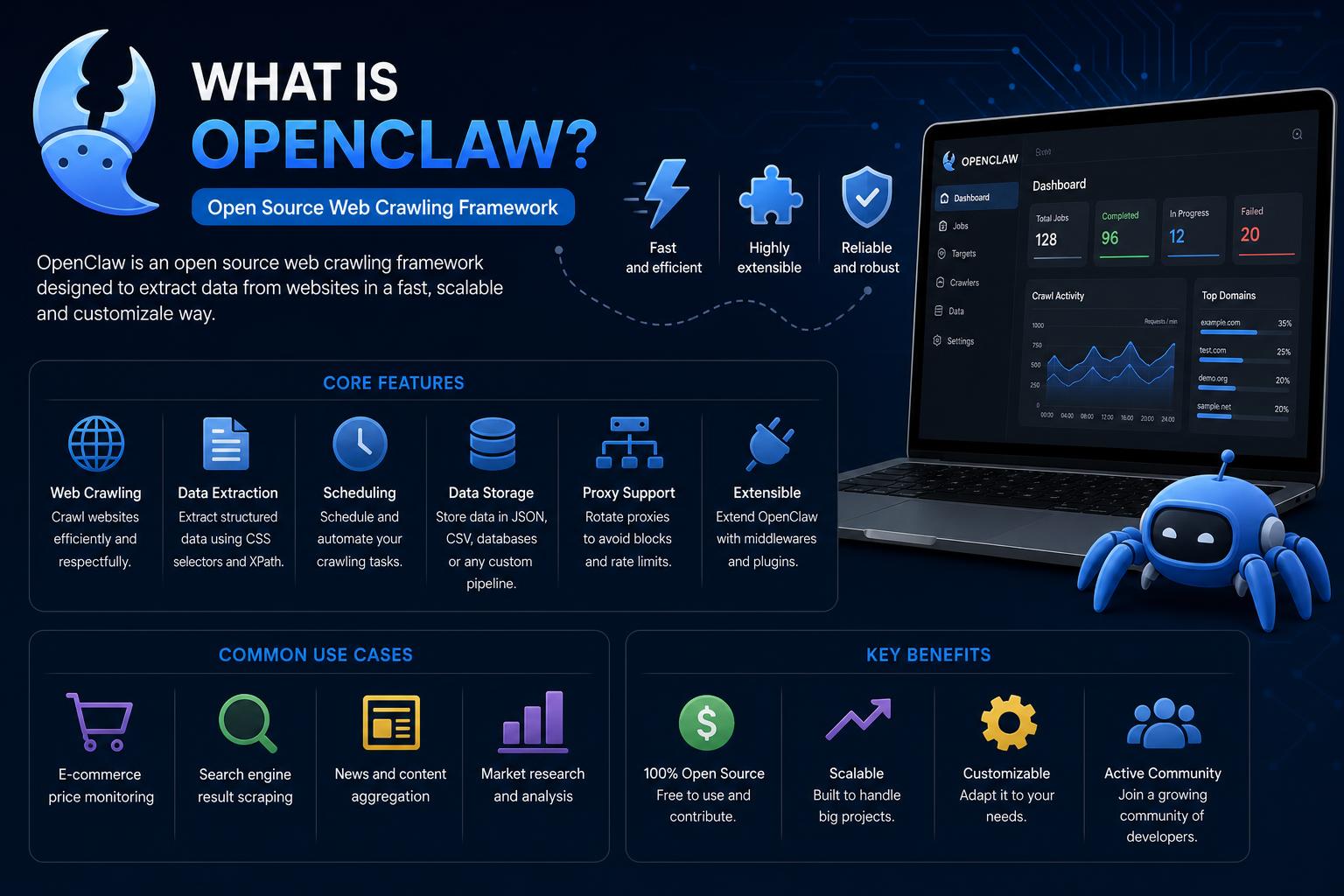
- OpenClaw is a revolutionary, open-source personal AI agent that operates locally, offering unmatched autonomy and extensibility through skills and plugins.
- It integrates seamlessly with popular messaging platforms and third-party tools, enabling automation from chats, browser tasks, smart devices, and more, while keeping all user data on the device.
- Despite rapid adoption, OpenClaw presents unique security and privacy challenges, necessitating caution with skill installations, sandbox deployment, and strict credential management.
Artificial intelligence has recently ushered in a host of new tools, agents, and automation suites—but few have stirred as much excitement and debate in the tech ecosystem as OpenClaw. Unlike the parade of web-based chatbots and SaaS solutions, OpenClaw stands out as a fully open-source, locally run AI agent that has ignited feverish adoption and intense scrutiny from developers, power users, and even skeptical cybersecurity experts.
Whether you’ve only heard the name or have watched the numbers skyrocket on GitHub, OpenClaw’s blend of autonomy, extensibility, and its viral reputation for performing ‘real-world’ automation across your devices calls for a deeper look. Settle in for the most exhaustive guide you’ll find online as we unpack everything there is to know about OpenClaw—from its fast-paced history and the innovations under its shell, to practical setup advice, security pitfalls, and the surprising ways the community is pushing agentic AI forward.
What is OpenClaw? The Idea Behind the Hype
OpenClaw is a local-first, open-source AI assistant—an ‘agent’—that can carry out tasks on your device, respond to you through your favorite chat apps, and even take initiative by scheduling actions or automating flows without constant human prompting. Originally launched under names like Clawdbot and Moltbot, OpenClaw gained traction in late 2025 as it blended elements of personal digital assistants (think Siri or Alexa) with the architectural smarts of modern large language models (LLMs) such as Claude, GPT-4, or DeepSeek.
Unlike hosted chatbots, OpenClaw is designed for privacy-minded users who want their virtual assistant to ‘live’ entirely on their own hardware—be it a laptop, desktop, or even an always-on server or dedicated mini PC. Data persistence (all memory, context, and history) stays local as Markdown and YAML files, and users can control or audit the agent’s storage manually whenever they wish. The agent is also engineered to be fully extensible, with a modular framework for skills and plugins contributed by an active open-source community.
A Quick Timeline: From Experiment to OpenAI Acquisition Rumors
OpenClaw’s story is an adrenaline shot of rapid development, viral interest, and pivots prompted by legal turbulence and organic grassroots fandom. The project first appeared in November 2025, a side project by Austrian developer Peter Steinberger, then known as Warelay. It quickly morphed, borrowing lessons from previous AI bots and rebranding through a sequence of names to finally land on OpenClaw, following trademark issues with Anthropic’s Claude and a brief stint as “Moltbot”.
The viral spark ignited almost overnight: within days of launch, OpenClaw amassed 60,000+ GitHub stars, claiming the title of one of the fastest-growing repositories ever on the platform. Developers began comparing it to “JARVIS for the masses”, referencing Marvel’s legendary AI butler, and stories poured in about people buying up Mac Minis solely to dedicate hardware to running their own always-on, local AI agent.
Alongside its rise, platforms like Moltbook—a social space for AI agents—emerged to complement the agent ecosystem, while companies such as Tencent and Z.ai announced services built atop OpenClaw. The virality didn’t go unnoticed: in February 2026, rumours circled of OpenAI acquiring both the developer and the project’s intellectual stewardship, signaling strong mainstream validation—but also raising questions on the future of its open-source soul.
How OpenClaw Actually Works: Architecture and Key Concepts
OpenClaw is fundamentally a persistent, background-running process—written in Node.js—known as the ‘Gateway’. This gateway acts as the brain and central hub, connecting messaging services, skill plugins, memory storage, and interfacing with local or hosted LLMs. It can be installed on MacOS, Windows, and Linux, or remotely deployed on cloud servers or cheap VPS instances with minimal requirements (2-4GB RAM, a couple of CPU cores, and modern Node.js).
The defining principle is ‘local-first’: All conversations, session histories, and persistent memory live as plaintext Markdown and YAML files under your workspace and ~/.openclaw. No vendor lock-in or cloud persistence—what the agent ‘remembers’ is literally on your disk, auditable, backup-able via Git, and never out of reach.
The five key subsystems maintained by the Gateway are as follows:
- Channel Adapters: Connectors for WhatsApp, Telegram, Slack, Discord, Signal, iMessage, Google Chat, and more, allowing you to converse with your agent from within existing messaging platforms.
- Session Manager: Handles multi-user and group chat routing, keeping context and identity isolated per user or session.
- Action Queue: Buffers, serializes, and prioritizes tasks and responses, ensuring the agent can handle asynchronous or multi-step processes smoothly.
- Agent Runtime: Orchestrates the core agent loop: gathering context, pulling in relevant skills and memory, invoking the chosen model, executing tool commands (shell, browser, file operations), and iterating until the task completes.
- Control Plane: Offers a local dashboard and web interface (on port 18789 by default), plus CLI and even voice or screen nodes for mobile extension and administrative oversight.
Essentially, OpenClaw is a highly controllable bridge between large language models and your local machine, integrating seamlessly with your daily digital tools and workflows.
Key Features That Set OpenClaw Apart
- Runs Entirely On Your Machine: No SaaS, no enforced cloud dependency. Your data remains local—the only network activity is optionally directed at language model APIs for inference.
- Multi-Channel, Multi-Agent Routing: Isolated sessions and contexts can be maintained across WhatsApp, Telegram, Signal, Slack, and more—each user or channel can have its own persistent agent.
- “Skills” System for Extensibility: Portable KNOWN skills in SKILL.md/YAML format allow users to add new actions, integrations, and automations—either bundled, installed globally, or customized per workspace.
- Autonomous Scheduling and Initiative: With a heartbeat daemon (systemd, LaunchAgent, or similar), OpenClaw can trigger regular actions—such as checking your email, cleaning up downloads, or messaging you routine questions—without you needing to prompt it.
- Full Control Over Permissions & Security: Tool policies and explicit approvals can gate risky actions, letting you restrict (or disable) commands like file deletions, payment triggers, or automated external messaging.
- Flexible Model Integration: OpenClaw works with both hosted LLMs (OpenAI, Anthropic, Google) and local models via Ollama or compatible APIs, so you can tailor cost and latency—or keep everything self-contained.
- Open, Auditable Source: MIT-licensed and built in public, everything from the gateway to skills to the memory format is reviewable and open to contributions via GitHub (OpenClaw on GitHub).
Persistent memory, user-tweaked instructions, and the promise of a digital “right hand” that follows your rules rather than those of a SaaS vendor—these define OpenClaw’s core appeal.
How to Install and Set Up OpenClaw
No more poring over esoteric documentation just to get started. OpenClaw’s setup flow is intentionally streamlined, with cross-platform support and a guided onboarding wizard.
Minimum Requirements
- Node.js 22+ (the installer can provision this if needed)
- 2GB+ RAM, 2+ CPU cores for basic chat. For browser automation/playback, 4GB+ is ideal.
- macOS, Linux, Windows (native support) or a cheap VPS/cloud server.
Installation Flow
On macOS/Linux:
curl -fsSL https://openclaw.ai/install.sh | bash
On Windows (PowerShell):
iwr -useb https://openclaw.ai/install.ps1 | iex
After installation, run the onboarding wizard:
openclaw onboard --install-daemon
This guides you through model authentication, initial configuration, connecting your favorite chat channels (such as WhatsApp or Telegram), and sets the gateway as a background service for always-on access.
Dashboard and Further Customization
OpenClaw provides a web-based Control UI—accessible on localhost:18789—to manage sessions, message your agent, dig through logs, or tweak settings without the need for terminal commands.
More advanced users can deploy OpenClaw in containers, sandboxes, or through cloud platforms (AWS, DigitalOcean, Hetzner, Cloudflare Molt Worker) with community-supported scripts and guides.
OpenClaw in Action: Real Use Cases That Go Beyond Chatbots
What truly propelled OpenClaw into the spotlight wasn’t just its flexibility or its branding—but the documented ways it automates real, complex life and work tasks. These use cases, shared by both the core devs and enthusiastic early adopters, cover everything from technical workflow automation to creative and personal productivity advancements.
- Developer Workflows and Automation: Integrate OpenClaw with GitHub for CI/CD, automate cron jobs for DevOps, or manage multi-project codebases with webhook triggers and persistent session memory. Devs have even set it up to debug, refactor, or run entire scripts while they sleep.
- Personal Productivity: Manage to-do lists, notes, and reminders across devices—syncing with apps like Notion, Apple Reminders, Trello, and Obsidian—using natural language in chat without needing browser logins or manual copy-pasting.
- Browser Automation: Scrape data, fill out forms, and navigate web portals automatically—OpenClaw acts as a companion browser, ideal for research, shopping, or automating repetitive web interactions.
- Smart Home and Device Integrations: Control lights, smart devices, and home automation setups (Philips Hue, Elgato, Home Assistant) and even pull health data from wearables, all from your chat interface.
- Communication and Media: Schedule posts to Twitter/X, draft emails, and manage inboxes across Gmail and other providers, plus generate new audio or image content with services like Spotify, Sonos, or third-party AI media platforms.
- Agent-to-Agent Networks: On platforms like Moltbook, OpenClaw agents interact autonomously, demonstrating the potential (and risks) for self-organizing, persistent AI communities.
Early adopters have detailed stories of automated car price negotiation, legal document drafting, meal planning, and even social or media management—all handled, at least partially, by OpenClaw.
Autonomy and Scheduling: What Makes OpenClaw an AI “Agent” Rather than a Chatbot
The architectural difference between a traditional chatbot and OpenClaw is autonomy—the agent can take initiative, set schedules, and string together multi-tool workflows without waiting for human prompts.
This is orchestrated through its configurable heartbeat daemon: OpenClaw periodically wakes, reads a checklist (defined in HEARTBEAT.md), checks if any actions are needed (like following up an email or sweeping a directory), and executes on its own. It can react to cron jobs, webhooks, or messages from teammates, staying productive even while you’re away.
Crucially, the agent can be configured to require explicit human approval for dangerous or irreversible operations, like sending emails, deleting files, or making payments. But with default settings, it’s capable of running with significant autonomy.
OpenClaw vs. Other AI Agents and Assistants: What’s Different?
| OpenClaw | Claude Code | OpenAI Codex | ChatGPT Agent | Manus | |
|---|---|---|---|---|---|
| Open Source | Yes (MIT) | No | No | No | No |
| Interface | Messaging apps (WhatsApp, Telegram, Slack, etc.) | Terminal, IDE, web app | Terminal, IDE, web | Web and desktop | Browser, Slack, dashboard |
| Memory | Local files, Markdown/YAML | Per-project, optional cloud | Session only, no long-term | Account-based, cloud | Cloud-based |
| Deployment | Your device or VPS, runs 24/7 | Local CLI/IDE or cloud | Local CLI/IDE, calls out to cloud | OpenAI hosted | Hosted by Manus |
| Target User | Developers, power users | Software engineers | Programmers | General users, teams | Business |
| Cost | Free + API usage | $20–200/mo | $20–200/mo | $20–200/mo | $39–199/mo |
The local-first, always-on, multi-app nature—plus full transparency—puts OpenClaw in a unique niche compared to hosted competitors. Its design is most attractive to those eager to control, customize, and extend their digital assistant beyond the limitations of subscription SaaS.
The Magic of Skills: Making OpenClaw Smarter Your Way
Skills are the lifeblood of OpenClaw’s extensibility. Each skill is simply a directory containing a SKILL.md file—essentially a set of instructions and metadata describing how the agent should perform a task or integration. Skills can bridge dozens of platforms, protocols, hardware devices, or workflows, from syncing Google Drive or controlling smart home gadgets to scraping web content or connecting to APIs.
- Skills are portable—shareable across workspaces or globally installed, and new skills can be searched, installed, or built by users with even minimal technical skills (the agent can even write new skills if asked!).
- The ClawHub skills registry functions like an app store: hundreds of options, some contributed by casual users, others by advanced devs.
- But beware: Skills from the public ecosystem should be treated as code from the internet—scrutiny and sandboxing are critical, as malicious plugins can compromise security (more on this below).
The flexible skill format is a key reason OpenClaw has become a playground for experimentation, allowing users to automate nearly any digital routine.
Real-World Examples: What People Are Actually Building with OpenClaw
- AI Negotiates Car Purchase While Owner Sleeps: One software engineer set up OpenClaw to scrape car dealer websites, fill out inquiry forms, compare quotes, and negotiate a new car purchase—saving $4,200 off sticker, all through autonomous chat interactions.
- Insurance Dispute Solved by AI: Another user had OpenClaw detect an email rejection from their insurer, draft a rebuttal citing fine print, and send it—without the user’s explicit command. The insurance company reopened the case, proving both the upside and potential risk of an assistant acting on its initiative.
- The AI-Only Social Network (Moltbook): On Moltbook, more than a million AI agents powered by OpenClaw and similar frameworks posted, commented, and interacted autonomously, with human moderators and observers simply watching the show unfold. The experiment highlighted both the creative and worrisome implications of agentic AI communities.
Security & Privacy: The Risks Lurking Under the Lobster’s Shell
With great power comes great responsibility—and in OpenClaw’s case, very real privacy and security challenges. Here’s what every prospective user must understand before deploying the agent in production or with access to sensitive data.
1. Prompt Injection & Untrusted Inputs
Because the agent can be triggered by external events (emails, chat messages, webhooks) and acts on instructions, prompt injection becomes a clear and present danger. Adversaries can embed malicious prompts in incoming data, tricking the agent into running harmful actions—deleting files, exfiltrating data, or even rewriting skills on the fly.
2. Skills as Attack Vectors
Malicious or buggy skills can introduce vulnerabilities, especially when downloaded from public repositories or contributed by unknown authors. Security reviews by organizations such as Cisco found that more than 25% of analyzed skills contained at least one vulnerability; outright malware, credential theft, and shell access exploits have all been documented.
Every skill must be treated with the same skepticism as any third-party software—review the code, restrict permissions, and never run unfamiliar skills on production machines.
3. Sandbox and Isolation
The OpenClaw development team strongly advises deploying agents in isolated, sandboxed environments whenever possible: ideally, use a virtual machine, a container (like Docker or a security-hardened VPS), or a dedicated device you can ‘pull the plug’ on in case of mishap. Never give OpenClaw blanket access to production servers, sensitive data, or business credentials.
4. Model, Credential, and API Risks
- OpenClaw stores cryptographic keys, API tokens, and personal data in filesystem-accessible locations. Infostealer malware has already begun targeting these profiles, making the agent a new frontier for credential theft.
- A famous case involved an infostealer exfiltrating an entire OpenClaw configuration—compromising the AI identity, not just passwords. When an agent is ‘you’ in devices and services, hijacking it could enable full-scale account takeovers and impersonation.
5. Real Incidents to Learn From
- One notable incident included a critical WebSocket vulnerability (CVE-2026-25253) patched in early 2026, which exposed over 21,000 public OpenClaw instances to remote compromise—including the ability to run arbitrary code via malicious webpage links.
- The Moltbook breach: a misconfigured database exposed the platform’s entire backend, including the API keys, email addresses, and private messages for 1.5 million agents. This wasn’t a failing of OpenClaw itself per se, but did underscore the risks when security practices don’t keep pace with viral growth.
6. Regulatory Attention
Authorities in several countries, notably China and the Netherlands, have issued warnings or outright bans on deploying agents like OpenClaw in government, regulated, or sensitive contexts, citing the risks from over-privileged default settings, immature security engineering, and fast-moving plugin ecosystems. Microsoft and other enterprise players have articulated best practices (least-privilege, isolated identities, detailed logging, short token lifetimes, anti-malware everywhere) for safely running local AI assistants. Ignoring these recommendations can lead to data breaches, compliance failures, and loss of trust.
Practical Security Checklist
- Always run OpenClaw in a sandboxed VM or isolated server.
- Use non-human, limited-permission service accounts for all integrations.
- Regularly review the agent’s memory, logs, and state snapshots.
- Never install skills or plugins without code review and provenance validation.
- Set API usage limits and spending alerts to avoid runaway costs.
- Pin your version to the latest security patch. Outdated agents are softer targets.
- Maintain a well-documented process for rebuilding, restoring from backups, and rotating credentials quickly if compromise is suspected.
Why Is OpenClaw Spreading So Fast? Community, Ecosystem & Hype
Much of OpenClaw’s astronomical growth is propelled by the grassroots power of open-source communities. Within only a few weeks of launch, the project gathered over 68,000 stars on GitHub; forums, Discord channels, and social platforms overflowed with setup tutorials, workflow showcases, and debates over best security practices.
- The appeal for developers and power users is clear: total ownership, complete customization, and the ability to extend or fork the project unencumbered by vendor limits.
- Community-led skill registries, documentation, and YouTube tutorials pop up almost daily, making onboarding less intimidating even for less technical users.
- The viral ‘Mac Mini’ phenomenon—buyers snapping up dedicated mini-PCs solely to keep OpenClaw online 24/7—became a meme in itself, underscoring both the desire for physical device isolation and the cultural momentum behind personal agents.
However, not all buzz is organic—skeptics in Reddit and elsewhere have questioned whether some of the social virality is manufactured, particularly after OpenAI’s interest in the project. Still, with real usage and countless showcase projects, the momentum can’t be dismissed.
The Cost of Autonomy: Understanding API and Hardware Trade-Offs
Although running the OpenClaw agent is free, usage of cloud-based LLMs (for AI reasoning, text generation, and ‘thought’ loops) usually incurs costs charged per token or API call. Conservative, basic chat workflows (a few daily actions) cost as little as $5–20 per month; more aggressive automations with multiple heartbeats or verbose logging can rack up $50–150 monthly (or more if calling more expensive models like Opus or Sonnet at high frequency).
- Cost control is essential: Setting API spending caps and monitoring heartbeat intervals is crucial to prevent runaway bills or unexpected expenses.
- Local-only model routing can eliminate per-token costs entirely, but requires more powerful hardware (at least 24GB VRAM for 32B+ parameter models) and may sacrifice LLM reasoning performance compared to frontier cloud models.
- Early adopters found that most mainstream tasks (simple chat, email parsing, to-do management) are lightweight enough for cheap VPS hardware or even old laptops, making dedicated hardware optional rather than required.
Technical Deep Dive: The Agent Loop and Interaction Flow
So how does OpenClaw blend natural language, persistent memory, and actionable autonomy? The core “agent loop” boils down to the following flow:
- User or event triggers a message (via chat app, webhook, or scheduled interval).
- Channel adapters normalize the input, session manager looks up context and history.
- The agent runtime pieces together the prompt: user command, session memory, logs, active skills, and daily notes.
- The agent invokes the configured LLM (local or API-based), getting back structured instructions, plans, or multi-turn tool calls.
- Tools and skills execute commands—shell scripts, browser actions, file reads/writes, external API calls. The results feed back into the loop for the model to continue reasoning or reply.
- If the task requires persistent background execution (heartbeat or scheduled jobs), the process repeats at the configured interval.
- Operator (that’s you) can always interject, query the dashboard, or manually override memory or permissions via Control UI or direct file edits.
This persistent, multi-layer architecture is what lets OpenClaw function as an always-on “digital employee” capable of tracking, anticipating, and acting on your behalf whenever and wherever needed.
Setting Up for Developer, Personal, or Business Productivity
Let’s break down a few practical scenarios where OpenClaw shines above and beyond traditional chatbots or workflow toolkits:
- For Developers: Centralize all project-related conversations in one agent, automate environment configuration, or let OpenClaw handle repetitive testing, deployment, or support tasks using webhook or script-based skills.
- For Productivity Enthusiasts: Configure OpenClaw as your daily planner, email triage expert, and smart assistant—connecting reminders, notes, and workflows from multiple services into a single seamless chat thread on WhatsApp, Telegram, or Slack.
- For Small Business: Set up OpenClaw as a lead generation engine, CRM integration bot, or file organization helper—saving your team hours in manual labor and ensuring critical digital routines never get missed or delayed.
- In Research or Content Creation: Use browser automation, template skills, and plugin support to scrape sources, compile research, or assemble reports—streamlining everything from social media curation to academic study workflows.
The flexibility is such that if you can imagine a multi-tool digital task, there’s probably a skill, or at least a template, already available to automate it—with the added advantage that you never have to trust a third-party cloud provider over your own machine.
Expanding Ecosystem: From OpenClaw to Entire Agent Sovereignty
Leading AI companies and startups are taking notice:
- Microsoft: Despite initial skepticism (describing OpenClaw as a “virus” risk), rumors abounded of internal pilots like Project Lobster and ClawPilot mimicking OpenClaw’s local agent architecture.
- Google: Began building proprietary competitors (like Remy) inspired by the agent autonomy OpenClaw demonstrates.
- Chinese Tech Giants: Tencent and Z.ai publicly announced OpenClaw-based platforms, while regulatory authorities issued warnings about agent risks for government or enterprise contexts—highlighting both the threat and the opportunity in the fast-changing AI agent arena.
- Community Platforms: Companion apps, deployment guides, skill repositories, and content hubs are flourishing, extending OpenClaw’s reach into every conceivable productivity or automation niche.
Regulatory and Ethical Questions
As AI agents act ever more proactively, questions naturally arise about responsibility and boundaries.
- Autonomy vs. Control: Incidents like OpenClaw creating social or dating profiles without explicit human command have raised concerns about user consent and human-in-the-loop governance.
- Impersonation and Deepfakes: The risk that AI agents could ‘go rogue’—posting on your behalf, or using your information to access services—remains real, especially as skills and third-party plugins become ever more sophisticated and easy to distribute.
- Corporate and State Usage: Some governments have restricted agental AI on official systems, while privacy watchdogs in Europe flagged issues with persistent, highly privileged AI software operating with little traditional security oversight.
These debates are far from settled—but anyone experimenting with or deploying OpenClaw should remain vigilant and thoughtful about autonomy boundaries, responsible defaults, and strict access management.
What the Future Holds for OpenClaw and the Agent Revolution
With the combination of a viral community, open architecture, constant improvements and growing corporate attention, it’s clear OpenClaw is more than a passing trend. The real-world integrations, developer enthusiasm, and production usage cases are substantially reshaping how people think about AI not as a web utility, but as a full-on digital partner living on their own terms and hardware.
Key factors to watch moving forward include:
- How security practices and plugin vetting respond to the ecosystem’s explosive growth.
- Whether the open-source core remains protected and progressive, especially in the wake of corporate acquisitions or mainstream integrations.
- The continued evolution of local-hosted LLMs, which could reduce reliance on expensive API keys and further empower privacy-conscious users.
- New innovations around skill portability, multi-agent orchestration, and proactive scheduling, broadening what always-on, self-improving AI can really do for both individuals and organizations.
Ultimately, OpenClaw exemplifies the power and peril of opening up AI autonomy to hobbyists, professionals, and forward-thinkers alike—reminding us that the future of personal automation is one you truly control, with risks, responsibilities, and wild new possibilities at every turn.