
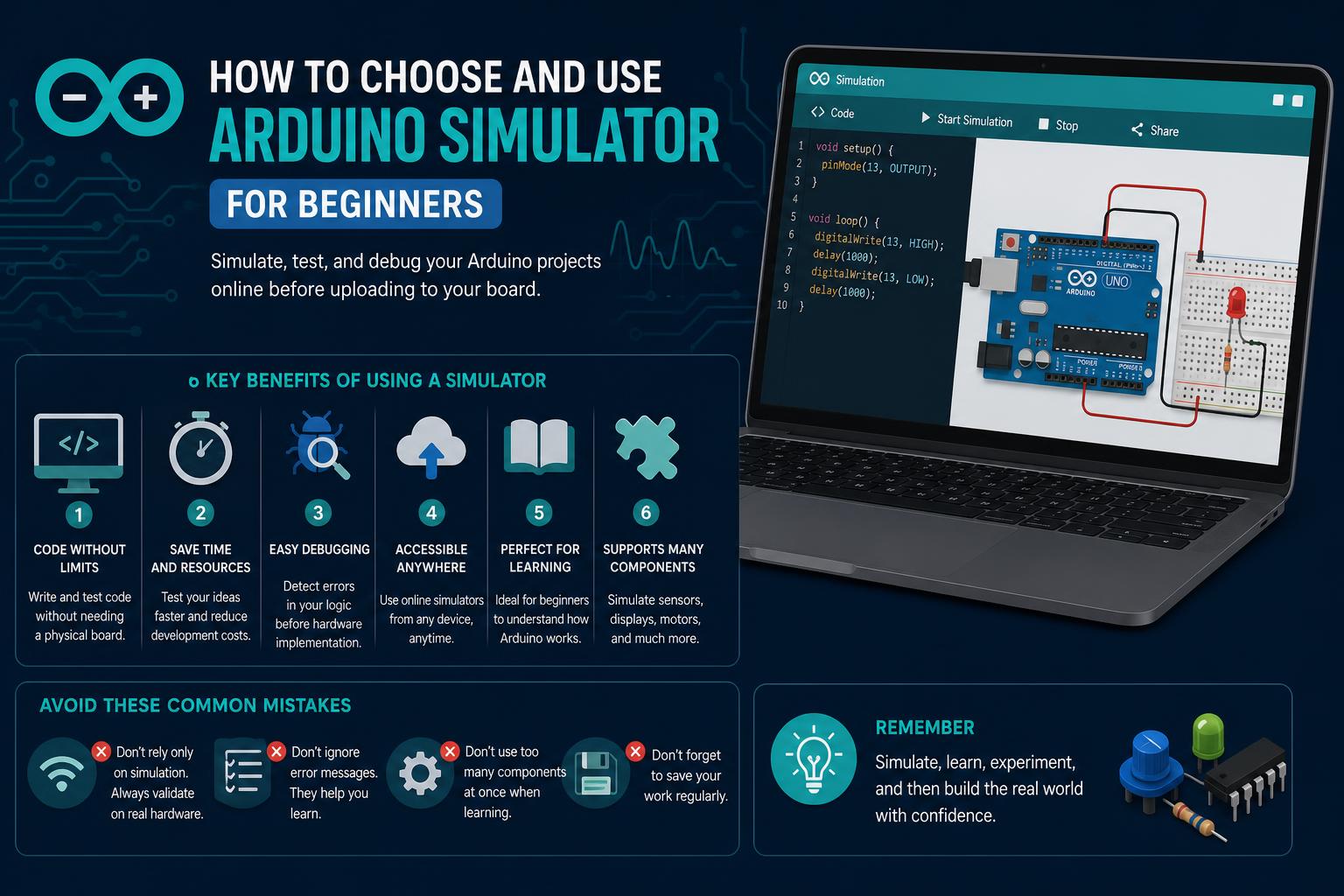
- Modern simulators blend real-time code testing and drag-and-drop circuit design with extensive board and sensor support.
- Platforms like Cirkit Designer, Velxio, and mobile apps address both beginner learning and advanced emulation needs.
- Transition from virtual to real-world prototypes is seamless with features such as direct code upload and accurate exportable diagrams.
Choosing the right Arduino simulator can be a game-changer, whether you’re a seasoned maker, hobbyist, student, or educator. With so many simulation platforms available nowadays—from browser-based to downloadable apps—knowing which one to use, and what features to look for, can feel overwhelming. It gets even trickier if you want an experience that’s as close as possible to real hardware, or if you’re searching for tools that cover both basic experimentation and complex, large-scale circuit design.
This comprehensive guide will walk you through what Arduino simulators really are, what you can achieve with them, a detailed comparison of the best options today, and deeper insights sourced directly from leading platforms such as Cirkit Designer, Velxio, and mobile simulation apps. We’ll also unpack what factors make one simulator stand out over another, so you can pick the best fit for your next electronics project, class, or self-learning adventure.
What Is an Arduino Simulator and Why Use One?
An Arduino simulator is a software platform that lets you create, test, and often even debug Arduino circuits and code entirely digitally—with no need for physical boards or wires. These tools allow users to explore electronics and programming concepts, prototype projects before buying parts, and experiment safely with complex circuits. Simulation platforms have democratized hardware learning, removing traditional roadblocks such as cost, parts availability, and the risks of damaging real components during experimentation.
Main Features You Can Expect from Leading Arduino Simulators
Today’s top Arduino simulators don’t just offer code editors or basic wiring diagrams. Here are some essential features that have become the standard among the best tools:
- Interactive circuit building: Drag-and-drop environments to connect components, visualize wiring, and organize projects intuitively.
- Live code simulation: Instantly test Arduino sketches and watch them interact with digital hardware in real time.
- Wide component support: Access large catalogs of sensors, actuators, displays, and other modules for prototyping diverse projects.
- Cross-platform accessibility: Many simulators are now entirely browser-based or offer mobile apps for learning and development on the go.
- Realistic hardware emulation: Emulate a wide range of official Arduino boards—often including Uno, Nano, Mega, and even specialty microcontrollers.
- Educational utilities: Tutorials, visual programming interfaces, and built-in AI assistants help users go from zero to functional projects without being stuck on documentation.
Cirkit Designer: A Modern Browser-Based Arduino IDE
Cirkit Designer stands out as a user-friendly browser-based tool that is perfect for quickly building and simulating Arduino projects. With Cirkit’s Arduino simulator, you can:
- Construct interactive Arduino circuits by dragging components onto a digital breadboard, making wiring and layout simple and visual.
- Write and run sketches without leaving your browser—see your code’s effect live as part of the simulation.
Cirkit Designer’s core simulator is free to start, but advanced features—such as exporting wiring diagrams or accessing premium support—are unlocked with a paid membership. This model ensures that hobbyists and professionals alike can explore the basics without financial barriers.
In terms of hardware, Uno and Mega boards are currently supported, along with a range of sensors, motors, displays, and input modules. Cirkit’s AI assistant helps with code generation, wiring advice, troubleshooting, and even answers to electronics questions, making life a lot easier, especially if you’re facing a tricky bug or uncertain about your circuit design.
Perhaps one of the most practical features is the ability to export your finished design and use it as a guide for building the real-life circuit. When ready, you can simply share projects with others, or even upload firmware to compatible hardware for seamless transition from simulation to physical prototyping.
Velxio: Taking Hardware Emulation and Analog Simulation Seriously
For those looking for Velxio—a truly advanced, free online Arduino and circuit simulator—delivers a deep simulation experience that appeals to hobbyists, advanced makers, and engineers. Velxio’s engine is built around a few key strengths:
- Precise CPU Emulation: It isn’t just running your sketch—it compiles your code using arduino-cli (or ESP-IDF for relevant boards) and executes it instruction-by-instruction on emulated chips. This covers not just ATmega328P (the heart of the classic Uno), but also the Nano, Mega, ATtiny85, and advanced CPUs like RP2040, Xtensa, and ARM. What you see in the serial monitor or attached displays is exactly what would happen on real hardware.
- True Analog Circuit Simulation: Using ngspice compiled to WebAssembly, Velxio solves analog circuits around 60 times per second, giving you realistic behavior in real time. GPIO pins drive proper nets, ADC inputs read solved node voltages, and probes can measure root mean square (RMS), DC, or current exactly as a physical circuit would.
- Digital Logic Support: If you’re curious about fundamental electronics, Velxio lets you build up from the basics using adders, decoders, comparators, flip-flops, and even a 1-bit ALU simulator with no microcontroller required. LEDs, switches, gates, and more—great for education and prototyping pure logic circuits.
- Partner Hardware Emulation: Some common dev boards like M5Stack Cardputer, Pimoroni’s Badger 2350, and DFRobot’s UNIHIKER M10 are accurately represented—meaning you can emulate not just generic Arduinos but trending new platforms, checked against real hardware for accuracy.
Velxio is entirely web-based, so there’s no need to install anything. Its focus on accuracy and diversity—covering both microcontroller- and analog circuit emulation—makes it a go-to choice for those advancing beyond the basics or looking for a robust academic tool.
Mobile Solutions: Arduino Simulator App for Android
Sometimes, you want to test out a sketch or component on the move—or in a classroom where computers aren’t available. The Arduino Simulator mobile app is specifically designed to work on Android devices, providing accessible simulation with a mobile-first approach. Here’s what sets this app apart:
- No hardware required: The entire laboratory is contained within your phone. You don’t need to own an Arduino board or any components to get started.
- Interactive labs (25 step-by-step experiments): These range from blinking and fading LEDs to handling more advanced hardware such as stepper motors, servos, ultrasonic sensors, IR remotes, I2C/OLED displays, keypads, soil moisture detectors, flame sensors, temperature sensors, and relays. Each lab includes fully functional Arduino C++ code that can be read, tweaked, and immediately tested within the app.
- Built-in Serial Monitor: Just like using the Arduino IDE, you can watch your code’s output in real time, which helps with debugging and learning how different lines of code affect device behavior.
- Extensive component catalog: Access detailed specifications, pinouts, and voltage ratings for over 25 parts—perfect for when you forget connection details or need advice mid-project.
- Blockly visual programming: Ideal for beginners or younger users, a block-based code builder allows projects to be created using drag-and-drop logic instead of manual typing.
- Featureful workflow: Saved sketches let you pause and return to projects, and once you’re ready, code can be flashed directly to a real Arduino via USB, bridging simulation and physical prototyping.
- Modern UX: Comes with both dark and light themes and does not require account registration for use.
This mobile simulator is a solid entry point for complete beginners or learners who enjoy working on their phones—but thanks to its diversity of component support and the ability to upload to real hardware, it is also useful for more advanced experimenters.
Component and Hardware Support: What Boards and Sensors Can You Simulate?
One of the most important criteria when selecting an Arduino simulator is hardware and peripheral compatibility. Based on our comprehensive analysis, here’s what leading simulators commonly support and how they compare:
- Main Arduino Boards: Expect to see the Arduino Uno, Nano, and Mega as standard, but premium simulators (like Velxio) offer support for more advanced or niche MCUs, including the ATtiny85, RP2040, Xtensa, and ARM-based boards.
- Sensors and Actuators: The best simulators come loaded with pre-modeled sensors like ultrasonic modules, IR receivers, flame detectors, temperature switches, LDRs, potentiometers, and soil moisture sensors, as well as actuators like buzzers, motors, relays, and servos. Digital and analog input/output is often directly supported, along with pulse-width modulation and I2C/SPI communication where applicable.
- Displays and Modules: You’ll find built-in support for I2C and serial LCD/OLED screens, NeoPixel (WS2812) RGB strips, 4×4 keypads, e-ink displays, and even complex peripherals like keyboard matrix modules in top-tier simulators.
- Wire-to-Hardware Transition: Both Cirkit Designer and the Arduino Simulator app offer features for compiling code and uploading it straight to connected real-world Arduino hardware—bridging the gap between simulation and physical experimentation.
Learning, Prototyping, and Real-World Application
These simulators are not just academic toys—they accelerate everything from raw learning to professional-grade prototyping. Here’s how each platform can serve different user groups:
- For students and beginners: Interactive experiences, pre-built labs, and code snippets make self-teaching intuitive and engaging. Visual programming interfaces (like Blockly) lower entry barriers and make electronics accessible even for those without coding skills.
- For educators: Online simulators enable large-scale teaching without lab infrastructure. Assignments, code reviews, and collaborative circuit design are often possible directly in browser-based tools.
- For makers and engineers: Serious emulation (such as that in Velxio) means real-world testing of timing, analog signals, and digital logic is possible before ordering a single part.
- For hardware developers: Exported wiring diagrams and direct code upload features close the loop, allowing rapid iteration from simulation to prototype and finished product.
With the rise of AI helpers and trouble-shooting bots, even complex circuit debugging tasks become less time-consuming (as seen in Cirkit Designer’s integrated AI features).
Accessibility and Ease of Use
No matter where you’re starting, accessibility is key. All top platforms covered here are cross-platform—available via browsers or mobile devices. There’s no need to install heavy IDEs or libraries, and in most cases, you can get started for free. Premium upgrades (as with Cirkit Designer) are affordable and target advanced users who need export, extended catalog access, or high-priority support. Mobile-first solutions and dark/light themes ensure comfort and flexibility for every user scenario.
Typical Workflow: From Idea to Real Hardware
The typical process with any of these simulators involves:
- Designing the circuit via drag-and-drop or touch interfaces—choosing components and laying out virtual wiring.
- Writing the code (sketch)—either by hand in C++, using AI helpers, or via visual block-builders (especially on mobile apps).
- Running the simulation—observing outputs on virtual displays, serial monitors, or reacting to simulated sensor input and logic states.
- Debugging using real-time feedback—tweaking wiring or code as errors, warnings, or unexpected results are discovered.
- Exporting the design or uploading the sketch to real hardware (if available), using the simulator’s built-in tools to make the digital-to-physical leap.