
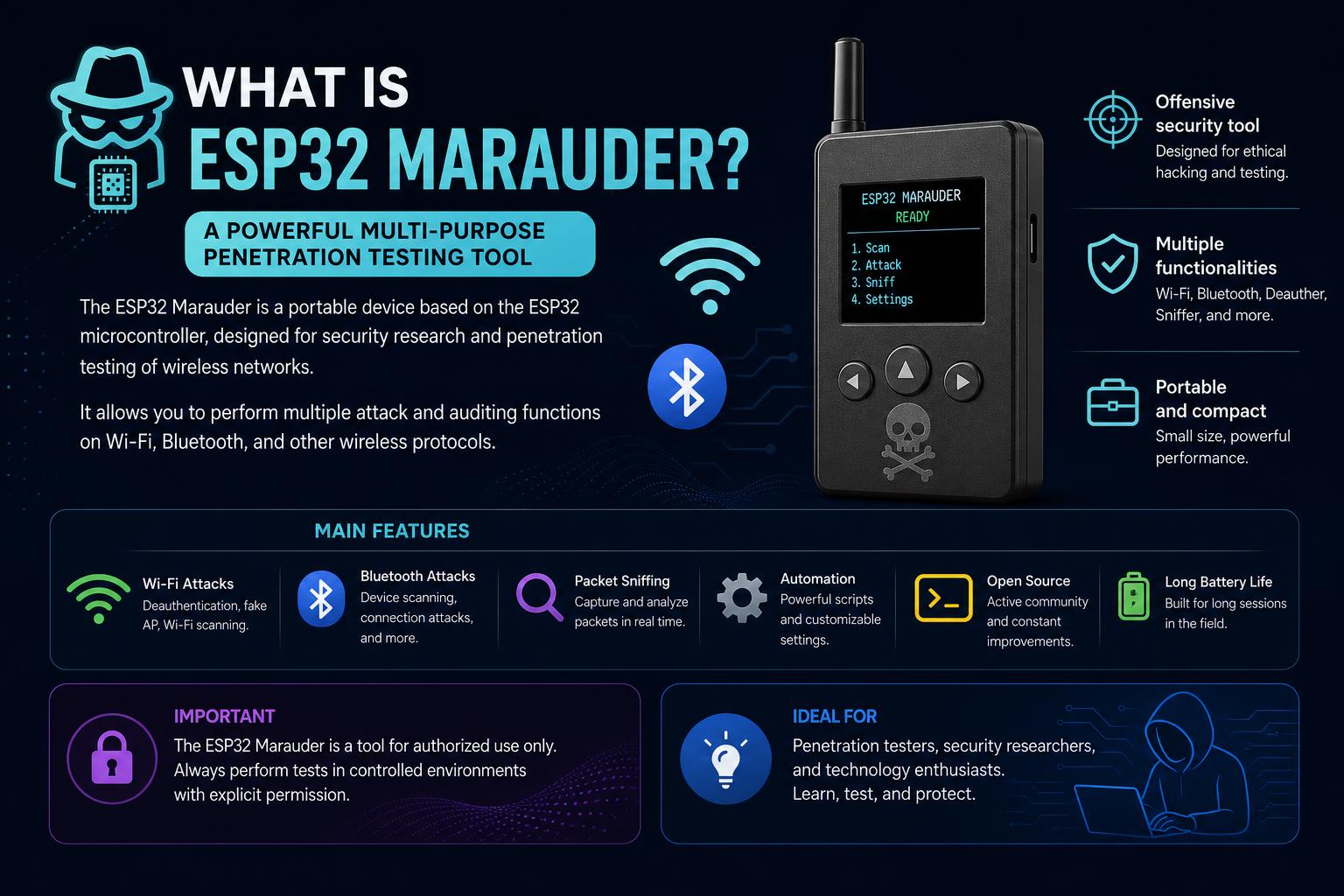
- ESP32 Marauder is an all-in-one portable tool for WiFi and Bluetooth analysis and testing.
- It provides functionality for frame capturing, device enumeration, and traffic manipulation.
- The platform is open-source and can be built with readily available components or purchased pre-built.
- Its versatility and portability make it favored for cybersecurity testing and research.
Ever wondered what makes the ESP32 Marauder so popular among enthusiasts, makers, and security researchers? This compact device packs a punch, turning a humble ESP32 development board into a portable powerhouse for WiFi and Bluetooth analysis. Whether you’re intrigued by the world of wireless security or searching for a toolkit you can carry in your pocket, the Marauder might just be the device that changes your workflow.
If you’ve noticed a buzzing conversation around the ESP32 Marauder but aren’t quite sure what it is or why it’s becoming a go-to solution for many, you’re not alone. Individuals digging into network security, ethical hacking, or simply wanting to explore wireless signals use Marauder for its flexibility, feature set, and the community-driven approach that keeps evolving the project.
What is ESP32 Marauder?
ESP32 Marauder is an open-source toolkit designed for WiFi and Bluetooth analysis, leveraging the capabilities of the ESP32 microcontroller. It’s essentially a versatile, portable alternative to larger, more complex traffic capture and manipulation devices.
Built primarily for network security professionals, pentesters, hobbyists, and tinkerers, the Marauder isn’t just about collecting and analyzing traffic. It empowers users to enumerate devices, capture data packets, and perform advanced tasks like SSID spoofing and handshake capture. Its utility is in both the features it offers and its compact form—allowing analysis right from the palm of your hand. The project is led by the GitHub user justcallmekoko and has seen contributions and discussions from a thriving community.
Key Features and Capabilities
The standout feature of ESP32 Marauder is its comprehensive suite for WiFi and Bluetooth penetration testing. Here’s a deep dive into what users can expect:
- Frame Capture: Intercept and store wireless traffic, critical for network diagnostics and security testing.
- Device Enumeration: List devices within range, enabling mapping of the surrounding wireless environment.
- Frame Transmission: Send custom frames, useful in various attack or stress-test scenarios.
- Handshake Capture: Essential for WiFi penetration testing, though modern passwords are challenging to crack.
- SSID Spoofing/Fake Access Points: Create fake networks for demonstration, testing, or pranks (though ethical use is advised).
- Support for Bluetooth: Analyze and enumerate Bluetooth devices in the nearby area.
- Pocket-size Power: Its diminutive form means you can take advanced tools wherever you go, no laptop or bulky hardware required.
Why Are People Using the ESP32 Marauder?
The Marauder is drawing attention for its unique blend of portability and powerful features. Instead of lugging full-scale laptops and WiFi adapters into the field, you can use the Marauder for on-the-go captures, reconnaissance, and testing. As noted in community discussions, features like handshake capture and SSID faking can be used for both legitimate testing and, unfortunately, less ethical purposes, so responsibility is critical.
While some users on platforms like Reddit question the practical utility in environments with strong WPA2 passwords (since brute-forcing is impractical), others point out the huge value in quick analysis, monitoring, and education. It’s also a favorite for demonstrations at security conferences, workshops, and personal experimentation.
Official Hardware and DIY Builds
You’ve got options depending on your skills and preferences:
- Official Preloaded Hardware: The project offers ready-to-use devices with the firmware pre-installed. This is the smoothest route for those who don’t want to tinker with hardware and software integration.
- DIY Approach: Building your own Marauder is straightforward with the right materials: an ESP32 development board (like the ESP32-S2 or similar with plenty of pins) and a 2.8-inch ILI9341 TFT touchscreen. Open-source firmware and documentation make this accessible for tech-savvy users, with comprehensive setup and wiring guides available in the official documentation.
The Marauder is designed to be adaptable. You can run the firmware on a wide range of ESP32 boards if you have a compatible display. For custom displays and hardware tweaks, the developers encourage users to work within the TFT_eSPI library compatibility.
Installation, Setup, and Troubleshooting
Getting your ESP32 Marauder up and running is a rewarding process, but there are some key steps and potential pitfalls worth knowing.
Setting Up the Arduino IDE
Make sure you properly configure the Arduino IDE before flashing your device. Some commonly overlooked steps include:
- Library Dependencies: Use lv-arduino (not lvgl) and ensure you have the required versions of ESPAsyncWebServer and other dependencies.
- Wiring: Reference IC connection diagrams provided in the documentation to connect your ESP32, display, and peripheral components accurately.
- User_Setup.h File: The TFT_eSPI library requires a proper configuration file. Copy the provided User_Setup.h to your TFT_eSPI library folder within Arduino’s library directory.
Troubleshooting Common Issues
Firmware Wiped During Shipping: Some rare cases report the preloaded firmware being erased in transit, especially for users in the US. If this happens, reflashing the firmware from source via Arduino IDE is usually the fix.
Screen or Display Problems: If your Marauder’s screen stops working after a firmware update, you may have used incorrect firmware (old_hardware vs. new_hardware). Check the official update instructions and use the matching firmware file. Sometimes, the touch coordinates may be inverted; updating to the latest and proper firmware usually resolves this.
SD Card Compatibility: Make sure your SD card is ≤32GB and formatted as FAT32. Sandisk cards are recommended; brands like Samsung may have issues. For saving packet captures (PCAPs) on devices like the Flipper Zero WiFi dev board, certain conditions and correct firmware must be met—see below for details.
OTA Updates and Connectivity:
- Always change SSID and password in the code before uploading OTA firmware updates.
- After updating, refresh the web interface immediately for reliable results.
- If OTA isn’t working, alternative update options are available as outlined in the documentation.
Using the Marauder with Flipper Zero and Other Devices
For those interested in coupling ESP32 Marauder with a Flipper Zero or similar dev boards, there are a few special considerations:
- Use the flipper_sd_serial.bin firmware image for SD card saving features.
- Make sure your dev board uses the ESP32-S2 with supported connections.
- Enable the SD Serial option in the companion app for Flipper Zero.
Packet capture to SD will only work under these conditions. For any other configuration, use the SD card slot or modification on your ESP32 board. Enable the SavePCAP setting, and if things go sideways, running settings -r can reset the necessary parameters.
Firmware Updates and Maintaining Your Marauder
Firmware is evolving, with updates to keep features modern and bug-free. If your Marauder is running anything earlier than v0.9.15, it’s recommended to update to the latest firmware for maximum compatibility and stability. Always cross-check the required libraries and their versions as some updates are dependent on specific versions, especially for the web server.
Extending and Customizing ESP32 Marauder
The ESP32 Marauder is open to modifications from the community. If you want additional functionality or board/display compatibility, contributing via pull request to the is encouraged. The developers are clear, however, that they won’t make custom changes to support every display on request—users are invited to fork and contribute.
This openness has led to rapid innovation, with forks, custom hardware modifications, and integrations with other devices, such as the Flipper Zero, showing the platform’s adaptability.
Potential Uses, Ethics, and Responsibilities
While Marauder’s power is exciting, users must remember that with great capability comes responsibility. The tool is primarily intended for network analysis, penetration testing on systems you own or have explicit permission to test, and educational purposes. As mentioned in Reddit discussions, some actions possible with Marauder (SSID faking, unauthorized handshake capture) can be disruptive or even illegal if misused.
Ethical hacking and responsible use should always be the standard. Use Marauder for learning, research, or demonstrative purposes on networks where testing is explicitly allowed.
Community, Documentation, and Support
The heart of the Marauder’s continued success is its active community, as seen on platforms like and Reddit. If you get stuck or want to extend your setup, there are workflow examples, FAQ sections, and wiring guides available.
For troubleshooting, the official documentation should be your first stop, as it covers everything from installation to common pitfalls. If you want to suggest or add features, the maintainers are open to pull requests, demonstrating the open-source spirit of the project.
What is Bing Maps? Complete Guide, Features & Global Coverage