
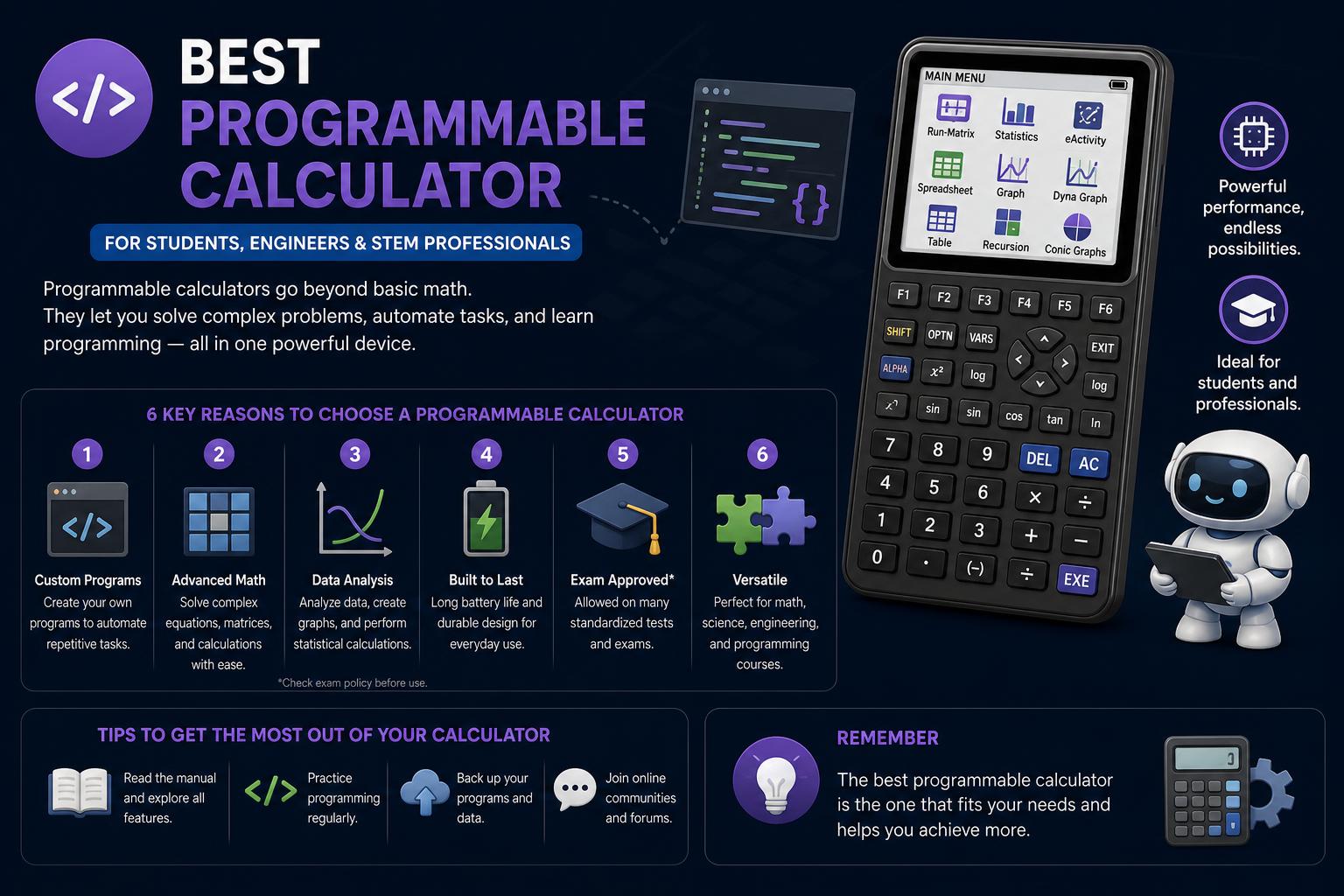
- Modern programmable calculators support languages like Python, TI-Basic, and HP PPL for academic and personal projects.
- Choosing the right model depends on exam restrictions, display type, memory, and ease of use for programming and calculations.
- Common mistakes such as input errors and misunderstanding calculator logic can be avoided with proper checks and practice.
Programmable calculators have come a long way from being simple math tools. They are now powerful companions for students, professionals, and anyone who loves tinkering with numbers or code. If you’re navigating advanced math, engineering, or just want to automate those repetitive calculations, selecting the right calculator can truly make a difference.
This guide dives deep into the world of programmable calculators, highlighting the best models for 2024, what features you should look for, and smart tips on getting the most out of your investment. Whether you’re prepping for standardized exams, coding your own formulas, or simply upgrading your setup, you’re in the right place to get informed advice and hands-on insights.
What Is a Programmable Calculator?
Programmable calculators are more than just scientific calculators — they allow users to write custom scripts or programs right on the device, automate multi-step calculations, plot graphs, and sometimes even support common programming languages like Python. Most modern models can handle everything from solving equations and graphing functions to running complex simulations, making them invaluable for students in STEM, engineers, and math enthusiasts.
Why Programmable Calculators Are Still Relevant
Despite the availability of computer software and smartphone apps, programmable calculators remain a staple in classrooms, standardized tests (like the SAT, ACT, AP, and IB), and lab settings. Their portability, reliability, and compliance with testing rules keep them in demand. Advanced features like color displays, rechargeable batteries, and native support for high-level programming make them more capable than ever.
Top Programmable Calculators
Based on recent comparisons and expert reviews, these are the standout models dominating the market right now:
- Texas Instruments TI-84 Plus CE — One of the most popular models worldwide, celebrated for its intuitive interface, rechargeable battery, full-color backlit screen, and lightweight construction. Supports TI-Basic and assembly programming. Fully test-approved for standardized exams like the SAT, ACT, and AP.
- TI-Nspire CX II — Known for its raw power, this model is often selected by advanced students and professionals. It features a vibrant color display, supports both TI-Basic and Python programming, and is legal for use on many exams. Its processing power allows for more complex operations and faster graphing.
- HP Prime — Stands out with its sleek touchscreen, Computer Algebra System (CAS) capabilities, and support for HP PPL (its unique programming language) plus Python. Ideal for those needing symbolic computation on top of standard functions. It’s especially popular in IB and AP environments, but note that CAS models may be banned from certain exams like the ACT.
- Casio fx-9750GIII — The budget champion. While it lacks a color screen, it supports Python and provides robust programmability at a fraction of the price. Approved on most major exams and perfect for cost-conscious users who still want powerful features.
Comparison Table: Essential Features
| Model | Programming Language(s) | Display | Test Approval | Best For |
|---|---|---|---|---|
| TI-84 Plus CE | TI-Basic, Assembly | Color | SAT, PSAT, ACT, AP | User support, all-around use |
| TI-Nspire CX II | Python, TI-Basic | Color | SAT, PSAT, ACT, AP | Advanced power & flexibility |
| HP Prime | HP PPL, Python | Color Touchscreen | SAT, PSAT, AP, IB | Sleek interface, CAS functions |
| Casio fx-9750GIII | Python | Black & White | SAT, ACT, AP | Affordability, essential features |
How to Choose the Best Programmable Calculator for You
- Programming Language Support: Python is now the go-to language for many STEM fields and is supported by an increasing number of calculators. TI-Basic, HP PPL, and proprietary languages are also common. Consider your learning goals and which language you want to explore.
- Processing Speed & Memory: If you plan on handling large datasets, complex equations, or lengthy scripts, choose a model with more storage and a faster processor. This ensures smooth performance and a better user experience.
- Test Legality: Not every model is allowed on all exams. Double-check the restrictions for your specific tests. As a rule, calculators with CAS capabilities (like the HP Prime) may be banned from ACT but are typically fine for AP and IB. Non-CAS models generally have the broadest acceptance.
- Display and Usability: Color screens and touch interfaces are a game-changer, especially for graphing, debugging code, or following multi-step solutions. However, if you’re on a tight budget, black-and-white screens still get the job done with less battery drain.
- Community Support & Resources: Popular models like the TI-84 Plus CE benefit from massive online communities where you can find tutorials, prewritten programs, and troubleshooting help — perfect for students, teachers, and hobbyists alike.
What Programmable Calculators Can Do
Modern programmable calculators are astonishingly versatile:
- Graphing functions in 2D and 3D, finding intersections, extrema, and plotting statistical data
- Automating tedious calculations using loops and conditional logic
- Solving systems of equations, performing symbolic algebra (with CAS), definite/indefinite integration, and generating tables/graphs
- Running statistical analyses, plotting regression curves, and analyzing large datasets
- Practicing and learning programming directly through the device in a STEM-friendly language (Python/TI-Basic/HP PPL)
Exam Success: Using Programmable Calculators the Right Way
To truly benefit from a programmable calculator, don’t just treat it as a shortcut. Copy the problem down carefully, paying attention to exponents, negative signs, parentheses, and units. This level of detail minimizes errors, especially in complex algebra, geometry, statistics, and probability tasks.
Pause to make a quick estimate before letting your calculator do the heavy lifting. This sanity check helps you spot mistakes before they cost you points, such as negative distances or probabilities above one.
Key Strategies for Reliable Results
- Rewrite each problem in a clean, organized way, grouping values and keeping units visible.
- Use parentheses where necessary, particularly for fractions, powers, and when working with chained calculations.
- Check if the question asks for exact values, decimal approximations, or rounded results.
- Be alert for restrictions such as required intervals or domains.
Reading Your Results Thoughtfully
Don’t just look at the final answer. Examine steps, tables, and graphs if your calculator displays them. This is essential in test prep and homework, where showing your method often matters as much as the result. Understanding the logic behind the answer — which formula was used, which graph feature was analyzed — helps you really learn, not just get by.
The Most Common Mistakes — And How to Avoid Them
| Mistake | How to Catch It |
|---|---|
| Typing the wrong sign | Carefully compare negatives, subtractions, and exponents with the original question. |
| Rounding too soon | Only round after the final calculation to maintain accuracy. |
| Forgetting parentheses | Group operations logically, especially in compound expressions. |
| Ignoring units | Always note the unit with your final answer to retain meaning. |
| Trusting odd results blindly | Estimate or graph quickly to confirm the result is reasonable. |
Turning Calculator Output into True Learning
- Solve by hand first whenever possible, then use your calculator to check.
- If your answer matches, jot down a sentence describing your method — it will reinforce your understanding.
- If there’s a mismatch, review each step to find where things diverged. That’s where you’re most likely to learn and fix misunderstandings.
- Repeat a similar problem without the calculator to cement your progress.
When to Use Hand Calculations vs. a Calculator
Use your calculator to check long computations, test patterns, or confirm tricky graphs. Practice by hand when learning new concepts or when exam rules ban digital tools. The strongest students combine both approaches: building understanding manually, then using tech to check and extend their logic.
If you’re preparing for timed tests, practice with and without the calculator. This dual strategy speeds you up and boosts confidence for any exam scenario.
Quick Accuracy Checklist
Before moving on, always double-check using these prompts:
- What was the input?
- Which formula or method links your input to your result?
- What would change if you adjusted any single number in the problem?
Document the original problem, calculator result, and a short process note in your class notes. For test review, try re-creating the scenario without your calculator. Mastery means building and solving similar challenges from scratch, with or without tech support.
Advice from Real Users and Experts
Seasoned calculator users stress the importance of model selection not just for capabilities, but also for what’s allowed in tests. For instance, as shared in online forums, the TI-83 Plus (and its successors like the TI-84 Plus CE) do virtually everything most students need, from manipulating matrices to advanced graphing and regression analysis. For advanced college coursework, you might look into the TI-89 or HP Prime for their enhanced symbolic algebra and 3D graphing. Just remember, some universities ban programmable or CAS calculators in exams — always confirm before you walk into the test!
Alternatives and Buying Advice
Texas Instruments and Casio both offer a range of programmable graphing calculators at varying price points and complexity levels. Newer models keep adding exam-friendly features, better displays, and intuitive programming environments. While high-end devices can be costly, even basic models now handle programming needs for most students and professionals.
If you’re on a super-tight budget, previous-generation calculators — or popular models like the Casio fx-9750GIII — still deliver classroom-legal programmability at bargain prices. If you want advanced features, be sure to check out the official Texas Instruments, Casio, and HP product lines for more info.
For further inspiration, check out active communities on platforms like Reddit’s calculators forum, where enthusiasts share custom programs, tips for maximizing models like the TI-Nspire, and honest feedback on each device’s quirks and strengths.
The Future of Programmable Calculators
With standardized tests still requiring dedicated, non-internet-connected devices, programmable calculators won’t disappear anytime soon. Innovations like Python programming, color touchscreen interfaces, and upgradable firmware keep them fresh and highly useful. Many users now view their calculator as a digital lab partner and a stepping stone to “real” programming work later on.
Choosing the right programmable calculator in 2024 comes down to your budget, academic needs, exam requirements, and your appetite for tinkering. From time-tested classics like the TI-84 Plus CE to high-powered touchscreens such as the HP Prime, there’s a solution for everyone — and plenty of online support to help you learn the ropes. Think about your courses, planned exams, and long-term goals to pick the model that will be your ally for years to come.