TinyML or Tiny Machine Learning refers to the use of Machine Learning in microcontrollers. In systems that unlike those used in traditional ML have few resources, are systems that have little CPU, little RAM and extremely low power consumption in the order of magnitude of milliwatts or microwatts.
Scratch is a programming language created by MIT and based on a block-based visual interface, so that it greatly facilitates the programming of children and people without knowledge. It is recommended for ages 8 to 16 years.
All of this is supported by the Scratch Foundation, a non-profit organization whose mission is:
Our mission is to provide all children, of all backgrounds, opportunities to imagine, create and collaborate, so that they can shape the world of tomorrow.
But to the important ones, what can be done with Scratch.
This is one guide to learn about Stable Diffusion and teach how you can use this tool.
The image above is generated with Stable Diffusion. It has been generated from the following text (prompt)
City skyline with skycrapers, by Stanislav Sidorov, digital art, ultra realistic, ultra detailed, photorealistic, 4k, character concept, soft light, blade runner, futuristic
Stable Diffusion is a text-to-image machine learning model. A deep learning model, of artificial intelligence that allows us to generate images from text that we put as input or input.
It’s not the first model or the first tool of this style, right now there’s a lot of talk about Dall-e 2, MidJourney, Google Image, but it is the most important because of what it represents. Stable Diffusion is an Open Source project, so anyone can use and modify it. In version 1.4 we have a 4G .cpxt file where the entire pre-trained model comes from, and this is a real revolution.
So much so that in just 2 or 3 weeks since its release, we find plugins for PhotoShop, GIMP, Krita, WordPress, Blender, etc. pretty much every tool that comes with images is implementing Stable Diffusion, so much so that even competitors like Midjourney are using it to enhance their tools. But it is not only used to generate tools, but we as users can install it on our PC and run it to obtain the images locally.
Because in addition to being Open Source does not mean that it is less powerful than the previous ones. It is a true wonder. For me right now it is the best tool that we can use if we want to generate our images for any project.
Ways to install and use Stable Diffusion
There are different ways to use it. Right now I recommend 2. If your computer has the necessary power, that is, a graphics card with about 8Gb of RAM, then install it on your computer. If your hardware is not powerful enough use a Google Collab, right now I recommend the Altryne one, because it comes with a graphical interface and is easier to use.
This is the option that I recommend if your computer is not powerful enough (GPU with 8Gb of RAM) or if you want to try it with all its features without having to install anything.
I recommend it because it has a very comfortable graphical interface with many options to control the images and other model tools such as image to image and upscale.
I start to play Scratch and I see with disgust that they exist desktop applications for Windows, MacOS, ChromeOS and Android app but there is no official application for Linux.
There was an application for Linux and they discontinued it. Your message right now is
For now, the Scratch App is not compatible with Linux. We are working with contributors and the open-source community to find a way for Scratch to work on Linux in the future. Stay informed!
It is true that the online version can be used from the browser. But I like desktop applications because they have the advantage that we can continue using them even without an Internet connection and that if we want to focus on the task we can close the browser with the other thousands of tabs, which is always a source of distraction.
LEGO Boost is a robotics starter kit for kids based on LEGO pieces.. It is compatible with traditional LEGO and Techno, so you can use all your pieces in future assemblies.
This Christmas the Three Wise Men gave my 8-year-old daughter a LEGO® Boost. The truth is that I saw him a little early. I did not want to introduce my daughter to complex issues, but she has been asking for it for a long time and the truth is that the experience has been very good.
It is recommended for children from 7 to 12 years old. If your children are used to playing with LEGO, the assembly will not pose any problem. And you will see that between the indications of the app and some explanations from you, they will immediately learn to use block programming.
Lately I write little but yes Patelo pulls out a new engine, this must be reviewed. I see the news in Fogonazos 1 year of work, 2520 hours to build this wonder.
For those who do not know him, Patelo (José Manuel Hermo Barreriro) is a 75-year-old naval mechanic, retired, which has become famous for the engines it manufactures.
Emptying a storage room I find this old solar panel that we used years ago in the house in summer, when the electricity still did not arrive. We had this solar panel and 2 or 3 car batteries and some (if we could) for trucks. During the day we charged the car batteries, slowly but steadily. And we used the rest to have light at 12V even televisions at those 12V.
This is the Solar Arc ASI 16-2300. It has 35 cells and dimensions of 1,225 mx 0,305m, that is, 0,373625 m2
Testing in August between 14 and 15 in the afternoon I have obtained 20V and 2A maximum, so we are talking about a power of 40W P = V * I
The history of science and technology is a constant evolution of discoveries and improvements. A great example of this is electrostatic machines or generators. In this short essay we are going to see the history of electricity chronologically through discoveries related to electrostatics and their technical applications, especially in the form of generators, since it … Read more
Discover how to run it with the terminal and double clicking
The files with extension .sh are files that contain scripts, commands in bash language, which runs on Linux. SH is a Linux shell that tells the computer what to do.
In a way we could say that it would be comparable to the Windows .exe.
There are different ways to run it. I’m going to explain 2. One with the terminal and another with the graphical interface, that is, with the mouse, that when you double-click it is executed. You can see it in the video and below is the step by step for those who prefer traditional tutorials.
Snails and small conches are the worst pest I have right now in the garden. It is a serious problem because they kill the crops.
Also with the new padding system you have to be careful because it seems that they like it a lot and are going to reproduce a lot.
There are different methods, products and techniques to combat them. Today I come to tell one technique to prevent snails from climbing trees or tall-stemmed plants and ideas for improving and using it in more ways. It is a sweep to prevent them from going up to the plants.
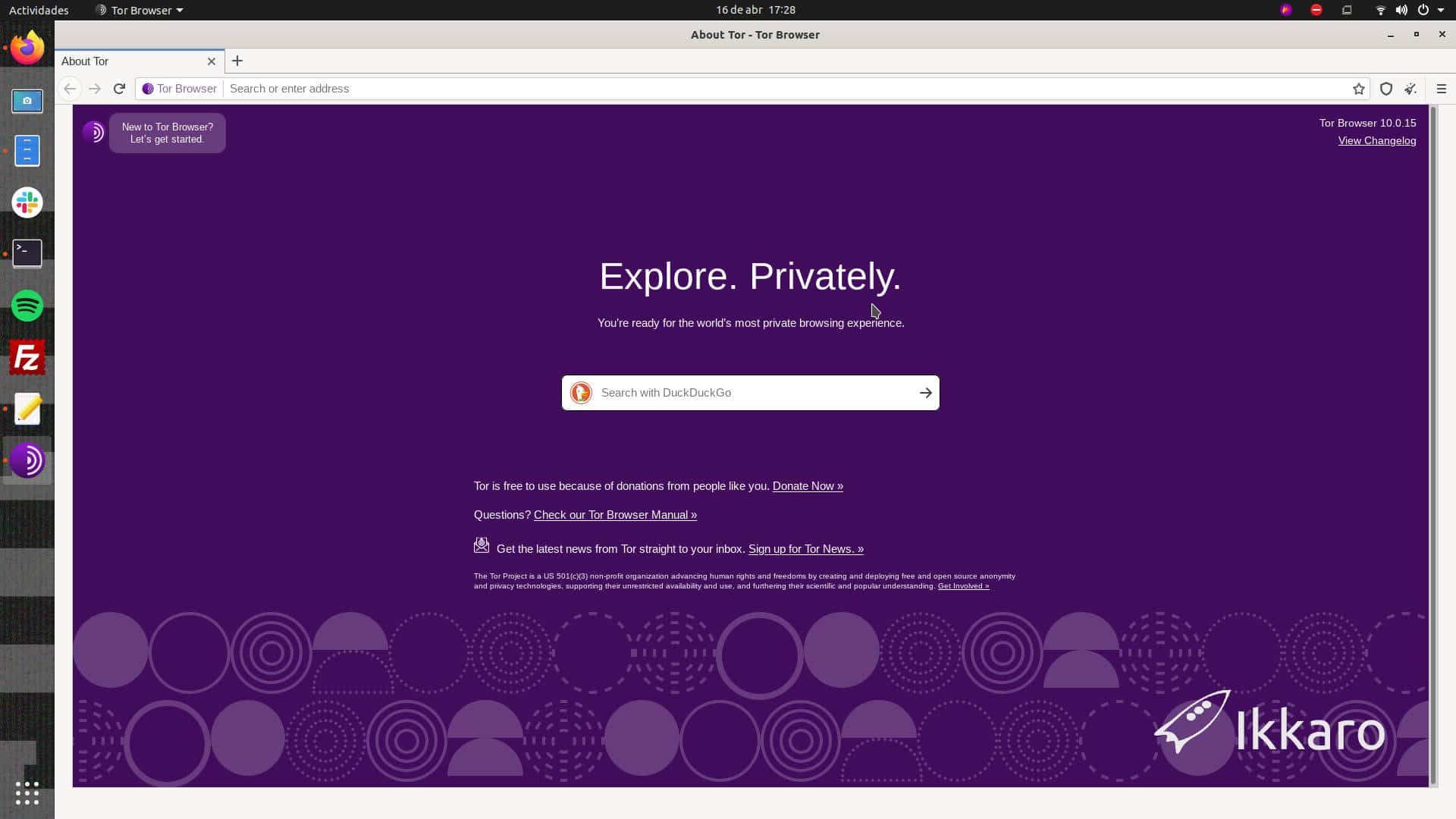
Sometimes we want to navigate pretending that we are in a certain country, that is, hiding our real IP and using another from the country we choose.
We may want to do this for many reasons:
browse anonymously,
services that are only offered if you navigate from a certain country,
offers when hiring services,
check how a website that contains geolocated elements works.
In my case it was the last option. After implementing several plugins on a WordPress website, I needed to check that it displayed the data correctly to users in each country.
Various methods can be used to do this.
Browse through a proxy, use a VPN or use TOR forcing it to the last node to be from the country that interests us.
For a few years I have needed WIFI in an area with little coverage, where no cable, no fiber, or anything else reaches. The companies in the area with WiMax technology do not cover it either, so I have been with an Orange 4G router for several years. I didn’t get much bandwidth, only 3 -5 Mb but that worked for me. This year it did not exceed 200Kb so I had to look for options.
After trying several acquaintance cards. The company that works best for me is DIGI and to use its 4G coverage I have compared a 4g router, The Tp-link Archer MR600 and the results after a small configuration have been very good, achieving 15 to 20Mb of download.