
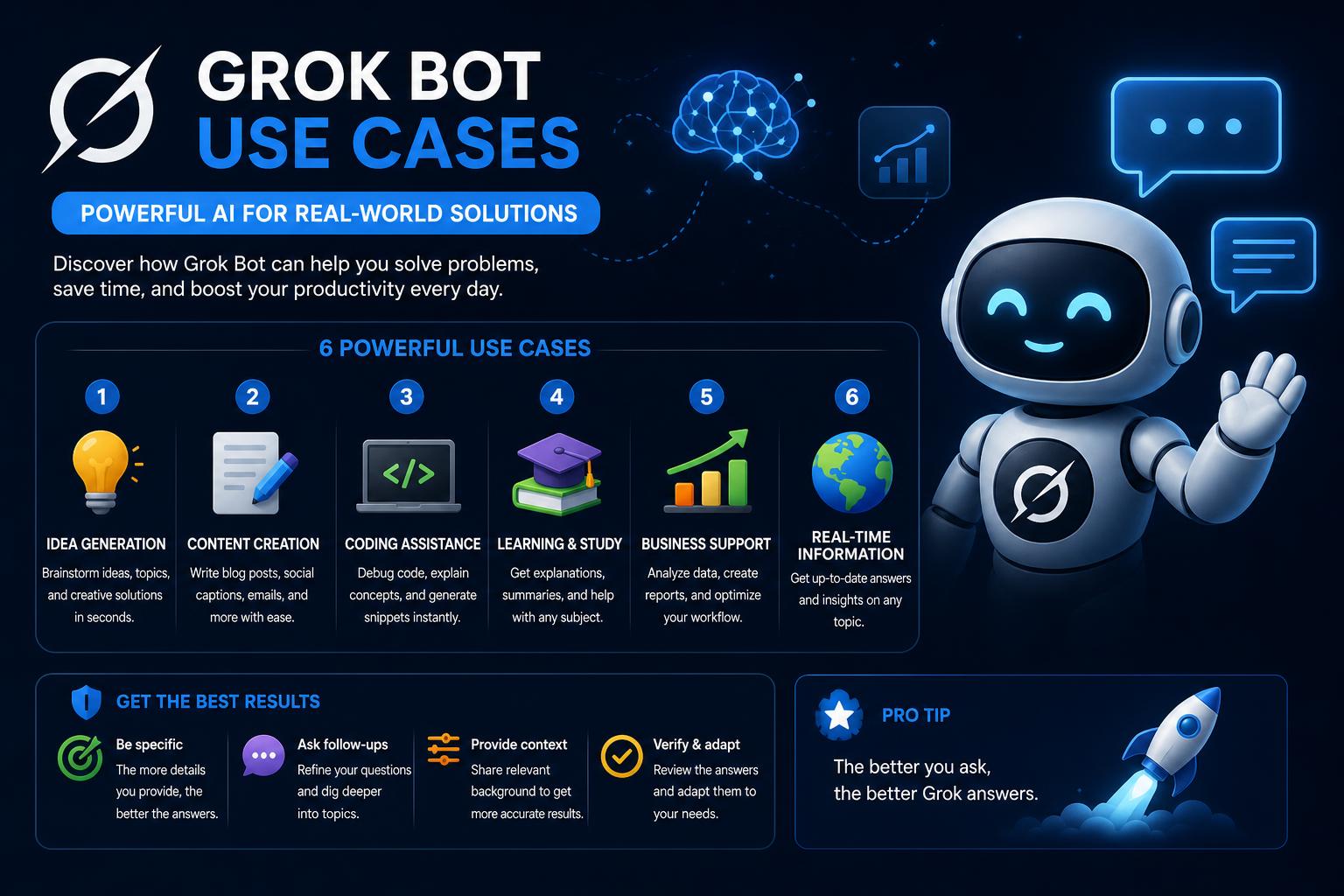
- Grok Bot revolutionizes automation by enabling persistent, role-based AI agents that execute tasks on dedicated cloud computers.
- Real-world applications span sales research, recruiting, expense management, bug triaging, campaign analysis, multi-agent workflows, and security governance.
- Effective use requires thoughtful setup, accurate task scoping, leveraging robust plugin ecosystems, and enforcing approval boundaries for sensitive actions.
Picture a world where your digital team doesn’t clock in or out—they just work, on their own cloud computers, whenever you need them. That’s the paradigm shift Grok Bot brings to automation and productivity. Instead of relying on passive chatbots or simple task managers, Grok Bot introduces persistent, intelligent agents that own their outcomes and operate around the clock.
Curious about what real users, developers, and enterprises are actually doing with Grok Bot? This guide will walk you through every major capability, top use cases, setup best practices, and even the edge cases (like security and governance) that separate powerful automation from risky bots. Let’s dig into how Grok Bot transforms work for teams, individuals, developers, and businesses of all sizes.
What is Grok Bot? Key Features That Set It Apart
Grok Bot—developed by xAI and distributed via Cursor—stands out as an always-on AI agent solution with a radical twist: each bot you create gets its own persistent cloud computer, browser, logins, file system, and the autonomy to take actions across tools and services. Rather than interacting in a fleeting chat session, you’re building a roster of named digital co-workers, each assigned to a specific job, responsibility, and autonomous outcome.
- Persistent cloud computers: Each bot operates on a dedicated online machine, allowing tasks to run and complete without the user’s device being awake—or even online.
- Role-based agents: Bots are not generic assistants. Assign roles such as research specialist, account manager, recruitment scout, or campaign analyst. Each role retains its own memory, preferences, history, and context.
- Dedicated logins and sessions: Bots can navigate login flows independently, securely storing credentials and using them for recurring workflows (e.g., CRM research, scheduling, outreach, or expense reconciliations).
- Rich integrations: A powerful plugin and connector system allows agents to connect to apps like Slack, Gmail, Notion, Salesforce, AWS, and custom MCPs. When no integration exists, bots use browser and system-level automation—mirroring a human’s workflow.
- Teach-a-task mode: Train a bot by simply demonstrating a workflow via recording. The bot learns from your actions and can repeat the process independently as a skill or routine.
- Full desktop and mobile parity: Every feature and agent is accessible on both desktop and mobile, empowering you to assign, tweak, or monitor tasks anywhere.
- Group chats and multi-agent swarms: Initiate conversations or projects with multiple bots. Assign different aspects to focused agents and let them communicate, pass tasks, and synthesize outcomes in parallel.
Setting Up Grok Bot: From Installation to Your First Advanced Agent
Configuring Grok Bot is refreshingly straightforward for such a powerful tool. Here’s how the typical onboarding and bot-creation experience unfolds, especially if you’re aiming for best practices and security:
- Check Eligibility and Platform: Grok Bot supports macOS, Windows, iPhone, Linux, and Android devices. To gain access, users currently need SuperGrok Heavy, Cursor Ultra, or Cursor Teams Premium subscriptions.
- Install and Log In: Download the Grok Bot desktop app or mobile companion, and sign in with a Cursor account. Bot configuration is synced across devices.
- Create Your First Bot: Instead of configuring settings, simply describe what you want in natural language. For best results, give your bot a concise name and clearly specify its main job, responsibilities, output format, allowed sources, boundaries, and preferred approval points.
- Assign Real Tasks: Send a detailed prompt specifying the outcome, sources, restrictions (e.g., “do not send emails without approval”), and when you want to review work. This approach trains your bots to operate within defined, reviewable boundaries—mitigating risk while maximizing utility.
Key tip: Always keep consequential actions (publishing, sending, purchasing, production changes) behind explicit approval steps—using either prompt instructions or Grok Bot’s Auto Review controls.
One elegant feature is Grok Bot’s handling of secure logins for third-party services. When a bot needs to access, say, Gmail or Salesforce, it navigates to the login page and prompts the user to step in for authentication. For integration-rich tasks, Grok Bot lets you enable plugins such as Notion, Slack, Google Drive, AWS Agents, Browserbase, and more. These are discoverable and manageable right inside the bot’s plugin settings, and connections can be established only when genuinely needed for a workflow.
Why not pre-connect everything? Besides the security risk of over-permissioned bots, connecting only “just-in-time” enhances privacy, context specificity, and usability. Public research tasks provide a no-auth search toolkit, ensuring bots only request what’s absolutely necessary.
“Teach-a-Task” Mode: No-Code Workflow Training That Sticks
Here’s where Grok Bot truly innovates: Rather than relying solely on written prompts, you can “demonstrate” a workflow—via screen recording—while the bot observes and learns the sequence. This is the equivalent of showing a colleague how to do something once and having them pick it up immediately, with the ability to repeat on demand or via scheduled routine.
- Screen recording minimizes the specification cost: No need to document every step in technical detail; just walk through your real workflow once.
- Routines: Once a bot has learned a workflow, you can automate its execution at defined intervals—daily, weekly, or in response to specific triggers.
- Built-in review and approval: Each skill or routine can be reviewed, edited, and explicitly approved before running unsupervised, ensuring compliance and reliability.
Multi-Agent Workflows: Swarms, Collaboration, and Hand-Offs
Instead of expecting one mega-bot to do everything, Grok Bot thrives on agent specialization and teamwork. Here’s how multi-agent setups supercharge productivity and transparency:
- Swarm creation: Build teams of bots—each mapped to a real-world persona (e.g., CEO, Manager, Researcher, Engineer, Marketer)—and assign them defined roles, goals, and coordination rules.
- Agent-to-agent communication: Agents can message and pass ownership of tasks, share context via group chats, and route responsibilities to the most qualified bot on the roster.
- Shared versus individual memory: While all bots under one user share the same cloud computer (including files, browser sessions, and credentials), each bot keeps its own internal memory, persona, and local conversation history. This enables rich, parallel workflows, simulating real organizational dynamics.
- Simulating companies and teams: Power users have simulated entire companies, plugging in real-world personas for leadership, research, engineering, and marketing bots. You can assign multi-step projects (e.g., launching a public evaluation or designing a new feature) and watch as bots collaborate, request hand-offs, and produce coordinated outputs.
Real-World Use Cases: What Businesses and Developers Are Actually Automating
Let’s get practical: Grok Bot has been deployed for a wide variety of use cases, cutting across sectors and job functions. Here’s a detailed list of leading applications, all grounded in real user stories and hands-on tests:
1. Account Research and Customer Outreach
- Role: Account Research Specialist or Account Manager
- Workflow: Pull a list of accounts from your CRM; score them against ideal customer profiles and intent signals; identify which contacts are most relevant; draft personalized messages for review—but don’t send them without human approval. Once reliable, set up nightly research routines that surface only what needs further action.
- Integrations: CRM (Salesforce, HubSpot, etc.), email, professional networks (LinkedIn), usage signals.
2. Recruiting and Candidate Sourcing
- Role: Recruitment Scout or Hiring Screener
- Workflow: Review job descriptions and requirements; use ATS data and sourcing tools to find strong-fit candidates; explain evidence for matches, draft outreach messages, and avoid contacting candidates directly unless approved.
- Integrations: Applicant Tracking System, sourcing tools, calendars, email platforms.
- Best Practices: Always respect source and candidate privacy, and include compliance/approval boundaries in the routine.
3. Campaign Monitoring and Marketing Recommendations
- Role: Marketing Calendar Owner or Paid Media Analyst
- Workflow: Connect advertising platforms and analytics; pull up-to-date spend and performance stats; compare with targets (like monthly budget or CAC); recommend reallocation; and draft updates for review, never executing changes or sending communications without approval.
- Integrations: Google Ads, Facebook Ads, analytics dashboards, spreadsheets, Slack for team updates.
4. Expense Reconciling and Finance Automation
- Role: Expense Manager or Contract Desk Assistant
- Workflow: Pull expense records from your system, match receipts, summarize exceptions, draft follow-ups for any discrepancies, and prepare review-ready summaries. No actual reimbursement or fund transfer occurs until human review.
- Integrations: Expense platforms, Gmail or shared finance inboxes, spreadsheets, internal finance drives.
5. Bug Triaging and Engineering QA
- Role: Bug Reproducer or Cloud Agent Orchestrator
- Workflow: Reads detailed bug reports, reproduces issues in staging using fresh accounts, captures exact steps, documents environment and observed behaviors, and outputs a tight, reviewable reproduction pack for engineering—not changing production settings without approval.
- Integrations: Issue tracker (Jira, GitHub Issues), staging/testing environments, network diagnostic tools.
6. Product Feedback Analytics and Feature Requests
- Role: Feature Request Tracker or Product Feedback Analyst
- Workflow: Bring in context from Slack, calls, CRM, and helpdesk tickets; identify, cluster, and prioritize requests linked to specific customers; maintain traceability and suggest routing recommendations—all within reviewable lists for stakeholders.
- Integrations: Slack, Zoom, support desk content, CRM, internal or external notes.
7. Performance Monitoring, Incident Postmortems, and CI/CD Integration
- Role: Product Performance Monitor or Incident Investigator
- Workflow: Connect to monitoring and analytics tools; conduct detailed investigations (e.g., lag spikes post-release); return evidence-based, concise write-ups with screenshots, direct links, and clear separation between facts and hypotheses.
- Integrations: Observability platforms, incident tooling, source control links, analytics dashboards.
8. Company-Wide Daily Digests and Decision Logs
- Role: Daily Briefing Writer or Executive Assistant
- Workflow: Scan all approved channels (Slack, email, calendar, docs), filter for priority topics based on a shared document, and generate a morning brief highlighting what has changed and what needs executive attention, without taking action or sending external messages without sign-off.
- Integrations: Slack, email, calendar, document drives, internal planning tools.
Advanced Applications: Beyond Single Bots
Where Grok Bot shines brightest is in orchestrating complex, distributed workflows that would be cumbersome or impossible with monolithic assistants. Consider these advanced, multi-step scenarios:
- Competitive Intelligence Swarms: Assign bots to market research, pricing analysis, competitor comparison, and briefing synthesis. Each agent covers one vector; the group report merges insights in real-time.
- Open Source Project Audits: Have one agent comb through GitHub for commit history, another flag critical issues, and a third suggest remediation—all merged into a prioritized action plan.
- Fact-Verification Pipelines: Give one agent a claim to investigate. Other agents gather supporting or contradicting evidence from public sources, culminating in a confidence-scored verdict for human review.
- Scenario Planning: Launch optimistic, base, and pessimistic research agents in parallel; synthesize findings into a decision matrix for executive teams, all while tracking ownership and status in your favorite project management tool.
Security, Governance, and Approval Boundaries
Automation is powerful—so is the risk of letting bots run unsupervised in sensitive environments. Grok Bot’s shared cloud computer model means all bots under one user can access files, browser sessions, and credentials—so role specialization does not equate to distinct security boundaries. For security and compliance:
- Set explicit approvals: Limit publishing, messaging, purchases, deletions, and production changes to require manual review in Grok Bot’s prompt or settings.
- Prefer structured connectors over browser automation: Where integrations exist, prioritize plugins (like Composio) for security, transparency, and resilience to site changes.
- Leverage MCP Gateways: Using meta-connectors (like Composio’s MCP Gateway) lets businesses manage access, credentials, and enforce policies at the organization, team, or user level—adding substantial governance beyond individual bots.
- Audit and monitor activity: Use integrated logging tools (like ClickUp or other project trackers) to keep tabs on running tasks, hand-offs, and bottlenecks.
Pitfalls, Gotchas, and Current Limitations
Even the best automation platforms have things to watch out for. Here’s what users have flagged as the biggest areas for caution or feature requests in Grok Bot:
- No model selection: Currently, users cannot choose the underlying AI model for their agents. Grok Bot handles all selection, and xAI has not exposed advanced configuration—even for users with explicit needs around compliance or cost.
- No live audio interaction: The platform supports text dictation, but not live, voice-driven conversations with agents that would allow on-the-fly workflow pivots or rich hands-free interaction.
- Price accessibility: With entry-level plans starting at $120/month for teams and $200–$300/month for individuals, widespread adoption among small businesses or individuals is gated until more flexible tiering becomes available. There is currently no free tier.
- Early beta quirks: Some connectors, scheduled routines (especially around swarm agents), and integrations are still evolving. For advanced, production-grade projects, continuous monitoring is a must, and users should expect changes as the platform matures.
Pro Tips for Supercharging Your Grok Bot Agents
- Give each bot a clear, focused responsibility and persona. Broad or generic bots dilute context and make memory management harder. Specific jobs (like “Expense Reconciliation Assistant”) yield more reliable workflows.
- Document job, sources, output format, and boundaries directly in the bot’s description and start prompt. This increases transparency and makes review easier for you or your team.
- Iteratively improve your process: Start with a low-risk, reviewable task. Run it manually, correct mistakes, then save the revised workflow as a skill. Only automate as a routine after ironing out the kinks.
- Maintain review cycles: Routinely audit what each bot is handling, which tasks are live, and whether approval boundaries are still effective—especially after major product updates.
- Add or revoke app connections as needed: Keeping only essential integrations active not only tightens security but improves troubleshooting and context matching.
Popular Plugins and Integrations: Making Bots Even Smarter
Out of the box, Grok Bot supports a robust set of plugins, allowing integration with:
- Slack, Notion, Gmail
- Google Drive, AWS Agents, AWS SageMaker
- Browserbase, Composio, Context7
- Custom plugins and MCP hooks for advanced workflows
Composio deserves a special mention as it acts as both a plugin marketplace and a secure gateway for connecting to over 1,000 apps. By handling OAuth authentication, token refresh, and tool discovery, Composio removes much of the integration burden from users and admins. This makes it possible to scale bot setups quickly—all while maintaining a strong security posture.
Industry Applications: Who Benefits Most from Grok Bot?
- Sales and Business Development: Automate lead research, CRM hygiene, account health monitoring, and contextual follow-ups with bots trained on company processes.
- Marketing and Communications: Schedule campaigns, monitor live social feeds, triage feedback, manage content calendars, and coordinate multi-channel messaging.
- Operations and Finance: Clean up expense records, track billing and contracts, chase overdue invoices, and summarize weekly or monthly financial highlights.
- Recruiting and HR: Screen applicants, research talent pools, coordinate interviews, and manage onboarding pipelines.
- Engineering and Product: Test features, reproduce complex bugs, orchestrate staging environments, monitor metrics, and manage cross-team feedback loops.
FAQ: Answers to Common Grok Bot Questions
- Q: Is Grok Bot just another chatbot?
A: No. Grok Bot’s agents are persistent, role-scoped digital teammates running on separate cloud computers. They work after you log off and produce outputs across connected services and tools—not just inside a chat window. - Q: How much does Grok Bot cost, and is there trial access?
A: Currently, plans start at $120 per seat for teams or $200–$300 per individual. There is no free tier at launch. Beta users may access trial options through Cursor partnerships. - Q: Can I connect bots to all my apps at once?
A: It’s recommended to connect only as workflows require. Too many always-on connections dilute security and performance. Plugins like Composio help scale integrations as needed. - Q: I need a bot for a custom workflow with special compliance—should I build my own agent?
A: If your workflow has tight compliance, specific model requirements, or unique data flows, a custom build is best. If not, Grok Bot covers most common organizational needs right out of the gate. - Q: What about security and confidential data?
A: Grok Bot shares credentials, file systems, and sessions across all bots for a user. Use explicit approvals for consequential actions and prefer structured plugin connectors over browser scripting for critical systems.
What Is Perplexity AI? Everything You Need to Know