
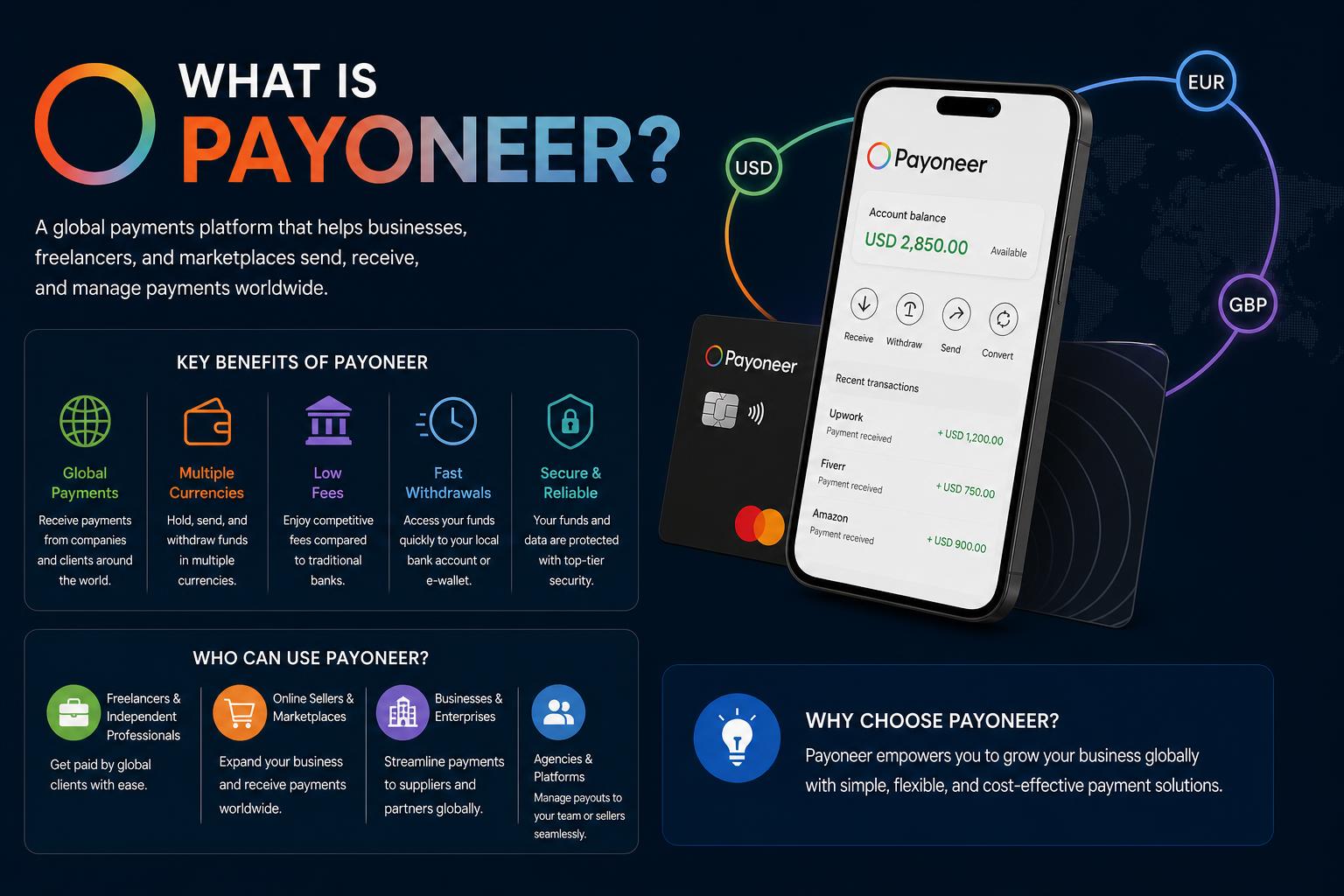
- Payoneer offers versatile financial solutions for freelancers and businesses globally, simplifying cross-border transactions and providing access to multiple currencies.
- Account holders enjoy features like unique receiving accounts in various currencies, instant transfers to other users, and the convenience of global payment cards.
- Fees, exchange rates, and local market realities impact real-world cost and usability, presenting both advantages and notable limitations for different user types.
- Integrations with popular freelancing platforms and alternatives like GrabrFi change the landscape of international payments, especially for emerging market professionals.
Navigating international payments can often feel like a maze, especially if you’re starting out as a freelancer or building a global business. If you’ve landed here, chances are you’ve seen the name Payoneer pop up on platforms like Upwork, Fiverr, or maybe you’ve heard about it from colleagues who work with clients abroad. But what exactly is Payoneer, why is it so popular in the world of cross-border payments—and more importantly—how does it all really work?
This article breaks down everything you need to know about Payoneer: from what it actually does, through how you can set up and use your account, to its costs, advantages, hidden pitfalls, and the reality for users in high-demand markets like Nigeria, India, and beyond. Whether you’re considering opening an account or just want a no-nonsense, full-picture explanation, you’ll find every angle covered right here.
Meet Payoneer: The Backbone of Global Freelancer Finances
Founded all the way back in 2005 in New York City by Yuval Tal, Payoneer sprang from an idea as simple as it is ambitious—to make global commerce and freelancing as easy as working with a local bank. Over the years, it’s become more than just a payment provider; it’s the go-to solution for millions of freelancers, e-commerce sellers, agencies, and businesses wanting fast, reliable access to international funds in their own currency.
As of recent years, Payoneer has raised upwards of $265 million, expanded to over 4 million users, and grown into a publicly traded company (NASDAQ: PAYO). It operates in 190+ countries, offers services in over 150 currencies, and counts among its partners the likes of Airbnb, Upwork, Fiverr, Amazon, Rakuten, and more. If you’re a professional living outside the US or EU and working with clients worldwide, it’s almost impossible not to bump into Payoneer sooner or later.
Understanding the Core: What is Payoneer and How Does It Work?
At its heart, Payoneer is a global payment platform built to solve the frustration of getting paid internationally. It acts as a middleman between you and your clients around the world, removing the need for bank accounts in every single country where you do business.
When you sign up, Payoneer assigns you unique account numbers—called “receiving accounts”—for major currencies: USD, EUR, GBP, JPY, and CAD being the big five. These aren’t technically your own bank accounts (they’re owned by Payoneer), but to your clients or business partners, it looks and works like a normal domestic transfer.
- A client in the US, for example, can send payments using standard ACH transfers as if they were paying a US-based account.
- European clients can wire SEPA euros; UK partners, GBP; and so on.
All incoming payments land in your central Payoneer account, from where you have complete flexibility over what to do next. For professionals and businesses operating across different regions, that ability to accept and route funds in multiple currencies—without friction or confusion—is often a game changer.
How to Use Your Payoneer Balance: Spend, Withdraw, or Send?
Once your money arrives in Payoneer, you get more options than with most traditional bank accounts. Here’s what you can do:
- Local Bank Transfer: You can withdraw your Payoneer balance (after currency conversion and fees) directly to your personal or business bank account, almost anywhere in the world. Processing time is usually 1-3 business days, depending on your country and bank.
- Payoneer Mastercard: Payoneer can provide you with a physical or virtual debit card (Mastercard), which you can use for online payments, business expenses, ATM withdrawals, or directly at point-of-sale. Great for digital nomads or remote workers—but do note, ATM withdrawals often come with notable fees, so plan accordingly.
- Transfers to Other Payoneer Users: If you work in a team or need to pay a contractor/colleague who also has a Payoneer account, you can send money instantly and for free within the system. This peer-to-peer functionality is one of the platform’s most appreciated perks for distributed teams.
All these options exist under one centralized dashboard—both mobile and desktop—making it easy to keep your freelance or business cash flow organized, no matter where in the world you are.
Power Users: Seamless Integrations with Global Platforms
If there’s one area where Payoneer truly stands out, it’s their deep integration with international freelancer and marketplace platforms. Upwork, Fiverr, Amazon, Airbnb, Walmart Marketplace and many other e-commerce or gig economy giants allow you to connect your Payoneer account directly for payouts.
- This means faster, more affordable payments compared to traditional wire transfers—sometimes even same-day, depending on the platform.
- It also reduces friction for clients, since they don’t need to worry about cross-border remittance paperwork, bank codes, or high intermediary bank fees.
For many professionals, this integration alone makes Payoneer the default option for international freelancing. If you regularly earn from global platforms, you’ll feel the difference after your first few transfers.
Payoneer’s Fee Structure: What Does It Really Cost?
Now, the golden question—how much does all this convenience actually cost? Payoneer is clear in some areas and a bit more opaque in others, so let’s talk in practical terms.
Receiving Payments
If you get paid via domestic bank transfer to your local receiving accounts (USD/ACH, EUR/SEPA, GBP, etc.), Payoneer charges no incoming fee. This is a big plus and places it ahead of competitors like PayPal for many use cases.
However, if your client pays you via credit card, expect a processing fee—typically up to 3% of the total amount. This matches industry standards for merchant processing, but is still a cost you’ll want to consider if you invoice clients directly.
Withdrawing to Local Banks
Payoneer’s withdrawal fees vary widely by country and method.
- Some countries are charged a flat fee—usually around $1.50 USD per withdrawal. This is smart when moving large amounts, but can eat into smaller transactions.
- Other regions face percentage-based fees, typically between 1% and 2% per withdrawal.
- Certain currencies may have minimum withdrawal amounts, making micro-withdrawals impossible or uneconomical.
Always check the Payoneer pricing overview for your specific country while setting up your account: official fee info here.
Currency Conversion and the “Invisible Cost”
Where Payoneer (and honestly, most global services like it) make a significant chunk of their revenue is the currency conversion spread, or FX markup. Let’s say you receive dollars but your local bank only accepts euros—the rate Payoneer offers will be worse than the real mid-market rate (you’ll get, for example, 1-2% less than market value).
This becomes a real issue if you’re receiving and converting large payments regularly. Over time, those hidden fees add up, and often go unnoticed by freelancers and small businesses because the deductions are “baked in” to the conversion process.
Inactivity Fee
Fell off the freelancing hustle for a year, or using Payoneer only for occasional work? If there’s no activity (no incoming or outgoing transactions) for 12 months straight, Payoneer applies a $29.95 annual inactivity fee. A minor sting, but something to remember if you don’t plan to keep the account active year-round.
Payoneer vs. PayPal: When Should You Choose Each?
This is the classic showdown: Payoneer or PayPal?
- Use Payoneer if you’re a business or freelancer consistently earning sizeable sums from overseas. You’ll most likely pay fewer fees, have better integration with freelance platforms, and benefit from multi-currency options that let you hold, spend, or convert funds when and how you want.
- PayPal, on the other hand, is better suited for person-to-person transactions, consumer sales, and quick payments with built-in buyer/seller protection. That’s why it’s so common on Etsy, for small e-commerce sites, donations, or simply splitting bills.
Many users actually keep both accounts active—Payoneer for their main freelance or business income, and PayPal for everything else. That hybrid approach gives you maximum flexibility and cost saving.
How Secure is Payoneer?
Safety and security is a top concern when moving money globally—and rightly so. Payoneer is a regulated financial services company, publicly traded, and holds licenses in both the US and European markets.
- In the US, it operates as a registered Money Service Business.
- In the UK, it is regulated by the Financial Conduct Authority.
- For EEA customers, it is duly licensed by Ireland’s Central Bank as an Electronic Money Institution.
Here’s what you need to know: your Payoneer balance isn’t a traditional bank deposit, so it may not be protected by typical deposit insurance schemes (like FDIC for US banks). In the rare case of a Payoneer bankruptcy, your funds wouldn’t automatically be covered the way bank savings are.
On the tech side, Payoneer implements strong encryption, two-factor authentication, and industry-standard fraud monitoring. No major hacks or systemic breaches have been reported, but as always in fintech, be mindful of phishing, keep your account secure, and monitor emails/alerts for suspicious activity.
Tax Compliance and Reporting
Does Payoneer help with tax reporting? Yes, to a degree. Like all legitimate financial platforms, Payoneer complies with international financial regulations such as CRS (Common Reporting Standard) and FATCA (for US citizens). Your account activity could be reported to tax authorities in relevant jurisdictions.
This won’t automatically pay your taxes for you, but it means transactions may be visible to your home tax office. Always keep your own records and consult a local specialist for advice.
Key Drawbacks and Limitations
No product is perfect, and even with Payoneer’s advantages, some pain points persist. Here are the downsides most commonly reported by serious users:
- Exchange rate markups can secretly add up, especially if you’re moving and converting large sums frequently. This is a silent drain that’s easy to overlook until you do the math.
- You’re not getting an actual bank account—just a receiving account. That means no deposit insurance, fewer traditional banking features, and the occasional hassle if a client or marketplace insists on “real” bank details.
- No flexibility on currency conversion timing. Payoneer decides when and at what rate your funds convert as you withdraw, which can disadvantage you if rates are unfavorable.
- Complexity for users in countries with volatile currencies or restrictive banking laws (such as Nigeria, Argentina, certain parts of Asia), where the Payoneer’s official rates don’t always reflect parallel/black market rates.
If you outgrow these limitations—say, your freelance business becomes a company or you need tighter control over FX rates—you’ll find alternatives like GrabrFi (see below) or even local fintech solutions entering the picture.
Emerging Alternatives: Spotlight on GrabrFi
One of the latest and most relevant Playoneer alternatives, especially for global professionals billing primarily in USD, is GrabrFi. GrabrFi offers a real US bank account—not just a “receiving” account—complete with account and routing numbers, FDIC insurance, and the ability to hold your money in USD as long as you want.
- This enables much simpler payments for US-based clients, eliminates friction around “virtual” account numbers, and offers seamless compatibility with most US financial services and apps.
- The big selling point is currency control: you decide exactly when (and if) to convert your dollars into your home currency, whether at the bank, using stablecoins, or through other means, potentially getting a better FX deal than what Payoneer offers by default.
- The GrabrFi debit card is a real, US-issued card—better accepted globally for online and offline purchases.
This solution is ideal if your business is USD-centric, you work with US companies, or you’re based in countries with unstable currencies. However, keep your Payoneer active if you rely heavily on platform payouts that only integrate with Payoneer (like certain Upwork or Fiverr contracts).
Payoneer for Nigerian Freelancers and Businesses: Realities and Hacks
Nigeria is a massive market for Payoneer, not least because local currency volatility makes holding USD a necessity for many freelancers and businesses. With hundreds of thousands of active users, Payoneer is considered essential professional infrastructure for software engineers, designers, virtual assistants, and e-commerce managers looking to protect their earnings against the fluctuating Naira.
When you’re receiving dollars into your Payoneer balance, you gain two real advantages:
- You can hold funds in USD and only convert to Naira when it suits you best (within system limits),
- It’s easier to get international clients (especially in the US) to pay you, since Payoneer provides them with familiar account numbers for domestic transfer.
But—and this is key—the official NGN/USD conversion rates used by Payoneer will almost always mirror the central bank’s (CBN) rates, not the parallel/black market rate used by many businesses. The gap between these can be substantial, meaning that withdrawing money “officially” leaves a good chunk on the table versus other channels. Some users workaround this by holding USD balances and converting selectively, or using third-party local fintechs to extract better conversion value (always check these are legit to avoid account freezes or bans).
Payoneer for India, Philippines, and Other Key Markets
India: After some regulatory hiccups (services briefly stopped in 2011, re-launched in 2016 via IndusInd Bank), Payoneer is now widely used among freelancers, agencies, and export-focused SMBs. The company provides digital FIRC certificates, letting you meet compliance needs for foreign inbound payments seamlessly.
Philippines: Since 2009 Payoneer is a favorite for Filipino freelancers, call center workers, and digital professionals dealing with US/EU market clients. Seamless withdrawals to local banks or direct spending via the Mastercard remains a big draw.
Other Markets: Payoneer has grown into a network whose backbone stretches from South America (thanks to partnerships with e-commerce sites like Linio) to Europe (after moving its European base from Gibraltar to Ireland post-Brexit) and throughout Asia (integrating with South Korea’s EC21 and expanding into Seoul and London with local offices and partnerships). The result is broad accessibility for international professionals almost everywhere but the most strictly sanctioned territories (e.g., Iran, North Korea, Syria).
Payoneer’s Mobile App: Managing Funds On The Go
For those who want to control their business payments from anywhere, Payoneer offers a robust mobile app experience, available on Google Play and the App Store. The app allows for seamless money management: you can review balances, receive international transfers, convert currencies, and review outgoing payments or card transactions in real time.
Key mobile features include:
- Overview of all multicurrency balances
- Ability to initiate withdrawals and transfers between accounts
- Access to customer support 24/7 in over 20 languages
This suits freelancers, digital nomads, and business owners alike who want to monitor their cash flow on the move.
Customer Service and Support
Payoneer provides multi-language support, reachable via phone, email, live chat, and through their help channels—like their official LinkedIn assistance page and dedicated complaint portal. Most common requests are resolved quickly, although as with any large fintech, there are stories of slowdowns or account reviews. Make sure your documentation is always up to date and respond promptly to any requests for verification to keep things smooth.
Frequently Asked Questions About Payoneer
What do I need to give my clients to get paid through Payoneer?
It depends on who’s paying you. If your client uses Payoneer, all they’ll need is your registered email address. If they’re a non-Payoneer business, provide them with the unique bank account details Payoneer assigns you (USD account number and routing, EUR IBAN, etc.). For invoice payments, simply use the Payoneer request payment feature to let clients pay however they want—Payoneer handles the rest.
How quickly will my payments arrive?
Bank transfers (via receiving account) typically appear in your account within 1-3 business days. Payments from other Payoneer users are nearly instant. Marketplace payouts depend on the platform’s schedule, but most process within 1–2 business days of fund release.
Can I use Payoneer for personal, non-business payments?
Technically, no. Payoneer is intended for business-related transfers—using it for personal remittances, donations, or other peer-to-peer non-business purposes is outside their terms and can lead to account issues.
Is Payoneer available in my country?
Payoneer is present in 190+ countries, but a few are restricted due to international sanctions (think Cuba, Iran, North Korea, Syria, etc.). The best approach is to start the sign-up process and check current eligibility during your application.
Does Payoneer charge a monthly fee?
No monthly fees for active accounts. The only recurring fee is the annual $29.95 inactivity fee if you let your account sit idle for a full 12 months.
Can I have more than one account?
No, only one personal Payoneer account per person is allowed. Businesses can open separate business accounts, but individuals trying to sneak in duplicates may have all accounts suspended.
Extra Perks and Features
Payoneer doesn’t just help you get paid—they offer tools for business management too:
- Easy supplier and contractor payouts across more than 200 countries
- Working capital offers for e-commerce platforms like Amazon/Walmart
- Seller-specific features, such as integrated VAT payments and multi-currency account management
This is especially valuable for scaling businesses seeking to centralize international operations and keep admin to a minimum.
Who Should Use Payoneer?
If you’re a freelancer, remote worker, e-commerce seller, or business with international clients, Payoneer is a top-tier solution for simplifying payments and reducing friction with overseas partners. However, if you need full traditional banking services, deposit insurance, or you’re highly sensitive to currency conversion rates, consider pairing it with a real USD/EUR/GBP bank account, or using a combination of Payoneer and newer alternatives like GrabrFi.
For most professionals in emerging markets, using both Payoneer and local solutions lets you tap into the best of both worlds—immediate access to stable foreign currencies and the ability to optimize conversion or reinvest income wherever you are in the world.
In the rapidly evolving freelance and fintech universe, keeping your workflow flexible, diversified, and informed is often the best strategy for maximizing your income and financial security as you build your global business.