
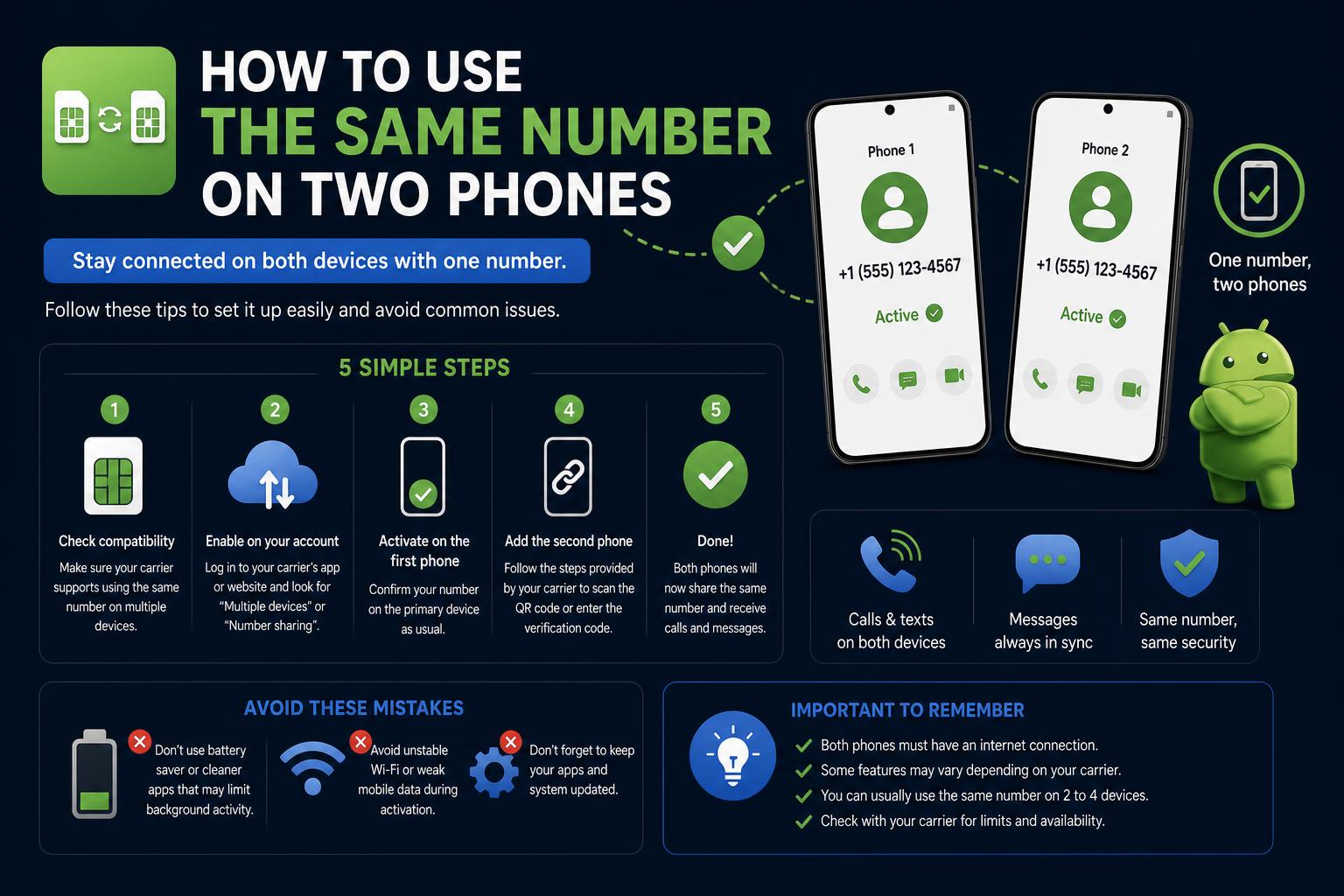
- Phone carriers and tech solutions offer several ways to share one number across multiple devices, but each method comes with specific limitations.
- Official carrier services (like Number Share or DIGITS) are often restricted to companion devices rather than two smartphones.
- VoIP services and multi-device messaging apps provide flexible, legal ways to answer calls and texts from multiple phones with the same number.
It’s a common scenario these days: you juggle more than one phone, maybe one for work and one for personal use, and you’re tired of missing calls or constantly swapping devices. The golden dream would be to answer calls and texts from the same number, no matter which phone is in your hand. Still, the landscape is confusing, from SIM card limitations and carrier restrictions to new digital solutions.
If you’ve been scratching your head trying to figure out whether it’s possible to use the same number on two phones, you’re certainly not alone. There are legitimate ways to achieve something close— though with important caveats, technical restrictions, and legal boundaries you shouldn’t cross. Let’s break down all the proven methods, including their upsides and downsides, and help you pick the best fit for your needs.
Can You Have One Phone Number on Two Devices at the Same Time?
The short answer is: you can, but not by simply sharing a SIM card. Every SIM card, whether physical or an eSIM, contains a unique subscriber identity (IMSI) that’s recognized by your mobile network. When inserted into a device, that device becomes the live endpoint for calls, texts, and data. If you put the SIM in a second phone, the first phone is immediately disconnected.
This hardware limit exists to maintain network security and user privacy, and any method trying to bypass it (like SIM cloning) is illegal and a violation of carrier contracts. Attempting to duplicate a SIM opens the door to fraud, privacy breaches, and the risk of being blacklisted by your operator—so it’s not a workable solution.
But all hope isn’t lost. While you can’t physically have one SIM active in two phones simultaneously, mobile carriers, app developers, and technology companies have created techniques to allow one number to be answered on two or even more devices. These methods each have their own constraints, security considerations, and practical requirements which we’ll cover in detail.
Why Might You Want the Same Number on Two Phones?
- Avoiding missed calls: If you’re constantly switching between work and personal phones, having one number ring both can reduce the risk of missed communications.
- Better work/life balance: Carry one device instead of two, or use a simple phone on weekends while staying reachable.
- Travel convenience: Stay accessible on your main number while using a temporary SIM for local data or calls.
- Team collaboration: Let several colleagues answer business calls without handing off a single device.
The Three Main Methods to Use One Number on Two Phones
Let’s dive deep into all the workable approaches currently offered—from official carrier options to app-based solutions.
Major carriers like Verizon, T-Mobile, and Vodafone have developed solutions to let a single phone number connect to more than one device—at least to an extent.
For example, Verizon’s Number Share – Mobile service lets you share your main mobile number across up to five eligible extension devices—think smartwatches and tablets. T-Mobile has its own branded solution called DIGITS, which can be set up via an app across several devices, also allowing you to answer and make calls using the same phone number.
These carrier services are designed primarily for pairing your smartphone with companion devices (like a smartwatch or tablet). While they sound like a perfect answer, they do not natively let you use two phones with the same number at the same time. For instance, assigning your mobile number to both your phone and a smartwatch is simple, but assigning it to two different smartphones is not officially supported by most carriers.
Key Restrictions Highlighted in Carrier Terms
- Device limitations: Often restricted to one primary phone and up to five ‘extension’ devices, which are usually wearables or tablets—not full phones.
- Plan eligibility: Sharing services are available only on specific postpaid plans.
- Functionality gaps: Some features (like Family Base, Call Forwarding, and voicemail) may not work on extension devices, or extension lines may incur higher standalone charges if the host line is disabled.
- Legal and technical caveats: Attempting to work around these limitations can result in service deactivation or increased fees.
The bottom line with official carrier options is this: If you’re hoping to seamlessly run two smartphones with the exact same number (for example, one at home and one for travel, active at the same time), it’s not typically supported. But if you want your number on a phone and a smartwatch or tablet, these plans can be worthwhile.
2. Call Forwarding: Old School, Still Works (Sort Of)
If you only need your calls—rather than texts and full phone access—redirected to a second phone, call forwarding is an established method that’s simple and quick to set up.
This approach means your main number receives the calls as usual, but when unanswered or by default (depending on your settings), calls are automatically forwarded to a second phone of your choice. Both phones need their own SIM and service contracts, and you control which number receives the calls by toggling the feature on or off in your phone’s calling settings.
How to Set Up Call Forwarding
- On Android: Go to your Phone app, tap the three-dot menu, select Settings, then ‘Call Forwarding’ under ‘Supplementary services.’ Choose which situations should trigger forwarding—always, when busy, when unanswered, or when unreachable—and input the destination number.
- On iOS/iPhone: Navigate to Settings > Phone > Call Forwarding. Toggle it on and enter the target number where calls should be redirected.
Pros and Cons
- Pros: Easy to implement, works for incoming voice calls without installing extra apps.
- Cons: Forwards only voice calls, not SMS or MMS. Text messages remain tied to the phone that holds the SIM. Complexity with voicemail (test which system answers if a call goes unanswered on the secondary phone).
- Costs: Local forwarding is usually free, but international or cross-network forwarding may incur extra charges. Check with your carrier to avoid surprises.
This setup is best when you only occasionally need calls redirected—for example, using a simpler phone on weekends—rather than having two phones actively ring at the same time.
3. VoIP and Virtual Number Services: The True Multi-Device Solution
For those who want their phone number to live in the cloud and ring on multiple devices simultaneously, Voice over Internet Protocol (VoIP) services are the most powerful and flexible solution available.
VoIP numbers are not tied to a SIM card. Instead, the number is managed by an app (or suite of apps) that you can install on any device—smartphones, tablets, laptops, desktops. As long as you’re signed into the app, incoming calls and messages go to all logged-in devices.
Popular VoIP Options (with Quick Overviews)
- Quo: Tailored for small businesses and growing teams, Quo offers shared phone numbers, unlimited calls and texts, call recording, analytics, and integrations with popular workplace tools. Multiple users can share a single number, receive calls and messages, and assign tasks or communications within the platform. Pricing starts at $15/month per user. Quo stands out for allowing unlimited devices per account, making it well-suited if you want one number on two or more smartphones simultaneously.
- Google Voice: Works best for those already using Google Workspace. Allows you to forward calls to several linked numbers and access messaging through its app. International feature availability varies, so check local terms before relying on it.
- TextNow: A free (ad-supported) option for US and Canadian users, offering calling and texting across devices with its app.
- RingCentral and Voipfone: Feature-rich, ideal for power users or small enterprises seeking advanced routing and collaboration options. Offer apps for iOS, Android, and desktop.
- OpenPhone (now branded Quo): A new-age cloud-based phone system letting you use the same number on several devices, supporting SMS, voice mail transcription, call recording, and third-party integrations.
How VoIP Solutions Work for Multiple Devices
- Create an account and select your desired phone number (or port your current number in).
- Install the provider’s app on all devices you want to use—two or more smartphones, desktops, tablets.
- Sign in with the same credentials on each device. Calls and texts to your number are accessible on all devices at once.
This is the cleanest way to share a number across several smartphones at the same time, provided you have internet (Wi-Fi or mobile data) on all devices.
VoIP phone numbers aren’t limited by SIM cards, you aren’t tied to a single device, and your account stays fully in sync across platforms.
Pros and Cons
- Pros: True multi-device support, both for calls and texts. Features for teams like shared inboxes, analytics, business hours, and call assignment. Extremely flexible and scalable.
- Cons: Requires internet connectivity; call quality depends on network stability. Some services charge monthly fees, but many are competitively priced for business use.
Messaging Apps: WhatsApp, Telegram, and Multi-Device Use
If your focus is on messaging rather than classic phone calls, modern chat apps have your back. Many support one account across several devices at the same time, including additional phones, tablets, and computers.
- WhatsApp: Now supports “Companion Mode,” letting you log into your main WhatsApp account across up to four extra devices—including other smartphones. Chats, calls, and media are fully synced and encrypted, and you don’t need your main device online for this to work after initial setup.
- Telegram: Has long allowed multi-device login for simultaneous access on multiple phones, desktops, or tablets, keeping your conversation fully in sync everywhere (except secret chats, which stay on the original device).
While these solutions let you answer calls and messages on more than one phone, your account is tied to one number, but you won’t receive regular mobile network phone calls this way—just app-based calls and chats.
Is SIM Swapping a Solution?
One straightforward workaround people sometimes try is just physically moving their SIM card between devices depending on which one they want to use at the moment. This makes your number active on whichever phone currently holds the SIM, but only one device is active at any given time. If you frequently switch, keep in mind this can wear down the SIM tray and is simply inconvenient, especially if you want both devices to ring at the same time. Some phones even make this tedious, requiring a reset or network refresh when swapping SIMs.
SIM Cloning: Why It’s a No-Go
SIM cloning has been discussed on forums and theoretically would allow two SIMs to share one identity, but it’s both illegal and highly risky. Carriers detect such activity quickly—it opens you up to account suspension, legal action, and potential security threats like identity theft and call interception. There are no legitimate business or consumer scenarios where SIM cloning is the right or allowed choice.
What About Number Sharing for Businesses and Teams?
If you run a business or need multiple colleagues to answer customer calls, proper VoIP systems are your best bet. Platforms like Quo are specifically designed for shared numbers and collaborative workflows. With these, calls and texts to the business number can be picked up, replied to, or assigned by any team member on any device. Features may include:
- Shared contacts and conversation history
- Call analytics and reporting
- Business hour settings and after-hours routing
- Integration with business tools (CRM, Slack, etc.)
These solutions minimize missed calls, streamline team workflows, and keep everything running no matter how many people need simultaneous access.
Benefits—and Drawbacks—of Sharing a Number Across Devices
Key Benefits
- Convenience: Any device can answer calls, reducing missed connections.
- Redundancy: If one phone is lost, out of battery, or simply not with you, the other device can pick up the slack.
- Work-life management: Balance between personal and business lines, or give staff access to customer calls without sharing devices.
- Flexibility: Use tablets, laptops, or even smartwatches as secondary endpoints for calls and messages.
Potential Downsides
- SMS/MMS Limitation: With traditional call forwarding, only voice calls are redirected; texts stay with the original SIM.
- Service fees: Some VoIP services or carrier plans with advanced features may charge monthly fees. Read the fine print to avoid surprises.
- Setup complexity: VoIP systems require accounts, apps, sometimes number porting—there’s a learning curve upfront.
- Reliance on internet: The best multi-device solutions depend on robust Wi-Fi or data connections. Patchy coverage hurts call quality.
FAQs: What People Keep Asking
Can I use the same SIM in two phones at the same time?
No. One SIM, one device. The moment you move the SIM to another phone, the original device is disconnected.
Are there legal ways to ring two phones with the same number?
Absolutely. Through VoIP accounts, multi-device messaging apps (like WhatsApp and Telegram), and, to a degree, official carrier plans for wearables and tablets.
What’s the best option for a business team wanting one number on all their phones?
A cloud-based VoIP platform such as Quo or RingCentral offers multiple-user, multi-device support, call logs, and internal collaboration tools.
Can I forward both calls and texts with call forwarding?
Generally, you can only forward calls; SMS/MMS stays with the phone holding the SIM. Use a virtual number for text forwarding, or a messaging app with device sync for true multi-device texting.
Is SIM cloning safe or legal?
No—it’s illegal, unsafe, and will quickly get your account or device flagged. Always stick to legal, supported solutions.
Which apps offer the best multi-device experience?
WhatsApp and Telegram for chat and calls in-app; Quo and Google Voice for voice/SMS with real number support.
Review of Top Multi-Device Phone Number Apps and Services
| App/Service | Starting Price | Best For | Main Features |
|---|---|---|---|
| Quo | $15/user/month | Growing businesses, teams | Unlimited devices per number, call recording, integrations, collaborative inbox |
| Google Voice | $10/user/month | Google Workspace users | Free texting (U.S.), call forwarding, auto-attendant (with upgrade), Google integration |
| TextNow | Free | Individuals needing basic secondary number | Calls, texts, ad-supported, eSIM option available |
| RingCentral | Varies | Enterprise communication | Apps for all platforms, advanced routing, integrations |
| Voipfone | Varies | Freelancers, UK users | Local porting, extensions, call groups, mobile/desktop apps |
| Free | Global chat/calls app | Up to five devices per account, encrypted sync, app-based calls only | |
| Telegram | Free | Privacy-focused users | Multi-device login, full sync, SMS not included |
| Verizon Number Share | Varies (carrier plan) | Wearables/tablets on Verizon | One number for main/extension device (not two phones) |
| T-Mobile DIGITS | Carrier plan | Companion devices, basic business | App for calling/texting on multiple devices, limited to five devices |
Some Real-World Scenarios and Practical Tips
- If you only occasionally need two phones to share a number and can settle for voice calls, call forwarding is your best no-cost option—with the caveat that texts stay on the main SIM.
- If you want true flexibility, need both calls and texts, or are collaborating in a team, set up a VoIP service like Quo, install the apps on all devices, and enjoy a single number always reachable from everywhere.
- If your communication is chat-centric, leverage WhatsApp or Telegram’s multi-device modes—just remember you won’t get regular mobile calls this way.
- If a carrier option appeals to you (like Number Share, DIGITS, or OneNumber), carefully read their device restrictions and terms—most will not support two smartphones sharing one number unless apps or VoIP are involved.
Although no single solution fits every scenario, modern technology provides a variety of options—carrier services, app-based multi-device platforms, and virtual numbers—that can help keep you connected across multiple devices. Choosing the right approach depends on your specific needs, budget, and legal considerations, ensuring your communication remains seamless and reliable wherever you are.