
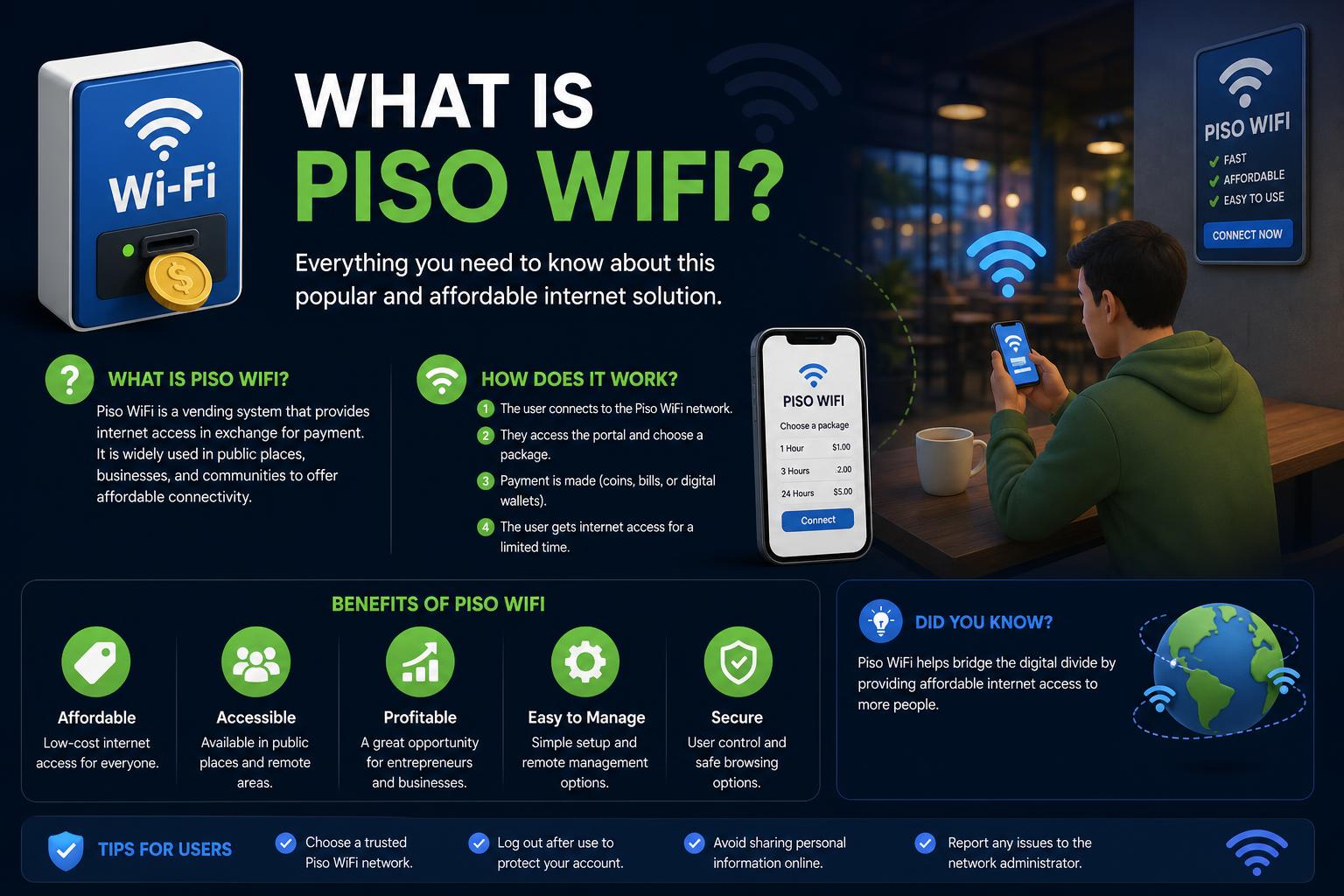
- Piso WiFi delivers low-cost, pay-per-use internet by letting users purchase WiFi access with coins.
- The system thrives on affordable hardware, user-friendly firmware, and strategic locations like shops, terminals, and public markets.
- Piso WiFi is legal and lucrative, offering passive income for operators and vital internet access in under-served areas.
Piso WiFi has become a fundamental element in daily life in the Philippines, providing affordable internet to millions of people who otherwise face high costs or poor infrastructure. Designed as a pay-as-you-go wireless solution, it works especially well in places where traditional connections are expensive or unavailable. The idea is simple yet effective: users use coins—usually as low as 1 peso—to access the network for a set amount of time, making high-quality internet accessible to everyone, from students to market vendors.
[relacionado url=”https://www.ikkaro.net/bittorrent-apps-for-android/”]
The popularity of Piso WiFi lies in its flexibility and its role as a micro-business model. For operators, it represents an opportunity to earn passive income with little investment. For users, it is a lifeline, especially in rural zones or low-income urban areas. This guide provides comprehensive coverage on what Piso WiFi is, how it works, key hardware and important setup steps, typical earnings, legal aspects, and tips for effectively managing a machine or network.
Understanding Piso WiFi: Definition and Purpose
Piso WiFi literally means ‘WiFi for a peso’, with “piso” being the smallest currency unit in the Philippines. Imagine a vending machine, but instead of snacks or drinks, it dispenses internet access. Piso WiFi systems allow users to pay with coins to connect: no contracts, registrations, or paperwork, and often without the need for a SIM card.
This concept emerged as a response to the unique connectivity challenges in the Philippines: districts and neighborhoods (barangays) that lack broadband lines, or where these are unaffordable for the general public. Piso WiFi fills that gap, providing cheap and instant internet to anyone with a coin and a mobile device. Businesses like sari-sari stores, schools, and transit stops take advantage of these systems to attract customers and increase their profits.
How Piso WiFi Works: The Technology Simplified
- A coin acceptor mechanism
- A router configured with special firmware
- An internet source (fiber, DSL, 4G/LTE, or a mobile hotspot in rare cases)
The workflow is simple:
- The user connects their device to the Piso WiFi machine’s network, usually named “PisoWiFi_YourLocation”.
- They are then automatically redirected to a captive portal page.
- The user inserts coins into the mechanism.
- The system allocates access time based on the amount of coins (e.g., ₱1 for 10 minutes, ₱5 for an hour).
- When the time runs out, they can insert more coins to continue browsing.
Main Components and How to Set Up a Piso WiFi Business
For future operators, getting started with Piso WiFi is more accessible than ever.
The typical Piso WiFi equipment includes:
- Box or enclosure: Protects the hardware against theft and vandalism.
- Coin acceptor: Reads the inserted coins and credits them.
- Controller board: Connects the acceptor with the router and manages sessions and authentications.
- WiFi Router: Models like the TP-Link TL-MR6400 are popular, offering dual-band support and compatibility with firmware like LPB Piso WiFi or JuanFi.
- Internet source: Fiber, DSL, or mobile data with a SIM if a landline is unavailable.
- Power supply: A stable power outlet, recommended with a UPS for added reliability.
Setup
- Mount or install in the chosen location, ensuring protection and accessibility.
- Connect hardware: box, acceptor, router, internet.
- Access the configuration (usually at 10.0.0.1) to define the network, captive portal, rates, and session durations.
- Ensure network security and test coin acceptance and sessions.
Firmware and Administration: The Brains Behind Piso WiFi
The firmware is the key piece for system flexibility and control. These programs allow you to manage:
- Duration and rates per coin
- Speed limiting
- Pause and resume functions
- Voucher and code generation and management
- MAC filtering and device control
- Scheduling for maintenance or downtime
- Dashboard for operators (e.g., at 10.0.0.1/admin)
- LPB Piso WiFi: paid, with advanced features and remote management
- AdoPiSoft: a commercial solution with an intuitive interface and frequent updates
- JuanFi: open-source software for operators who know how to customize
The TP-Link TL-MR6400 router and other similar models are compatible with these firmwares, ensuring stable and reliable performance.
Session Rates and Pricing Models: How Much Does Access Cost?
The Piso WiFi concept is based on micro-payments for small services. Some examples of the pricing scheme:
| Amount inserted | Internet time | Typical use |
|---|---|---|
| ₱1 | 10 minutes | Messaging and social media |
| ₱5 | 1 hour | Casual browsing, short videos |
| ₱10 | 2 hours | Online classes, streaming |
| ₱20 | 5 hours | Work, study, or entertainment |
Piso WiFi as a Business: Earnings and Profitability
The Piso WiFi model is popular among Filipino entrepreneurs due to its low initial cost and promising return on investment. Below are the estimated costs, revenue, and profits:
| Operation scale | Estimated daily coins | Estimated monthly revenue | Initial cost |
|---|---|---|---|
| One machine in a small store | ₱200–₱500 | ₱6,000–₱15,000 | ₱6,000–₱9,000 (DIY) |
| Prime location | ₱400–₱1,000 | ₱12,000–₱30,000 | ₱15,000–₱30,000 (vending) |
| Several machines in a market or terminal | ₱1,000–₱3,000 | ₱30,000–₱90,000 | ₱35,000–₱60,000 |
| Micro-businesses with many machines | ₱3,000–₱8,000+ | ₱90,000–₱240,000+ | ₱80,000–₱150,000+ |
It is common for operators to recover their investment within one to three months if the locations have good traffic and the equipment functions properly. Profitability heavily depends on location, competition, the ISP used, and the availability of free WiFi in the area, according to experiences shared in forums and communities.
Ideal Locations for Piso WiFi
Choosing the right location is crucial to the success of the business. Places like:
- Sari-sari stores: with high foot traffic and regular customers.
- Transport terminals: where passengers wait and make brief layovers.
- Public markets: with higher flow during peak hours.
- Schools and universities: students on break looking for cheaper data.
- Neighborhoods without good internet access: a great affordable option and often the only one.
Pros and Cons of Operating Piso WiFi
| Pros | Cons |
|---|---|
| Low entry and operation costs; DIY kits from ₱6,000 | Dependent on constant foot traffic |
| Passive operation, requires little supervision | Risk of vandalism and theft |
| No subscriptions or contracts needed | Technical setup and maintenance require skills |
| Scalable by adding more machines | Power or ISP issues affect the service |
| Fulfills community needs and improves accessibility | Dependence on location and competition |
| Compatibility with the country’s main ISPs | Legal issues if not properly registered |
Legality and Compliance: Is Piso WiFi Legal?
- Use an ISP account registered in the name of the business or owner
- Formally register the business if scaling up operations
- Obtain municipal or barangay permits if applicable
- Check local regulations regarding public WiFi rules
Is it Possible to Build Your Own Piso WiFi Machine?

Essential components:
- Coin acceptor system
- Mini-computer like a Raspberry Pi
- Compatible router
- MicroSD or USB storage
- Cables and power supply
- And optionally, access points to expand coverage
For those looking for specific guides, platforms like Kiosko Ikkaro offer useful resources for assembling and managing community WiFi systems and customization.
Administrative Features: Control and User Experience
A reliable Piso WiFi system combines good connectivity with advanced management. This includes:
- Rate and duration control based on budget
- Speed limiting for fair usage
- MAC filtering to block unwanted devices
- Maintenance scheduling
- Generation of promotional vouchers
- Captive portal with session pause options
Hardware and Internet Providers
Choosing reliable hardware is fundamental for smooth operation. Routers like the TP-Link TL-MR6400 are popular for their compatibility with specialized firmware and their stable performance.
Essential decisions:
- Use fiber lines from ISPs like PLDT or Globe
- Use 4G/LTE SIMs in areas without a landline
- Test with mobile hotspots for preliminary trials, but not in production
Integrations and Additional Features
Operational and Maintenance Considerations
The machines are designed for passive income, but they need periodic check-ups. Cleaning, firmware updates, and fault repairs are part of the maintenance. Investing in good locations and security helps avoid major expenses on repairs and theft. The community of owners and specialized technicians can provide support.
To stand out in a growing market, operators consider offering exclusive features, hybrid models, and ensuring maximum uptime.
Security and Community Impact
Community internet access with Piso WiFi has been seen as a step towards social inclusion. However, it requires vigilance regarding content filtering and data protection. Some governments seek to regulate or restrict these services, although many communities continue to value this affordable and social solution.
Piso WiFi occupies a unique role, serving as both a social solution and an enterprise requiring relatively little investment and technical knowledge.
The expansion of Piso WiFi continues to transform internet access in many areas of the country, benefiting both end users and small entrepreneurs, thereby consolidating its role in digital democratization.