
- Official Arduino AI Assistant and open-source alternatives provide context-aware code generation directly in your workflow.
- Prompt phrasing and board context greatly affect the quality and suitability of AI-generated sketches.
- AI assistants accelerate prototyping, help debug errors, and serve as excellent teaching aids, but always require human oversight and testing.
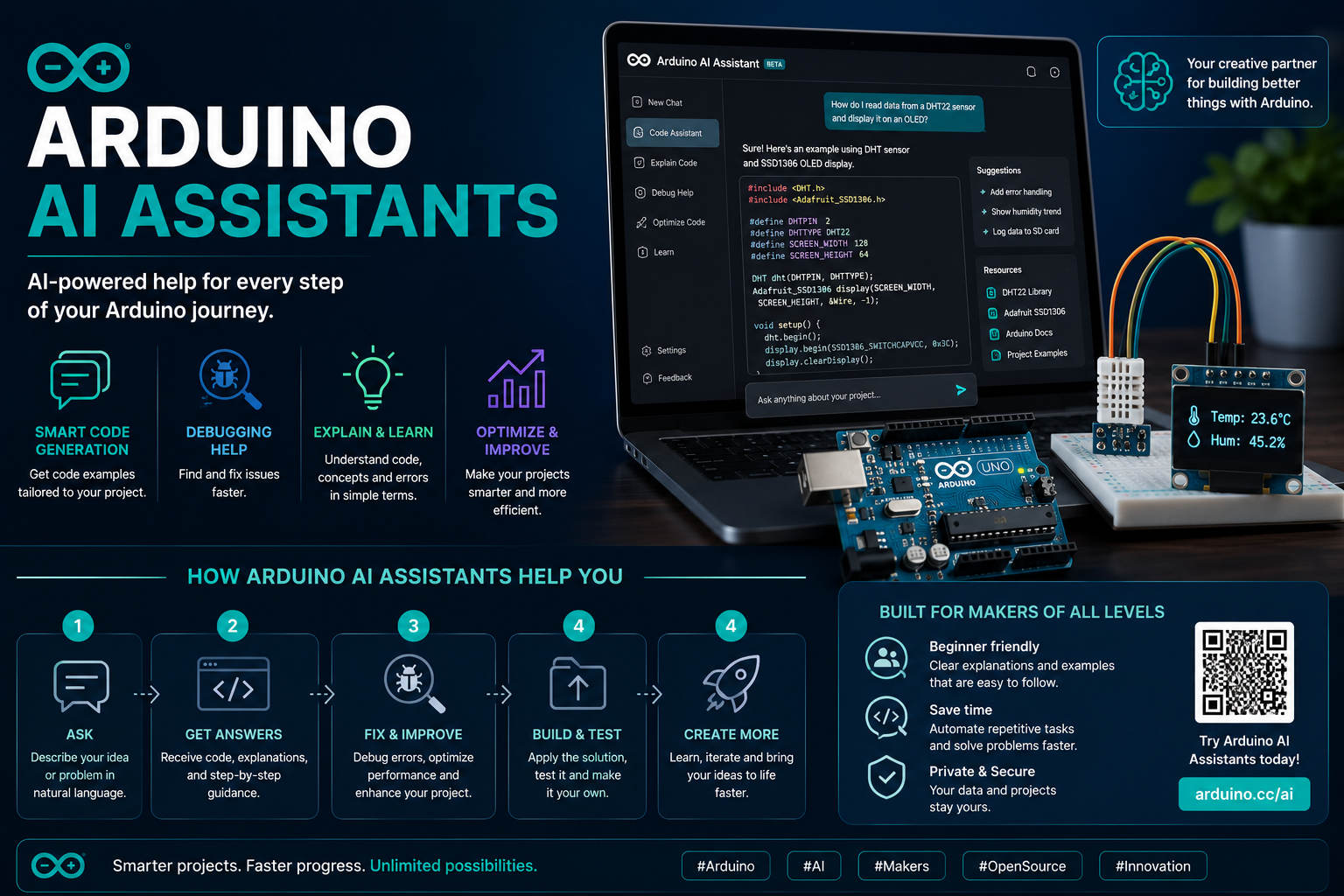
The arrival of AI-powered tools for embedded hardware projects is reshaping the way makers, students, and professionals build with Arduino. If you’re curious about generating Arduino code more quickly and accurately — without diving through endless forums or struggling with outdated snippets — you’ll want to take a closer look at the Arduino AI Assistant. Recent advancements in AI integration, especially within the Arduino ecosystem, are poised to supercharge both novice and advanced users alike. But what’s the real story? Is the technology mature, which tools deliver the best results, and what should you know to get the maximum benefit from these AI assistants?
Let’s dive deep into the practicalities, advantages, and current state of the Arduino AI Assistant, including how it stacks up against third-party AI (like ChatGPT and Google Gemini integrations), with insights gathered directly from real-world testing, extensive community feedback, and official documentation. Get ready for a hands-on perspective that goes beyond generic reviews, highlighting genuine breakthroughs in AI-powered code generation for Arduino, while also addressing the limitations and pitfalls you need to watch out for.
What is the Arduino AI Assistant?
The Arduino AI Assistant is a recent enhancement to the official Arduino Cloud Editor. Unlike third-party solutions or scattered scripts online, this tool is purpose-built to streamline coding by offering context-aware support directly within the IDE. Developed in collaboration with Anthropic’s Claude LLM, the assistant fully understands not only your Arduino hardware and libraries but also the specifics of your current sketch and connected board.
Officially integrated into the Arduino Cloud, it’s much more than a fancy chatbot. The assistant generates relevant, ready-to-use code; explains how it works in plain English; and offers instant debugging. With behind-the-scenes access to the latest Arduino docs and board specs, it avoids the usual compatibility headaches you might experience with general AI tools.
How Arduino’s AI Assistant Changes the Game
This tool was designed to make coding faster, easier, and more beginner-friendly, especially for educators and makers. Previously, many users relied on generic large language models (LLMs) like ChatGPT or Gemini, requiring lots of copy-pasting and cross-checking, which often introduced bugs or mismatches. Errors stemming from outdated logic or incorrect library usage aren’t just time-consuming — they can be deeply frustrating, especially for those just starting out.
Here’s what stands out about Arduino’s own AI Assistant:
- Knows your board and setup: It automatically tailors code to the correct microcontroller, whether you’re using UNO R4, ESP32, or anything else. Conoce la potencia del Arduino UNO R4 para entender mejor las diferencias del hardware.
- Quick debugging: Highlight an error, and the assistant analyzes both your code context and board configuration, suggesting relevant fixes.
- Learning-friendly explanations: Ask for clarification, and you get simple, annotated feedback — a big plus for students or those learning C++ with Arduino.
- No more context switching: No need to jump between windows or hunt for libraries — it lives right within your workspace.
- Reliability and security: All code suggestions draw from the official Arduino knowledge base rather than random code snippets from the web.
Powerful AI-Powered Features: What’s on Offer?
In the latest Arduino Cloud, you’ll find that the AI assistant can:
- Generate full sketches: Simply describe your project in natural English (for example, “create a sketch to blink 4 LEDs in a row”). The assistant outputs a fully functioning, ready-to-upload sketch with proper pin assignments and necessary includes.
- Spot and fix errors instantly: If you copy in a block of code producing a compiler or runtime error, you can ask “why is this happening?” The AI quickly analyzes and suggests a precise fix — with code and a clear explanation.
- Explain code, line by line: Unsure what a specific statement does? Query the assistant for an instant breakdown in regular English, perfect for learning or debugging.
- Minimize mental effort: Since it operates inside the Cloud Editor, you keep your entire workflow in one central place rather than juggling tabs, docs, or search engines.
Real-World Testing: Comparing Arduino AI Assistant and ChatGPT/Gemini
Makers and developers are rigorously testing these tools under real conditions. One breakdown from a recent Reddit experiment directly compared the Arduino AI Assistant with ChatGPT using the ESP32-C6 board in a Bluetooth LE (BLE) project. Here’s what the hands-on results revealed:
- The Arduino AI Assistant generated an accurate, clean sketch using the
ArduinoBLElibrary. However, it missed a key hardware nuance: the ESP32-C6 isn’t compatible withArduinoBLE. - ChatGPT initially produced a low-level C implementation based on ESP-IDF and FreeRTOS, which, while technically sound, wasn’t in the spirit of Arduino (and much harder for beginners to use).
- After adding the word “Arduino” to the prompt for ChatGPT, the AI switched gears, using the compatible
NimBLEDevicelibrary and producing a more Arduino-standard sketch that compiled and ran as expected on ESP32-C6.
The analysis reveals that both assistants are extremely powerful—but their effectiveness largely depends on how you frame your prompt. A single additional word can shift the results from advanced C code to a beginner-friendly Arduino sketch, demonstrating that precise communication and context are essential to getting the most out of these tools.
Your Guide to Arduino IDE: Download, Features, and Comprehensive Tips