
- The official Arduino IDE is open-source and regularly updated by its dedicated team and community collaborators.
- Arduino IDE 2.x introduces significant changes, including a modern user interface and enhanced functionality, without sharing codebase with version 1.x.
- Various support avenues are available, from forums to detailed guides, ensuring a smooth experience for beginners and advanced users alike.
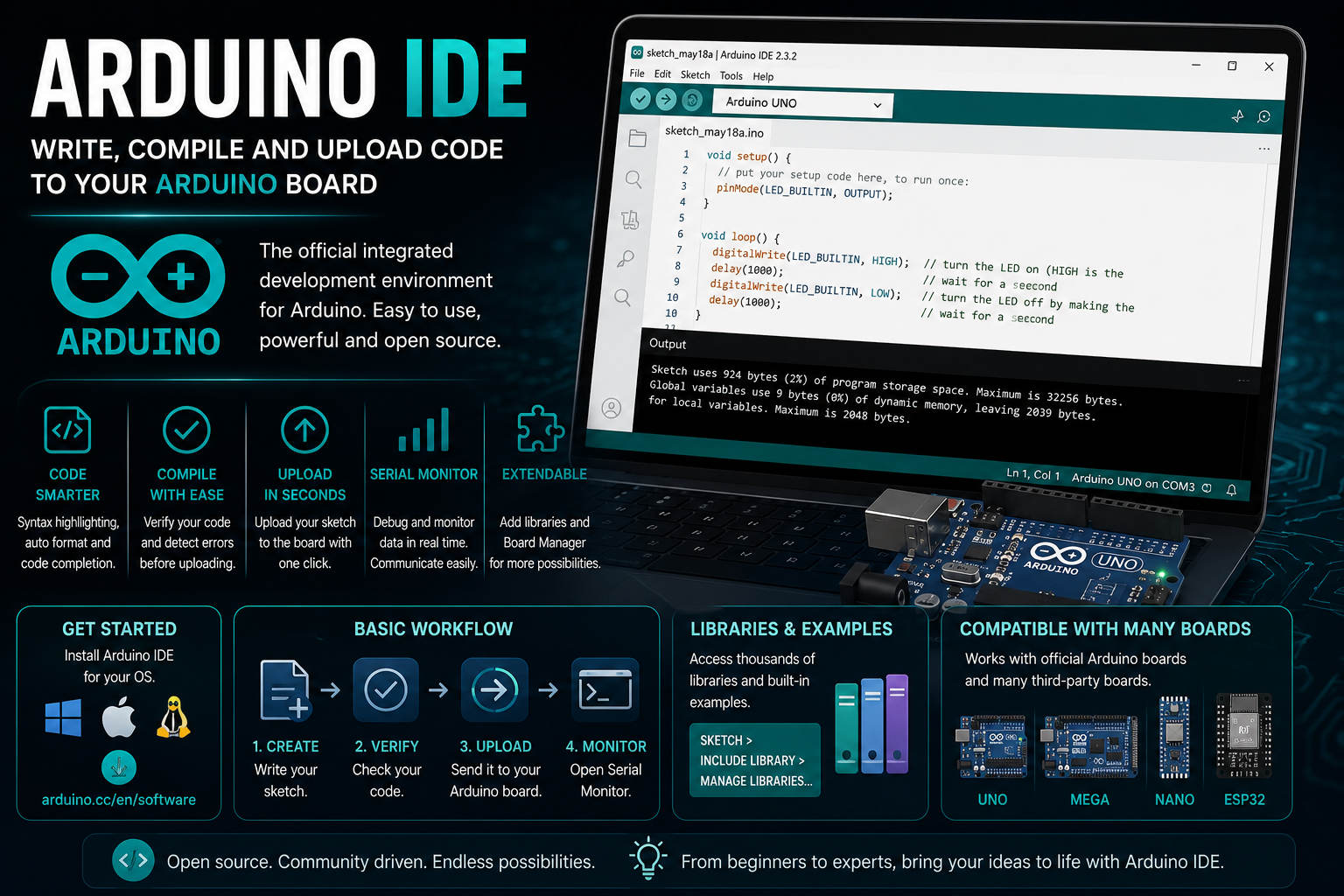
Embarking on the Arduino journey turns creativity into reality, and at the heart of this experience is the Arduino Integrated Development Environment (IDE). The IDE serves as the bridge between ideas and actual working projects, offering the flexibility needed by both beginners and advanced users. Understanding all the nuances of Arduino IDE—how it works, how it’s installed, and how to get the best out of it—is absolutely essential for anyone diving into physical computing using Arduino boards.
Many resources exist, from official documents to intense discussions on forums and Reddit. Still, it can be tough to find a single location where everything is brought together in a natural, digestible way. This article is crafted to be your one-stop reference, guiding you through the download, installation, and essential features of the Arduino IDE, while also bringing in key community insights and must-know tips.
What Is the Arduino IDE?
The Arduino IDE (Integrated Development Environment) is the primary software application for writing, compiling, and uploading code to Arduino microcontroller boards. It offers a beginner-friendly interface that doesn’t sacrifice features needed by experienced developers.
Maintained by the official Arduino team and an enthusiastic open-source community, this environment is continuously improved to offer new possibilities, bug fixes, and technical support. You can learn more about the project or browse its source code on the official GitHub repository.
Major Evolution: Arduino IDE 2.x
By 2024, the Arduino IDE has undergone a significant upgrade from the classic 1.x version to the new 2.x series. This isn’t just a facelift—IDE 2.x is a complete rewrite from scratch, sharing no code with its predecessor. This overhaul brings substantial improvements in speed, reliability, and usability, all while keeping the familiar feel that users appreciate.
- Based on Theia IDE framework: Ensures a modern code editing experience.
- Built with Electron: This makes it cross-platform, running smoothly on Windows, macOS, and Linux.
- Integration with arduino-cli in daemon mode: Handles compilation and uploading efficiently in the background.
This upgrade was meticulously developed to facilitate a smooth transition from the previous version for all users.
Open Source Spirit and Community Contributions
The open source nature of the Arduino IDE is at its core. The code, accessible on GitHub, is open for community review and enhancement. The project openly welcomes bug fixes, beta-testers, translators, and documentation writers. Contributions significantly influence its rapid evolution. For technical details and build instructions, the contributor guide provides helpful directions.
To sustain this vibrant ecosystem, the team encourages users to purchase official Arduino hardware, as these sales help fund ongoing open-source development.
Licensing and Terms of Service
Downloading the Arduino IDE involves accepting certain disclaimers. The software is provided “as is”, with no warranties—meaning you assume all risks of use, including any damages resulting from bugs or interruptions. It’s also important to note that the code is largely licensed under the GNU AGPLv3, with some parts under compatible licenses like MIT, GPLv2, or BSD-3. If you have legal concerns, the team responds to requests at [email protected].
How to Download and Install Arduino IDE
Getting started with Arduino IDE is straightforward, thanks to a well-organized download process available through the official Arduino Software page at arduino.cc/en/software. Here you can find the latest installers for the current stable release and nightly builds for adventurous developers.
- Windows users can choose between a classic installer or the version from the Microsoft Store for automatic updates.
- macOS and Linux users have dedicated downloads with detailed installation instructions.
During each download, you’ll be asked to agree to the terms of service. This step clarifies your rights and responsibilities, as the Arduino project makes no guarantees about software functionality or suitability for specific tasks.
User Interface and Experience
Whether you’re new to coding or experienced, the Arduino IDE offers a clean, familiar workspace. The interface emphasizes intuitive navigation. The transition to 2.x features a more responsive performance, simplified code management, and a much-improved editor with syntax highlighting, error detection, and support for modern development workflows.
-
- Enhanced code navigation and search
Real-time feedback during coding
- Integrated serial monitor, plotter, and board manager
The aim is a smooth upgrade experience that feels natural for users familiar with version 1.x, while providing the advanced features expected today.
Support and Community
Help is always accessible through the official Arduino Help Center and active user forums. For troubleshooting, the Help Center provides answers to common questions. More technical discussions and support are available on community forums linked from the main site.
Should you encounter bugs, you can submit issues on GitHub, following the guidelines provided. For security vulnerabilities, there is a responsible disclosure process and contact at [email protected].
The community also participates in translation, documentation, and peer support, making the learning curve more approachable for everyone.
User Feedback and Alternative Opinions
The Arduino IDE’s popularity has generated diverse user opinions. Many value the improvements in version 2.x, although some express dissatisfaction. For example, on Reddit, some users have highlighted frustrations with debugging tools and requested more features for specific projects, like working with WS2812 LEDs. These discussions offer different perspectives and sometimes point toward third-party IDEs or plugins that better suit advanced requirements, such as PlatformIO, Eclipse, or Visual Studio Code.
Legal Considerations and Disclaimer
The Arduino software is distributed under clear legal agreements. Before downloading and using the IDE, you need to accept terms that emphasize the “as-is” basis of the software, disclaiming guarantees related to its functionality or suitability for projects. The project disclaims liability for any damages, including business interruptions or profit loss, resulting from use or misuse.
Getting Involved: Contributing to Arduino IDE
If you’re passionate about open source or want to influence Arduino development, contributions of all types are encouraged. Developers can fix bugs, enhance features, and help with localization. The active development reflects the project’s vitality. The contribution guidelines guide new contributors. Casual users can support by beta-testing new versions or assisting others on the forums.
Where to Download and Updates
The latest releases and nightly builds are always accessible on the official download page at www.arduino.cc/en/software. For Windows, the Microsoft Store provides an easy installation with automatic updates. Each version is maintained for security and compatibility. Nightly builds are useful for testing cutting-edge features but are less stable than official releases.
Security and Transparency
The development process and software use adhere to a security-focused approach. Bugs and vulnerabilities are promptly addressed, with a transparent reporting process. The security policy is publicly documented, and communication through official channels is encouraged.
Community Discussions: Reddit and Beyond
Reddit and other platforms reveal varied Arduino user experiences. Some users express frustrations with debugging, while others highlight customization and device integration. These discussions, outside official docs, are valuable for troubleshooting and learning from real-world projects.
Final Thoughts
Managing the Arduino IDE might seem daunting initially, but its ongoing development and the active open-source community foster an environment welcoming to all enthusiasts. Staying current through official sources, contributing, and leveraging community resources like forums and social media helps ensure successful Arduino projects with robust support and the latest features.