
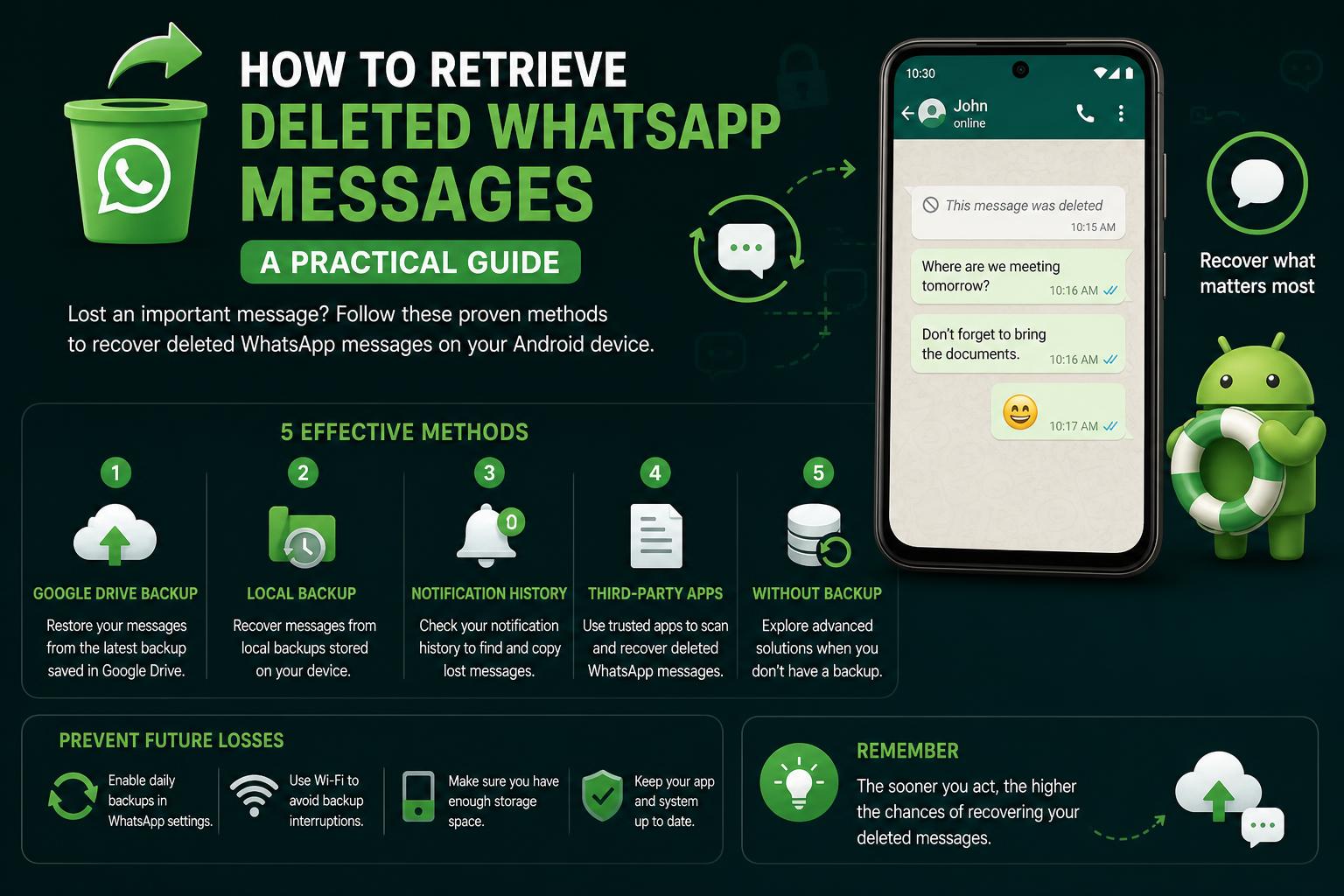
- Frequent cloud backups are essential for recovering deleted WhatsApp messages.
- Recoveries without backup are rarely successful, especially on modern devices.
- Official WhatsApp methods remain the safest, while third-party tools carry risks.
Losing important WhatsApp messages can be a stressful experience, especially if the content includes work information, personal memories, or essential contacts. Facing the harsh reality that something meaningful is gone can be upsetting, leading people to frantically search for ways to get those lost chats back. But is recovering deleted WhatsApp messages actually possible? That’s a question millions of users ask every year, and it’s exactly what we’re going to explore in depth today.
Whether you use WhatsApp on your smartphone or even through its desktop app, knowing what recovery options exist may save the day. We’ll break down the main methods that actually work, explain what the limits are, and share realistic expectations so you don’t waste hours on dead-end solutions. Whether you have a backup or not, this guide covers every angle with clear, updated information.
Why Do WhatsApp Messages Get Deleted?
Let’s be honest—it’s easy to remove a message in a hurry, or accidentally delete entire chats when clearing old conversations! Sometimes it’s just a mis-tap, while other times it’s because people are cleaning their phones to free up space. Unfortunately, WhatsApp doesn’t keep any magic trash bin you can simply drag messages from. Once something is deleted in-app, it’s generally considered gone, unless you’re prepared and know what to do next.
Understanding WhatsApp Backups: Your Best Friend
The most reliable way to restore lost or deleted chats largely depends on whether you had WhatsApp backup enabled before the data was deleted. WhatsApp lets you activate automatic backups to cloud services—Google Drive for Android users, and iCloud for iPhone users. This backup system is your rescue line in most message retrieval situations, but it comes with caveats.
- Automatic Scheduling: Backups can be set to daily, weekly, or monthly. The more frequent, the less you lose if something gets deleted.
- Manual Backups: You can trigger a manual backup anytime. This is ideal before phone upgrades or risky troubleshooting.
If your deleted message is included in your latest backup, you’re in luck. You’ll be able to restore it using WhatsApp’s official recovery process. But if you haven’t backed up in a while, or the message was deleted after the last backup was saved, things get trickier.
How to Restore Deleted WhatsApp Messages via Backup (Android & iOS)
Both Android and iOS make use of cloud backups, but the restoration process is similar. If you recently deleted messages that are included in your latest backup, here’s how to get them back:
- Uninstall WhatsApp from your device.
- Reinstall WhatsApp from the official app store.
- Open WhatsApp and verify your phone number.
- When prompted to restore your chat history, tap “Restore” and wait for the process to complete.
This will retrieve chats and media present up to the last backup time. Any new messages or chats after the backup, but deleted before current restoration, will be lost. That’s why having more frequent backups can make a big difference!
Are There Ways to Recover WhatsApp Messages Without Backup?
This is where things get complicated. If you didn’t have a backup set up, your chances drop significantly. But depending on your device and how WhatsApp stores data, there may be slim possibilities—though you should adjust expectations.
On Windows or your phone, recoveries without a backup are often discussed in communities like the Microsoft Tech Community. Users report limited success with:
- Third-party recovery software that can scan your phone storage for deleted files (but success varies and there are security concerns).
- Manual data recovery by accessing device storage through developer tools (complex and not always effective).
Accessing Local WhatsApp Backups (Android)
Android users sometimes have an additional lifeline. WhatsApp creates local backups of your chats every day at 2:00 am local time and keeps up to 7 days’ worth. These backups are usually hidden within your device storage. You might recover messages deleted before your latest backup by restoring an older local backup.
- Open a file manager app on your Android device.
- Navigate to ‘WhatsApp’ > ‘Databases’ folder.
- Find files named like “msgstore-YYYY-MM-DD.1.db.crypt12”.
- Rename the file matching the date just before your chats were deleted to “msgstore.db.crypt12”.
- Uninstall and reinstall WhatsApp, then restore from this local backup when prompted.
Please note: this process overwrites any newer chat data not included in that backup. Take an extra copy of your most recent database files before proceeding, just in case.
What About iPhone? Is There a ‘Local Backup’ Option?
Unlike Android, iPhones only support backups via iCloud. There are no hidden local chat database files you can restore from manually. If you don’t have an iCloud backup to recover from, your options are quite limited.
Some third-party software solutions claim to extract WhatsApp data from iTunes device backups, but Apple’s encryption often blocks access unless the backups were made unencrypted—a rare scenario these days.
Tips for Future-Proofing Your WhatsApp Chats
- Enable automatic cloud backups and set them to daily if chat history is crucial to you.
- For sensitive chats, consider regular manual backups, especially before making any app or phone changes.
- Be extremely cautious about using software or services promising miraculous chat recovery—many are scams or put your data at risk.
- Stay updated: WhatsApp regularly changes how it manages backups and data for security. Read official FAQ sections (Android, iPhone) or scan forums like Reddit for the latest approaches users are taking.
Common Questions Answered
Can I recover messages deleted before the last backup? If WhatsApp deleted the messages after the most recent backup, you can restore the version saved at backup time (which will not include anything more recent). For Android, using older local backup copies can sometimes work, but with the side effect of erasing recent chats not included in that backup.
Do desktop apps or WhatsApp Web keep their own backup? No. WhatsApp Web and desktop versions only mirror your phone’s data and do not create independent backups. If messages are deleted or chats cleared on your phone, they’ll disappear everywhere else as well.
How safe are third-party WhatsApp data recovery apps? Not very, especially those that require deep access to your phone’s files. Use them only as a last resort, and only if you really understand the privacy risks and device security issues involved.
Can WhatsApp support or official channels restore my chats? No, WhatsApp itself does not keep copies of your messages on its servers once they’ve been delivered. What you see on your device or backup is all that’s recoverable.
Real User Experiences and Community Advice
On community forums like Microsoft’s Tech Community and Reddit, users frequently share stories and solutions. Common recommendations include acting quickly (before new backups overwrite older ones) and using trusted methods only. There’s also plenty of debate around which third-party apps, if any, are safe or effective. Often, users discover that official WhatsApp backups remain the best defense—and highlight the importance of configuring backup options the moment you start using WhatsApp heavily.
If messages are crucial and no backup includes them, tech support sites and peer-to-peer help channels confirm what the WhatsApp FAQ states: permanently deleted messages are usually impossible to recover without some backup in place. Data recovery companies may offer to help, but rarely without extra cost and privacy risks.
Video Tutorials: Useful or Overhyped?
A lot of the high-ranking search results for this topic belong to YouTube video guides. Videos can be helpful to see steps visually, but often skip key warnings or gloss over regional differences in how backups are handled. Still, if you prefer visual instructions, checking out official WhatsApp support videos or top-rated YouTube explainers can supplement what you learn here.