
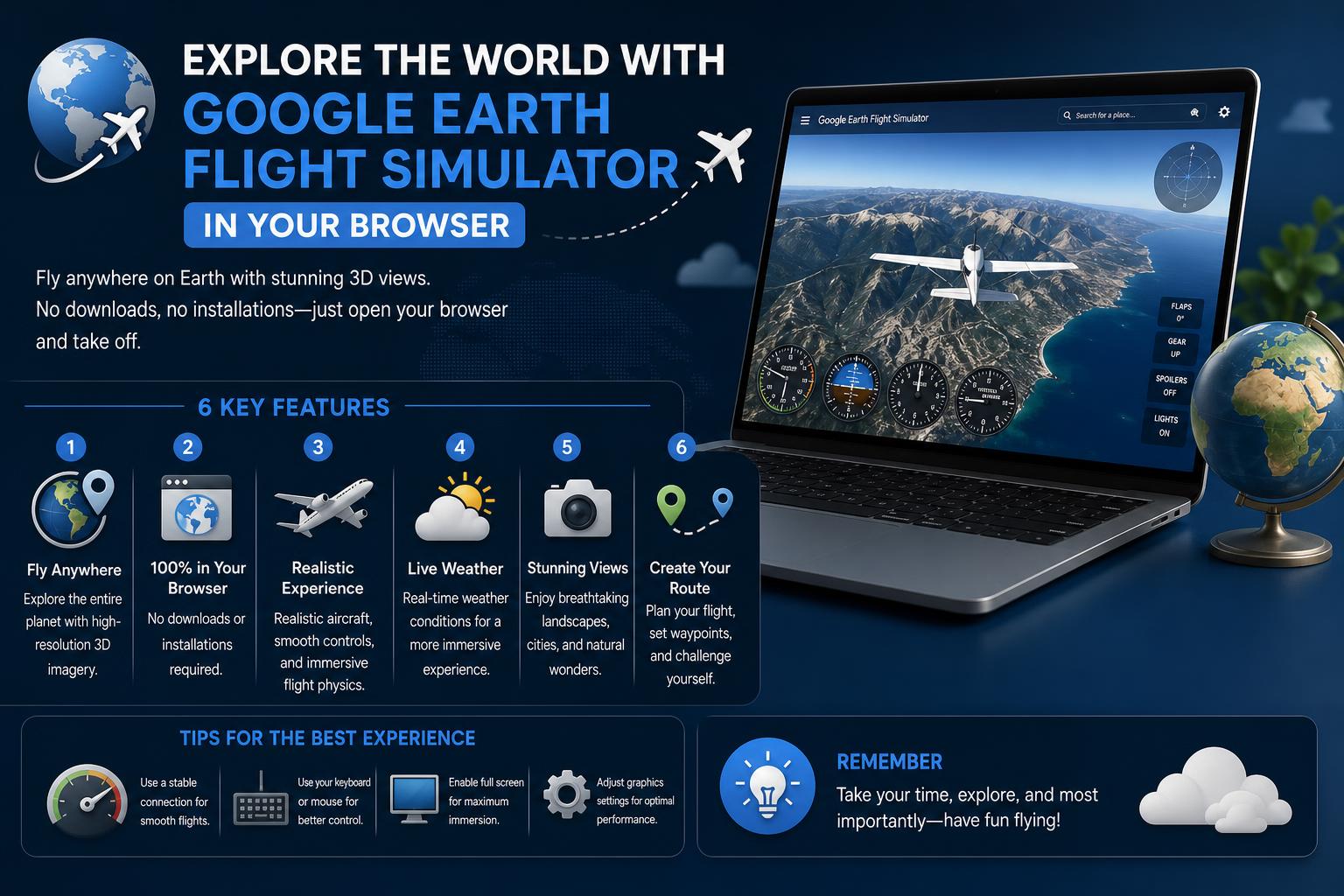
- Google Earth Flight Simulator is now directly accessible through web browsers, eliminating the need for installation.
- New features and controls make virtual global exploration easy for both beginners and enthusiasts.
- Alternatives like GeoFS offer additional browser-based flight experiences with global scenery.
Flying around the world from your browser is no longer just a pilot’s daydream or techie secret. Thanks to recent updates, Google Earth now offers an experimental Flight Simulator mode straight from its web interface—no downloads, no fuss, just a whole new perspective on our planet. Whether you’ve always wanted to soar over the Alps, skim city skylines, or cross vast oceans without leaving your desk, there’s never been an easier time to become a virtual pilot. This guide will walk you through exactly how to take off, what to expect, tips for controlling your aircraft, and a look at the best alternatives if you crave more sky-high adventures.
Buckle up! Here, you’ll get the lowdown on features, user experience tweaks, hidden gems, and how Google’s digital mapping innovation has turbocharged one of its most playful tools for everyone. Stick with us—you’re about to learn how the Flight Simulator on Google Earth browser works, why it’s worth a spin, plus everything from keyboard hotkeys to exploring 3D world terrain in real-time. Ready for takeoff?
Google Earth Flight Simulator: From Desktop Secret to Web Sensation
Since 2007, a hidden flight simulator lurked inside the Google Earth desktop app, letting curious users sneak into the cockpit and navigate the virtual globe. Until mid-2026, you needed to install software on Windows, Mac, or Linux and use specific keyboard shortcuts or menu navigation just to launch it. But everything changed when Google Earth’s Flight Simulator arrived on the web, making the feature available to anyone with a browser—no downloads required, no complicated setup, just instant flight.
This shift to browser-based simulation means more people can access it across platforms and devices. Now, loading up your own “cockpit” over detailed satellite imagery is as simple as visiting the Google Earth site. Not only did Google make it easier to use, but they rolled out some pro-level mapping features alongside this simulator—making the overall experience more immersive and powerful for explorers of all stripes.
How to Launch Google Earth’s Flight Simulator in Your Browser
Getting started is refreshingly straightforward. Here’s how you can go from couch commuter to high-flying explorer in just a few clicks:
- Head to Google Earth’s official website.
- Look for the “Explore Earth” button in the top right corner of the interface and click it.
- Navigate to the Tools menu (top menu bar), where you’ll find the “Flight Simulator” as the last option.
- Pick your starting location—use the search bar to drop in at a favorite city, mountain range, or coastline. (Be prepared: the default spot might drop you in the middle of featureless ocean, so choose a more exciting vista!)
- Switch your basemap from Map to Satellite for a stunning, photorealistic world beneath your wings.
Pro tip: If you crash your aircraft, Google simply pauses the simulation and lets you reset at a safe altitude. The pressure’s off—you can experiment and learn at your own pace!
Features and Experience: Why Fly in Google Earth?
The charm of Google Earth’s simulator lies in its blend of education, fun, and breathtaking scenery. As you fly, the system streams satellite images and 3D data in real time. You’ll watch cities, mountains, rivers, and coastlines pass beneath you. Unlike classic map-hopping, this is more than a visual tour—it’s a tactile adventure that puts you at the controls, blending the joy of discovery with interactive navigation.
As of mid-2026, Google has introduced several new capabilities to the web version to enrich the experience:
- Seamless integration in the browser: Flight Simulator mode is now just a click away, without the need for desktop software.
- Choice of controls: Fly using a mouse or keyboard—no joystick required, although desktop apps still support it.
- 3D buildings and real terrain: The cockpit view immerses you in a globe that reacts and flows as you fly, from city skyscrapers to natural wonders.
- Continuous innovation: Updates regularly add new features, like elevation profiles, extra data layers, and broader geographic detail, hinting at more ways for both casual users and professionals to leverage Google Earth’s tools.
Newcomers often find themselves spinning or tumbling out of the sky on their first attempts. Mastering the simulator’s controls makes all the difference. Here’s your essential cheat sheet for browser-based flight in Google Earth:
- Arrow keys or mouse: Steer the pitch (up and down) and roll (left and right) of your aircraft.
- Page Up / Page Down: Increase or decrease thrust to climb or slow down.
- HUD (Head-Up Display): Essential flight data (altitude, speed, heading) keeps you oriented in real time.
- Reset/Restart: If you stall, spiral, or crash, the simulator pauses and lets you start fresh.
- Access additional tips: Full control guides and extra keyboard shortcuts can be found on the Google developer help page.
Be patient and playful! Like any flight simulator, mastering landings and smooth flying takes practice. But here, mistakes have zero consequence—explore, experiment, and learn by doing.
Extra Capabilities: What Else Can You Do?
While the core simulator is designed for easy flying and sightseeing, Google Earth’s browser version offers more than just fun from the cockpit. Here’s what tech enthusiasts and explorers can now take advantage of:
- Import advanced data layers: Load elevation profiles, KML, or datasets for deeper analysis (mainly from pro-level features).
- Customized map views: Flip between Map, Satellite, and hybrid basemaps to tailor your view.
- View 3D models: Some cities and landmarks feature highly detailed 3D models for even greater immersion.
All of this builds on Google’s larger mission of democratizing access to global geographic data, making not just virtual travel but real exploration and planning more tangible for anyone online.
Flight Simulator Requirements (Classic Desktop vs Browser)
For years, the only way to access Google Earth’s flight simulator was to download the full program (available for Mac, Windows, or Linux) and launch it from the Tools menu or by pressing Ctrl + Alt + a (Windows) or ⌘+ Option + a (Mac). You could use a joystick or stick to keyboard/mouse controls.
Now, the browser-based mode eliminates those technical hurdles. No downloads or installs. The only requirement: a compatible web browser (like Chrome, Firefox, or Edge) and a reliable internet connection for streaming images and terrain.
Curious about desktop features? You’ll still find them useful if you want maximum realism, more control peripherals, or advanced analytical options.
Alternative Browser-Based Flight Simulators: GeoFS and More
Google Earth is not the only way to fly the planet inside your browser. If you want a different perspective or even more advanced controls, consider GeoFS, a popular online flight simulator featuring global satellite imagery and digital terrain:
- GeoFS lets anyone climb aboard for free, with no installation required—just access the site, pick an aircraft, and fly.
- HD aerial imagery is available as a subscription, giving VFR (Visual Flight Rules) pilots a realistic view perfect for navigation and training.
- Mobile versions and PRO plans cater to users on the go and organizations needing extra features for education or business.
- The global environment is generated by real satellite images, providing a world map you can explore without limits.
While GeoFS is not affiliated with Google, it’s a testament to the popularity and appeal of browser-based flight—and a strong alternative if you want broader aircraft choices or multiplayer flying experiences.
Who Can Use the Browser Simulator? (Accessibility & Audience)
One of the most impressive aspects of the new web-based flight simulator is its immediate accessibility—no account, no purchase, and no prior knowledge needed. It’s designed for:
- Curious learners wanting to explore the world from a unique viewpoint.
- Educators seeking interactive tools for geography, aviation, or STEM lessons.
- Aviation hobbyists who want a low-stakes, visually rich simulator for fun or light practice.
- Anyone with a browser, regardless of device or operating system.
For students, travelers, and curious minds, it’s a new window onto the world.
What Sets Google Earth’s Flight Simulator Apart?
So, why pick Google Earth’s simulator over countless traditional flight sim games? Here are the main standouts:
- Instant access via browser: Launches in seconds—no waiting for installations or updates.
- Stunning, photorealistic satellite imagery: Explore real-world environments, not fictional landscapes.
- Educational value: Learn about geography, mapping, and global cultures as you fly.
- Super simple controls and quick resets: Great for newbies, with no risk or barriers.
- Continuous updates and support: Google frequently adds new mapping features and improvements.
Tips for a Better Flight Experience
Even a little practice can make your simulated flights smoother and more rewarding. Here’s how to get the most out of your explorations:
- Pick a photogenic location: Start over dramatic landmarks, city skylines, or mountain ranges for maximum wow-factor.
- Change the time of day: Some browsers or settings let you play with sunlight for different moods.
- Use keyboard controls for finer tuning: The mouse is great for sweeping movements, but keyboard shortcuts give you more control over pitch and thrust.
- Adjust basemaps regularly: Jump between satellite and street views for different perspectives mid-flight.
- Play with altitude: Start low to get the sensation of speed, or soar high for sweeping panoramas.
For extra help, refer to Google’s updated help pages or developer documentation—these include exhaustive control lists, troubleshooting steps, and explanations of each cockpit instrument.
Feedback, Updates, and Official Resources
Given this is an experimental feature, Google encourages users to provide feedback directly via the simulator interface or developer site. Whether you encounter a bug, want to suggest new features, or just want to share your favorite flights, your feedback can shape future updates.
All documentation and code samples are generally available under the Creative Commons Attribution 4.0 License and Apache 2.0 License respectively. For the latest changes and help resources, check the official Google documentation or the Help Center. (Java is a registered trademark of Oracle and/or its affiliates.)
The last update was in October 2026, but with Google’s rapid iteration, expect new features and improvements in the near future.
Google Earth Flight Simulator: A New Way to Explore the World
Whether you’re in it for fun, learning, or curiosity, Google Earth’s Flight Simulator in the browser makes the dream of flight widely available. With simple controls, visually stunning landscapes, and rapid access, it beats many traditional simulators for sheer accessibility and global coverage. While not as detailed as legendary titles like Microsoft Flight Simulator, its charm lies in blending real-world terrain, playful interactivity, and the easy thrills of piloting around the planet. And if you ever want more advanced features or different experiences, options like GeoFS are waiting in the wings.