
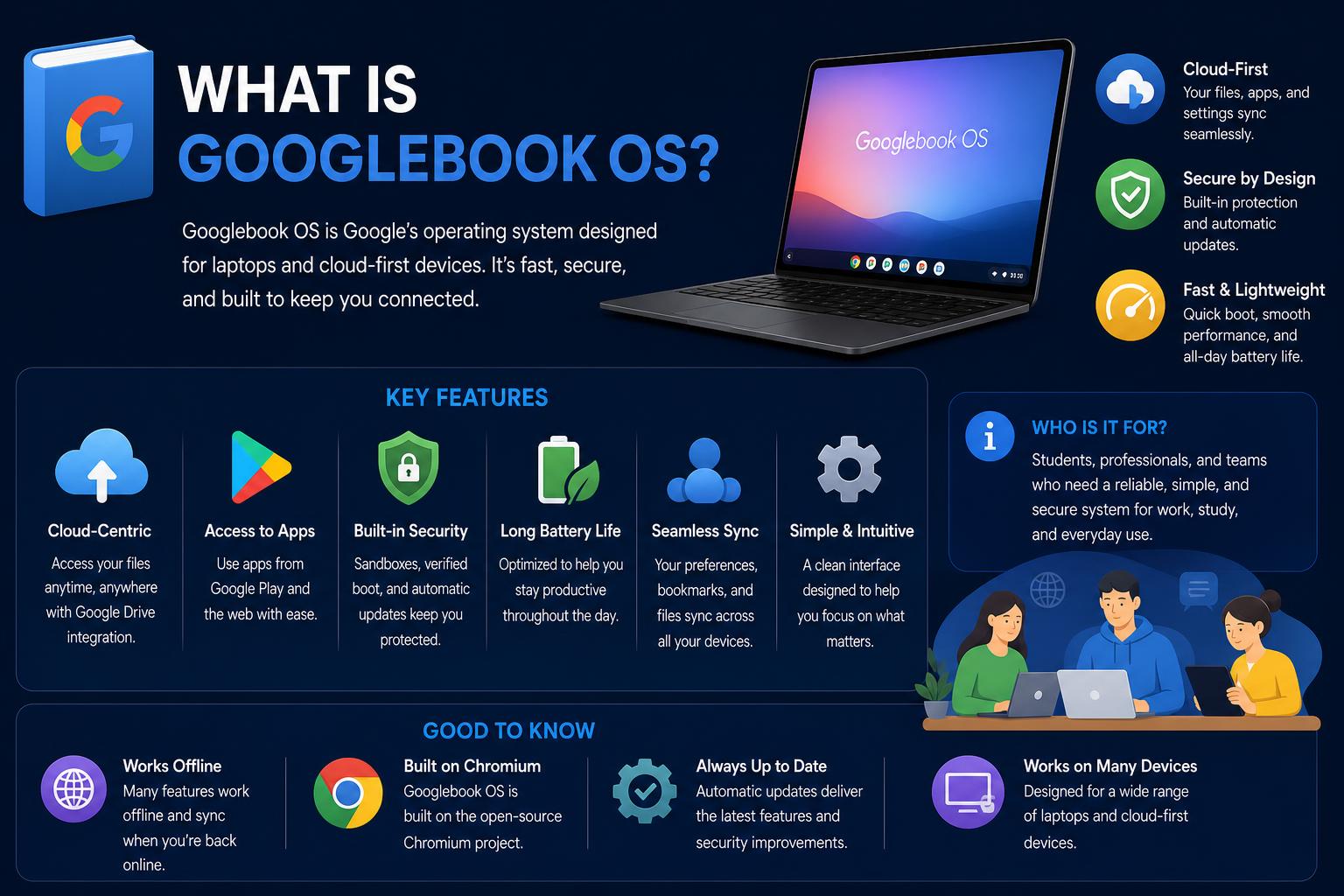
- Googlebook OS merges Android and ChromeOS features for a seamless desktop experience, deeply integrated with Android smartphones and AI.
- The platform boasts industry-leading security through Titan hardware, a Level 5 pKVM hypervisor, and up to 10 years of updates.
- Premium hardware from top manufacturers features high specs, OLED displays, and the eye-catching Glowbar, with strong options for creatives and developers.
- Gemini AI and assistant features are core to the OS, powering Magic Pointer, Rambler dictation, smart widgets, and cross-device continuity.
In the rapidly evolving world of laptops and operating systems, Google has yet again stirred excitement and curiosity with the unveiling of Googlebook OS—a brand-new platform that promises to blend seamless connectivity, powerful AI features, and deep ties with the Android ecosystem. Gone are the days when ChromeOS was the only Google offering for lightweight laptops; now, Googlebook OS is stepping onto the scene, bringing with it big promises for productivity, security, and user experience, especially for the billions of Android fans worldwide.
If you’ve ever wanted a Mac-like experience, but built for Android, Googlebooks might be the closest thing yet. But what exactly is Googlebook OS? Who are Googlebooks designed for? And how do these machines fare against the competition? We’ll dive into every aspect—software, hardware, security, integration, AI, and much more—so you can decide if Googlebook OS is about to disrupt your workflow or if it’s a wait-and-see kind of deal.
What is Googlebook and Googlebook OS?
Googlebook is a new category of premium laptops that run on Google’s latest operating system: Googlebook OS. Introduced as a successor to Chromebooks, these laptops aim to deliver the kind of tight device integration and AI-powered intelligence that Apple users have long enjoyed—except, this time, it’s tailored for Android users. The platform was officially announced in May 2026, with the first models hitting store shelves in October the same year. The move signals Google’s ambitious step from simply offering operating systems to establishing itself at the center of an intelligence-first computing model (official site).
Googlebook OS itself is a hybrid of the best elements from both Android and ChromeOS. It’s built on the native Android tech stack, leveraging Material 3 Expressive design language, but sports a UI reminiscent of ChromeOS and is highly optimized for desktops and laptops. For the first time in fifteen years, Google is offering a standalone desktop operating system—not just for education or the cloud, but for a broader, more demanding user base across the globe.
Why Now? The Shift from Chromebook to Googlebook
Chromebooks have dominated the education sector, especially in the US, Scandinavia, and the UK, primarily as affordable, cloud-centric devices. But as users demanded more from their laptops—better hardware, deeper Android integration, and smarter features—Google realized it was time to redefine what a Google-powered laptop could be.
With more than three billion Android users worldwide, the opportunity was clear: Android fans wanted laptops that not only worked with their phones but also offered a premium, modern experience for productivity, creativity, and entertainment. Googlebook OS is Google’s answer to these demands—a full-fledged desktop OS for adults and power users, co-developed with leading hardware partners.
Design and Build: Hardware Partners and Minimum Specs
The first wave of Googlebooks doesn’t skimp on design or power. Googlebooks are manufactured by some of the biggest names in the PC world—Dell, Lenovo, HP, Asus, and Acer—and there are hints that other chip vendors like MediaTek may join future device lines. These aren’t your plastic, school-grade Chromebooks. Each device meets high minimum specs set by Google:
- Premium materials such as aluminum, magnesium, or carbon fiber for a sleek, sturdy build
- High-quality OLED touchscreens with up to 2880 x 1800 resolution and haptic glass touchpads
- Backlit keyboards and responsive touch displays for a comfortable typing and navigation experience
- At least 16GB RAM (with models offering up to 32GB), and storage options starting at 256GB and topping out at 1TB
- Intel, Qualcomm, and (eventually) MediaTek processors paired with dedicated NPUs (Neural Processing Units) boasting at least 45 TOPS (trillion operations per second)
- Battery life aiming for up to 14 hours of video playback or 16 hours of web browsing
The Glowbar—an eye-catching series of RGB lights—adorns the lid of every Googlebook. This bar is more than just decoration; it lights up playfully at startup, displays battery status, and responds to the built-in Gemini AI assistant. There’s even an API for developers to get creative with Glowbar interactions.
Device lineup for launch includes: Acer Googlebook 14, Asus Googlebook 14, Lenovo Googlebook 15, HP Googlebook 14, and Dell XPS Googlebook. Most are clamshell designs with a focus on light weight, slim profiles, and robust connectivity (the Asus, for instance, is packed with ports).
The Operating System: Deep Dive into Googlebook OS
So, what actually makes Googlebook OS different? Think of it as the missing link between Android phones and laptops, echoing a lot of what makes a Mac work seamlessly with an iPhone.
Googlebook OS is based on Android, but enhanced for desktop use with:
- Material 3 Expressive design language for a modern, familiar interface
- An extensive, ChromeOS-like desktop UI (including file manager, widgets, and taskbar)
- AI-driven features powered by Gemini built right into the OS
- A Linux kernel at its heart for security and developer flexibility, while supporting both x86 and ARM architectures
App Support and Play Store: One of the big draws is that Googlebook OS uses the Google Play Store for app downloads, giving users access to the full Android app ecosystem—but with desktop-focused optimizations. Apps like Adobe Photoshop, Lightroom, CapCut, Figma, and even Netflix or Disney+ are adapted for the laptop form factor, with desktop modes for things like large screen interfaces and offline media playback. Android 16 also continues to evolve, enhancing the overall experience.
Gaming is covered too: Android games are supported (with controller and keyboard/mouse controls for many titles), and Google has inked deals so that “half of the top 100 titles” are already optimized for the new platform. Plus, a free year of Nvidia GeForce Now is included for those wanting PC-like gaming.
Another standout is the integration with the user’s phone—something ChromeOS only partly managed. After logging into your Google account, your phone’s settings, passwords, Wi-Fi, and even messages are automatically ported to your new laptop thanks to end-to-end encrypted sync. Features like “cross-device continuity” (start something on your phone and pick it up on the Googlebook), instant file access across devices, and even app window casting make the experience genuinely unified.
The desktop environment feels familiar yet different: a Chrome browser for main workloads, a traditional file manager, custom desktop widgets, a persistent taskbar, and the ability to use Android apps as full-fledged desktop programs or phone-style widgets.
Security: Industry-leading Protection and Hypervisor Magic
Googlebook OS isn’t just about looks and integration; security is a top priority. Every device includes the same defense-in-depth architecture as ChromeOS, anchored by the Google Titan hardware root of trust (think advanced hardware-based keys for encryption and zero-trust boot processes).
A first for laptops is the Level 5 security-certified pKVM hypervisor: this essentially lets you spin up an isolated Linux environment, fully sandboxed, with access to a full terminal. Developers or advanced users can safely run tools, pull code, execute autonomous agents, and tinker without risking the security of their main system. On-device malware detection is also standard, and the OS is set to receive regular feature, security, and firmware updates for up to 10 years.
Built-in AI: Gemini Intelligence at the Core
Arguably the headline feature, Googlebook OS is the first laptop platform designed from the ground up with AI in mind. Gemini—a generative AI model—powers a slew of proactive, context-sensitive features woven throughout the operating system. Here’s what stands out:
Magic Pointer: Move your mouse pointer over text, images or files, and activate Gemini to get instant, context-aware actions—be it adding meeting dates to your calendar, translating documents, summarizing content, or fetching info with just a click.
Rambler: Borrowed from Android 17 and previously seen on select smartphones, Rambler transforms speech into intelligently structured notes, lists, emails or messages. It’s multilingual and designed for freeform dictation—speak naturally and watch your words turn into structured content.
Magic Cues: Throughout the OS, actionable prompts appear as you view documents, chats, or web pages—think suggestions to make calendar invitations, auto-filling seen questions and answers, or proactive pulls of related information that’s buried in your emails or messages.
Gemini Spark: For a year, every new user gets access to Gemini Spark—a version of the AI serving as an autonomous agent, ready to help with more complex or scripted tasks.
Finally, Antigravity brings a development environment for agentic workflows right to your fingertips: build, test, and deploy AI-powered web apps or tools directly from your device, with a dedicated terminal for advanced users who want to run tools like Claude CLI or Antigravity CLI.
Software Ecosystem: Apps, Widgets, and Integration
The Googlebook platform is all about merging the convenience of Android mobile apps with the demands of serious desktop use.
- Play Store support gives access to the largest app ecosystem in mobile, with guidelines and technical collaboration ensuring major titles are optimized for keyboard, mouse, and large screens.
- Desktop widgets can be placed on your main screen or created from scratch. The “Create My Widget” feature lets users design custom widgets using templates or natural language, with instant deployment. It’s a taste of what’s to come for Android 17 phones, but Googlebook gets it first.
- Apps like Adobe Photoshop/Lightroom, CapCut, Figma, Netflix, and Disney+ not only run natively but support features like local playback, drag-and-drop, and advanced editing, with more to be added thanks to ongoing developer partnerships.
- Cross-device features let you pick up tasks started on your phone, answer texts, or handle authentication codes directly on your laptop, blurring the line between mobile and desktop.
The OS even supports a “Cast My Apps” function, allowing users to launch and control their phone’s apps right from their laptop screen. This is ideal for single sign-on, 2FA, or using niche apps not yet desktop-optimized.
Pricing and Availability
Ready to get your hands on one? The launch lineup is available for pre-order across major retailers and the , with the first units shipping in the United States starting October 4, and in Canada, the UK, Ireland, France, Germany, and Australia from October 5, 2026.
Pricing starts at $899 for the entry-level Acer Googlebook 14, though that’s a launch promo; most models begin at $1,199–$1,299, on par with base-model MacBook Air and premium Windows devices.
Every purchase comes loaded with extras: 12 months of Google AI Pro (with 5TB of cloud storage, higher usage limits on Gemini and agent models, credits for use in Google Flow, and more), three months of YouTube Premium, Adobe Photoshop, CapCut, and a year of Gemini Spark. This sweetens the deal for early adopters eager to explore the full scope of the OS and its intelligent features.
Longevity: Update Guarantees and Support
Googlebook OS guarantees a decade of feature and security updates. This ensures that a device purchased today will remain current, with updates arriving every three months. The support window is linked to the platform and chip used, meaning that if a device has a chip launched a year ago, it will have nine years of support remaining. Google has already committed to maintaining a public database detailing these support timelines, similar to its approach with Chromebooks.
Who Should Consider a Googlebook?
Googlebook is targeted at Android power users, creatives, developers, and those seeking a tightly integrated device ecosystem without switching to macOS. It’s no longer just for classrooms: the hardware and software are designed for professionals and prosumers who want a premium device with robust AI support and seamless workflow across mobile and desktop platforms.
The app ecosystem at launch might be a challenge—especially for users relying on specialized or Windows-only applications—but Google is actively expanding its partnership network and supporting web and Android apps simultaneously. For everyday tasks—productivity, browsing, content creation, and entertainment—the platform already offers a comprehensive experience. Additionally, the native Linux environment brings new potential for developers, coders, and AI enthusiasts who previously viewed ChromeOS as too limited.
The Verdict: How Does Googlebook OS Compare to the Competition?
Googlebook OS directly competes with Apple’s MacBook line and high-end Windows laptops, but with a distinctive Google and Android approach. Its build quality, specs, and pricing are comparable to top-tier rivals. What truly sets it apart is the integration of advanced AI (Gemini), the ecosystem for Android devices, and a focus on user privacy and security.
For Android users, the experience is close to seamless: apps, data, and workflows transition smoothly between phone and laptop. Security features, including Titan hardware modules and hypervisor technology, put it on par with or ahead of existing consumer laptops.
Google is betting that by starting at $899 and emphasizing AI-powered workflows, long-term support, and deep device integration, they can attract a new segment of users. Native development tools and a focus on AI workflows could help Googlebooks fill gaps and broaden their appeal quickly.
Software-Defined Vehicles (SDVs): Full Breakdown of the Future of Automotive Innovation