
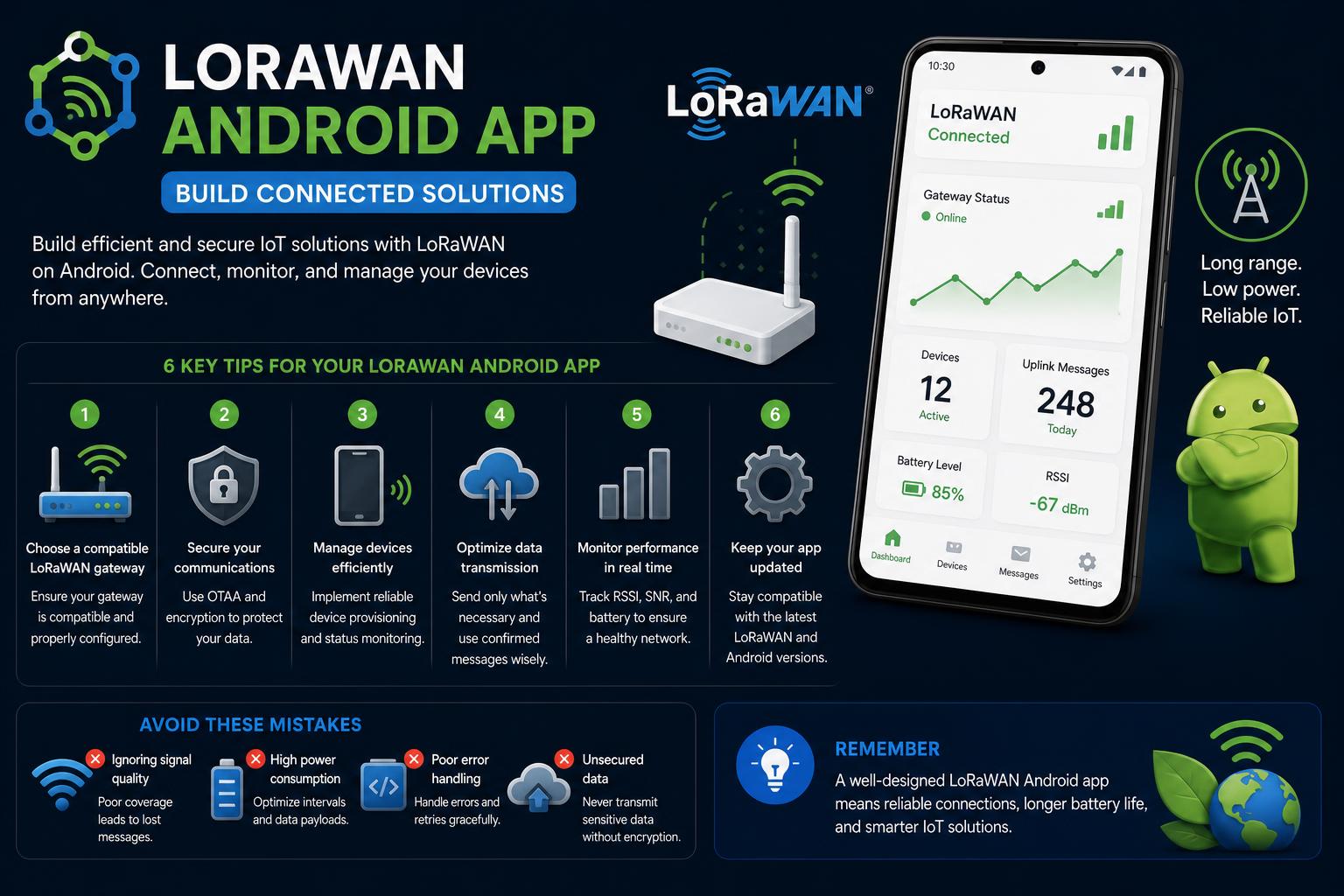
- In-depth comparison of the most popular LoRaWAN Android apps
- Comprehensive guide to real-world use cases and hands-on projects
- Analysis of practical app features, device compatibility, and integration tips
LoRaWAN technology has made waves in the IoT and wireless communication landscape, fueling the next generation of long-range, low-power devices and innovative smart applications. Whether you are just stepping into the world of LoRa or you’re a seasoned developer aiming to optimize your solutions, understanding the ecosystem of LoRaWAN Android apps is crucial. The current digital landscape offers a mix of highly specialized apps, project repositories, and niche tools—yet reliable, in-depth guidance remains elusive for those looking to make informed decisions.
This guide explores everything you should know about LoRaWAN Android apps, combining real-world examples, current community-best tools, and insights into monitoring, integrating, and optimizing LoRa networks via your smartphone. Drawing from open-source projects, official app stores, technical forums, and community-driven initiatives, we’ve compiled a detailed overview to help enthusiasts, developers, and professionals alike get real value from LoRaWAN through Android applications.
Understanding LoRa and LoRaWAN: Brief Primer
LoRa (Long Range) is a physical radio modulation technique enabling long-distance, low-power communication, which has become a foundation for many Internet of Things (IoT) solutions. Building upon this, LoRaWAN (Long Range Wide Area Network) serves as the networking protocol and system architecture powering device-to-cloud data exchange at a global scale. Together, they provide robust communication in smart cities, industry automation, agricultural monitoring, and much more.
LoRa operates over sub-gigahertz frequency bands, primarily 433 MHz, 868 MHz (Europe), and 915 MHz (North America). This gives networks incredible reach—sometimes over 10km in rural environments and several kilometers within urban areas. Power consumption remains impressively low, a critical advantage for battery-powered sensor networks.
LoRaWAN builds upon LoRa by providing device authentication, end-to-end encryption, and support for large-scale deployments.
Why Android Apps Matter in the LoRaWAN Ecosystem
Android apps bridge the gap between LoRaWAN hardware and user-friendly interfaces. These applications simplify device monitoring, data visualization, and network management, turning complex workflows into simple touch-based tasks. The mobile-first approach empowers users to maintain, configure, and analyze LoRa networks without relying exclusively on desktop dashboards or headless server scripts.
The following sections introduce the top LoRaWAN Android applications, hands-on project implementations, and the surrounding ecosystem, based on the latest and most relevant online resources available to the English-speaking tech community.
Community Insights: What Users Seek from LoRaWAN Android Applications
Several threads and forum exchanges, such as the The Things Network community’s discussions, reveal key frustrations and needs:
- Monitoring Device Status Remotely: Enthusiasts and professionals want apps that let them easily check sensor metrics and communication logs without intricate server setups or custom visualization tools.
- Simple Integration: The demand is for plug-and-play mobile clients akin to apps like Blynk, but optimized for the LoRaWAN environment. Some users highlight Blynk’s compatibility with LoRaWAN networks through HTTP integrations, while also stressing that not all IoT use cases fit comfortably within LoRaWAN’s latency and bandwidth constraints.
- Self-Learning Resources: Documentation, step-by-step guides, and training portals like the LoRaWAN Academy are highly recommended for newcomers. Access to plenty of real-world examples allows users to quickly come up to speed, provided they have a baseline understanding of LoRaWAN’s core concepts and The Things Network’s toolkit.
- Compatibility Issues and Latency Constraints: Certain device classes, such as Class C (for persistent connectivity and low-latency control), may not be fully supported by popular community networks like TTN, which can result in delays or unexpected user experience when performing actions like remote power switching.
Ultimately, the community is searching for highly usable, reliable Android apps—from monitoring to configuration to real-time interaction. But the learning curve for LoRaWAN basics and differences among device classes remains a hurdle, so guided documentation and robust UI design are highly valued.
Discover: Popular LoRaWAN Android Apps and Their Features
LoRaSniffer App: A Field Technician’s Toolkit
If your goal is to analyze LoRa radio communications in real time, the LoRaSniffer App stands out among specialized Android apps. This tool is designed as the user interface for the dedicated LoRaSniffer Device—a hardware peripheral that connects via Bluetooth Low Energy (BLE) to your Android phone.
Main Functions:
- Configuring all LoRa parameters and interacting with nearby LoRa nodes through a friendly UX
- Receiving and formatting LoRa transmissions, complete with extended data such as timestamps and GPS location for each message
- Signal quality logging (CRC, SNR, RSSI, frequency offset) and storage: Users can save logs in HTML or as structured JSON files
- Bidirectional testing—send ASCII text or binary data, scan channels, and analyze network performance between two LoRaSniffer devices for real-time diagnostics
- Firmware updates for the LoRaSniffer device via the app interface
Practical Usage: The LoRaSniffer App is not a catch-all LoRaWAN client, but for developers, technical users, or IT field workers who need deep insight into network health and spectrum activity, it is a versatile solution.
Easy LoRaWAN: The App for Smart Networks
For those seeking a cloud-connected approach, Easy LoRaWAN App is designed for use with the Easy LoRaWAN Cloud platform. The app allows users to visualize sensor readings and directly control LoRaWAN-enabled devices, making it a solid choice for applications in smart cities, industrial settings, agriculture, and similar fields.
- Supports wireless LoRaWAN networking over distances up to 10km
- Simple user registration and onboarding
- Real-time monitoring and device management directly from the mobile device
It’s important to note that some advanced features are tied to the cloud platform, so users should ensure compatibility with their LoRaWAN deployment.
Open-Source and Community-Driven Projects: Practical LoRaWAN Android Integration
LoRa Mobile App: Peer-to-Peer Chat over LoRa
If you are interested in hands-on projects that bridge the gap between LoRa hardware and direct mobile interaction, the LoRa Mobile App real-time chat project is worth exploring. This open-source initiative enables users to send and receive instant text messages over LoRa—no dependency on traditional internet or cellular connections, as long as the devices are within LoRa range.
Project Architecture:
- Built on the CubeCell – AB01 Dev-Board running in AT Command mode, the project interfaces with Android devices using a USB connection.
- Enables text-based conversations in real time, either privately or in shared chatrooms.
Getting Started:
- Latest Android version support (13 or higher); minimum hardware requirements include 2 GB of RAM and at least 16.6 MB of storage on the mobile device.
- The development board must be loaded with specific Arduino-compatible AT command firmware as detailed in the project’s documentation.
- The step-by-step process involves downloading the latest app release, flashing the correct firmware to the CubeCell board, then connecting it to the smartphone (typically via USB Type-C or Micro USB), after which frequency configuration is completed before chatting.
| Key Strengths | Limitations |
|---|---|
| Wide communication range | Lower bandwidth |
| Energy efficiency | Slower data rates |
| Obstacle penetration | Potential RF interference |
| Lower operational costs | Smaller data payloads |
Use Cases: This type of project is fantastic for educational purposes, remote environments with little connectivity, or as a base for further customizations (such as telemetry, alerts, or small group messaging applications).
For technical specifics, AT Command reference manuals and resources like Understanding LoRa are recommended, particularly for those new to direct hardware interfacing.
Managing and Scaling LoRaWAN Networks: Tools Beyond Basic Apps
As IoT projects scale or move from hobby experiments to production use, managing a larger network of gateways and devices becomes a challenge. This is where centralized solutions, such as open-source network servers, offer powerful management and integration capabilities. One prominent option is ChirpStack:
- Open-source LoRaWAN network server for orchestrating large-scale deployments
- Web-based UI for managing gateways, device fleets, tenants, and integrations (with major cloud providers, databases, and analytics)
- Extensible via gRPC-based API for custom workflows and advanced automation
- Complementary documentation and commercial support available
This type of server-side approach is the backbone of many large IoT installments, with mobile clients leveraging the API for user-friendly monitoring and control, although the direct Android app offering may not be as polished or accessible as dedicated consumer mobile applications.
Common Pitfalls and Considerations in LoRaWAN Android App Use
Not all LoRaWAN deployments or devices are equal. When choosing or developing a LoRaWAN Android solution, users must consider:
- Device Classes: Class A (standard) is the most energy efficient, but Class C (real-time reception) might not be compatible with certain networks, potentially impacting remote-control scenarios or instant feedback applications.
- Integration Limits: While platforms like Blynk can be integrated through HTTP, true, real-time LoRaWAN mobile interactivity might not match the expectations set by rapid-feedback systems—suitable for some use cases, but not all.
- Learning Curve: Leveraging the full capabilities of a LoRaWAN Android environment often means digging into documentation, open-source examples, or even community resources like the LoRaWAN Academy before achieving good results.
- Security and Data Privacy: Given the public nature of some LoRaWAN frequencies and community gateways, sensitive projects may require extra caution—both at the device and app level.
Additional LoRaWAN Android App References and Alternatives
The landscape also includes a few other references:
- MyDevices offers several tools in the LoRa sensor monitoring domain, although the linked landing page does not provide much in the way of deep content or app-specific info.
- Apple App Store and Cross-Platform Apps: Some solutions, such as Lora Lora by TriMM Multimedia B.V., exist on iOS with minimal available information regarding Android support or advanced features. The privacy policy page suggests limited details and market reach.
- YouTube, Facebook, and Reddit: Video overviews, social posts, and online forums supplement the content ecosystem, but rarely offer actionable, in-depth insights for technical deployment or troubleshooting.
Best Practices for Moving Forward with LoRaWAN Android Apps
Here’s a stepwise formula for success if you’re beginning or scaling up:
- Clarify your use case and technical requirements (data types, latency, power needs, mobility, etc.)
- Evaluate existing solutions for compatibility with your devices and LoRaWAN network (whether public, community, or private enterprise gateways).
- Leverage open-source projects and community examples to accelerate prototype development and avoid common pitfalls.
- Stay aware of class/device compatibility, documentation, and integration pathways—especially when considering cloud connectors or remote control functionality.
- Connect with the community via forums (like The Things Network), GitHub repos, and LoRaWAN Academy materials to stay up to date with evolving best practices and troubleshooting tips.
Despite the fragmented nature of the current landscape, there are plenty of opportunities for end-users, educators, and developers to deploy, monitor, and control LoRaWAN solutions through Android devices. With the right combination of field-tested apps, robust hardware like the CubeCell Dev-Board, and management tools like ChirpStack, the barrier to entry for practical LoRaWAN Android integration is lower than ever. As the ecosystem grows, expect more plug-and-play offerings with improved interfaces and system interoperability, making LoRaWAN accessible to a rapidly expanding user base.