
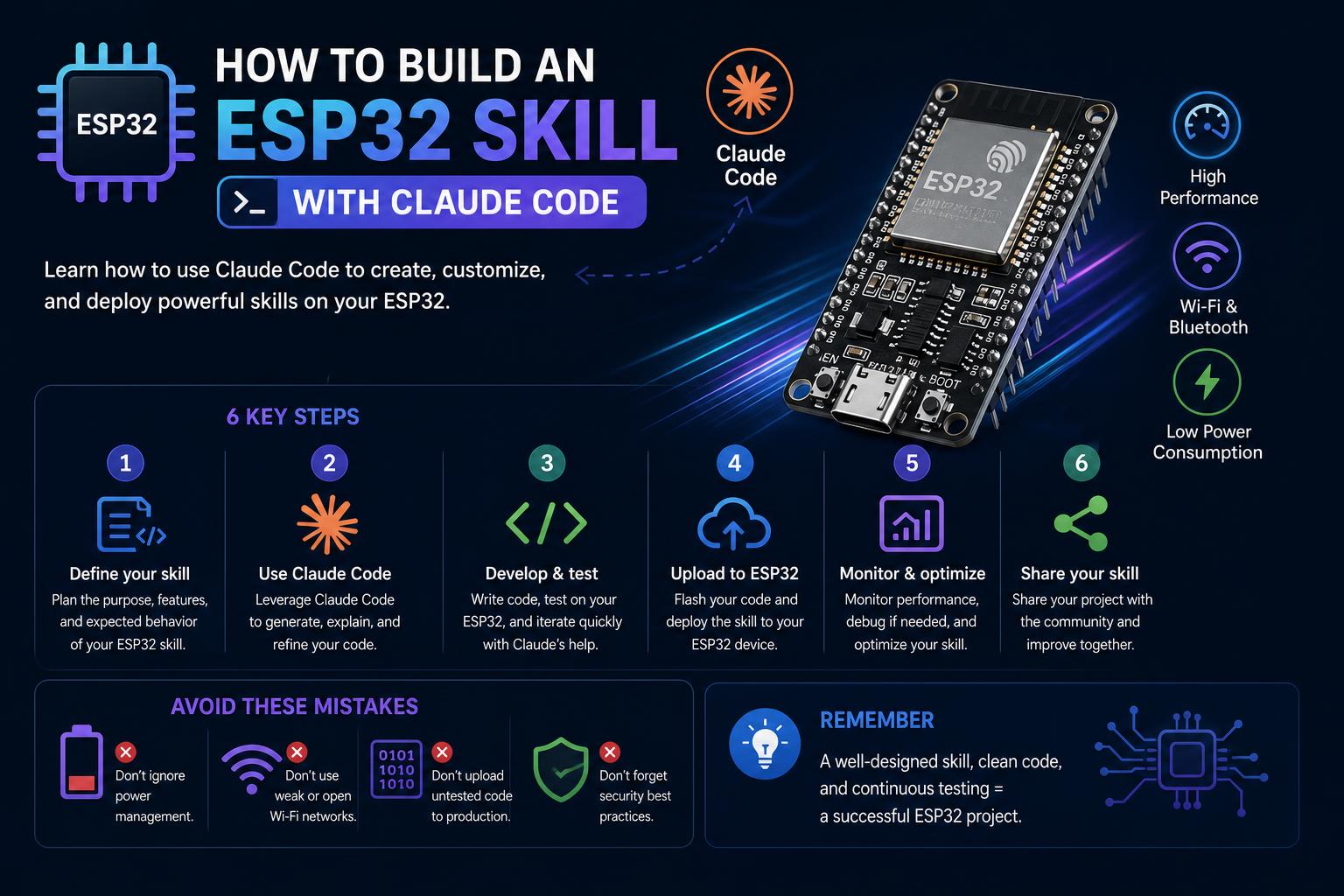
- Comprehensive breakdown of AI-powered coding workflows for ESP32 using Claude Code across multiple toolchains (Arduino CLI, ESP-IDF, PlatformIO).
- Practical guides for hardware setup, troubleshooting, and common pitfalls, covering both beginners and advanced use cases.
- Integration tips for code validation, GPIO safety, and automation—essential for robust and error-free embedded systems development.
If you’ve ever wished for a smarter way to develop, test, and manage projects for the ESP32 microcontroller family, the new wave of Claude Code skills is about to become your secret weapon. With AI-driven plugins and guides now available across GitHub repositories, forums, and documentation platforms, developers can turbo-charge their firmware work—whether you’re just starting with Arduino or deep into ESP-IDF or PlatformIO environments.
This article pulls together the entire spectrum of AI-powered ESP32 workflows, troubleshooting, and reference techniques, showing you exactly how to set up, generate, validate, and debug your next embedded system using Claude Code. If you’ve spotted scattered code snippets or heard people talk about AI plugins for microcontrollers, get ready for a hands-on, no-nonsense guide that draws on all leading community projects, GitHub tools, and expert documentation to give your next ESP32 project a professional edge.
The Claude Code Revolution in ESP32 Development
Claude Code is fast emerging as a power tool for anyone building with the ESP32 series. Unlike general-purpose code generators, it offers tailored skills—or plugins—that cover everything from step-by-step setup of toolchains to context-aware code generation for different ESP32 board variants. Whether you want to work on data acquisition, implement custom board features, or just avoid common brick-your-board mistakes, there’s a growing wealth of AI-driven support built precisely for the ESP32 ecosystem.
Getting Started: ESP32 Project Workflows with Claude Code
The first step is to choose the right development environment: Claude Code offers robust integration for Arduino CLI, ESP-IDF, and PlatformIO workflows. Here’s how the landscape breaks down:
- Arduino CLI Workflows: Ideal for cross-platform command-line users, supporting Windows, macOS, and Linux. No need for Arduino IDE bloat if you prefer scripts and automation.
- ESP-IDF (Espressif IoT Development Framework): For advanced applications needing low-level access, FreeRTOS integration, and specific ESP32-S3 features.
- PlatformIO & Custom Code Generation: Used in combination with validation plugins and reference libraries for advanced hardware support (think: GUI with LVGL, special LCD hardware, or custom PCBs).
Many AI plugins (like those at EricSun787/esp32-arduino-development and ezrover/ESP32-AI-Agent-Skill) automate board and toolchain selection, error checking, and firmware management—making them perfect for both beginners and professionals.
Supported Hardware and Board Variants
Claude Code skills support a remarkable range of ESP32 boards and modules. Here’s a breakdown based on the plugins and docs available:
- Mainstream Modules: ESP32-WROOM-32, ESP32-S2, ESP32-S3, ESP32-C3, ESP32-C6, NodeMCU-32S, ESP32-CAM
- Special Variants: ESP32-C2, ESP32-C5, ESP32-H2, ESP32-P4 (see ezrover’s GitHub for references on each chip’s unique strengths—Bluetooth Classic, USB OTG, AI/ML, advanced GUIs, Matter/Thread, Zigbee, and more)
- Third-Party and Waveshare Boards: 60+ dev kits, with full pinout tables and display support for LCDs, e-paper, and more
Every plugin ensures you get optimal config suggestions based on hardware features, whether you need legacy Bluetooth or the cutting-edge Matter protocol.
Setting Up a Claude Code-Driven Environment
Jumping into a smart workflow starts with the right tools. Here’s your essentials checklist:
- Install the latest Arduino CLI or ESP-IDF toolchain (Windows, Linux, macOS)
- USB-to-Serial drivers (CH340, CP2102, etc.) for flashing
- Target ESP32 board (choose according to your needs—see chip support above)
- Steady USB data cable (not just a charging only cable!)
For users keen on more automation, install the Claude Code CLI and Python 3.9+ for code generation or pin validation scripts from validated GitHub projects (link).
Configuring Your Workspace
Once you’ve installed your toolchain, set your environment variables and board support packages. Claude Code guides often automate or generate snippet scripts for:
- arduino-cli.yaml / sketch.yaml configuration (Arduino CLI)
- FQBN (Fully Qualified Board Name) selection, crucial for correct firmware flashing
- Partition schemes, flash sizes, CPU frequency, and debug level tuning
- Cross-platform shell (Bash, Batch) templates and CI/CD configs for automated builds
Validating and Generating Safe Code: GPIO Checks and Anti-Bricking
Ever fried a dev board by wiring the wrong pin? Claude Code skills shine here: top plugins include smart GPIO validation scripts that catch mistakes before you hit upload. Some common hardware mistakes flagged include:
- GPIO12 Flash Voltage Trap—accidentally pulling GPIO12 HIGH at boot can brick a 3.3V module.
- ADC2 and Wi-Fi Conflict—on classic ESP32, S2, and S3, ADC2 pins lose analog function when Wi-Fi is active.
- Flash Pin Protection—prevents assignment of critical pins (like GPIO6-11 on ESP32).
- Input-Only Pins—rejects attempts to use GPIO34-39 (input only) as outputs.
- Current Budget Warnings—flags when your pin assignments approach device current limits (~200mA).
The combination of real-time validation and on-demand documentation means your design is both robust and scalable.
Generating Code with Claude: Arduino and ESP-IDF Examples
Claude Code plugins don’t just check your design; they autogenerate complete code templates for both Arduino-style and ESP-IDF projects. Here’s where it really saves time:
- Arduino: Generates setup() and loop() with correct pin mode assignments and hardware initialization
- ESP-IDF: Structures app_main() with proper bus initialization, I/O, FreeRTOS tasks, and more
- References for GUI toolkits like LVGL, including widget catalogs and migration guides for easier UI work
- Quick-start sample commands and API references for I2C, SPI, UART, PWM, and more protocols
Everything is mapped to your chosen ESP32 variant, so you get the right code every time.
Solving Common Problems: Troubleshooting and Debugging
Every ESP32 developer encounters some classic issues, and Claude Code skills handle them head-on:
- ‘Failed to connect to ESP32’ timeout—often due to download mode glitches or serial permission errors (especially on Linux)
- Invalid packet headers or missing board support packages—typically caused by mismatched CLI configs
- Library not found or compilation memory overflows—helpful scripts show how to fix dependencies or tweak build settings
- Serial port identification and troubleshooting—detect the right port, recommend permissions, or alternative tools like PuTTY, minicom, or Python scripts
Many guides feature ready-made troubleshooting tables, code explanations, and even batch or shell scripts you can run out of the box. This support makes complex IoT workflows much less intimidating.
Advanced Applications: Real-World Project Examples
Claude Code isn’t just about setup—it can be central to sophisticated systems, like sensor monitoring with real-time control or network-connected automation. Consider this scenario, based on top forum guidance:
- An Arduino Nano collects analog and digital inputs (battery voltage, solar charge, boost current, mains voltage), packaging everything as JSON over serial for an ESP8266 or ESP32 network adapter.
- The ESP device receives commands via MQTT, pushes JSON sensor payloads to the network, and bridges cloud control back to the microcontroller.
AI-powered workflow here delivers:
- Comprehensive code for both acquisition (Arduino) and network (ESP) boards
- Error handling and validation directly in the firmware loop
- Automatic reconnection logic for robust IoT
- Raw ADC bit handling with built-in voltage conversions for accurate measurement
Overlaying Claude Code skills onto this structure dramatically shortens development time—especially for MQTT payload formatting, serial handling, and cloud controls.
AI-Enhanced Board Documentation and Community Extensions
With hundreds of ESP32 boards out there, finding up-to-date pinouts or display controller compatibility can be a pain. That’s why the best Claude Code plugins package thousands of lines of community-curated documentation, including:
- Per-variant GPIO databases with usability scores (so you never guess which pin to use for I2C SDA)
- Strapping and boot mode explanations—vital for advanced projects
- References for display modules (ST7789, ILI9341, GC9A01, etc.), touch controllers, LVGL versions, and even migration guides
This makes it straightforward to build complex GUIs or integrate with exotic hardware—all with full safety checks on electrical limits.
Contributing and Customizing Your Claude Code Skillset
The AI-driven skills library is constantly evolving. Contributors add:
- New chip variants and dev boards to the database
- Latest LVGL widgets or Waveshare board pinouts
- Support for emerging protocols like Wi-Fi 6, Matter, Thread, Zigbee
- Support for emerging protocols like Wi-Fi 6, Matter, Thread, Zigbee
- Custom code templates, migration docs for API changes, and tips for complex project structures
If you’re feeling ambitious, it’s easy to extend the documentation or even script your own validation or codegen checks. Editing markdown or YAML specs will keep your entire team futureproofed for new ESP32 releases.
Key Lessons and Moving Forward
ESP32 development has reached a new era—where AI doesn’t just help you debug a line of code, but actively prevents hardware mistakes, generates tailored initialization routines, and delivers reference docs on demand. With Claude Code skills at your side, you can confidently reach for more ambitious projects—combining classic microcontroller know-how with AI automation, code validation, and a thriving open-source community.
Whether you’re just getting started with Arduino sketches or fine-tuning performance on new ESP32-S3 or C6 hardware, Claude Code-based workflows can give you a genuine edge, making your development faster, safer, and way more enjoyable.
Exploring FreeRTOS: The Essential Real-Time Operating System for Embedded Development