
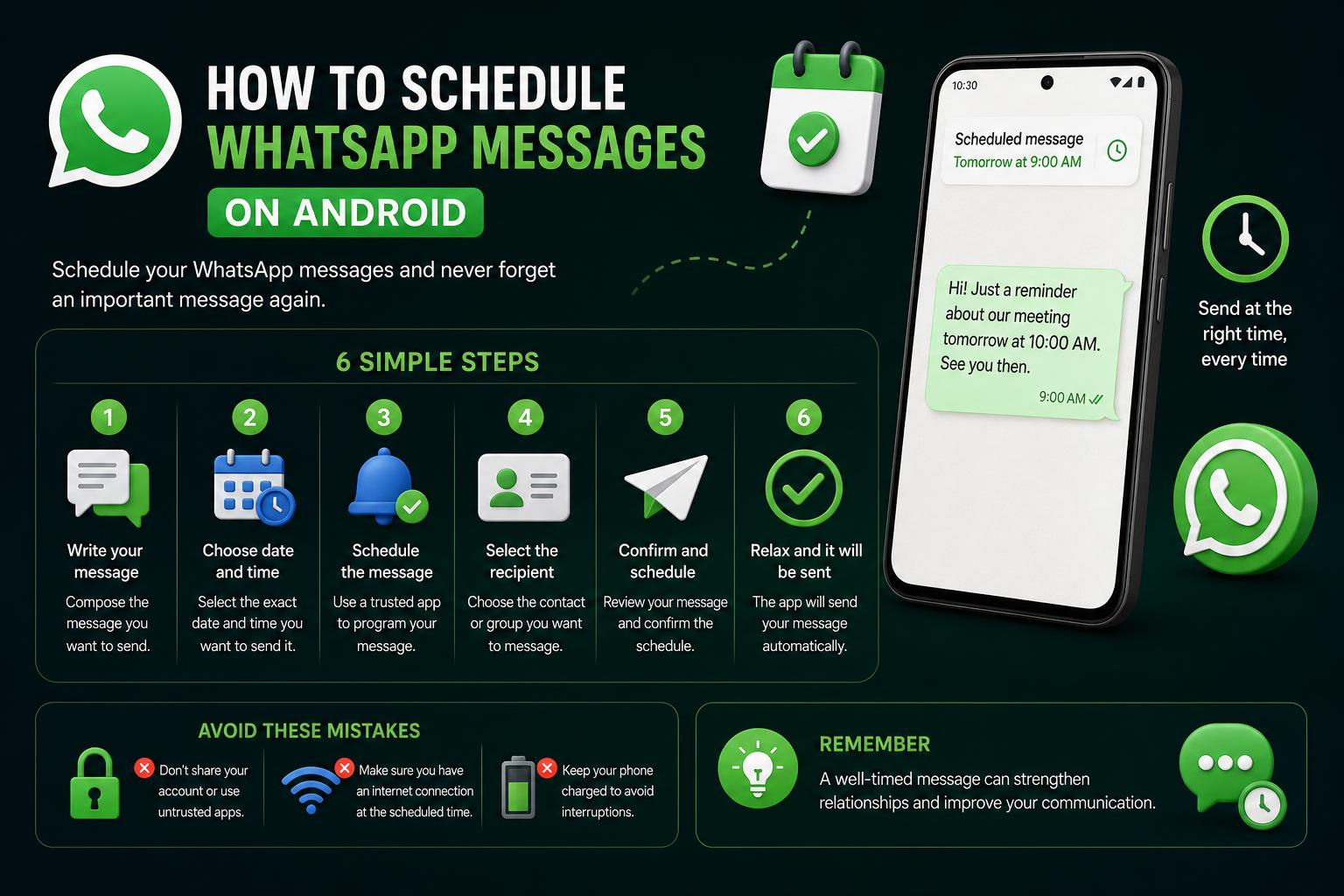
- WhatsApp now offers native message scheduling across platforms, making automation easier than ever.
- Third-party apps, APIs, and business platforms expand scheduling options for advanced needs, bulk messaging, and recurring automations.
- Compliance, personalization, and timing are essential when automating WhatsApp communications for personal or business use.
If you’ve ever wished you could send that crucial WhatsApp reminder at the perfect time—say, a birthday message at midnight, a business promo during office hours, or a gentle nudge for someone on another continent—you’re in the right spot. Timing in messaging can mean the difference between a warm interaction and a missed opportunity, and with WhatsApp’s massive global popularity, mastering scheduled messaging can level up both your personal and professional communications.
Until recently, scheduling WhatsApp messages was a quirky blend of workarounds, third-party apps, and clunky automations that didn’t always deliver. Today, though, the landscape is changing fast: WhatsApp’s introduction of a built-in scheduling tool—plus advanced business APIs and handy assistant apps—lets nearly anyone plan messages ahead, automate reminders, and even run entire campaigns. Let’s dive deep into every current method so you never miss a key moment again.
What’s the Latest on Scheduling WhatsApp Messages?
For years, WhatsApp users had to rely on hacks and helper apps to schedule messages, as WhatsApp lacked a native system for delayed sending. Users cobbled together solutions with automation tools on Android, Shortcuts on iPhone, browser extensions on Web, and reminder apps for manual follow-ups. Predictably, these solutions were limited by privacy hurdles, platform restrictions, and sometimes a bit of luck.
All that changed in late 2025, when WhatsApp launched its much-awaited native message scheduler for individual, group, and business chats on Android, iPhone, Web, and Desktop apps. With this rollout, both everyday users and businesses gained a powerful, secure solution—no extra apps required.
How Does Native WhatsApp Scheduling Work?
The new native feature is available directly inside WhatsApp’s chat interface on every platform. Here’s how it operates:
- Compose your message in any individual or group chat just like normal.
- Long-press the send button (on mobile) or right-click the send button (on desktop/Web).
- Select your desired date and time. The scheduling picker appears; just confirm the details.
- Tap ‘Schedule Send’. Your message queues with a little clock icon—you can edit or cancel before it’s delivered.
Minimum delay: 1 minute. Maximum advance scheduling: 30 days. Scheduled messages appear and sync across your devices, and (critically) are delivered from WhatsApp’s server, not your phone—so your device doesn’t need to be online at send time.
Newly scheduled messages also support text, photos, videos, documents, and voice notes, not just simple text—a huge plus for personal and business use.
Native Scheduling on Android and iPhone: Step-by-Step
The process is virtually identical for both Android and iOS after the 2025 update:
- Open any WhatsApp chat (personal, group, or business).
- Type out your message as usual.
- Long-press the green send arrow until the scheduling window appears.
- Pick your date and time.
- Tap Schedule Send.
A small clock icon appears next to your scheduled message—a visual cue that it’s in the pipeline. If you need to tweak the message or the scheduled time, simply tap the clock icon to make edits or to cancel.
What if You Need Repeating Messages?
While WhatsApp’s built-in scheduler is great for one-off future messages, recurring automation is limited. Here’s where platform-specific tools still shine:
- iPhone Shortcuts: Use Apple’s Shortcuts app to create time-based automations that send WhatsApp messages at regular intervals—daily reminders, weekly meeting notes, etc. Set the trigger, message content, and recipient. However, your device must stay powered on and connected for these automations to work reliably.
- Android Automation Apps: Tools like Tasker or Bixby routines (on Samsung devices) enable triggering WhatsApp actions and reminders. For more complex workflows, these apps offer flexibility, but using the native scheduler remains the simplest solution for basic needs.
Note: Although automations are powerful, their reliability can fluctuate with OS updates or permission changes. Always test thoroughly before deploying critical recurring messages!
Scheduling on WhatsApp Web and Desktop: Seamless Integration
WhatsApp also accommodates Web and Desktop users. The process is similar, with slight variations in interaction:
- Log in to WhatsApp Web or open the Desktop app.
- Pick a chat and draft your message.
- Right-click (or long-press on a trackpad) the send button to access the scheduling menu.
- Choose your preferred send date and time.
All scheduled messages are instantly synced across your devices, thanks to WhatsApp’s cloud servers. This allows you to manage messages from any device without missing a beat.
What About WhatsApp Business? Scheduling for Pros
The free WhatsApp Business app now offers the same native scheduling features as the standard version—ideal for SMEs and solo entrepreneurs planning announcements, reminders, or follow-ups.
In addition, the Business app includes:
- Away Messages: Automated replies informing customers outside business hours.
- Greeting Messages: Instant introduction messages for new contacts.
- Quick Replies: Pre-saved message chunks for faster manual responses (not scheduled but helpful in tandem with scheduling).
For larger operations with more contacts and automation needs, advanced scheduling via the WhatsApp Business API becomes essential to scale effectively.
Bulk Scheduling and Automation: WhatsApp Business API
Larger teams and enterprises managing thousands of contacts should consider the WhatsApp Business API. It enables:
- Bulk personalized scheduling: Planning campaigns, reminders, and alerts tailored to segments or individual customers, integrated directly with your CRM.
- Dynamic message templates: Using placeholders (like names or order numbers) to customize each message automatically.
- Event-driven automation: Triggering messages based on real-time actions, eliminating manual interventions.
- Tracking and compliance: Monitoring delivery and engagement to ensure adherence to regulations.
Most users utilize authorized partners such as EngageLab, GuruSup, or BotSpace, who manage setup, hosting, and analytics—simplifying integration without requiring extensive coding skills.
API Scheduling in Action: What Businesses Can Do
- Marketing campaigns: Launch bulk offers or seasonal promotions at optimal times.
- Automated reminders: Prevent missed appointments or deadlines with timely alerts.
- Order updates: Keep customers informed about their purchases from shipment to delivery.
- Customer re-engagement: Reactivate inactive users with personalized outreach.
- Transactional messages: Send OTPs, alerts, or confirmations in a timely manner.
Security reminder: Always choose verified API providers—unauthorized tools risk bans or data breaches. Use only solutions compliant with WhatsApp’s policies.
Third-Party Apps for Personal and Small-Scale Scheduling
Native features meet most needs, but third-party apps provide additional options.
SKEDit (Android)
SKEDit is popular among Android users for scheduled WhatsApp messaging via accessibility services. Features:
- Automated sending to contacts, groups, or broadcast lists
- Supports images and files
- Requires device to be unlocked and permissions granted
Tip: Since these apps simulate your actions, the device must be active during scheduled sends. Locking the screen or closing the app can interfere with message delivery.
Zapia (Android & iPhone)
Zapia acts as an AI assistant for natural-language scheduling:
- Schedule messages by conversational commands (“Send a message to John tomorrow at 9am”).
- Securely syncs with WhatsApp accounts.
- Remains discreet—recipients are unaware of automation.
- Available for free via App Store and Google Play.
Besides scheduling, Zapia offers features like voice message transcription, calendar management, and automated reminders.
Blueticks (Web/Chrome)
If you prefer messaging from your computer, try Blueticks, a browser extension for WhatsApp Web:
- Enables message scheduling within the web app
- Supports groups, contacts, and attachments
- Requires browser session to remain active
Be aware that browser sessions can timeout or be interrupted, affecting message delivery.
Platforms like DragApp and BotSpace facilitate team collaboration by:
- Managing multiple users’ conversations
- Automating multi-step sequences like onboarding or follow-ups
- Routing messages and assigning tickets
- Scheduling marketing campaigns and recurring messages using templates
Ideal for organizations with multiple team members handling client communication.
Manual Reminders: Old-School But Still Handy
Sometimes, simple methods are still effective. Many users prefer to:
- Draft messages in advance
- Set alarms or native reminders to prompt manual sending
This approach offers control and helps prevent errors, especially for sensitive or critical communications.
Risks, Limitations & Best Practices
Always Consider Security and Account Compliance
Avoiding unauthorized clients or modified versions of WhatsApp is crucial. As tempting as it may seem, using unofficial solutions can lead to account suspension or privacy vulnerabilities. Only use trusted, approved tools for automation and scheduling.
For businesses, the official WhatsApp Business API is the best option for long-term scalability and security.
Limitations to Keep in Mind
- Unofficial apps: May require the device to stay on and unlocked to send messages.
- iPhone Shortcuts: Useful for simple schedules, but can run into trouble with groups or certain updates.
- Business API: Requires initial setup, template approval, and technical support if integrated into custom systems.
The simplest and safest option for personal or general professional use now is WhatsApp’s native scheduler.
Smart Messaging, Not Spam
Abusing scheduling features—like mass sends without personalization or at inconvenient times—can get your number flagged as spam or lead to blocks.
Respecting time zones and keeping messages useful and concise helps improve the relationship with recipients and avoid issues. For business communications, always use approved templates from the official API and the necessary opt-ins.
Practical Examples and Message Templates
Need some inspiration? Here are common scenarios and texts you can adapt:
- Delivery reminder (Ecommerce):
Hi {name}! Your order #{order_id} arrived yesterday. Everything good? Let us know if you need help. - Appointment reminder (Dental clinic):
Hi {name}, reminder of your appointment tomorrow at {time}. Reply YES to confirm or RESCHEDULE to change it. - Course reminder (Education):
Hi {name}! The live session on “{topic}” starts in 1 hour. Join here: {link}. - Booking confirmation (Restaurant):
Your table for {guests} is ready for {date} at {time}. Let us know if your plans change.
Adjust the details and check with a test message before sending at scale.
Advanced Cases: Large-Scale Scheduling
- Automated onboarding: Welcoming new users with personalized tips after sign-up.
- Post-purchase follow-ups: Asking for reviews or offering support after delivery.
- Cart recovery campaigns: Reminding customers about abandoned purchases with limited-time offers.
- Surveys and feedback: Sending surveys at key moments to get better response rates.
All of this can be scheduled via API or platforms like GuruSup, Engagelab, or BotSpace, letting your team manage communication smoothly and on time.
Best Practices for Scheduled Sending on WhatsApp
- Always test first: Send a message to yourself to check formatting, links, and attachments.
- Personalize intelligently: Use the recipient’s name or previous references to make the message relevant.
- Timing is everything: Study your audience; avoid sending promotions on Sundays or at inconvenient times.
- Use templates whenever possible: The API allows pre-approved messages that speed up delivery.
- Don’t overload with messages: Avoid looking like spam; keep communication natural and useful.
Frequently Asked Questions
- Can I schedule messages natively in WhatsApp?
Yes! Since 2025, the feature is available on Android, iPhone, Web, and Desktop. - Are third-party apps safe for scheduling WhatsApp messages?
Generally, yes, if you use trusted apps from official stores. Avoid apps that require your WhatsApp credentials outside official channels. - Can messages be scheduled in groups or with recurring reminders?
For one-off messages, use the native scheduler. For recurring campaigns, automate via API or Shortcuts (iPhone) and routines (Android). - Can I edit or cancel a scheduled message?
Yes, you can review, edit, or cancel the message before it’s sent, right from the chat itself.
Automating your WhatsApp communications is now easier than ever. Thanks to the native scheduler, complementary apps, and automation platforms, you can manage your messaging calendar effortlessly and in full compliance with the rules. The days of manual reminders and alarms for sending messages are behind you—now you have total control in your hands.