
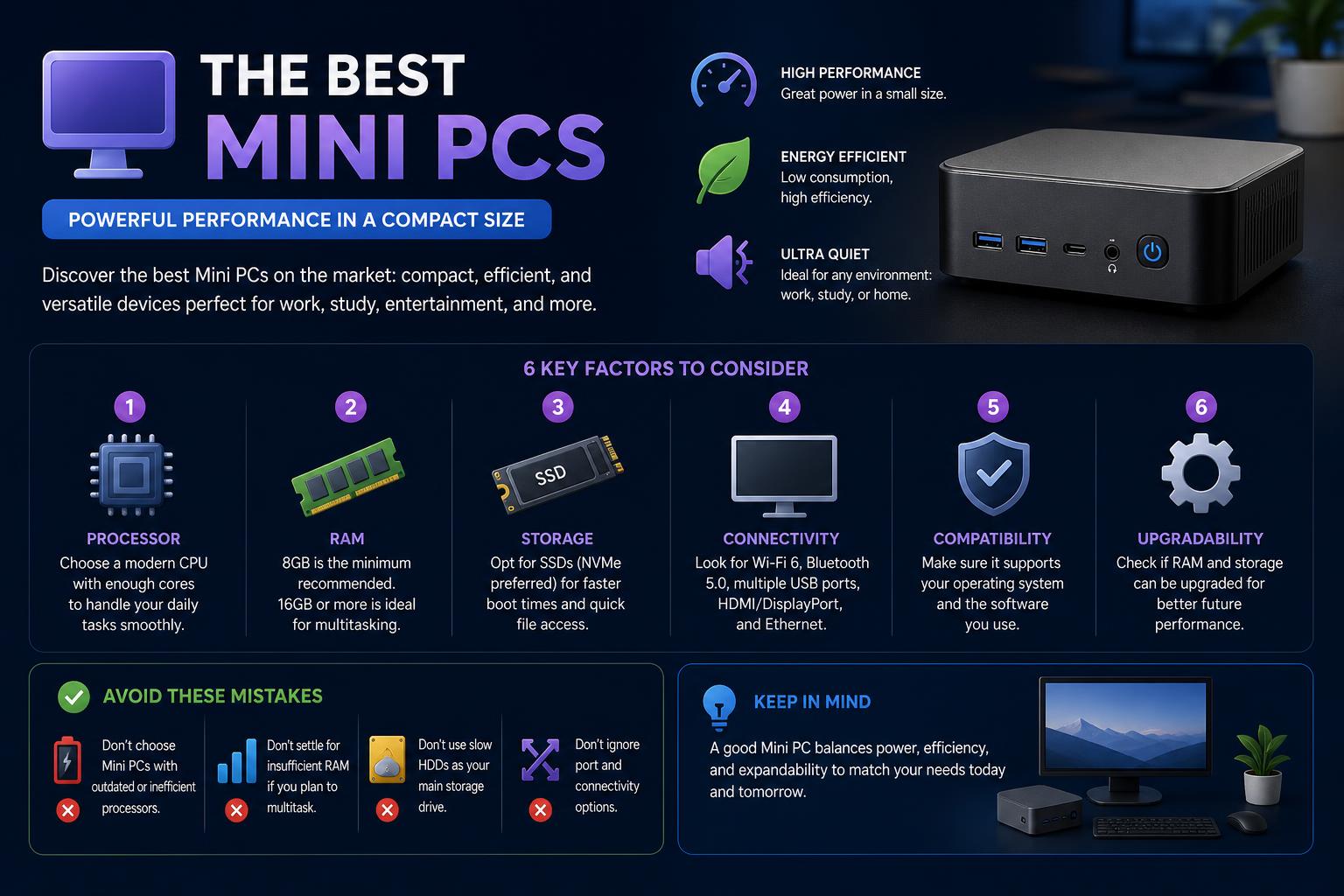
- Comprehensive guide covering the top mini PCs for every need and budget
- Side-by-side comparison of specs, real-world performance, and upgradeability
- Explains gaming, business, and creative use cases, including cloud gaming options
Mini PCs have surged in popularity over recent years, captivating everyone from tech enthusiasts to everyday office users and creative professionals. Their compact footprint, whisper-quiet operation, and shockingly robust performance make them a compelling alternative to hulking desktop towers or even many laptops. Whether you’re a student, a content creator, a gamer, o…
This guide delves deep into the current world of mini PCs, spotlighting the top models on the market and helping you decipher which mini computer could be your next productivity or entertainment powerhouse. Rather than only listing basic specs, we’ll explore real-world usability, upgradability, ports, price trends, gaming chops, and those practical elements—like noise and heat—that can make or break your satisfaction. Drawing on the most up-to-date reviews, benchmarks, and expert advice, this article will set you up to make the smartest buying decision, no matter your budget or expectations.
Mini PCs: Compact Powerhouses Redefining Desktop Computing
At their core, mini PCs are smaller, space-saving versions of traditional desktop computers, typically measuring less than half the size of conventional towers—sometimes fitting right in the palm of your hand. Don’t let their modest appearance fool you. Packed with cutting-edge CPUs, speedy memory, SSD storage, and a suite of connectivity options, modern mini PCs offer uncompromising performance appropriate for demanding tasks such as media editing, software development, multitasking, and even gaming.
The market for mini PCs has rapidly expanded, with offerings targeting general office use, gaming enthusiasts, business professionals, and coders. Whether you’re drawn to a Windows-based system, a dedicated gaming machine, or the ecosystem of Apple’s Mac mini lineup, there’s now a breadth of options to satisfy varying budgets and needs.
Why Choose a Mini PC? A Modern Desktop Solution
Mini PCs provide a compelling middle ground between laptops and desktops. Their appeal lies in portability, energy efficiency, low noise, and the ability to quickly set up a productive workspace almost anywhere. Many mini PCs feature VESA-mount compatibility so you can discreetly attach them behind monitors, freeing up desk space and maintaining a minimalist aesthetic.
These systems aren’t just fashionable—they’re practical. From multitasking with spreadsheets and browser tabs to remote work, home entertainment setups, or light-duty gaming, mini PCs often exceed expectations in real-world use. They’re also an excellent choice if you want to future-proof your workspace, given that many models feature upgradeable memory and storage (though as you’ll see, some remain locked down).
The Leading Mini PCs of 2026: Reviews, Comparisons & Recommendations
After analyzing hundreds of mini PCs, conducting exhaustive benchmarking, and real-world testing, a handful of models consistently rise to the top. If you want a quick summary, the standouts currently include:
- GMKtec NucBox M6 Ultra – The best all-round Windows mini PC for power users on a budget
- Apple Mac mini (M4, 2024) – The top Mac mini, blending superb performance, silent running, and tiny size
- ASUS ROG NUC (2025) – The ultimate option for compact, local gaming
- Bosgame M5 AI – Perfect if advanced AI processing and raw CPU/GPU muscle are priorities
- Beelink SER9 Pro – Optimized for business environments, featuring strong AI voice features and refined design
- Minisforum MS-02 Ultra – The mini PC of choice for creators, video editors, and photographers
- GMKtec G10 & AceMagic K1 – Two excellent budget or mid-tier choices for office workers or students
What Sets a Top Mini PC Apart?
A truly worthy mini PC blends compact proportions with desktop-class performance, robust connectivity, and the versatility to serve multiple use cases. The models we’ll detail below pass rigorous benchmarks in productivity, creative workloads, AI tasks, and day-to-day office work. Reviews highlight not only technical prowess but also user experience: How does it feel to open up the chassis and upgrade? Is everything silent even under load? Do the port locations make sense for real-world life? Are there annoying compromises in upgradability or thermal design?
We’ll also tackle common questions:
- Are these machines good for modern gaming or just for casual cloud gaming?
- Which mini PCs can be easily upgraded?
- How do the Mac mini and Windows-based systems compare for creative workloads?
- What are the downsides or weak points users face?
- How do entry prices and upgrade costs compare?
Best Overall: GMKtec NucBox M6 Ultra
For those looking for the most versatile and balanced mini PC on a tight budget, the GMKtec NucBox M6 Ultra remains the option to beat. It is designed for those who need a machine capable of handling everything—office tasks, content creation, and even moderate gaming—without an astronomical cost. With Windows 11 Pro, an AMD Ryzen 5 7640HS processor, AMD Radeon 760M integrated graphics, and storage options up to 1TB SSD (expandable to 8TB), this rig provides desktop-like performance in a chassis almost the size of your palm.
- Memory: 16GB, 32GB, or expandable to 128GB
- Ports: 3x USB 3.1, 1x USB4, HDMI 2.0, DisplayPort, dual Ethernet, USB 2.0, and audio jack
- Size: 5.07 x 5 x 1.88 inches (12.88 x 12.7 x 4.78 cm)
Its performance during testing was smooth in office, web, and streaming tasks. Light photo and video editing ran without issues; in graphically demanding tasks, like modern games or professional rendering, the integrated graphics show their limits. It is important to note that there is no option for a discrete GPU or an external GPU.
Pros: Minimalist design, easy to upgrade, excellent value for money.
Cons: Graphics limited for advanced gaming or editing, just-adequate cooling, no support for an external GPU.
Best Budget-Friendly Mini PC: GMKtec G10
For users who prioritize price, the GMKtec G10 offers unbeatable upgradability and everyday efficiency at a very affordable cost.
- AMD Ryzen 5 3500U CPU with Radeon Vega 8
- 16GB of RAM (expandable to 64GB), up to 1TB of storage, with the potential to double it via dual M.2
- Windows 11 ready; accessible internal design
This mini PC is ideal for basic tasks like administration, web browsing, streaming, and light productivity. If you want more performance in the future, the G10 is very easy to open and upgrade—expanding RAM and storage is not complicated.
Its disadvantages include: somewhat outdated CPU technology that limits heavy multitasking or 4K editing, and it lacks USB4/Thunderbolt ports. However, in terms of basic versatility, it is an outstanding option.
Absolute Apple Champion: Apple Mac mini (M4, 2024)
The Apple Mac mini with the M4 processor is the best choice for those using macOS or the Apple ecosystem, offering incredible performance and efficiency at a competitive price. With dimensions of 5 x 5 x 2 inches (12.7 x 12.7 x 5cm), this model practically disappears under the monitor, and its ability to run in total silence is a game-changer in office and creative environments.
- CPU/GPU: Apple M4 (up to 12 cores in CPU, up to 16 in integrated GPU)
- Memory: Up to 24GB (16GB is usually more than enough thanks to Apple’s memory optimization)
- Storage: 512GB SSD standard; upgrades are expensive
- Ports: Three Thunderbolt 5 (USB-C), two front USB-C, HDMI, Ethernet, and audio jack
- Multi-monitor support: Up to three 5K displays, a significant improvement over previous generations
Everyday performance is as fast as the latest MacBook Air, but the Mac mini remains practically silent even under light loads or 4K exports. The new M4 architecture allows you to open dozens of tabs, render content, and handle professional applications with confidence. A minor inconvenience: Apple moved the power button to the bottom, which can be somewhat awkward, though you will rarely touch it.
The price of upgrades from Apple remains high. The base configuration (16GB/512GB) offers a balance, but upgrading memory or storage through the build-to-order process is expensive. Many buyers opt to supplement it with external drives instead of paying for higher internal capacity.
The Mac mini M4 does not allow for user upgrades. If you want more memory or storage in the future, you must rely on external accessories or replace the machine, as DIY upgrades are not possible. This is one of its main weaknesses compared to more open Windows options. However, for plug-and-play compatibility, efficiency, and reliability in work or light creative tasks, the Apple Mac mini remains the best choice.
Best Mid-Range Pick: AceMagic K1
The AceMagic K1 sits between budget and high-end mini PCs, aimed at users who want a machine for daily productivity, light creative tasks, and occasional gaming—all in a compact and attractive design.
- CPU/GPU: Options between AMD Ryzen 5 7430U or Intel Core i5-12600H; Radeon or Iris Xe Graphics
- RAM: Up to 32GB (expandable to 64GB)
- Storage: Up to 1TB (expandable to 4TB)
- Ports: 6x USB-A, USB-C, HDMI 2.0, DisplayPort, 3.5mm audio jack, Ethernet
- Size: 5.04 x 5.05 x 1.63 inches
Tests confirm reliable performance for office tasks, browsing, and light photo editing, plus some 1080p video editing work. Editing higher resolution videos or running modern games may show its limitations, but it offers enough flexibility for everyday tasks. The chassis is highly elaborate, featuring sensible design and the ability to upgrade memory and storage, although access can be somewhat awkward.
Elite Choice for Gaming: ASUS ROG NUC (2025)
Mini PCs have struggled with intensive gaming, but the ASUS ROG NUC (2025) changes that narrative. Designed for gamers demanding maximum performance in a very tight space, this rig incorporates an Intel Core Ultra 9 275HX processor and an Nvidia GeForce RTX 5080 graphics card. It is currently the most powerful option for AAA gaming in a mini PC.
- RAM: Up to 64GB
- Storage: Up to 2TB SSD, with fast transfers
- Ports: 6x USB-A 3.2 Gen 1, 2x USB-C 3.2 Gen 2 (Thunderbolt 4), 2x HDMI 2.1, 2x DisplayPort 2.1
- Size: 11.1 x 7.4 x 2.2 inches (28.2 x 18.8 x 5.7cm)
Benchmark tests delivered framerates of over 100 fps at 1080p and a smooth 60 fps at 4K (with DLSS for more graphically demanding titles). Besides gaming, this machine also handles graphic workloads, AI, and creative tasks with ease. The fans reach audible levels under full load—a compromise for power in such a compact size—but its compact footprint and graphical power make it unbeatable for gamers with limited space.
The ROG NUC isn’t cheap, but its price is justifiable compared to similar desktop PC configurations. More information at ASUS ROG.
AI & Heavy-Duty Processing Star: Bosgame M5 AI
Advanced users in AI, heavy multitasking, or intensive creative workloads will find the Bosgame M5 AI a formidable machine. With an AMD Ryzen AI Max+ 395 CPU, up to 128GB of LPDDR5 RAM, and a 2TB SSD, this model breaks records in CPU and GPU performance.
- AMD Radeon 8060S Graphics
- 5x USB-A, 2x USB4, HDMI 2.1, DisplayPort, Ethernet, SDXC slot, and more
- Supports four displays
- Size: 8.70 x 7.83 x 2.05 inches (22.10 x 19.89 x 5.21 cm)
This system is AI-ready—the hardware adapts to the user’s habits and preferences, promising a personalized experience over time, something rare in this category. It is clearly overkill for most home users, but for developers, professionals, and those running complex simulations or AI workloads, the Bosgame M5 is a beast. The only drawbacks are the lack of VESA support and the absence of specific features like OCulink. More information at official Bosgame.
For Creators & Visual Artists: Minisforum MS-02 Ultra
Video editing, photography, and visual creation enthusiasts need exceptional performance in their mini PC: a powerful CPU, lots of memory, fast transfers, and ample storage. The Minisforum MS-02 Ultra is built for these users.
- Intel Core Ultra 9 285HX CPU
- Intel integrated graphics (external GPU recommended for professional video editing)
- Up to 192GB DDR5 (expandable to 256GB), up to 16TB of storage
- HDMI 2.1, USB-A, USB4, multiple Ethernet ports, and more
- Size: 8.72 x 3.82 x 8.86 inches
This rig processes tasks in Photoshop, Lightroom, and even 4K video editing for most workflows (though high-end projects still benefit from an external GPU). Connectivity shines with numerous ports for peripherals and cameras. It’s expensive, and if outfitted with maximum RAM and storage, even more so. But for serious creators, the out-of-the-box experience is exceptional.
Designed for Business: Beelink SER9 Pro
For professional environments and offices, the Beelink SER9 Pro stands out for its excellent specs, polished look, and AI recognition hardware. With up to an AMD Ryzen AI 9 HX 370 and 32GB of LPDDR5X (expandable to 8TB of storage), it is a robust mini PC for office work.
- Various USB-A/C, HDMI, DisplayPort, Ethernet, and audio connections
- Elegant metallic casing—one of the most attractive on the market
- AI hardware for dictation and calls, although voice differentiation is not perfect
Windows 11 Pro and core applications work quickly and reliably. Although memory upgrades beyond 32GB have limits and advanced upgrades are more restricted, performance in tasks with HD and 4K video is very satisfactory. If you do a lot of video calls or prefer voice notes, the built-in AI feature stands out. Explore Beelink’s options at Bee-Link.
Comparing the Best Mini PCs: Specs & Use Cases
| Model | CPU | Max RAM | Max Storage | Main Use | Upgradability | Ports | Size |
|---|---|---|---|---|---|---|---|
| GMKtec NucBox M6 Ultra | Ryzen 5 7640HS | 128GB | 8TB | General use | Yes | USB 3.1, USB4, HDMI, DP, Ethernet | 5.07 x 5 x 1.88 in |
| Apple Mac mini M4 | Apple M4 | 24GB | 512GB (no upgradability) | Office, creative, general | No | Thunderbolt 5, HDMI, Ethernet | 5 x 5 x 2 in |
| ASUS ROG NUC | Intel Core Ultra 9 275HX | 64GB | 2TB | Gaming/power | No | HDMI, DP, USB-A/C, Ethernet | 11.1 x 7.4 x 2.2 in |
| Bosgame M5 AI | Ryzen AI Max+ 395 | 128GB | 2TB | AI/heavy workloads | No | USB-A/C, USB4, HDMI, SDXC | 8.70 x 7.83 x 2.05 in |
| Minisforum MS-02 Ultra | Core Ultra 9 285HX | 192GB (256GB max) | 16TB | Multimedia editing, creatives | Yes, with effort | HDMI, USB-A/C, Ethernet | 8.72 x 3.82 x 8.86 in |
| Beelink SER9 Pro | Ryzen AI 9 HX 370 | 32GB | 8TB | Business/users | Limited | USB-A/C, HDMI, DP, Ethernet | 5.31 x 5.31 x 1.76 in |
BMAX B4 Turbo: Performance, Design and Value in One Mini PC
Mini PCs for gaming: are they better with local hardware or in the cloud?
Are they suitable for gaming? The answer is: it depends. Many entry-level mini PCs handle less demanding indie games and emulate retro titles. However, to play graphically intense AAA titles locally like Cyberpunk 2077, Hogwarts Legacy, or Indiana Jones, you need a machine with a powerful discrete graphics card, like the ASUS ROG NUC or HP Z2 Mini, designed for high-end gaming.
For most, cloud gaming services open up other possibilities. Platforms like NVIDIA GeForce Now or Xbox Cloud Gaming allow you to stream the heaviest games from remote servers, using the mini PC as a thin client. This option works well if your internet is fast and stable (Ethernet cable recommended). If you’re looking for something more portable with built-in controls, a handheld console like the Xbox Ally X or Steam Deck might be an option, though they won’t match the processing power or upgrade options of a desktop mini PC.
Exploring OpenClaw: The Complete Deep Dive into the Open-Source AI Agent Transforming Personal Automation
Tips for choosing your mini PC
With so many options, it can be difficult to decide which features to prioritize. Here are the key aspects:
- Define your main use: For browsing, office work, and streaming, a budget model is enough. For video editing, development, or gaming, invest in more powerful CPUs and more RAM.
- Evaluate upgradability: Some models, like GMKtec and Minisforum, allow easy memory and storage expansion. The Mac mini, on the other hand, does not allow DIY upgrades.
- Check the ports: make sure you have enough USB, HDMI/DisplayPort, and Ethernet for your setup. Creators and businesses usually need multiple displays and external drives.
- Consider noise and temperature: Modern chips are efficient, but some small chassis can have dissipation issues under heavy loads. Models with Apple M-series chips are very silent, while gaming-oriented ones will likely have more active fans.
- Factor in external accessories: Most do not include a keyboard, mouse, or monitor. Memory and storage upgrades in some Apple models are expensive; external drives can be more economical.
- Look for good deals: Availability and price fluctuate, so monitor if your preferred model is on sale or consider alternatives.
The Ultimate Guide: How to Open BIOS on Windows 11 (Step-by-Step Methods for Any PC)
Frequently Asked Questions about mini PCs
Are there different types of mini PCs?
Sure. From palm-sized NUCs, compact workstations, cloud gaming mini PCs, business systems, to creative stations, the variety is huge. Some prioritize portability, others internal performance or ease of upgrading.
What are the limitations of mini PCs compared to traditional desktops?
Some limitations are: post-purchase upgrades can be difficult or impossible, especially in Apple models. The reduced size can cause heating under heavy loads, and you need external peripherals. For demanding graphical tasks, a dedicated GPU or eGPU support might be needed.
How much RAM is recommended in a mini PC?
We recommend a minimum of 16GB for most. If you multitask, work with large datasets, or do creative editing, 32GB or more is ideal. Specialized models support up to 128GB or more, but for general use, 16-32GB is usually enough.
Can a mini PC be connected to a laptop as a display?
Only if the laptop supports HDMI/DisplayPort input, which is uncommon. The most usual option is to use remote desktop software, which shares the mini PC’s screen over the network.
Are mini PCs better than laptops?
It depends on your workflow. Mini PCs are more compact and can be hidden away; plus, they are usually more affordable with similar performance and can replace a full desktop. Laptops offer mobility and an all-in-one package, but are limited by battery and generally come at a higher cost for the same power.
What is the difference between U-series, H-series, and HX-series CPUs?
- U-series: Ultra-low power, ideal for long battery life and light tasks, lower performance.
- H-series: High power, for demanding workloads and light gaming, mid-tier.
- HX-series: Extreme performance for professional tasks or top-tier gaming.
Suggestions to optimize your mini PC experience
- A good monitor and quality peripherals improve things greatly.
- External SSD drives save space and offer flexibility.
- Monitor temperature: placing the mini in a well-ventilated spot helps keep temperatures low.
- Use wired connections: for gaming, Ethernet is always preferable to Wi-Fi.
- Keep drivers and firmware updated: performance improvements and bugs are fixed with frequent updates.
Why is Windows 11 so slow? Complete guide to speed up your PC instantly
Market perspectives and notable alternatives
Manufacturers like GEEKOM continue to innovate, with mini PCs offering a variety of ports: USB-C/Thunderbolt, HDMI, DisplayPort for multiple displays, robust Ethernet, and advanced Wi-Fi. With prices starting around $284, it’s easier than ever to find a mini PC that fits your budget, for business, home office, or digital creation.
Some mini PCs come in barebone versions, allowing you to choose the storage, memory, and operating system. Other models from brands like Beelink or Minisforum integrate hardware and security features for enterprise environments.
Notable Mentions & Competing Models
- HP Z2 Mini (G1a): Excellent for gaming and as a workstation, with Ryzen AI Max Pro and Radeon 8040S.
- Geekom GT1 Mega: Recommended for cloud gaming, with reliable streaming performance.
- Beelink SER8: Recognized for making repairs and upgrades easy, highly rated by NYT Wirecutter.
For intense gaming, prioritize graphics and cooling. For creative or office work, look for models with upgrade paths in memory and storage. Corporate users will value security and robust connectivity.
What Is Perplexity AI? Everything You Need to Know