
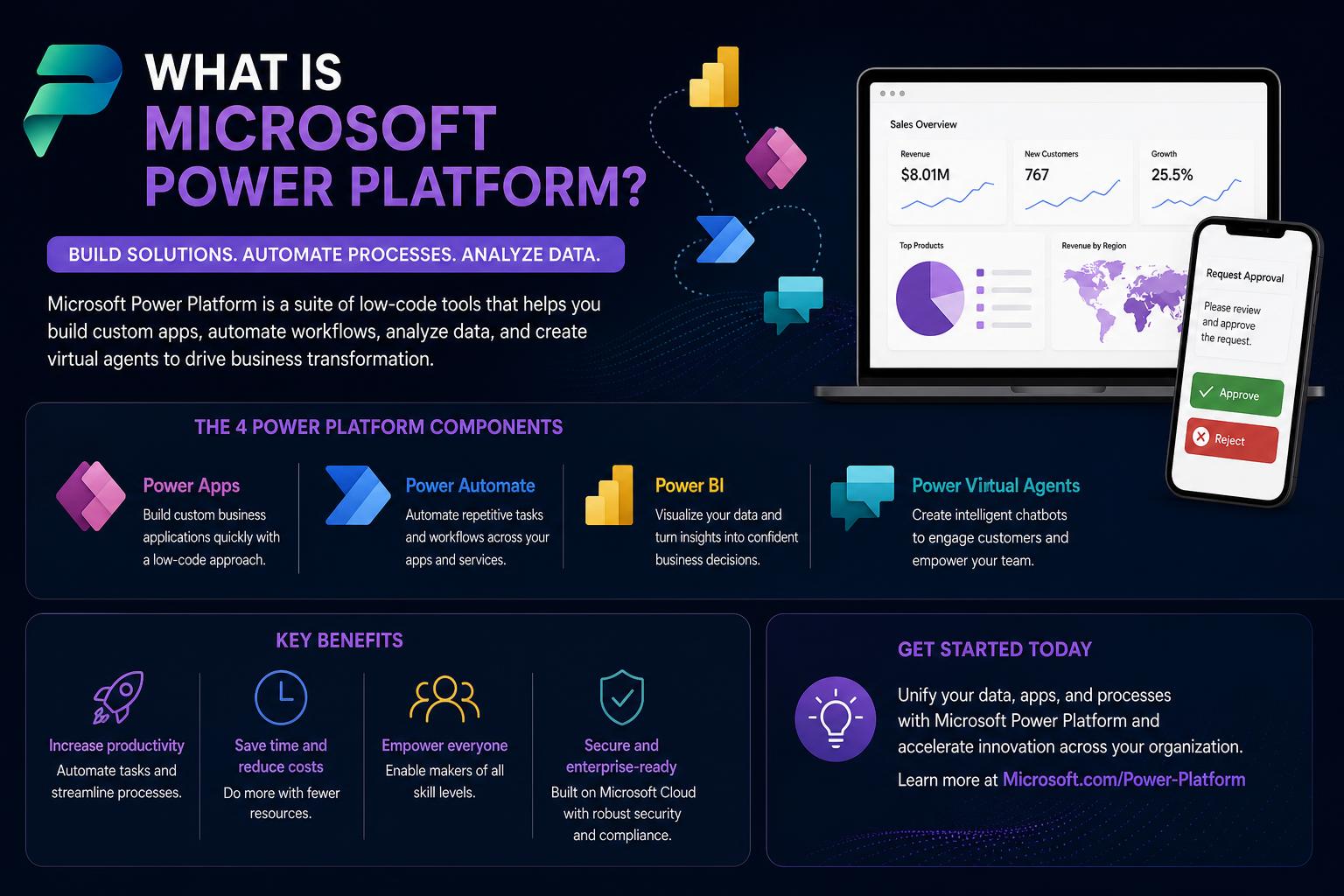
- Microsoft Power Platform unifies data analytics, automation, app creation, and AI chatbots within a single low-code/no-code platform, suitable for both technical and non-technical users.
- The suite includes Power BI, Power Apps, Power Automate, Copilot Studio (Power Virtual Agents), and Dataverse — each tool solving a core business challenge, from visualizing data to automating workflows and creating custom solutions.
- Deep integration with Microsoft 365, Dynamics 365, and third-party services along with flexible security and pricing quickly scales from small business needs to enterprise requirements.
If you’ve been hearing a lot about Microsoft Power Platform lately but aren’t quite sure what all the buzz is about, you’re not alone. Whether your background is in IT, business management, or you’re simply trying to streamline your team’s daily operations without learning to code, this guide is for you. The world of low-code/no-code development is exploding, and Microsoft Power Platform sits right at the heart of this revolution — helping citizen developers and seasoned pros create apps, automate processes, and make smarter data-driven decisions, all with minimal technical know-how.
So, what actually is Microsoft Power Platform, and why are so many businesses jumping onboard? This in-depth article will break down the essential components of the Power Platform, what each does, real-world uses, pricing, and how it connects with the wider Microsoft ecosystem. If you’re looking to level up your business solutions, maximize productivity, and harness AI-powered tools in a manageable way, stick around — we’re diving deep.
What Is Microsoft Power Platform?
Microsoft Power Platform is a unified suite of tools designed to democratize technology — enabling everyone from professional developers to business users to build impactful digital solutions without deep programming knowledge. It’s your go-to toolkit for understanding data, building applications, automating repetitive tasks, and leveraging AI chatbots, all in one place. Unlike traditional software stacks that require specialist skills and weeks of effort, Power Platform offers a low-code/no-code experience, allowing much quicker iteration and rapid deployment. Want to better understand how it works?
The core mission here? Let anyone, regardless of technical background, transform ideas into apps, automate processes, visualize critical data, and offer stellar customer service — without waiting for IT or expensive outside consultants.
The Pillars of Microsoft Power Platform
Each part of the Power Platform is purpose-built to tackle a specific business challenge. Let’s break down the five key components:
1. Power BI: Business Analytics Made Simple
Power BI is Microsoft’s answer to data visualization and analytics — turning complex numbers into actionable insights you can actually use. With Power BI, you can connect to virtually any data source (think Excel, cloud databases, on-premises files and more), and build beautiful, interactive dashboards and reports. These aren’t static — users can filter, drill down, and even collaborate on the same dashboard in real time. Power BI’s strength? Making sense of data quickly, so decision-makers don’t get stuck in the weeds.
- Wide Range of Visualizations: Choose from bar charts, pie graphs, geographical maps, tables and even custom visuals you import from AppSource. There’s almost no limit to how you want to present your data.
- Custom Visuals: If out-of-the-box isn’t enough, build custom visuals customized for your business or find advanced visuals created by the Power BI community.
- Real-Time Data Access: Stream live data for real-time dashboards. Imagine a sales manager tracking their team’s numbers as they update, or customer service leaders getting an instant view of support tickets.
- Interactive Reports: End users explore by filtering, selecting visuals, and seeing instantaneous changes across the entire dashboard. Collaboration features let you share and comment right in Teams or SharePoint.
- Deep Integration: Directly connected to Excel, SharePoint, Teams, and hundreds of other third-party data sources. Get the details here.
2. Power Apps: Build Apps Your Way
Power Apps is where the magic of app development becomes accessible to everyone — not just coders. Whether you want a simple mobile app to capture field reports, or a robust, data-driven system that rivals expensive custom solutions, Power Apps is designed to make it painless. You build apps visually by dragging, dropping, and configuring, with the option to write code for advanced needs.
- Canvas Apps: Let you drag-and-drop components anywhere on the design surface. You’re in control of every pixel; perfect for personalized, branded experiences.
- Model-Driven Apps: Generate structured apps from your data model, letting the data structure drive layouts. Ideal for more data-centric business processes.
- Power Pages: Formerly Power Apps Portals, these let you create secure external websites for customers or partners to engage with your data.
- Templates & Pre-Built Components: Jumpstart any project using Microsoft’s starter kits or tailor your app with Power Fx expressions and AI-driven Copilot features.
- Extensibility for Developers: Import pro code, connect to external services, and embed apps into custom websites or Dynamics 365 — the platform grows with your business.
- Automatic Responsiveness: Apps look and work great on web, tablets, and phones — you don’t have to worry about cross-device compatibility.
- For more details, explore the official Power Apps page.
3. Power Automate: Automating Workflows, Saving Time
Power Automate (formerly Microsoft Flow) is all about taking daily, repetitive tasks off your plate so you can focus on the work that matters. Think of it as your personal automation engine. From simple, event-triggered tasks like sending an alert when you receive a certain email, to complex multi-step workflows that sync data across dozens of platforms, Power Automate makes it possible — no coding required. Want to manage your tasks automatically?
- Trigger-Action Model: Set automations to kick off when something happens (like form submission) and then perform any number of actions (send emails, update a database, trigger notifications, etc.).
- Pre-Built Templates: Use Microsoft’s massive gallery of templates to get started quickly, whether automating leave requests or collecting customer feedback.
- Robotic Process Automation (RPA): Go beyond digital processes by recording screen actions to automate manual, legacy applications or copy-paste activities (yes, even old Windows apps!).
- Integration with Services: Connect natively with Microsoft 365, Salesforce, Dropbox, and hundreds of others using standard or premium connectors.
- Learn more on the official Power Automate page.
4. Copilot Studio (Power Virtual Agents): Smart AI Chatbots for Everyone
Microsoft Copilot Studio, encompassing Power Virtual Agents, brings conversational AI to businesses — no data science degree required. Whether it’s a chatbot that answers employee HR questions or a customer service bot that works around the clock, these tools empower non-technical users to design, deploy, and monitor chatbots integrated across your web, mobile, Teams, and more. Want to learn how to create chatbots without coding?
- No-Code Chatbot Creation: Use a visual interface to create bots by simply describing what they should do; add questions, responses, and logic with simple drag-and-drop.
- Natural Language Processing (NLP): Bots understand human language and respond naturally, making conversations smooth and engaging.
- Integration Capabilities: Connect bots to back-end databases, CRMs, or escalate to live agents when needed.
- Performance Monitoring: Track interactions, gather feedback, and continuously refine the bot for better performance.
5. Microsoft Dataverse: The Secure Data Backbone
Dataverse is Microsoft’s advanced data platform, purpose-built for the Power Platform, Office 365, and Dynamics 365 suites. It provides a secure, compliant, and scalable place to store your business data. Instead of each app or process keeping its own copy of data, Dataverse lets you centralize, model, and secure data, enabling deeper analytics and smoother app integration. Want to understand how to manage your data securely?
- Relational Data Model: Store data in relational tables, file and blob storage, and even semi-structured data (great for complex business scenarios).
- Common Data Model Standard: Unified schema ensures consistency as you connect to various Microsoft and non-Microsoft services.
- Secure by Design: Uses robust security (column/row-level), conditional access, and multi-factor authentication through Microsoft Entra ID. GDPR and industry compliance are built in.
- APIs & Data Connectivity: Connect Dataverse to Microsoft Azure services, SQL, or external APIs (great for integration-heavy applications).
- Business Logic Support: Add calculated fields, duplicate detection, rollup fields, business rules — all to maintain data quality and automate behind the scenes.
Why Businesses Love Power Platform
So, what makes the Power Platform stand out in today’s crowded field of business tools? Here’s what you’ll hear from companies and users of all sizes:
- Friendly for Everyone: No need to learn esoteric coding languages. Business users, analysts, and developers can build and automate together.
- Cost Savings & Efficiency: By streamlining and automating processes, businesses reduce manual effort, save money on custom development, and get solutions to market faster.
- Integration with Microsoft 365 & Dynamics: Deeply embedded with tools like Excel, SharePoint, Teams, and CRM — enhancing value with minimal integration headaches.
- Real-Time Data Insights: Get up-to-the-moment analysis and respond quickly to market changes.
- Customizable Solutions: Quickly adjust tools, workflows, and apps as business needs change — scale from solopreneur to enterprise with ease.
- Automate the Repetitive Stuff: Employees focus on high-value tasks while bots and flows handle the predictable manual work.
- Boosted Team Collaboration: Share dashboards, workflows, and applications across departments to keep everyone synced up and informed.
Real-World Applications: How Teams Use Power Platform
The flexibility of Power Platform means you can implement it to meet almost any business need. Here are just a few practical examples of what organizations are doing:
- Streamlining Data Entry: Imagine field technicians entering inspection results on a mobile Power Apps form that feeds into Dataverse, then automatically triggers alerts in Teams if an issue is detected.
- Digitizing Paper-Based Processes: Replace paperwork with Power Apps and Power Automate — for HR onboarding, time-off requests, or expense approvals, with everything instantly tracked and auditable.
- Self-Service Customer Portals: Use Power Pages to build secure websites for customers to check order status, submit questions to a Copilot Studio chatbot, or download invoices.
- Sales Dashboards: Connect CRM data to Power BI and share live dashboards with sales teams, so everyone is operating from the latest info.
- Automated Notifications & Follow-ups: Set up flows that remind staff of deadlines, auto-assign tickets, or escalate issues across departments — no manual chasing required.
- Automating IT Operations: Monitor systems with Power Automate, sending alerts to IT when problems arise or certain performance thresholds are breached.
Integration and Extensibility
A major reason Power Platform succeeds is its seamless integration with the wider Microsoft stack and popular third-party services. Out of the box, it connects to Microsoft 365 (Excel, Teams, Outlook), Dynamics 365 (CRM & ERP), Azure services, SQL databases, and hundreds of other external connectors. To manage this integration, you can also explore other resources and tools, such as n8n for advanced automation.
Developers aren’t left out either. Power Platform supports custom connectors, Azure Functions, and Webhooks — so if your workflow requires advanced logic, you can write and embed code without leaving the ecosystem. Pro devs can extend capabilities using Power Fx (the platform’s Excel-like logic language), C#, JavaScript, and more.
Collaboration is central: Solutions can be rapidly shared through Teams, SharePoint, or even as standalone web/mobile apps for external partners and customers.
Security, Governance, and Compliance
Data security and compliance are at the core of Power Platform. Features like row- and column-level security, multifactor authentication, role-based permissions, and audit logs come as standard. The platform is designed to meet rigorous standards like GDPR, FedRAMP, and others, with Microsoft Dataverse acting as the secure store for regulated industries. Want to know how to secure your solutions?
Admins manage and monitor solutions from the Power Platform Admin Center, controlling who can create, modify, share, or deploy apps and flows. Analytics and usage stats make it easy for IT departments to review performance and stay compliant with business and industry needs.
Plans, Pricing, and Licensing: What Will It Cost?
Microsoft offers flexible licensing across the Power Platform, with options for businesses of every size and budget. Pricing structures can vary, so always check the latest details, but here’s a current snapshot:
- Power BI: There’s a robust free version for personal use (report creation/sharing is limited), or paid licenses at around $20/user/month. Power BI Embedded and enterprise features require custom quotes.
- Power Apps: Start for free as a developer, then upgrade to paid plans (~$20/user/month) for advanced deployment or across large teams. Volume discounts drop to $12/user for 2,000+ seats.
- Power Automate: Individual plans start at $15/user/month; advanced enterprise robotic process automation is as much as $215 per automated bot/month for complex needs.
- Copilot Studio (Power Virtual Agents): Chatbot creation is included with certain Power Platform licenses and as an add-on. Licenses for add-ons, extra storage, or premium connectors are available.
- Dataverse: Storage and advanced data management is often bundled, but additional capacity or high-volume integrations can incur extra charges.
Tips on Cost Management: Always watch for extra charges on premium connectors, additional storage, or specialized AI services. Know exactly what each subscription covers to prevent surprises on your bill.
FAQs: What People Ask About Power Platform
- Can I use Power Platform without being a developer? Absolutely! Its low-code/no-code tools are built for business users and beginners. But it scales up easily for technical teams, too.
- How does it connect with other Microsoft services? Integration is central — Power Platform talks natively to Microsoft 365, Dynamics 365, Azure, and also hundreds of third-party apps via connectors. Automation or app building can tap into all these sources seamlessly.
- Is my data secure? Yes. Microsoft Dataverse provides enterprise-grade security (encryption, access controls, auditing, compliance certifications) and works well for regulated industries.
- Can Power Platform be customized for specific industries? Yes, through industry templates, pre-built solutions, custom connectors, and extensibility features, you can adapt it for manufacturing, health, retail, education, and more.
- What’s the learning curve? Most users find the visual, drag-and-drop interface intuitive. Microsoft Learn, official documentation, and community forums provide plenty of support, and there are certifications for advanced users and IT pros.
Microsoft Power Platform is changing the way organizations of every size solve problems and deliver value. Armed with tools for data analysis, app creation, workflow automation, and AI-powered chatbots, any team can move faster, adapt more easily to change, and unlock the real power of their data — all without needing advanced technical skills. Deep integration with Microsoft 365 and Dynamics 365, combined with enterprise security and flexible pricing, makes it an ideal choice for innovating seamlessly. Whether you want to build smarter processes or leverage practical AI tools, this platform provides the foundation to start and grow efficiently.
What Is Microsoft PowerToys? The Ultimate In-Depth Guide for Windows Users