
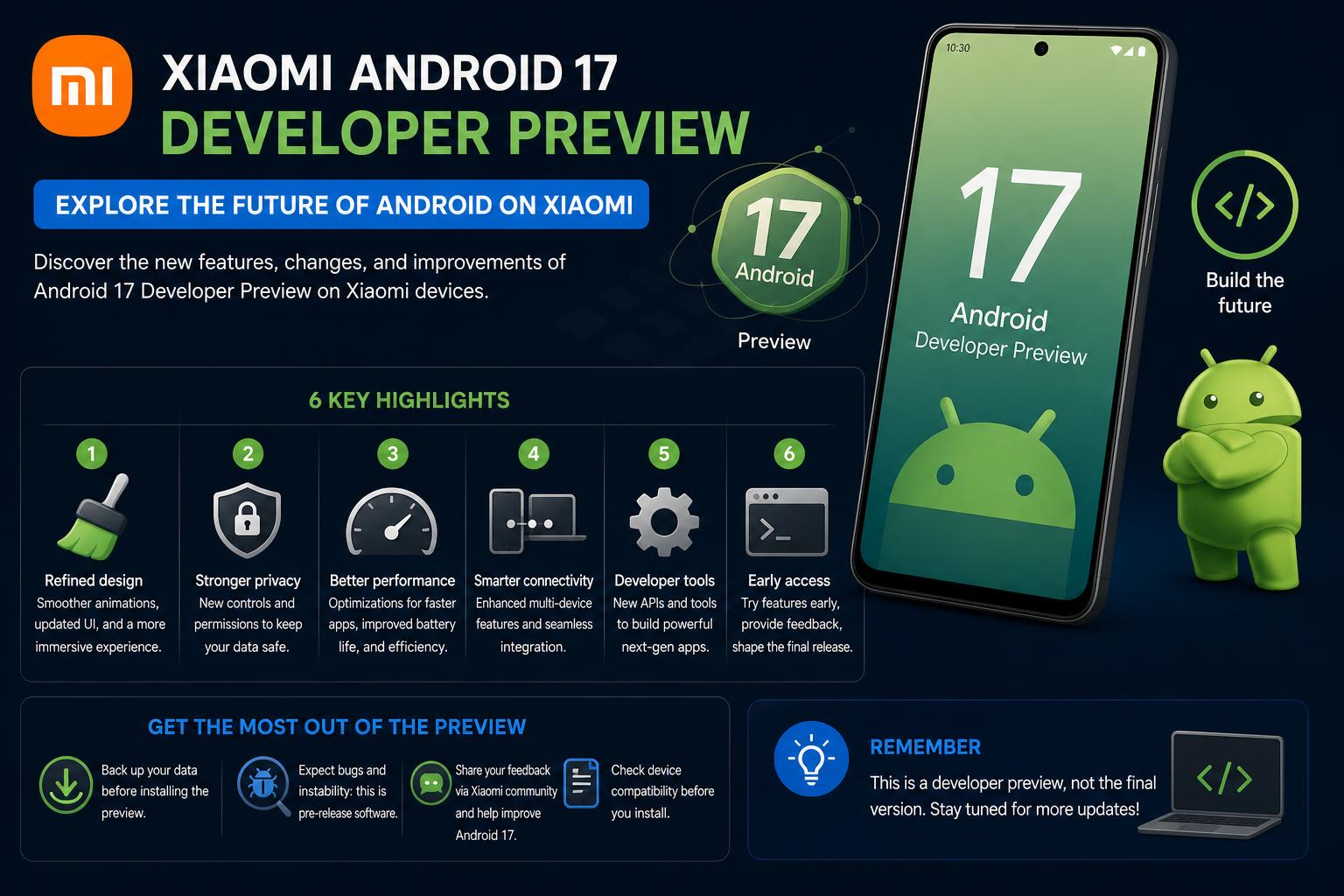
- Xiaomi's Android 17 Beta Program grants early access to select flagship users, introducing significant improvements in performance, privacy, and large-screen support.
- The update prioritizes system optimization, advanced privacy features, and deep HyperOS integration, reshaping the Xiaomi software experience.
- Manual flashing is required for beta installation, with associated risks like data loss and potential bugs; stable updates will follow for a broader range of devices.
Are you eager to experience the latest innovations that Android 17 brings, especially if you own a flagship Xiaomi device? With Google’s annual updates, catching early access to major Android releases through Developer Preview programs has become the norm for tech enthusiasts and developers. This year, Xiaomi joins the select brands allowing hands-on testing of Android 17, paving the way for both developers and keen users to peek into the future of mobile software. If you’ve been waiting for all the details about eligible Xiaomi phones, new features, the installation process, and nuanced risks, you’re in the right place.
In this article, we’ll break down every key aspect of the Xiaomi Android 17 Developer Preview using the most current and authoritative information available. Whether you’re determined to flash your device to try it out or you’re simply curious about what Android 17 has in store for Xiaomi and HyperOS, here you’ll find every crucial detail, useful tips, and an honest look at what to expect.
Xiaomi Android 17 Beta and Developer Preview: What’s Going On?
Xiaomi’s Android 17 Beta Program is now fully underway, making Xiaomi one of the earliest Android phone manufacturers, besides Google, to open the gateway to Android 17 outside of the Pixel range. While Google moved away from the traditional Developer Preview, Xiaomi keeps the terminology alive, offering an exclusive window for developers and advanced users to explore new firmware, API upgrades, and Xiaomi’s customizations ahead of the general release.
This initiative primarily targets developers and expert users who wish to ensure compatibility, optimize apps, and prepare for the full Android 17 rollout. It also means adventurous Xiaomi users can get an early feel for Android 17 features, performance improvements, and the first glimpses of HyperOS enhancements. It’s not your average OTA update—manual installation and a bit of courage are required!
Which Xiaomi Devices are Eligible for Android 17 Beta?
Xiaomi isn’t rolling out the red carpet for every phone just yet. Right now, the pool of supported models is limited to its flagships and a few special versions. Here’s an up-to-date look at the devices currently known to be eligible for the Xiaomi Android 17 Developer Preview and Beta Program:
- Xiaomi 17
- Xiaomi 17 Ultra
- Leica Leitzphone powered by Xiaomi
- Xiaomi 15T Pro
Other devices with early access include regional and developer-supported variants, such as the Xiaomi 15, Xiaomi 15 Pro, Xiaomi 15 Ultra, several Xiaomi MIX Fold series models, and the Xiaomi Pad 7 Pro. Availability depends on the market and firmware branch.
Keep in mind, the initial beta requires the global ROM; European firmware currently isn’t supported. More devices are likely to join later on, since Xiaomi has historically rolled out support in phases, so keep an eye on the official update channels.
What’s New in Android 17 for Xiaomi Phones?
Android 17 isn’t about radical redesigns. Instead, it aims to round out the user experience with under-the-hood improvements, privacy updates, and tighter software integration—especially for foldable devices and tablets. Here’s how these changes might show up on your Xiaomi:
System Performance and Optimization
- Deeper system efficiencies: Optimized code, better memory allocation, and more efficient battery management.
- Faster app launches: Expect faster app startup times and smoother interface animations, thanks to better CPU and GPU load distribution.
- Better multitasking: Improved multitasking performance and more complete support for multiple windows, ideal for foldables and tablets.
- More responsive gestures and UI: Works together with HyperOS for a smoother feel on compatible devices.
Privacy and Security
- Improved permission handling: Tighter controls for apps requesting background activity, letting you know what’s running on your device.
- Enhanced protection: Stronger protection against malicious apps, granular controls for file sharing, and greater transparency around access to sensitive data.
- Banking-grade security: While beta versions may not fully support all financial apps yet, Android 17’s security foundation sets new standards for future stable releases.
Foldable and Large-Screen Improvements
- Advanced multi-window capabilities: Foldable devices and tablets get desktop-style productivity features, adaptive layouts, and better support for external displays.
- Resizable and flexible emulation: The Android Emulator lets you test different device configurations, crucial for developers aiming for compatibility across multiple form factors.
Camera and Media Upgrades
- Streamlined camera experience: Changes that reduce lag, improve stability, and offer a smoother experience for recording and quick shots.
- Improved HDR and audio routing: Better dynamic range in photos, lower lag in the camera app, and smarter management of wired and Bluetooth audio, enriching content and media playback.
HyperOS Integration
With Android 17, Xiaomi continues deepening the integration between Google’s system and HyperOS. The upcoming interface aims to deliver:
- Smoother, more visually appealing animations
- Greater overall system responsiveness in everyday actions, from swiping the screen to opening complex apps
- Smart multitasking gestures that boost the system’s capabilities
- AI-powered controls and predictions that make everyday use and productivity easier
- Extended continuity between your phone, tablet, and smart home devices in the Xiaomi ecosystem
How to Install the Xiaomi Android 17 Beta (Step-by-Step Guide)
If you’re up for trying it—and understand the risks that come with beta software—installing the preview version is entirely doable, though it requires a few technical steps. Unlike stable OTAs, you’ll need to manually flash the official ROM. Here’s how:
1. Essential Preparation
- Back up your data: Flashing will erase all your personal data, so save your contacts, photos, and important settings.
- Make sure you have at least 60% battery: Losing power during installation can leave your device unusable.
- Check whether your bootloader is unlocked: Some methods require an unlocked bootloader.
- Download the correct ROM for your model: Make sure it’s compatible. The wrong firmware could cause errors or system failures.
2. Installation Methods
Option 1: Local Update
- Download the package for your device from Xiaomi’s page.
- Transfer the file to your phone’s storage, preferably to the Downloads folder.
- Go to Settings → About phone.
- Tap the HyperOS section several times to unlock the advanced update options (about 10 times).
- Select the menu icon (three dots) and choose Select update package.
- Select the downloaded file and continue with the installation; once finished, the phone will restart into the Android 17 beta.
Option 2: Flashing with Fastboot (recommended for advanced users)
- Unlock the bootloader if you haven’t already.
- Get the Fastboot-mode ROM package for your model from the official page.
- Connect your Xiaomi device to your PC.
- Boot into Fastboot mode (hold Power and Volume Down while the device is off).
- Run the official tool on your PC and follow the instructions to flash the ROM.
- Afterward, restart and enjoy Android 17 in beta mode.
If everything went well, congratulations! You’re on the front lines of Android 17.
Options for Developers: Emulators and GSI
Don’t want to risk your hardware just yet? Google offers great options for developers through Android Studio and GSI. By setting up the emulator in Android Studio or flashing a GSI onto a compatible device, you can explore Android 17 without touching your main phone.
What to Watch Out For: Known Risks & Limitations
Beta software often comes with drawbacks, and the preview versions of Android 17 are no exception. Here’s a clear rundown of the potential issues:
- Unstable performance: random app crashes, battery drain, overheating, and network issues have all been reported.
- Compatibility with banking and payment apps: many users experience errors or failures in financial apps.
- Camera instability and incomplete features: bugs in the camera app, missing features, and shutter lag are common risks.
- Occasional system bugs: there may be incomplete features, interface inconsistencies, or integration glitches, especially within HyperOS.
If your device is essential for your work or personal life, now is not the time to install the beta version. For developers and testers, on the other hand, it’s an opportunity to catch bugs and optimize apps.
[relacionado url=”https://www.ikkaro.net/what-is-android-studio/”]
Rollout Timeline: When Will the Stable Update Arrive?
Google usually finalizes the stable Android release around mid-year, starting with Pixel devices. For Android 17, this is expected to happen around June 2026 or earlier, given the pace of Beta 4 in April. Xiaomi typically follows shortly after, focusing first on its high-end models.
- Developer beta: early 2026
- Public beta: mid-2026
- Stable update for Xiaomi flagships: late 2026
- Support for mid-range models: following months (the timeline varies by region and model)
If you’d rather avoid the potential issues of beta software, wait a bit longer: the full Android 17 experience, optimized with HyperOS, will be here soon.
[relacionado url=”https://www.ikkaro.net/how-to-use-emule-on-android/”]
Should You Install the Xiaomi Android 17 Beta?
Still haven’t decided whether to install the developer preview? Here’s a quick rundown to help you decide:
You might install it if:
- You enjoy experimenting, troubleshooting, and being among the first to try new features.
- You’re a developer or technical user who needs to optimize apps or services.
- You own a compatible flagship Xiaomi device and have a backup phone; plus, a few bugs don’t bother you.
You’re better off waiting if:
- Your phone’s stability is essential for your work, family, or personal life.
- You depend on payment apps or always-on, sensitive software.
- You can’t tolerate bugs or glitches and prefer polished, reliable firmware.
Ultimately, the Android 17 preview on Xiaomi represents a unique opportunity to explore upcoming features and software improvements before everyone else. If you’re willing to take on an exciting, if sometimes bumpy, experience, you’ll get a firsthand look at Xiaomi’s push for privacy, performance, and large-screen productivity, along with an exclusive taste of HyperOS. If you value stability and peace of mind, with a bit of patience you’ll soon enjoy all the new features without the drawbacks. Android 17 for Xiaomi is shaping up to be a landmark update for both users and developers.