
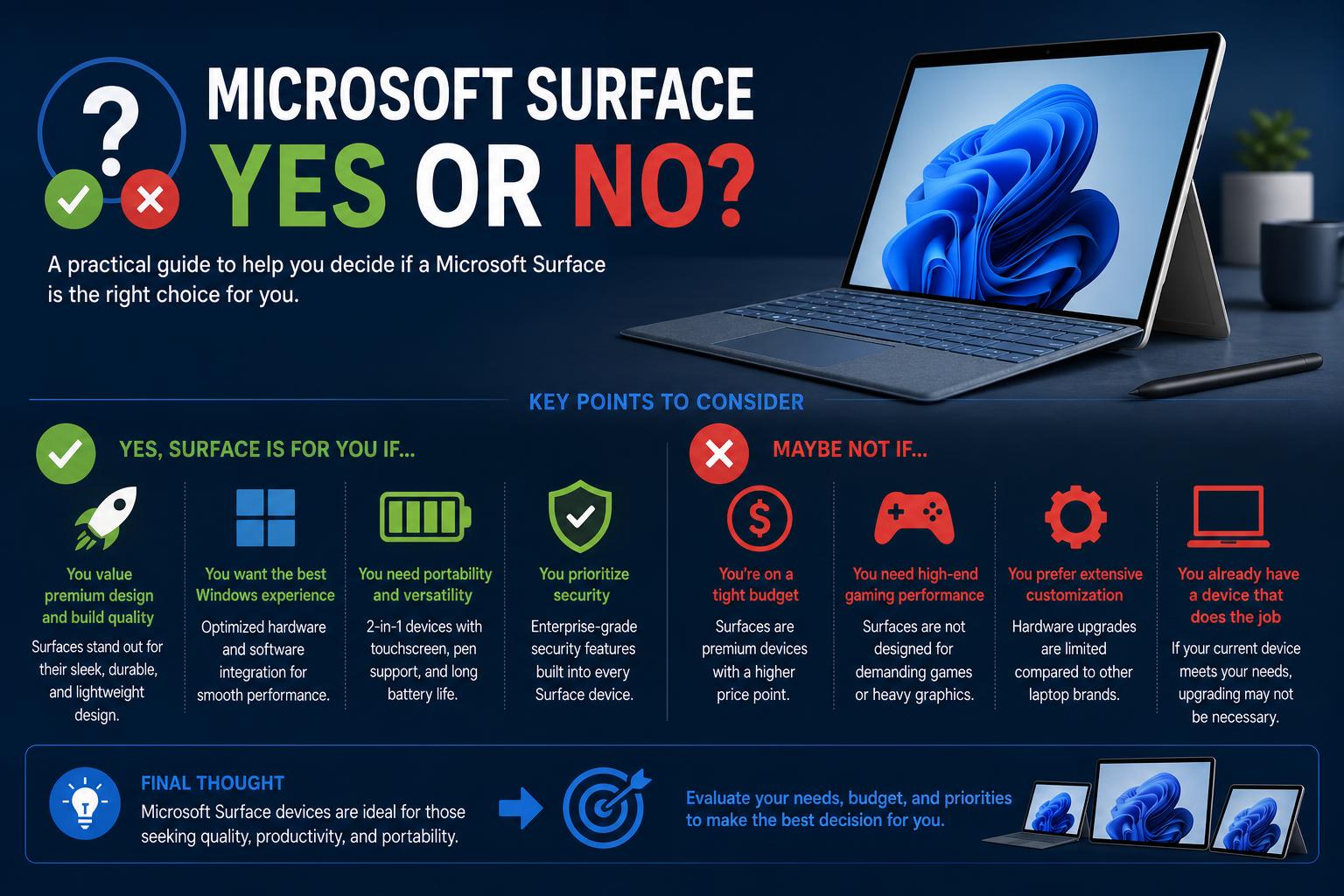
- Surface devices blend style, portability, and strong security with long battery life
- Compatibility concerns exist for ARM-based models; accessory costs can add up
- AI and sustainability are core strengths, but evaluating your usage needs is crucial
Choosing a new laptop or 2-in-1 can be overwhelming, and the Microsoft Surface line often enters the spotlight for both students and professionals. If you’re wondering, “Is a Microsoft Surface right for me?” or debating between a Surface Laptop and Surface Pro, you’re likely wading through mixed opinions, technical jargon, and marketing. In this article, you’ll find the most complete, jargon-free breakdown based on all available, real user feedback, official product details, and expert opinions. We are here to help you understand exactly what a Surface can (and cannot) do so you can make an informed decision—yes or no.
The world of Surface devices is more diverse than ever, offering everything from sleek laptops to versatile tablets and 2-in-1 machines. Each model has unique strengths and compromises worth considering.
The Main Microsoft Surface Lineup: What Are the Options?
When considering a Surface, it’s crucial to know the main options available. The top contenders today are the Surface Laptop, Surface Pro, Surface Book, and to a lesser extent, the Surface Go and Surface Pro X. Although official sites offer exhaustive feature breakdowns, user feedback reveals nuances that specs alone don’t show.
Surface Laptop: Traditional Style with Modern Perks
The Surface Laptop stands out for those looking for a conventional laptop design. With models in 13, 13.8, and 15 inches, it combines mobility, performance, and build quality without being a detachable device.
- Processor Options: The latest models use Snapdragon X2 CPUs, taking advantage of on-device AI features and larger RAM configurations.
- RAM: Options range from 8GB for casual users to 16GB, 24GB, 32GB, and 64GB, ideal for heavy multitasking or creative professionals. More RAM unlocks exclusive artificial intelligence features like Copilot+.
- Battery Life: Depending on the size and configuration, the Surface Laptop promises between 19-23 hours for video playback and 14-16 hours for active web use, outlasting many competitors.
- Design and Build: Various color options, quality recycled materials, and a tactile, high-quality keyboard (included in the price) define the experience.
The Surface Laptop is highly recommended for students seeking an experience similar to a MacBook—but with Windows and a touchscreen. It works reliably with Office 365, Adobe Creative Suite, and other software needed in academic or professional environments. Upgrading storage and RAM is recommended to ensure longevity and performance, especially if you plan to keep the device for several years or run demanding applications.
Surface Pro: Versatility in a Tablet-Laptop Format
If adaptability is your top priority, the Surface Pro is an attractive proposition. It easily transforms from a tablet to a laptop thanks to a detachable keyboard (sold separately) and a built-in kickstand.
- Screen Sizes: The newer models come in 12 inches and 13 inches, both being lighter than most laptops, making them ideal for carrying and mobility.
- Performance: Equivalent to the Laptop, these versions use Snapdragon X2 processors with AI acceleration in higher RAM configurations, handling everything from handwriting, notes, and creative tasks in OneNote, to drawing apps and more.
- Battery Life: You can expect up to 15.5 hours of video playback or 11.5-12 hours of active web use. It’s excellent, though slightly less than the Surface Laptop models.
- Accessories: Unlike the Laptop, keyboards and pens are not included and are sold separately, which increases the total cost. However, they enable an authentic 2-in-1 experience.
- Portability: Very lightweight in both sizes (1.5-1.97 lbs), with flexible configurations and a wide variety of colors (Platinum, Black, Dune, Sapphire, Ocean).
Reviewers and users agree: the Surface Pro shines if you value interactivity—drawing, taking notes, quickly switching between meetings and creative sessions. The adjustable kickstand offers impressive flexibility for mounting or tilting, and pairing it with Adaptive Kits improves accessibility for different needs.
Surface Book and Surface Go: Who Are They Really For?
The Surface Book occupies the high end, and is sometimes perceived as overkill due to its power, discrete graphics, clipboard mode, and high price tag. If you need a powerful machine, such as for advanced video editing or 3D modeling, it’s a valid option; but for most, it can be an excessive investment. The included pen is useful, but many users don’t take advantage of all its features.
The Surface Go, on the other hand, is often considered “limited” in performance in its base models; as you add upgrades, the cost approaches that of a well-equipped Surface Laptop. When weighing the expense, the Go is not a cost-effective option unless you are looking for something ultra-compact and for very light tasks.
Software and Compatibility: The ARM Debate?
A critical and sometimes misunderstood aspect is Windows on ARM (WoA) support. Many recent Surface devices use Snapdragon chips for efficiency and advanced AI, but compatibility presents challenges:
- Not all Windows applications run natively on ARM. 90% of Microsoft games will not run on WoA, and many third-party applications may experience issues, including Excel macros, complex scripts, and advanced features in programs like Photoshop and DaVinci Resolve.
- x86 Emulation: Some legacy apps will work via emulation, but performance isn’t always optimal and it doesn’t guarantee full compatibility.
- It has been compared to Apple’s transition with Rosetta 2, and Microsoft’s approach is considered less robust. Users who rely on a wide range of Windows applications must verify compatibility before committing to an ARM Surface.
For general users, solutions like Office, web browsing, and light creative work run fine, but power users should evaluate carefully. Early reviews and feedback show high return rates for ARM Surfaces, mainly due to compatibility issues and misaligned expectations.
Battery Life, Performance, and AI Features
The bet on ARM has real advantages: Exceptional battery life and AI capabilities that are only available on models with 16GB or more of RAM. Features like Live Captions with translation, Recall for search, Cocreator in Paint, and video effects in Windows Studio utilize the powerful Neural Processing Unit (NPU) built into high-end configurations.
The Surface Laptops lead in battery life, while the Pros sacrifice some autonomy for their ultra-portable and flexible form factor. Most users consider this a reasonable trade-off, as both models offer quite good performance in daily use.
Security, Sustainability, and Accessibility
From boot-up, Surface devices offer some of the most robust security in the PC world. Some key innovations include:
- Microsoft Pluton security chip integrated into the CPU, protecting against firmware attacks and simplifying updates.
- Multiple authentication methods, including Windows Hello (facial or fingerprint recognition), with advanced security options on models like the 13-inch Surface Laptop.
- Microsoft Defender and Smart App Control come by default, safeguarding against digital threats.
Sustainability initiatives: both the Surface Laptop and the Pro contain recycled materials in their construction and packaging, are ENERGY STAR® certified, and feature easy-to-repair designs with replaceable parts and self-repair tools. The packaging prioritizes responsible materials to reduce waste and environmental footprint.
Accessibility is a fundamental pillar. Surface supports:
- Inclusive accessories like the Surface Adaptive Kit and Microsoft Adaptive Accessories to improve usability for all users.
- Customizable touchpad settings, built-in AI that reduces cognitive and physical load, and easily mountable or adjustable accessories for wheelchairs or alternative inputs.
- More than 16GB of RAM enables accessibility-oriented AI features.
Surface for gaming and streaming
Although productivity and flexibility remain the hallmark of Surface, gaming and streaming capabilities are improving. According to the official Surface website, Copilot+ Surface PCs can handle popular games and take advantage of AI features like Auto Super Resolution to improve graphics in supported titles. Cloud streaming services, such as Xbox Cloud Gaming, further expand the options, making Surface a versatile machine for work and leisure without building a dedicated rig. However, gaming enthusiasts looking for extreme performance might prefer specialized laptops or desktops.
Value, pricing, and what is really included
The price of Surface reflects its premium nature, although it can surprise with hidden costs:
- Surface Laptop: Keyboard and trackpad included, various configurations, and color options. The touchscreen is present on all models, something many lower-priced competitors do not offer.
- Surface Pro: The keyboard (Type Cover) and pen are purchased separately, costing between 100 and 150 dollars each. The machine itself is a premium option, but the total cost can be comparable to high-end laptops.
- Both lines: RAM and storage upgrades increase the cost, but provide greater durability and performance, especially in prolonged use of 3 to 4 years.
Key decisions: Is a Surface right for you?
Deciding “yes or no” depends on a few unchangeable factors:
- Do you need a classic laptop or do you prefer the versatility of a tablet?
- Do you rely on specific Windows software that might not be compatible on ARM? Check before buying or disable Microsoft Copilot in Windows 11 if automated features affect your workflow.
- Do you value long battery life, advanced AI integration, sustainability, and easy repairability?
- What is your budget and have you considered the necessary accessories?
- Does your workflow include intensive gaming or advanced graphics, or do you focus on productive, academic, or creative tasks?
Surface devices stand out for their style, mechanics, and build quality—especially the Laptop. The Pro is the option for flexibility, drawing, and note-taking. However, concerns regarding ARM compatibility, the additional cost of accessories, and gaming performance are points to consider for certain users. User stories reflect high levels of satisfaction with battery life, portability, and the Windows experience, though also some drawbacks when expectations aren’t met, especially on ARM models and regarding accessories.
Choosing a Microsoft Surface will be most appropriate if you prioritize exceptional battery life, robust security, sustainability, accessibility, and the flexibility to work wherever you want. It is especially recommended if your workflow fits into the growing, yet still limited, ARM ecosystem, or if you prefer an Intel model (depending on availability) for broader compatibility. It is important to carefully evaluate your software and configuration needs before buying, in addition to considering all total costs, including accessories. For most, such as students, professionals, and style-conscious users, the answer is a resounding yes—with a few aspects to keep in mind for power users or gamers.
Microsoft Surface Laptop Ultra: The Ultimate Powerhouse for Work and Creativity