
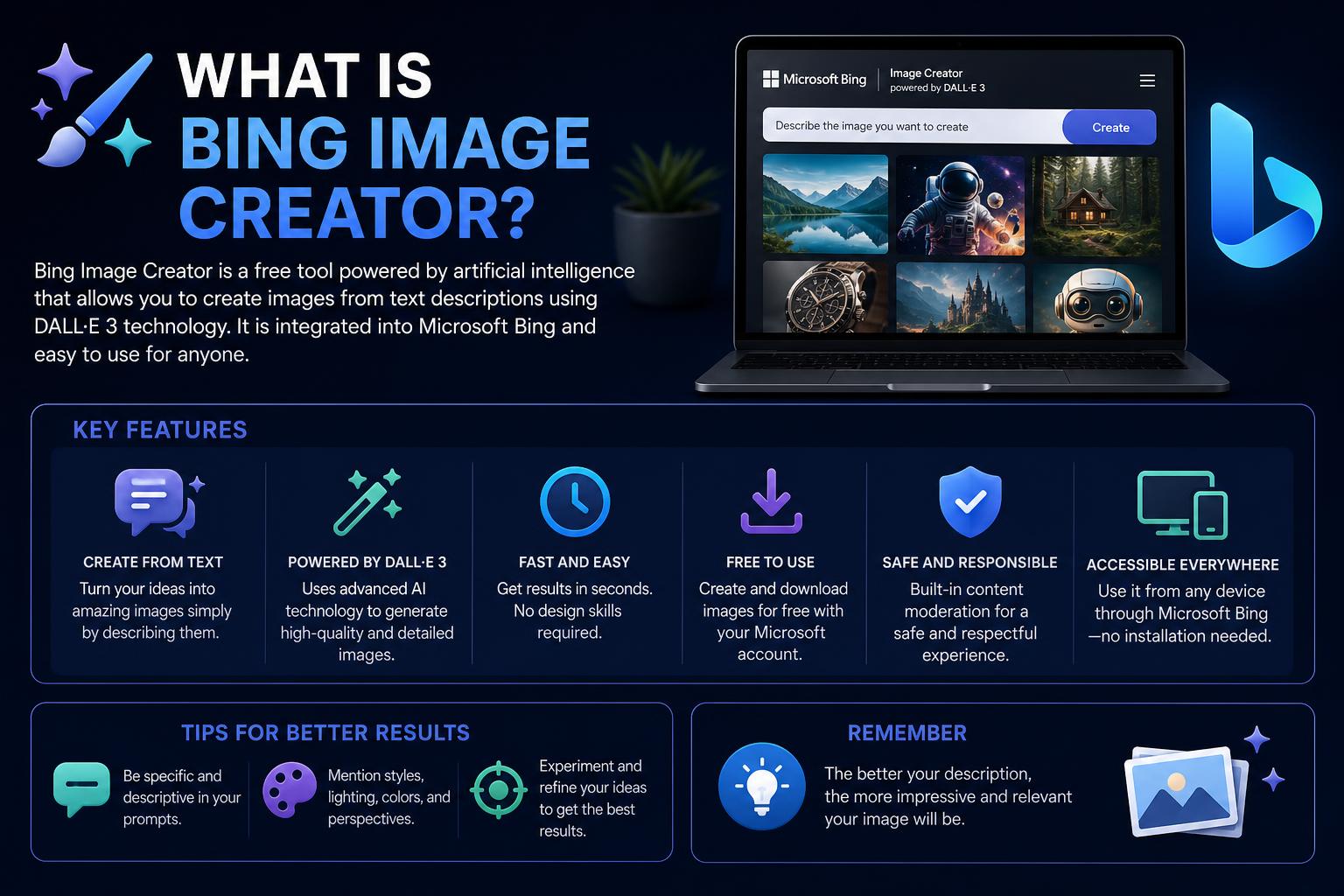
- Bing Image Creator lets users generate free AI images, powered by DALL-E 3, but has strict filters and a personal-use license.
- Each prompt delivers four 1024x1024 images, with 15 “boosts” per week for fast results and slower free generations after that.
- Commercial use and advanced features like model variety, editing, or high-res output require switching to dedicated platforms such as Morphed or OpenAI DALL-E 3 API.
Bing Image Creator has quickly become a standout tool in the world of AI-generated images. Leveraging cutting-edge technology, it allows anyone to turn ideas into vivid visuals at no cost. Whether you are a casual user interested in AI art or a creative professional looking for new resources, you have probably heard of Bing Image Creator, although there is often still confusion about what makes it unique, how it compares with other tools, and its real-world limitations.
This guide is your all-in-one resource for fully understanding what Bing Image Creator is, how it actually works, its advantages and disadvantages, and how it compares with dedicated AI image generation platforms. Throughout the article, we will cover everything from its DALL-E 3 foundation and boost system to licensing issues, commercial-use rules, and its characteristic content filter. We will also provide practical advice on when to choose Bing and when to explore alternatives.
What Is Bing Image Creator, Really?
Bing Image Creator is an AI-powered image generation tool developed by Microsoft. It allows users to create images simply by describing what they want in natural language. The tool is available free of charge to anyone with a Microsoft account, with no additional registration or software installation required. Visit bing.com/create to get started, or simply type a prompt such as “create an image of…” in the Bing search bar or Microsoft Edge address bar for instant access.
At its core, Bing Image Creator is based on OpenAI’s DALL-E 3 model, but wrapped within Microsoft’s own platform, with safety measures and adjustments designed to make it easier to use. The result is a simple interface aimed at general users: just type your idea, click create, and Bing takes care of the rest—you will receive several variations within seconds.
The Core Technology: DALL-E 3 and Microsoft
The actual engine behind Bing Image Creator is DALL-E 3, an advanced text-to-image AI developed by OpenAI. This technology interprets nuanced written descriptions and turns them into visually striking images. However, Microsoft does more than simply pass prompts to DALL-E 3:
- Prompt processing: Microsoft optimizes your instructions to improve results and maintain safety.
- Content moderation: An additional layer filters all prompts and outputs to comply with responsible AI guidelines and legal restrictions.
- User interface: Bing’s web interface is minimalist and easy to use, making it suitable for beginners and casual creators.
It is important to note that although DALL-E 3 powers image creation, Bing Image Creator does not allow you to customize the model or choose different AI models other than the default one.
How Do You Use Bing Image Creator?
Getting started is deliberately simple:
- Access Bing Image Creator or use the Bing search bar / Edge address bar.
- Write a creative prompt describing the image you want (for example, “An astronaut relaxing under cherry blossoms in Tokyo”).
- Within seconds, Bing generates up to four unique images for you to review, download, save, or share.
This process is designed for any user, with no technical knowledge required.
Boosts: Understanding Free Generation Limits
Bing Image Creator is free, but it has important usage limits. Microsoft implements a “boost” system to manage server resources and keep generation fast for most users:
- 15 boosts per week: Each “boost” provides one fast generation (normally 10–15 seconds).
- Boost renewal: These weekly credits are tied to your Microsoft account and reset every week.
- After boosts run out: You can continue generating images for free, but in a slower queue (images take between 2 and 5 minutes each).
- Microsoft 365 Copilot Pro subscribers ($20/month) get priority in the queue, restoring fast generation speed, although this does not increase the overall limit or change the base model.
Slow Queue vs. Boost Queue: The User Experience
Boosts make a significant difference to the user experience. When you have them, Bing Image Creator feels nearly instant and frictionless. Once they run out, the slower queue can become tedious, especially for iterative workflows or brainstorming sessions. If your workflow involves generating many images in a row, be prepared to wait a little once your boosts are gone.
Supported Output: Resolution, Format, and Editing
The system produces images as square 1024×1024-pixel PNG files. This is ideal for most social platforms, simple graphics, and digital uses, but it comes with several limitations:
- No aspect ratio changes: All images are strictly square. You cannot natively create vertical or horizontal images for YouTube content, Instagram Stories, or banners.
- No built-in upscaler: Resolution is limited to 1024×1024. For high-resolution needs, you will need to use external upscaling tools.
- No direct editing or image-to-image prompting: At present, you cannot upload an existing image to modify it or perform inpainting or background changes directly on the platform (except for uploading images for personalization, with limited model control).
Content Filter: Why Does Bing Block So Many Requests?
One of the most widely discussed aspects of Bing Image Creator is its strict content filter. Microsoft applies an aggressive moderation policy that goes far beyond what is permitted by OpenAI through its API or in ChatGPT Plus.
The filter blocks or degrades requests in categories such as:
- Historical figures and living public figures: Prompts mentioning “Napoleon,” “Cleopatra,” or celebrities are likely to be blocked.
- Medical and anatomical language: Even educational or scientific anatomy images are often rejected.
- Brand names and trademarks: Requests for logos, products, or fictional branded characters are filtered rigorously.
- Violence, horror, or disturbing content: Prompts involving classic or stylized horror also fail frequently.
- Weapons, political figures, or election imagery: Related prompts are routinely blocked.
The tricky part: Bing rarely tells you which rule caused your prompt to be rejected—it only displays a generic message about a possible policy conflict, making it difficult to adjust the request.
Licensing and Commercial Use: What You Need to Know
Images generated with Bing Image Creator are licensed for personal, non-commercial use by default. This matters compared with other platforms:
- Personal use only: According to the Microsoft Services Agreement, Section 13 (iv), free Bing Image Creator output is not intended for commercial purposes.
- Microsoft 365 Copilot for business: Enterprise subscription plans grant commercial rights, but only for business accounts, not individual Copilot Pro users.
- OpenAI DALL-E 3 API: offers explicit commercial rights, so using the platform directly gives you greater flexibility. Platforms such as Morphed, Adobe Firefly, and Midjourney also offer commercial licensing by default.
If you plan to use images for client work, marketing, or monetized YouTube channels, you should think carefully before relying on Bing Image Creator. The lack of IP protection and explicit licensing can be a drawback for agencies and freelancers who need legal clarity.
Practical Limitations of Bing Image Creator
Although Bing Image Creator is excellent for quick prototyping, memes, D&D art, and personal projects, its suitability for professional work is limited by the following factors:
- Strict moderation: Frequent and sometimes arbitrary blocks can be frustrating, especially in creative industries.
- Limited resolution: The 1024×1024 limit requires cropping or upscaling for modern applications; commercial prints or banners are not supported natively.
- No model choice: Although DALL-E 3 is powerful, models such as Midjourney or Firefly sometimes produce better aesthetic results.
- No batch access or API: Automation, batch creation, or advanced integration are not supported, so creation is limited to manual, one-by-one use.
Bing Image Creator vs. Specialized AI Platforms
To better understand the differences, let’s compare Bing Image Creator with specific platforms and resources such as Morphed, What is Bing Maps?, Bing search operators, What is OpenARM, and What is ESP32 Maraude.
Bing Image Creator: Quick Facts
- Free with a Microsoft account.
- No subscription required, but limited to personal/non-commercial output.
- Strict filters and limited editing options.
- Single model (DALL-E 3), fixed 1024×1024 resolution, square output.
Dedicated Platforms Such as Morphed
- Model variety: Some offer more than 20 different models with specializations such as Flux, patterns, high resolution, and varied styles. Example: Morphed.
- Clear commercial licensing: Included in paid plans and, in some cases, free options.
- Resolution and formats: Generate in formats adapted for web, print, and video (16:9, 4:5, 1:1), up to 4K with built-in upscaling.
- Less restrictive filters: Fewer false positives on legitimate topics such as historical figures or creative horror.
- Editing options: Support inpainting, image-to-image workflows, batch creation, and API use in professional environments.
Which Is the Best Option for Your Needs?
Although Bing offers ease of use and free access, if you need high resolutions, non-square formats, commercial rights, or professional-grade work, platforms such as Morphed, Midjourney, Firefly, or the OpenAI API are more suitable alternatives. Combining Bing with these tools is currently the most pragmatic strategy for users who want a balance between speed and quality.
Microsoft Copilot Designer: Rebranding or Something New?
Since 2024, Microsoft has been rebranding Bing Image Creator under the name “Copilot Designer”. In practice, the service remains almost identical—same DALL-E 3 engine, same boosts, filters, and non-commercial licensing. The interface and main features remain the same, and it continues to redirect users to the same creation process.
The change is mainly promotional, intended to align the service with Microsoft’s Copilot AI suite. If you see references to Copilot Designer, remember that you are using the same image-generation foundation as Bing Image Creator.
Responsible AI and Safety Controls
Microsoft reinforces its commitment to responsible AI principles in Bing Image Creator, including:
- Content moderation: Blocks potentially harmful, dangerous, or copyrighted material.
- Watermarking: Each image includes a watermark indicating that it was AI-generated, for transparency.
- Provenance metadata: Metadata is added using the C2PA standard, helping identify AI-generated images.
- Opt-out process: Artists, public figures, or brands can request exclusion of their name or image through the “Report a problem” form.
Creation Speed: Fast vs. Standard
Each user receives 15 fast creations per day (sometimes weekly depending on the region). After reaching these limits, users can continue generating in slower mode (up to 200 prompts per day). Limits reset the following day.
For frequent creators, Microsoft Rewards can be used to obtain additional boosts, although free-tier restrictions still apply to most users.
Image Caching and Reuse
In some cases, especially with similar prompts, Bing may show you a cached image instead of generating a completely new one from scratch. This helps keep responses fast and reduce server load.
Comparison Table: Bing Image Creator vs. Leading Alternatives
| Feature | Bing Image Creator | Morphed | ChatGPT Plus | Midjourney | Adobe Firefly |
|---|---|---|---|---|---|
| Price | Free | Free or paid credits | $20/mes | From $10/month | From $5/month |
| Model Variety | DALL-E 3 only | More than 20 models | DALL-E 3, GPT-4 | Midjourney models only | Firefly (Adobe) |
| Output Resolution | 1024×1024, square | Up to 4K, multiple aspect ratios | 1024×1024 | Variable/Customizable | Varies, up to 4K |
| Commercial Use | No (except Office 365) | Yes | Yes | Paid plans: yes | Yes (IP included) |
| Content Filter | Very strict | Low/medium depending on model | Moderate | Low/medium | Moderate |
| Editing & Inpainting | No | Yes | Limited | Yes | Yes |
Recommended Alternatives to Bing Image Creator
- : Versatile, with multiple models and commercial licenses, ideal for professionals and advanced users. Includes free trial credits, API access, and batch creation.
- OpenAI DALL-E 3 API: Allows API integration with commercial rights and a high level of customization for developers.
- : Excellent for detailed, aesthetic, and artistic results in different aspect ratios. Paid only.
- : Integration with Adobe Creative Suite, ideal for users who need IP protection and advanced upscaling and editing tools.
- Ideogram 3.0: Promises high-quality text-to-image rendering, with free daily prompts for specialized creators.
- : Rebranding of Bing Image Creator with the same features.
Frequently Asked Questions About Bing Image Creator
Is Bing Image Creator Free?
Yes, completely. You only need a Microsoft account. You receive 15 fast boosts per week that reset regularly. After using them, images are generated in a slower queue, but they remain free. There is currently no premium version with more fast boosts, although Microsoft 365 Copilot Pro offers queue priority for businesses.
Which AI Model Powers Bing Image Creator?
The foundation is OpenAI’s DALL-E 3, with Microsoft’s customized interface and filters. It is the same model used in ChatGPT Plus for image generation, but with stricter filters and a stronger focus on responsible AI.
Why Does Bing Image Creator Reject or Block Requests?
Microsoft applies an additional moderation filter designed to keep results safe and aligned with rights and ethical guidelines. This produces many “false positives,” especially with celebrity names, public figures, brands, and other sensitive topics, often with little information about why the request was blocked.
What Resolution and File Type Does It Generate?
Images are square (1024×1024 pixels) in PNG format, with no option for other resolutions or aspect ratios and no built-in upscaling. For higher quality, external tools are recommended.
Can Bing Images Be Used Commercially?
No, at least not by default. Free output is intended only for personal, non-commercial projects, according to the Microsoft Services Agreement. Only Microsoft 365 enterprise plans allow commercial use, and these do not include the individual Copilot version.
Is Microsoft Copilot Designer Different from Bing Image Creator?
No, in practice it is simply a rebranding. Both use the same underlying model, filters, and licensing, and are accessed through the same service.
Does Bing Image Creator Offer an Official API?
There is no public API for Bing Image Creator. The underlying AI (DALL-E 3) does have APIs through OpenAI and Azure, but the Bing platform itself does not provide an open API. Platforms such as Morphed do offer multi-model API integration for automation and batch projects.
Tips for Getting Better Results with Bing Image Creator
- Avoid using people’s names, brand names, or potentially sensitive words in your prompts.
- Be creative and use detailed descriptions—for example, instead of “celebrity,” describe the style or aesthetic (“an 80s-style musician wearing glasses”).
- For printing or banners, process your outputs (1024×1024) with upscaling tools such as Topaz or Let’s Enhance for better quality.
- If a prompt is blocked, try rephrasing it while avoiding risky or sensitive topics.
A Practical Workflow: Combining Bing with Professional Tools
Many creators use a hybrid workflow:
- Bing Image Creator for quick prototypes and initial ideas—perfect for personal projects, memes, or preliminary designs.
- A professional platform such as Morphed, Firefly, or Midjourney for commercial or higher-quality work—they offer greater flexibility in aspect ratios, advanced editing, and API support.
- ChatGPT Plus as an intermediate step—if you already have an OpenAI subscription, you can access DALL-E 3 with broader permissions and commercial rights.
This combined method lets you take advantage of the best of both worlds: fast, free art for personal use and professional, high-quality art for commercial projects.
How to Stay Up to Date with These Platforms
Microsoft continues to release periodic improvements, such as faster generation speeds, more intuitive design (dark mode and new interface options), and social-sharing features for platforms such as Facebook, WhatsApp, and Instagram.
Its official communications reiterate the company’s commitment to responsible AI. Microsoft recommends following the Bing blog and the Microsoft Services Agreement to stay informed about policy changes or new features.
What You Can Get Out of Bing Image Creator
By accessing Bing Image Creator, you get the power of DALL-E 3 integrated into Microsoft’s ecosystem, free of charge. It is a fast, accessible platform that is well suited to casual and exploratory use, as long as you do not require professional results, varied formats, or commercial licensing. For work that requires professional quality, clear rights, and greater flexibility, dedicated AI image platforms are better options. By combining Bing with these tools, you can create a balanced workflow that serves both casual users and professionals.
[relacionado url=”https://www.ikkaro.net/guide-to-bing-maps-geocoding-api/”]