
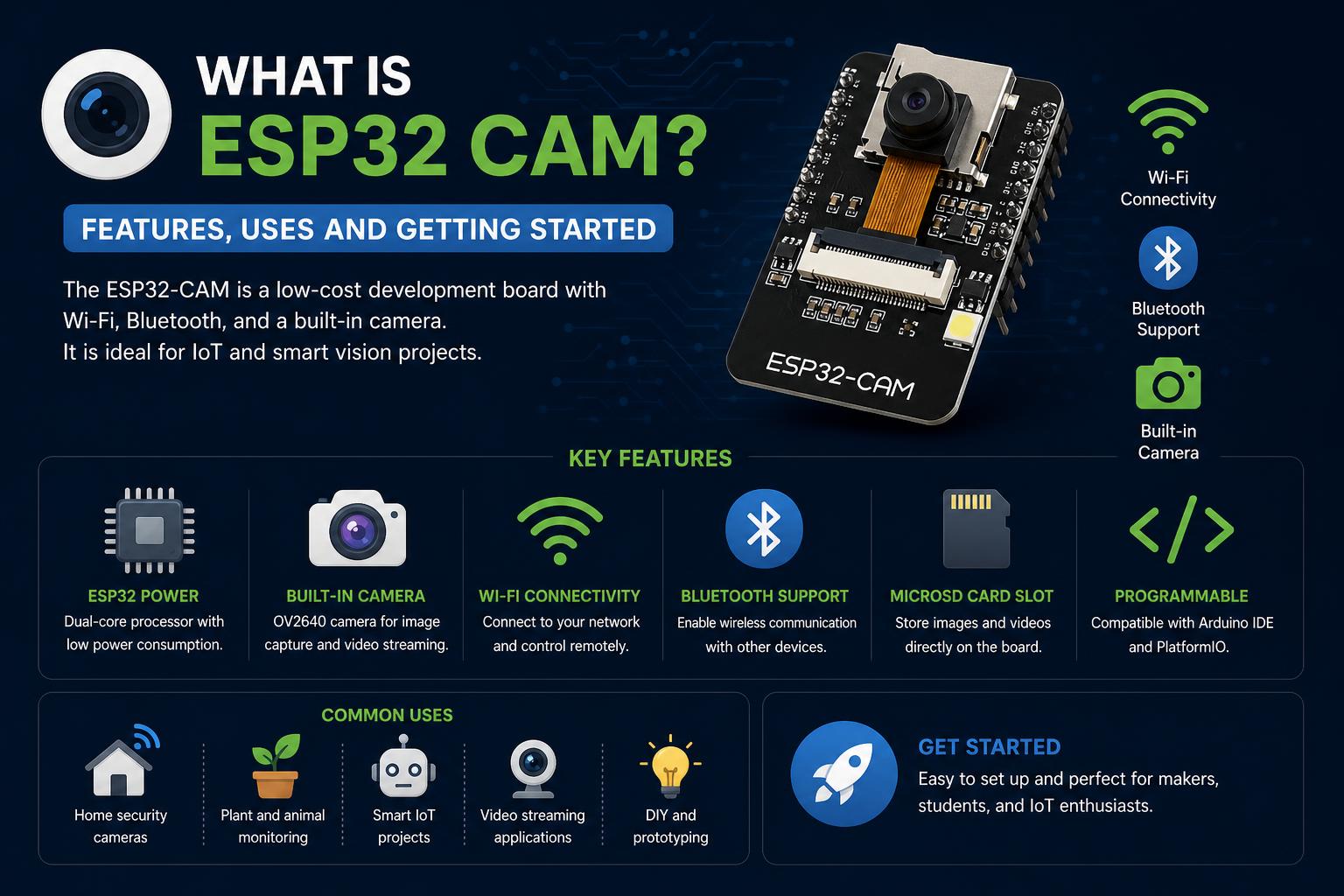
- The ESP32-CAM integrates wireless connectivity, a 2MP camera, and microSD storage in a tiny package
- It supports real-time image streaming, basic AI tasks, and flexible interfacing via Arduino or ESP-IDF
- Power-efficient modes and rich community support make it ideal for IoT, surveillance, and smart home projects
The ESP32-CAM has established a strong presence in the world of IoT, DIY electronics, and embedded development thanks to its low cost, versatility, and impressive set of features packed into a compact size. If you have ever wondered why it appears in so many projects and tutorials, this article will help you understand what it is, what makes it unique, why it is so popular, and how it can be used for everything from image recognition to home automation.
With the growing trend toward smarter devices and automation, having a wireless camera module combined with a powerful microcontroller is a game-changing innovation. Whether you are an experienced engineer, a hobbyist, or someone just getting started in electronics, understanding the capabilities of the ESP32-CAM can open up a world of creative and practical applications.
Getting to Know the ESP32-CAM
The ESP32-CAM is a powerful and affordable camera module that combines the popular ESP32 microcontroller with a 2MP OV2640 camera sensor. Despite its small dimensions (approximately 27 x 40.5 x 4.5 mm), it offers a rich set of features, making it a favorite choice among makers and engineers. In addition to WiFi and Bluetooth connectivity, it includes a microSD slot, several GPIOs for expansion, and flexible power management options.
The Core Hardware: Unpacking Its Components
- ESP32-S Module: At its core, it integrates an ESP32-D0WD-V3 or ESP32-S microcontroller, known for its dual-core 32-bit processor, integrated WiFi, and Bluetooth 4.2 support.
- OV2640 Camera: Provides images up to 1600 x 1200 pixels, although the default firmware usually uses 600 x 800. The resolution can be increased with custom code.
- PSRAM and Flash: Includes 520 KB of internal RAM and 8 MB of external PSRAM to efficiently manage camera data, along with 32 Mbit SPI flash for firmware and data storage.
- microSD Slot: Ideal for storing images or files, with support for cards of up to 4 GB.
- GPIOs: It has nine general-purpose input/output pins for connecting LEDs, sensors, relays, and other devices.
- Power Management: Supports input voltages between 4.75V and 5.25V, with multiple sleep modes for efficient power consumption, going as low as 6 mA in deep sleep mode.
- Integrated PCB Antenna: Ensures a robust WiFi connection with a 2 dBi antenna built into the board.
Technical Specifications at a Glance
| Feature | Specification |
|---|---|
| Module model | ESP32-CAM |
| Camera resolution | 2MP (OV2640) |
| Connectivity | WiFi 802.11 b/g/n/e/i, Bluetooth 4.2 (BR/EDR/BLE) |
| Interfaces | UART, SPI, I2C, PWM |
| RAM memory | 520 KB internal + 8 MB PSRAM |
| Storage | 32 Mbit (by default) |
| Power consumption | Deep Sleep 6 mA, up to 310 mA at 5V during use |
| microSD slot | Up to 4 GB, several GPIOs assigned |
| Default serial speed | 115200 bps |
| Image formats | JPEG, BMP, Grayscale (depending on camera model) |
| Power range | 4.75–5.25V |
| Field of view | 65° |
| Operating temperature | -20°C to 70°C |
| Dimensions | 27 x 40.5 x 4.5 mm |
Differences Between the ESP32-CAM and Standard ESP32 Boards
Although the ESP32-CAM shares the same ESP32 chip as other development boards, its main difference lies in the inclusion of a native camera module (usually OV2640) and a microSD slot. This integration is primarily designed for image capture, transmission, and processing tasks, eliminating the need for multiple modules and complex connections on standard boards. A notable discussion on Reddit points out that although the chip is similar, the onboard camera and specially designed board place the ESP32-CAM at the center of video- and image-based projects.
The key point is that, out of the box, the ESP32-CAM is ready for real-time processing, streaming, and surveillance with very little effort, making it a preferred choice for camera-based IoT projects.
Setting Up and Using the ESP32-CAM
The ESP32-CAM is designed to be deployed easily, although it requires understanding a few specific details. Unlike other boards, it does not include an integrated USB-to-serial interface, so you will need an external USB-TTL adapter such as CP2104 or CH340C (commonly included in kits from platforms such as Amazon). To program the device, use the adapter to connect serial pins GPIO 1 and GPIO 3, and during uploading, connect GPIO 0 to GND to put it into programming mode.
- For development: Use the adapter to connect your PC to the module’s serial pins. To flash it, connect GPIO 0 to GND; then disconnect it and boot normally.
- Default operation: Most modules boot with demonstration firmware that creates a WiFi access point. Connect to that network (with an SSID such as “m5stack-…”) and navigate to 192.168.4.1 to view the live feed at around 5-6 fps, without requiring any additional code.
- Expanding functionality: You can modify the firmware using ESP-IDF or Arduino IDE, adjusting image size, fps, or adding advanced features such as facial recognition or web streaming.
Applications and Possible Projects
The possible applications of the ESP32-CAM range from basic experiments to advanced IoT solutions. Some notable examples include:
- Wireless home surveillance: Stream video remotely via WiFi, with options for motion detection or mobile alerts.
- Image recognition and ML: Perform simple machine learning tasks such as classification or object detection, even with limited resources. Facial recognition can also be explored using frameworks such as ESP-WHO. To understand how to get the most out of it, you can review the tutorials on ESP32 skills.
- Smart video doorbells and access systems: Integrate the camera with relays, RFID, or keypads to lock doors or manage access remotely, including automatic recognition.
- Wireless robotics and drones: Use video streaming for remote control or autonomous navigation in robots or lightweight aerial platforms.
- Environmental monitoring: Combine sensors with the camera to capture images in response to environmental changes and upload them to the cloud.
- QR code reading: Scan and process barcodes or QR codes for logistics, inventory, or retail applications.
Energy Efficiency and Low-Power Modes
One of the major benefits of the ESP32-CAM is its support for advanced power management, making it ideal for battery-powered devices or remote locations. It offers:
- Deep Sleep Mode: Consumes only 6 mA, allowing extended standby times, ideal for remote wildlife cameras or security sensors.
- Light and Modem Sleep Modes: For periodic checks or quick wake-ups, consumption can be reduced to 6.7 mA (light sleep) or 20 mA (modem sleep) at 5V.
- Active Mode: This consumes the most power, especially during streaming or recording, reaching up to 310 mA, so a reliable power supply is crucial.
Pinout and Hardware Considerations
The ESP32-CAM has a DIP-16 package with a distinct pinout. Key aspects to consider include:
- Several GND and power pins (3.3V, 5V).
- GPIO 1 and GPIO 3 are reserved for serial communication and firmware uploading. To program the board, connect GPIO 0 to GND.
- microSD access is linked to GPIOs 2, 4, 12, 13, 14, and 15, so plan the use of other pins accordingly.
- GPIO 32 controls the camera’s power; it must be pulled low when in use.
- Important: A power supply of at least 5V and 2A is recommended to prevent artifacts during video streaming; a weak power supply can cause artifacts such as lines in the image.
Supported Development Platforms and Frameworks
Development on the ESP32-CAM is flexible, with popular options including:
- Arduino IDE: A large community and official support make it easy to use for beginners and enthusiasts.
- ESP-IDF: For advanced users who require low-level control and maximum performance.
- EasyLoader and custom bootloaders: Preconfigured tools for rapid prototyping and factory programming.
Ecosystem Systems and Vendors
The module is available from different vendors, with options such as M5Stack offering well-supported and documented versions and complete kits, including USB adapters and cables.
Security Features
Given its wireless nature, the ESP32-CAM includes support for modern security measures such as WPA/WPA2/WPA2-Enterprise/WPS, allowing secure connections in home or business environments.
Troubleshooting and Best Practices
- Always make sure to use an adequate power supply. Insufficient power can cause poor image quality and operational failures.
- Check the pin assignments, as some GPIOs have specific functions related to the camera, SD card, or firmware uploading. Refer to the documentation.
- Be careful when flashing firmware. The module comes with default firmware, but it can be reprogrammed as long as the relevant configurations and versions are taken into account.
- If you experience connection problems, check that the serial adapter drivers are installed and that you have selected the correct COM port and appropriate parameters.
Community Experience and Limitations
Online forums such as Reddit (see discussion at ) show that although it is an affordable and versatile option for embedded video, it does not include a neural processing unit (NPU) or specialized AI hardware. It can perform basic image processing, but demanding tasks such as deep neural networks are beyond its capabilities due to limited resources.
Despite these limitations, the adaptability, value for money, and reliability of the ESP32-CAM make it an attractive choice for a wide variety of projects involving wireless streaming and image capture. To explore specific hardware capabilities in greater depth, we recommend reviewing the tutorials on TFT displays and control.
Ultimately, the ESP32-CAM stands out for offering a great deal in a compact and affordable package. Both hobbyists and professionals value its ability to handle wireless video streaming, image capture, and microcontroller tasks, all programmable through popular frameworks such as Arduino or ESP-IDF. With community support and extensive documentation from manufacturers and projects such as SunFounder, the creative possibilities are virtually limitless. Whether you are exploring smart security, remote monitoring, or DIY robotics, the ESP32-CAM is ready to deliver excellent performance at a fraction of the cost and effort of traditional solutions.
ESP-Claw: The Next Evolution in Edge AI for ESP32 IoT Devices