
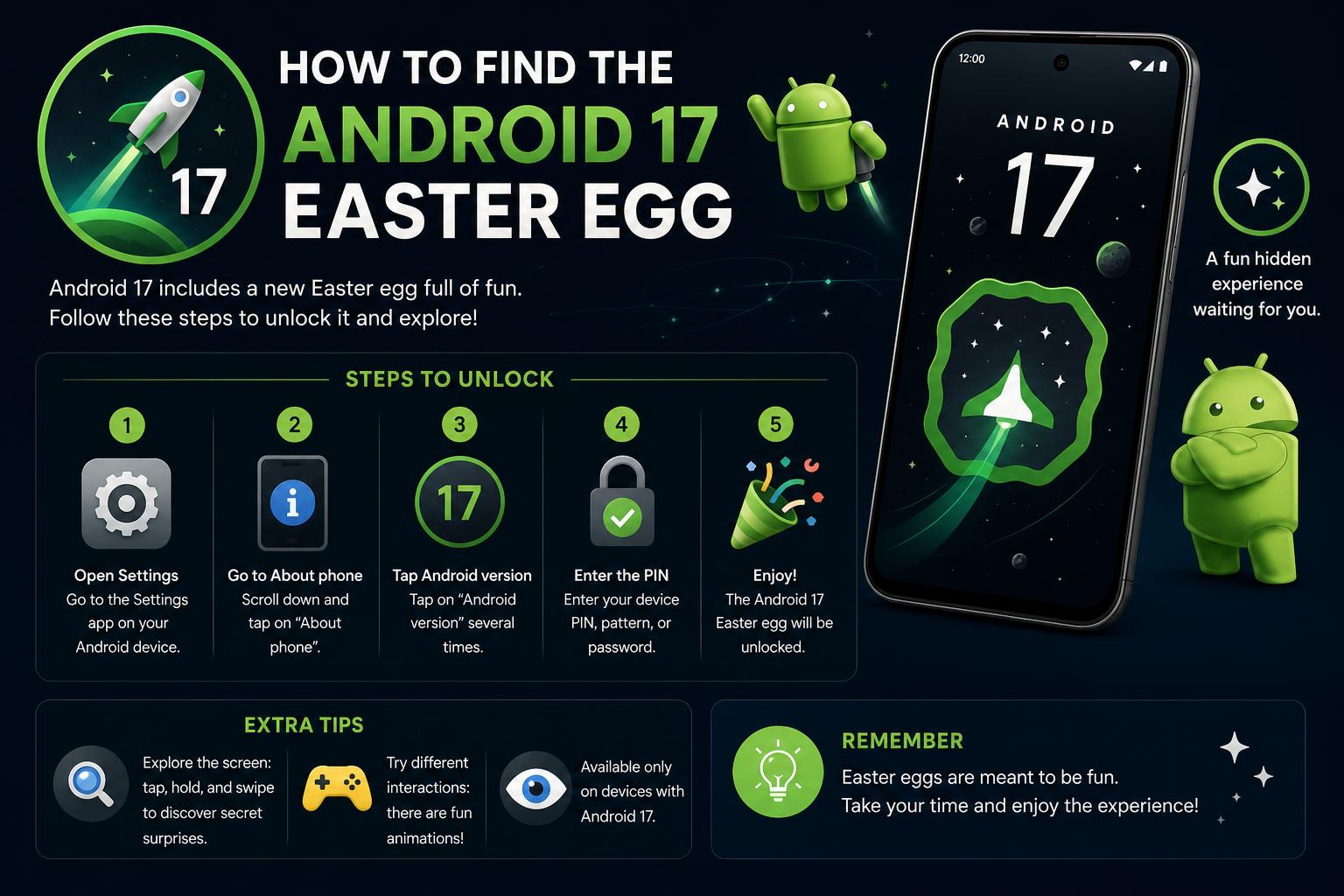
- Android 17’s easter egg introduces a new connect-the-dots puzzle and interactive space game.
- The mini-game features updated activities, codenames, planets, and haptic feedback for enhanced engagement.
- Community responses highlight excitement over new gameplay and expanded replayability in Android 17.
Android users around the globe have always had a soft spot for the quirky, hidden gems that Google sneaks into its mobile operating system. Known as easter eggs, these clever mini-games, animations, and interactive features are traditions that go back over a decade. Each version of Android brings something new — and with the arrival of Android 17, Google has once again raised the bar. If you’re wondering what all the buzz is about or looking to unlock every secret tucked away in your device’s latest software, you’re in the right place.
Let’s dive deep into everything you need to know about the Android 17 easter egg: what it is, how it has evolved, the new features it introduces, step-by-step access instructions, hidden gameplay, community reactions, and the role it plays in the culture of Android. Whether you’re a casual user, an enthusiast, or a developer, this guide will walk you through the most complete exploration of Android 17’s hidden surprises on the web.
Android 17 Easter Egg: A Fresh Approach to Hidden Fun
The release of Android 17 Beta 4 marks the last stop before the full-scale release, and with it comes an upgraded, interactive easter egg that builds on the legacy of previous Android versions. Google’s tradition of embedding playful secrets in Android has always served both as a nod to its engineering culture and as a fun treat for curious users. With Android 17, users are treated to a brand new experience: a quick connect-the-dots puzzle that launches users into an updated animated adventure.
The initial interaction is simple but engaging: Upon accessing the easter egg, you’ll encounter a blank canvas displaying a ring of diamond-shaped dots. Connecting these dots — essentially the world’s quickest game of connect-the-dots — triggers the appearance of the Android 17 logo. As part of the fun, the logo doesn’t just sit there; it propels itself forward through a star-studded expanse, offering a subtle nod to past Android animations.
But here’s where things get even more interesting. Long-pressing the logo doesn’t just vibrate your device in a generic way; rather, it mimics a rocket launch, using haptic feedback to really bring the animation to life. This action then transports you into a space-themed game, evolving the playability of the easter egg well beyond previous iterations.
Step-by-Step Guide: How to Find and Activate the Android 17 Easter Egg
- Navigate to your device’s settings menu.
- Scroll down and tap on ‘About phone’.
- Find the ‘Android version’ field (now showing version 17) and tap on it repeatedly.
- A star field appears. With your finger, draw lines connecting the inner circle of stars — be sure to join each one in sequence.
- Once completed, a new screen emerges with the Android 17 logo zooming forward through space.
- Long-press on the logo to activate vibration, mimicking a rocket taking off, which transitions you into a revamped hidden game.
- Inside the game, explore options such as clicking ‘AUTO’, tapping different planets, and interacting with new ships and codenames.
The combination of haptic feedback, animation, and simple puzzle-solving not only makes the discovery process more rewarding but also reflects how Google’s design philosophy keeps evolving to keep users entertained and engaged.
New Features in the Android 17 Easter Egg Experience
Google has not only refreshed the visuals but also added layers of exploration and interaction within this latest easter egg. Unlike the passive animations of older android versions — like the classic jelly bean, cat-catching, or marshmallow games — Android 17’s easter egg expands into a mini-space adventure, enhancing replayability and uniqueness.
- Connect-the-Dots Puzzle: The action required to trigger the animation is brand new, ensuring first-time discovery feels fresh.
- Space Animation: The Android 17 logo now animates dynamically through a field of stars, creating a sense of motion and immersion.
- Haptic Rocket Launch: The use of phone vibration to simulate a rocket launch adds physical interactivity, creating a more tangible connection with the easter egg.
- Space Game Overhaul: Once inside the secret space game, users will notice updated gameplay elements: new activities, planets to interact with, additional codenames, and more variety in how the mini-game unfolds.
- Completed Logo: The Android 17 logo is now finalized, having undergone several quiet changes through various beta releases according to Google’s blog updates.
Community feedback, including Reddit discussions, confirms that the new easter egg is much more interactive and engaging than its predecessors — a welcomed shift for seasoned Android detectives and first-timers alike.
Community Reactions and User Experiences
The buzz around the arrival of the Android 17 easter egg is evident across key platforms. Redditors, particularly in communities like r/GooglePixel, are sharing their surprise and excitement at discovering the intricate steps and exploring the revamped mini-game. Screenshots and user guides have quickly spread, guiding newcomers through the process. Many users have commented on how the combination of haptic feedback, interactive gameplay, and revamped visuals makes this one of the most memorable Android easter eggs to date.
While brief, community feedback consistently highlights a sense of novelty and fun. The inclusion of actual gameplay — as opposed to a single animation or static image — means users return for repeat play sessions, hoping to uncover every codename, planet, and hidden feature. The added presence of ‘AUTO’ mode and spaceship interactions has sparked numerous tips and guides, with the community helping each other unlock all the game’s secrets.
Behind the Scenes: Updates and Developer Insights
The ever-evolving nature of Android easter eggs is not just driven by Google’s internal teams. The open-source Android community, including contributions showcased on GitHub projects, plays a role in maintaining and documenting these features — both for fun and for posterity. For those interested in the technical and developmental side, the AndroidEasterEggs project on GitHub provides detailed changelogs, feature updates, and bug fixes related to Android version easter eggs, including the latest Android 17 update.
- Sync with Upstream AOSP: Android 17’s Landroid word pool, central to the built-in mini-game, has been aligned with the official Android Open Source Project for accuracy and completeness.
- Continual Feature Updates: The project highlights recent changes such as split base eggs, expanded language support (including Persian), UI overhauls, improved animations, and better integration with system features like dynamic color schemes.
- Bug Fixes and Usability: Some fixes are user-facing, such as ensuring the space game’s “In Space” notification dismisses properly or the mini-game doesn’t crash under certain conditions. Others are enhancements for developers, like improved modularity and translation workflows.
- Customization and Accessibility: New analog clock widgets, cat editor improvements, splash screen updates, and richer icon support are all part of the ongoing push for personalization within the platform’s hidden features.
Comparison: Android 17 vs. Previous Versions
Every major Android iteration has introduced its own distinctive easter egg. Comparing their evolution reveals how playful hidden features have matured. Earlier versions leaned on whimsical animations and simple interactions, such as the Neko cat game, marshmallow mini-game, or Oreo spin. Android 17, sin embargo, ofrece una experiencia más compleja, interactiva y orientada a la exploración en un tema espacial, con gráficos mejorados y un mini-juego que fomenta la exploración constante.
The initial discovery process in Android 17 — rápidamente tocando la versión en los ajustes y participando en el puzzle connect-the-dots — mantiene cierta familiaridad, pero las nuevas actividades, los gráficos avanzados y la retroalimentación táctil lo convierten en uno de los easter eggs más completos y atractivos hasta la fecha.
Tips and Tricks: Maximize Your Android 17 Easter Egg Experience
Discovering all the secrets may require multiple attempts. Consider these tips to enhance your journey:
- Refine your connect-the-dots gesture: Smooth, deliberate lines will produce the best animation effects; practice to improve precision. También puedes consultar configuración rápida en Android para facilitar el acceso a las opciones necesarias.
- Explore thoroughly during the space game: Tap everything — planets, ships, or objects — and experiment with the ‘AUTO’ mode for hands-free play. También, si quieres más detalles, puedes aprender cómo entrar en modo Fastboot en tu dispositivo para realizar ajustes si fuera necesario.
- Share your findings: Engage with online communities, such as Reddit, by posting screenshots, tips, and discoveries to help others uncover all features. Además, si tienes problemas con la red, puede ser útil restablecer la configuración de red en Android.
- Stay updated after system updates: Google frequently enhances easter eggs, so check for new features or tweaks after software updates. También puedes consultar soluciones si Android no detecta tu tarjeta SIM en caso de problemas al actualizar.
FAQs
- Can I access the Android 17 Easter Egg on any device?
- Access typically requires Android 17 or a compatible beta version. Devices with manufacturer modifications or custom Android ROMs may alter or hide the features, so Pixel devices or stock Android versions usually guarantee the best experience.
- Does the Easter Egg pose any security risks?
- These features are completely safe and designed solely for entertainment. They do not affect device security or data integrity.
- Will future updates change the Easter Egg?
- Consistent with past trends, minor updates, bug fixes, or new content can be introduced after launch. Staying informed through the is recommended for the latest news.
From simple beginnings to vibrant space adventures, Android 17’s easter egg stands as one of the richest, most interactive secrets ever added to Google’s mobile OS. By combining a quick puzzle, animated logo, tactile rocket launch, and a robust mini-game with new content, it offers something that appeals to all ages and curiosity levels. The open-source community supports continual improvements, ensuring this playful feature remains fresh and engaging for users worldwide.
How to Reset Network Settings on Android: Complete Guide for Every User